


The $9 Posting Bot Can’t Do the One Thing Your Clients Actually Pay For
July 17, 2026
9 min read

Summarize with AI

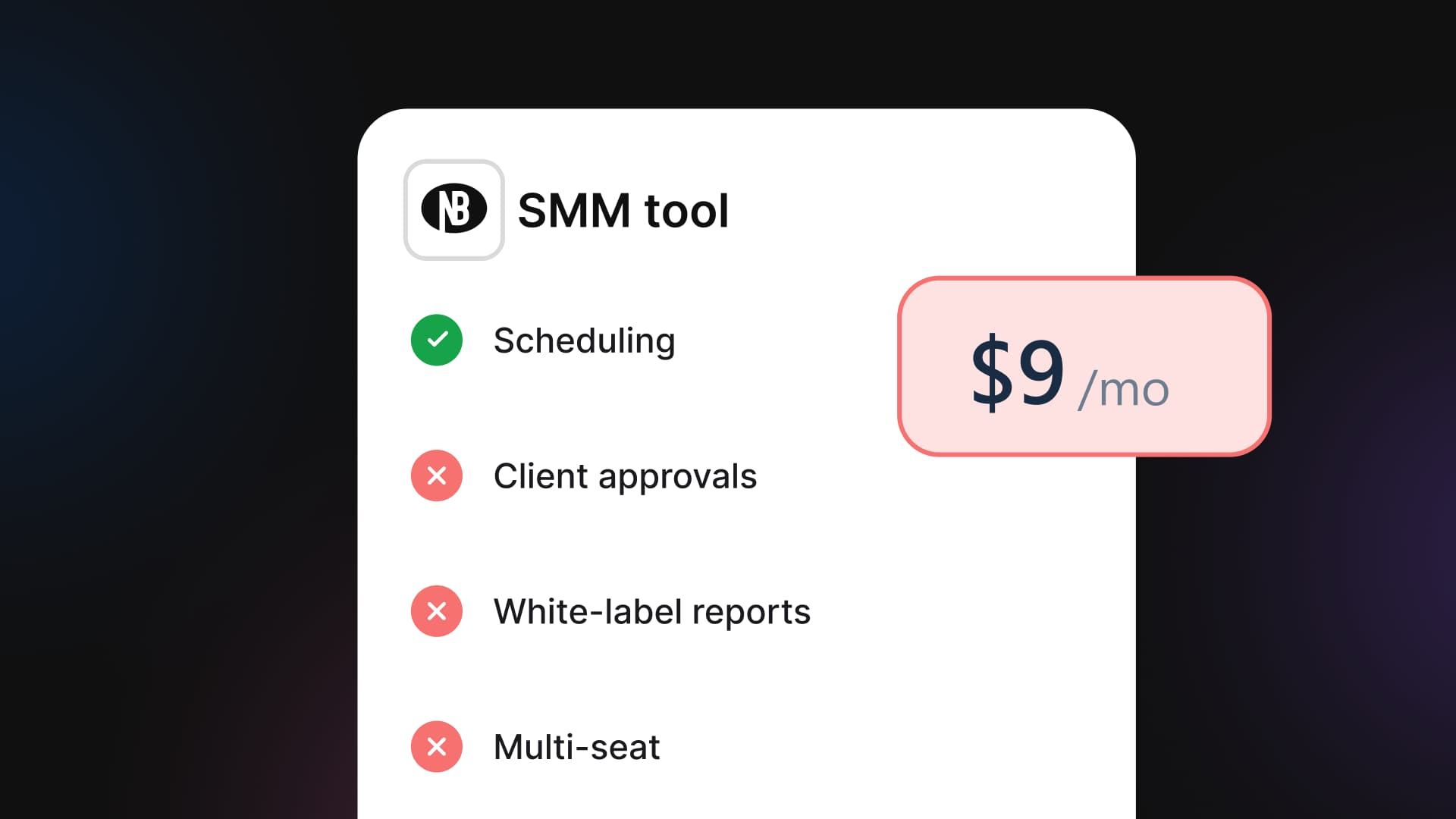
Table of contents
Share

Vista Social

X (Twitter)


The tab has been open for twenty minutes. Nine dollars a month, and it connects every platform you use, holds an unlimited queue, and even writes the captions. On paper, it’s a social media tool for agencies at a tenth of the price.
So you run your newest client through it, mentally. You get exactly one step in. The client emails: “Love it, can you send everything over so I can approve before it goes out?”
The nine-dollar tool has nowhere for her to look. There’s no queue she can see, no button she can click, and no record that she ever said yes. You’d have to email a screenshot and hope she checks it in time.
That’s the moment the bargain quietly ends, right where your actual job begins. Your client isn’t paying you to publish posts. They’re paying for everything that happens around the publish, and that’s the one thing the cheap tool doesn’t sell.
In this article:
- A cheap scheduler is the right call if you only run your own accounts.
- Client work needs four things a bargain tool doesn’t have: sign-off, a client-facing review link, branded reports, and review management.
- You don’t need per-seat agency-suite pricing to get those four things.
- Flat-rate platforms bundle the agency workflow into a tier, and we’ll name the real numbers.
Table of contents
Why a cheap scheduler is so tempting (and when it’s the right call)
Give the bargain tool its due, because it earns it. For nine or twelve dollars a month, a tool like Buffer or Publer will connect a stack of platforms and hold an unlimited queue. It throws in an AI caption and never once makes you feel upsold. Buffer’s own paid tiers run around $6 to $12 per channel per month.
For a solo creator posting to their own three accounts, that’s the correct choice. Any article that pretends otherwise is lying to sell you something. If you post only to your own accounts, keep the cheap tool. The same goes if you’re a freelancer with one or two clients who happily approve content over a quick text.
A $9 scheduler is genuinely the cheaper, right call in both cases. The agency workflow described in this piece is a cost you don’t need yet, and there’s no prize for buying capability you won’t use.
The frame breaks the instant the account isn’t yours. Once you’re posting under someone else’s name, to someone else’s audience, on someone else’s reputation, the calculation changes completely. That’s a different job, and it needs a different tool.
If you only run your own accounts today but expect to take on clients soon, it’s worth getting ahead of the pricing question. Here’s how agency tool pricing works, before you’re mid-onboarding and scrambling to switch.
What breaks when you run a client on a bargain bot
A $9 scheduler is not a social media tool for agencies, and the gap shows up quickly once a real client is on the other end. The first thing a real client asks is some version of “can I see it before it goes out?” The cheap bot has no honest answer. There’s no place for the client to look, no sign-off, and no record of who approved what.
So you improvise. You email a screenshot, or paste a draft into Slack, or set the client up with a login they’ll use twice and forget exists.
That improvised process has an unflattering name in agency circles: screenshot-and-pray. You send the image, you wait, and you hope nobody clicks publish before the reply lands.
It works right up until it doesn’t. Then you’re not dealing with a missed feature. You’re dealing with a client who no longer trusts the process.
Then the thing goes live wrong. Every agency owner has lived this or lies awake fearing it:
- A typo the client would have caught
- A promo with the wrong date
- A tone-deaf post scheduled weeks ago that lands the morning of bad news
On a tool with a buried or nonexistent approval flow, that isn’t an edge case. In fact, this is a well-documented industry problem.
A survey of over 500 marketing professionals found that 80% experience feedback delays on creative work, and the pattern worsens once an external client joins the chain. When approval isn’t the default path, it doesn’t cost you a feature. It costs you the client’s trust, which is the entire thing you’re actually selling.
And then there’s the slow bleed nobody puts on an invoice. Every Friday you aren’t on the bargain tool doing agency work, you’re doing the agency work the bargain tool can’t do:
- Hand-building a client report by copying screenshots into a slide deck, because the tool’s export looks like it’s from 2010 and carries the tool’s brand, not yours
- Chasing an angry Google review a client just found before they call you about it
- Re-explaining, for the fourth time this month, why you need one more login than the plan allows
None of that shows up on the $9 receipt. All of it shows up in your week, and reporting specifically drives client retention for 70% of agency leaders. Agencies that can’t consistently demonstrate value are the first to be put up for review when a client reassesses spend.
Something Social, a Cape Town agency running 20 to 25 client accounts, is a useful before-and-after. Before switching to a flat-rate agency platform, scheduling and reporting were eating roughly 20 hours a month.
That was on top of the usual reliability headaches that come with juggling multiple tools. After the switch:
- Scheduling time dropped from 20 hours a month to around three
- Reporting time fell by 90%
- The freed-up hours let the team take on four additional client accounts
That’s not a hypothetical. It’s what happens when the platform does the client-facing work instead of leaving you to build it by hand.
The cheap tool didn’t save you money. It moved the cost off your invoice and onto your Fridays and your margins. Worse, it puts at risk the one thing you can’t afford to lose: the client believing you have this handled.
What does a social media tool for agencies actually need?
Four jobs separate a scheduler from an agency platform. Each one maps to a specific moment where a client-facing account either holds together or doesn’t.
Client sign-off
The client sees the full content queue and approves in one place. There’s a record of who said yes and when. This needs to be the default path, not a feature nobody remembers to turn on.
Making the client look good
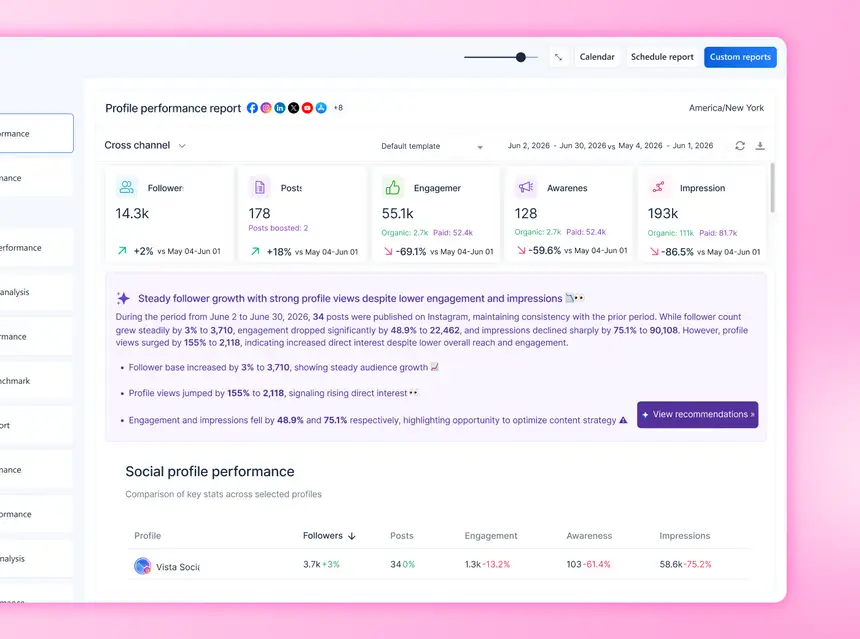
A branded performance report, generated in minutes, carries the agency’s logo instead of the tool’s. Building a client report that doesn’t eat your Friday turns reporting week from a dread into a five-minute task.
Protecting the client’s reputation
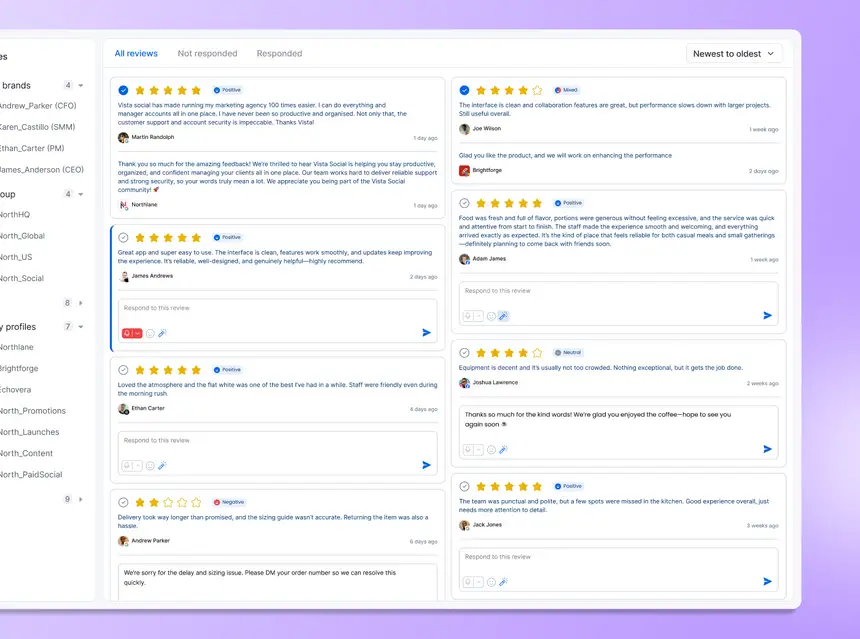
Catching and responding to reviews across platforms, alongside publishing, keeps a bad review from going unanswered for a week while nobody’s watching. Staying on top of client reviews across a whole portfolio of accounts isn’t optional once you’re managing reputation for someone else’s brand.
The same goes for the client’s inbox. Automating replies without losing the human touch keeps response times fast without making the brand sound like a bot.
Letting the whole team actually log in
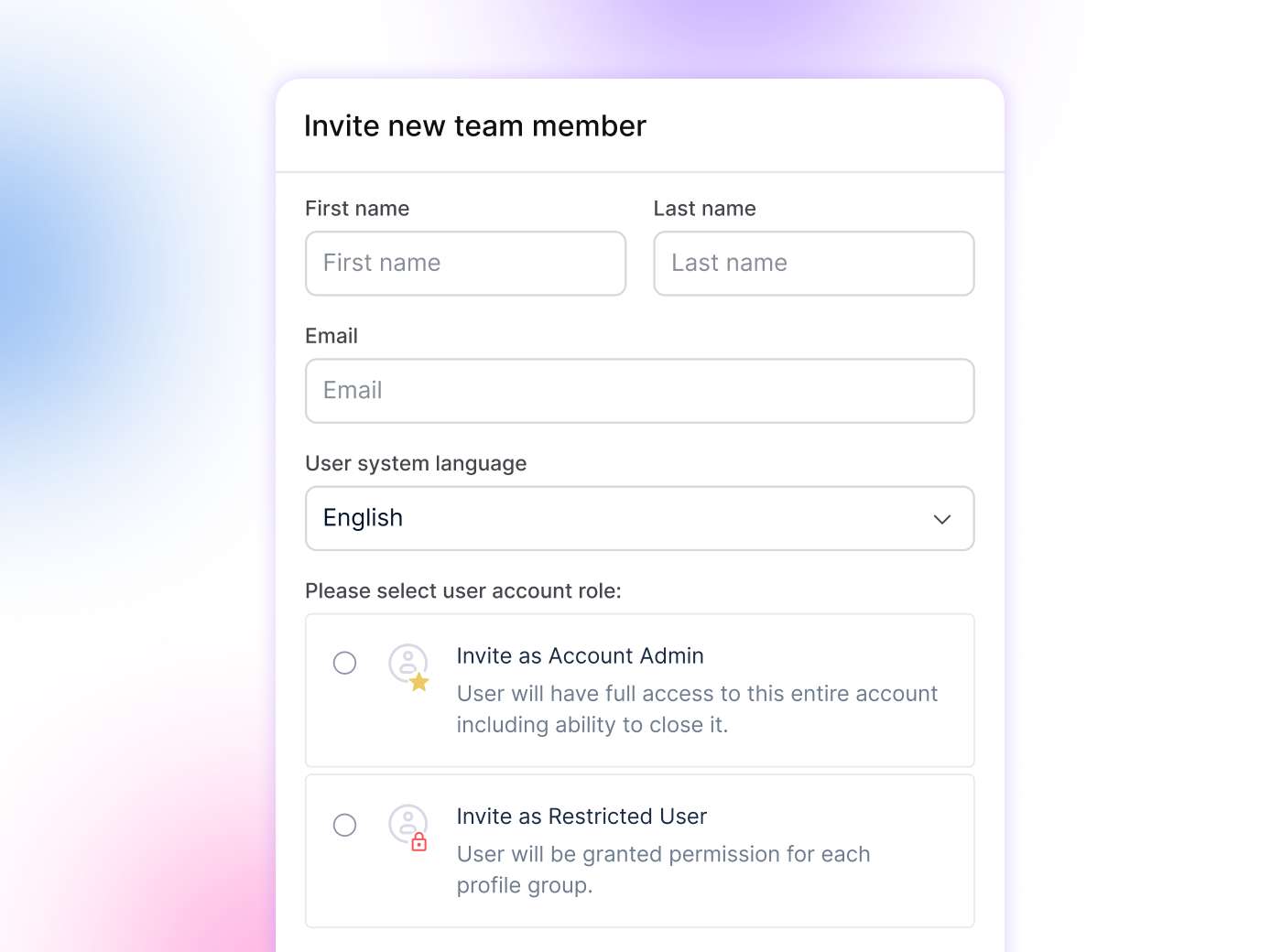
Flat tiers bundle a set number of users and profiles, instead of charging per head. That’s what stops an intern from getting stuck on a shared login, because adding a real seat isn’t in the budget.
Here’s how a bargain scheduler stacks up against an agency platform on those four jobs. The comparison uses Vista Social as the reference point, since its tier structure is public and dated.
| Job | Bargain scheduler | Agency platform (Vista Social) |
| Publishing and scheduling | ✅ Handles this well, often with a generous queue | ✅ Same, plus multi-platform customization |
| Client sign-off / approval workflow | ❌ No structured approval path | ✅ Multi-stage approvals from the Advanced tier |
| Client review link, no paid seat | ❌ Not available at any price | ✅ Shareable review link on the Scale tier |
| Branded, white-label reports | ❌ Reports carry the tool’s own branding | ✅ White-label reporting on the Scale tier |
| Review management | ❌ Not part of the product | ⚠️ Facebook and Google on the entry tier, expanding to eight platforms from Advanced up |
| Team seats without a per-head charge | ✅ Often unlimited or cheap per seat | ✅ Flat tiers bundle a set number of users and profiles |
Notice the review management row carries a caveat rather than a flat yes. Even the entry-level agency tier covers the two platforms most clients actually ask about.
Full eight-platform coverage arrives once you’re on a tier built for real client workloads. That’s a more honest picture than a marketing page tends to give you, and it’s worth knowing before you commit to a plan.
Do you have to pay per-seat agency prices to get this?
No. That’s the part most agencies get wrong when they assume the only alternative to a $9 bot is a $200-a-seat suite.
Sprout Social is the tool most agencies picture when they think “agency-grade.” It runs $199 to $299 per seat per month, depending on tier and when you check. Put three people on it, and you’re paying $600 to $900 a month before you’ve onboarded a single client.
One reviewer on Capterra summed it up plainly. Compared to platforms “like SproutSocial, which runs at $299 per month these days,” they noted, a flat-rate alternative’s price point felt genuinely affordable.
Flat-rate platforms work differently. Instead of a per-head charge that punishes you for hiring, you pick a tier that bundles a set number of users and profiles.
You move up as the team or client roster grows. That’s the whole point of buying a social media tool for agencies instead of a per-seat suite. On Vista Social, the tiers break down like this:
- Professional: $79/month for 15 profiles and 3 users
- Advanced: $149/month for 30 profiles and 6 users, with multi-stage approvals included
- Scale: $349/month for 70 profiles and 10 users, with white-label reporting and client review links unlocked
That’s not “unlimited seats” or “no per-seat tax,” and it shouldn’t be sold to you that way. Each tier still caps users and profiles.
What it means is no per-head add-on charge inside that tier. A growing team doesn’t get taxed for every new hire the way it would on a seat-based suite. It’s cheaper at comparable team sizes, not uncapped, and that honesty matters more than the marketing version of the pitch.
This flat-tier structure is a major reason agencies are leaving the legacy suites in the first place. The math on a five-person team managing 20 client accounts doesn’t work the same way once nobody’s billing you per login.
How to decide, without overpaying or underserving your clients
Choose a cheap scheduler if you post only to your own accounts. The same goes if your one or two clients are happy approving content over a quick text and don’t need a formal record of sign-off.
There’s nothing to fix here. Keep the $9 tool and keep the money.
Choose an agency platform the moment you’re posting under a client’s name and answering to a client’s boss. That’s the point where sign-off, branded reporting, and review management stop being nice extras. They become the actual service the client is paying you to deliver.
Not sure which side of that line you’re on? An audit of how you’re currently running client accounts is a fast way to find out. It surfaces exactly which client-facing jobs your current setup can’t do, rather than which features it’s missing on a spec sheet.
Frequently asked questions
Is a cheap social media scheduler good enough to manage client accounts?
For your own accounts, yes. For client work, it usually lacks the four things clients actually pay for: sign-off before posting, a client-facing review link, branded reports, and review management.
What features does a social media tool for agencies actually need?
- Multi-stage approvals
- A client review link that doesn’t cost the client a paid seat
- White-label reporting
- Review management across platforms
- Enough team seats without a per-head charge, so the whole team can actually log in
What’s the difference between a social media scheduler and a management tool for agencies?
A scheduler publishes posts. An agency tool manages the whole client relationship around the post: approval, reporting, and reputation.
Do you have to pay per-seat prices to get agency features?
No. Flat-rate platforms bundle a set number of users and profiles per tier, so you aren’t charged per head. You move up a tier as the team or client count grows.
When is a cheap scheduler still the right choice?
When you post only to your own accounts, or you’re a freelancer with one or two clients who approve informally. The extra agency workflow is a cost you don’t need yet.
About the Author

Content Writer
Russell Tan is a content marketing specialist with over 7 years of experience creating content across gaming, healthcare, outdoor hospitality, and travel—because sticking to just one industry would’ve been boring. Outside of her current role as marketing specialist for Vista Social, Russell is busy plotting epic action-fantasy worlds, chasing adrenaline rushes (skydiving is next, maybe?), or racking up way too many hours in her favorite games.