

Published on September 1, 2026
9 min to read
Loomly vs Hootsuite vs Vista Social: Which Tool Fits Your Team in 2026?

Summarize with AI

Table of contents
Summarize with AI

ChatGPT

Claude

Perplexity
Share

Vista Social

X (Twitter)


Updated September 1, 2026
Your social media tool does more than hold a content calendar. The better test is what happens around each post because reviews, replies, reports, and follow-up work need a clear owner.
That is the lens for this Loomly vs Hootsuite vs Vista Social comparison. Vista Social is the best overall choice because it connects more of the daily job in one platform.
Loomly is a focused option for smaller teams that prioritize planning and approvals, while Hootsuite offers mature listening and customer care at a per-user price.
We checked public product and pricing information, so this comparison reflects what each platform sells. Below, see where each is strongest and which limits matter as your workflow grows.
The short version
- Best overall: Vista Social connects publishing, engagement, reviews, project work, and deeper AI in one system.
- Best for content planning: Loomly keeps calendars and approvals easy to use. Starter also holds a team of up to three.
- Best for mature listening: Hootsuite brings publishing, care, listening, data, and Wisdom together, though every teammate adds another paid seat.
- Price the next hire: Loomly has a sharp jump after three users, while Hootsuite’s bill rises seat by seat. Vista Social bundles two, four, or eight users into public plans.
Table of contents
How each tool charges
The entry prices don’t buy the same thing. Loomly has a three-user Starter tier and an unlimited-user Beyond tier. Vista Social bundles users and profiles, while Hootsuite charges per user.
Our guide to pricing models explains the other costs, so you can find the first feature that forces an upgrade.
Vista Social pricing in 2026
Current Vista pricing has three public plans plus Enterprise. Annual contracts are paid upfront, and the effective monthly figures below divide that total by 12.
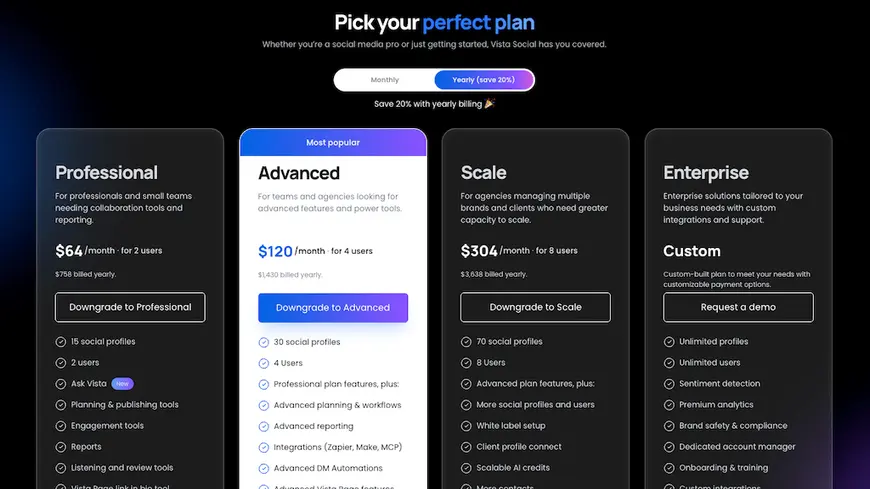
- Professional: $79 monthly for 2 users and 15 profiles.
- Advanced: $149 monthly for 4 users and 30 profiles.
- Scale: $379 monthly for 8 users and 70 profiles.
- Enterprise: Custom users, profiles, governance, and support based on the team.
Loomly pricing in 2026
Loomly has two public paid tiers, which creates a wide gap for teams that outgrow Starter.
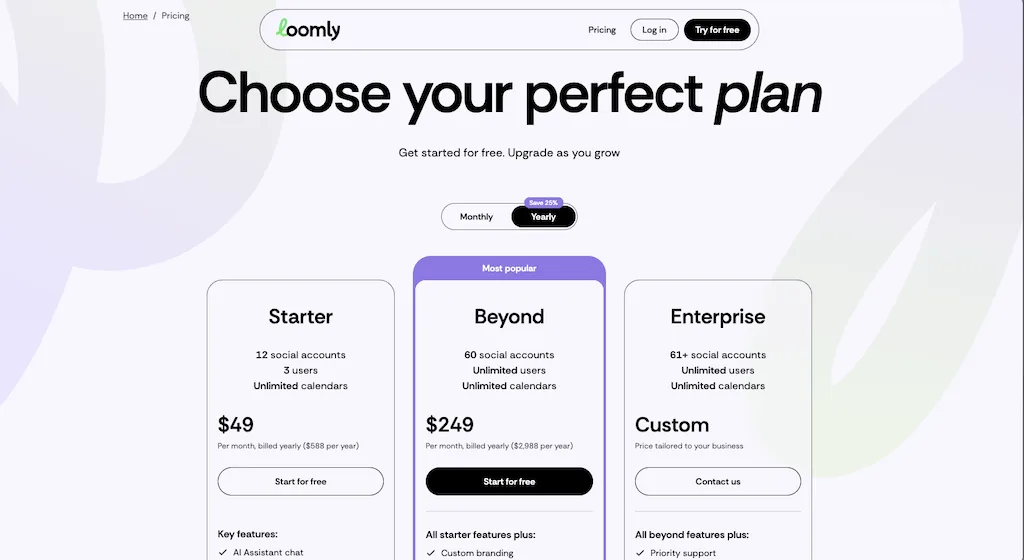
- Starter: $65 month to month or $49 with annual billing for 12 social accounts, 3 users, and unlimited calendars.
- Beyond: $332 month to month or $249 with annual billing for 60 accounts, unlimited users, and scheduled reports.
- Enterprise: Custom pricing when the team needs more than 60 accounts or a tailored rollout.
Hootsuite pricing in 2026
Hootsuite charges for every user, so the same plan costs more each time another teammate needs access.
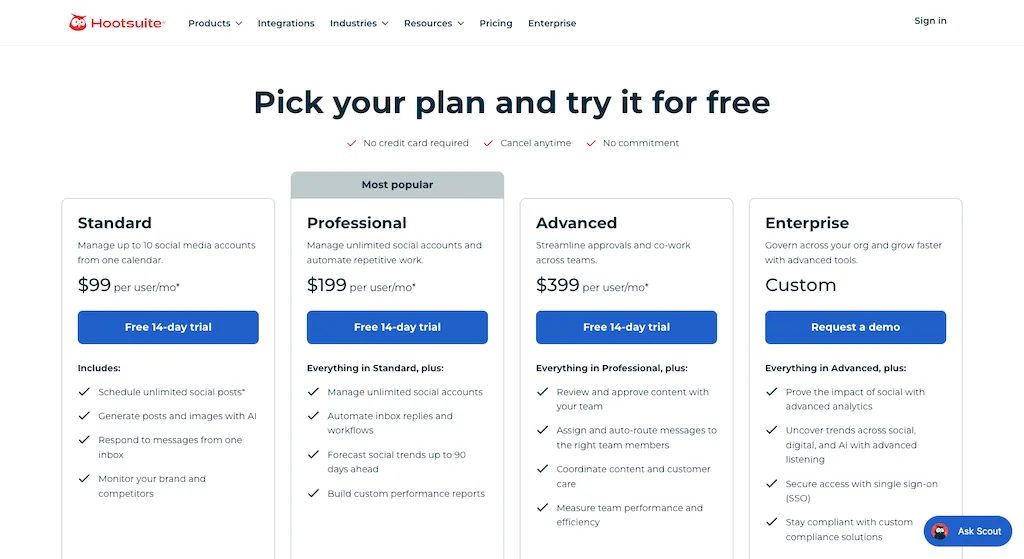
- Standard: $99 per user each month with annual billing and 10 social accounts.
- Professional: $199 per user with unlimited accounts, inbox workflows, custom reports, and forecasts.
- Advanced: $399 per user with approvals, routing, and added team controls.
- Enterprise: Custom pricing for deeper listening, data, security, and policy needs.
What does each tool cost for a team?
The table divides annual prices by 12, so monthly totals stay easy to compare. It uses the lowest tier that fits the stated user count.
| Team size | Vista Social | Loomly | Hootsuite |
| 1 user | $64 Professional | $49, Starter | $99, Standard |
| 3+ users | $64 Professional | $49, Starter | $297, Standard |
| 5+ users | $120 Advanced | $249 and beyond | $495, Standard |
| 10+ users | $303 and beyond | $249 and beyond | $990, Standard |
Loomly is the lowest public price for unlimited users. Vista Social costs about $54 more for five people but adds reviews, project work, wider automation, and connected AI.
Five Hootsuite Advanced seats cost $1,995 per month because approvals require that plan. Vista Social Advanced includes multi-stage approvals for up to six users at about $120.
Map your users and required workflows, then try Vista with the team that will use it.
Which networks do they support?
Network count matters when a client wants Reddit or a location needs Google Business Profile. Check each connection too, because some post types still require a mobile reminder.
Supported networks
| Network or destination | Vista Social | Loomly | Hootsuite |
| ✓ | ✓ | ✓ | |
| ✓ | ✓ | ✓ | |
| ✓ | ✓ | ✓ | |
| TikTok | ✓ | ✓ | ✓ |
| YouTube | ✓ | ✓ | ✓ |
| ✓ | ✓ | ✓ | |
| Threads | ✓ | ✓ | ✓ |
| Bluesky | ✓ | No native publishing listed | ✓ |
| X | $29/profile add-on | ✓ | ✓ |
| Google Business Profile | ✓ | ✓ | Inbox and integrations |
| Reddit publishing | ✓ | No | No native publishing |
| Snapchat publishing | ✓ | Reminder workflow | No native publishing |
| Tumblr publishing | ✓ | No | No native publishing |
| Review sites | 2 sources on Professional and 8 on Advanced and above | No dedicated review hub | App and workflow dependent |
The X factor
Vista Social moved X to a $29 monthly add-on for each connected profile in March 2026. Loomly and Hootsuite include X inside their account limits. A team with several X profiles should also add Vista Social’s charge before comparing totals.
Publish the format that gives your team the most trouble, then check the fields and data that come back.
Posts, calendars, and approvals
Calendars are where these tools look most alike. Each paid plan also supports unlimited scheduling, previews, network edits, timing advice, and bulk work.
How each publishing workflow works
- Vista Social: Schedule without a post cap, tailor copy by network, set profile queues, reuse posts, and import content in bulk. Profile Groups keep brands separate, Vista Work links tasks to live posts, and approval workflows range from one stage on Professional to several on Advanced.
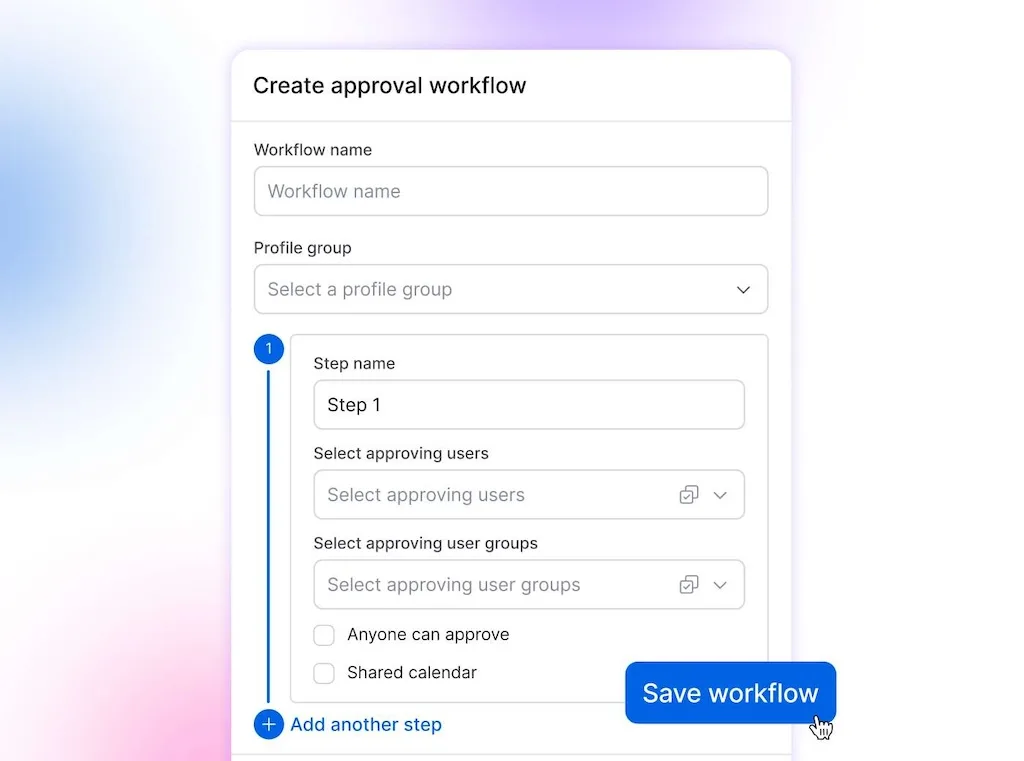
- Loomly: Schedule without a post cap, use recurring posts, import in bulk, and work from post ideas or saved templates. Starter includes approval states and previews, while Beyond adds custom roles and workflows.
- Hootsuite: Schedule unlimited posts outside trial limits, publish in bulk, use recommended times, and plan through Perch. Formal review and approval require Advanced, which costs $399 per user.
| Entry paid plan | Vista Social Professional | Loomly Starter | Hootsuite Standard |
| Unlimited scheduling | ✓ | ✓ | ✓ |
| Approval workflow | Single-stage included | Included | No, Advanced required |
| Bulk scheduling | ✓ | ✓ | Trial restriction applies |
| Shared social inbox | ✓ | ✓ | ✓ |
| Native project work | Vista Work | Calendar assignments | Assignments |
Analytics and reporting
A dashboard earns its place when the report is ready to share without spreadsheet repairs.
How each reporting workflow works
- Vista Social: Report on profiles, posts, competitors, reviews, sentiment, and benchmarks, then filter by profile or label and schedule delivery. Ask Vista can explain performance changes using live account data, while higher plans add more reporting options and white labeling.
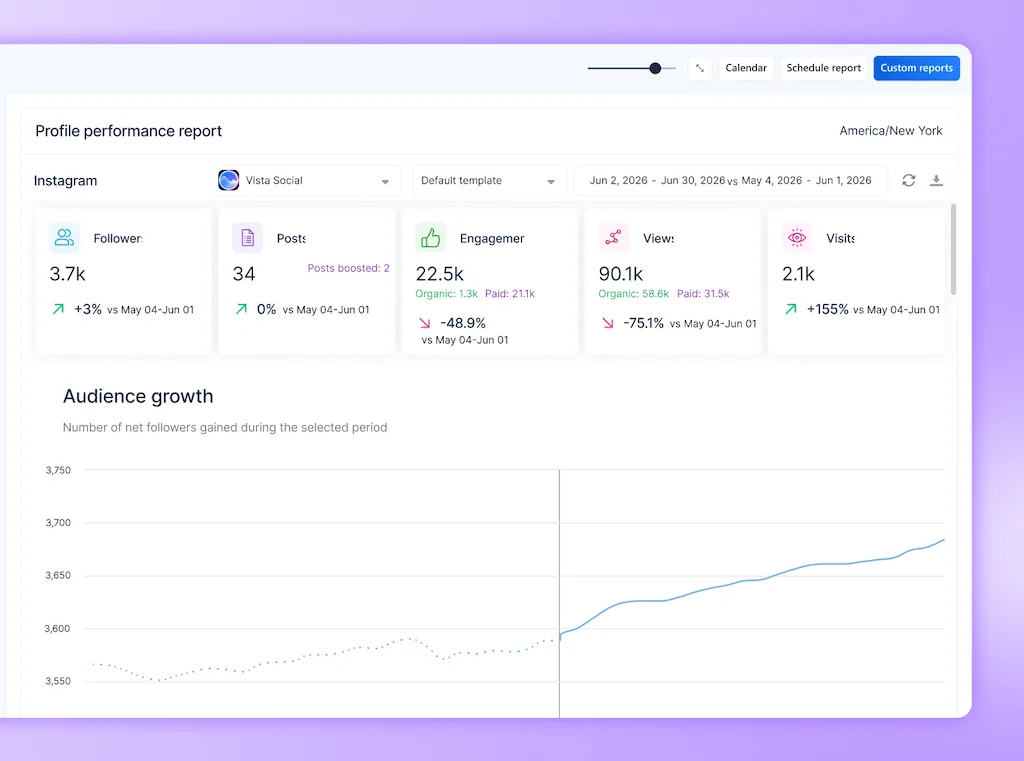
- Loomly: Review post results, link data, and deeper analytics on Starter, then export the data for further use. Beyond adds scheduled delivery and custom branding.
- Hootsuite: Start with report templates, paid and organic data, recommendations, and five competitor benchmarks. Professional adds custom reports, while Enterprise expands the available data and controls.
Social listening
The three tools now offer some form of listening, but the depth and published limits differ.
How each listening tool works
- Vista Social: Owned-profile listening is included, while wider social listening starts at $75 per month. The expanded coverage includes public posts, websites, news, and trends.
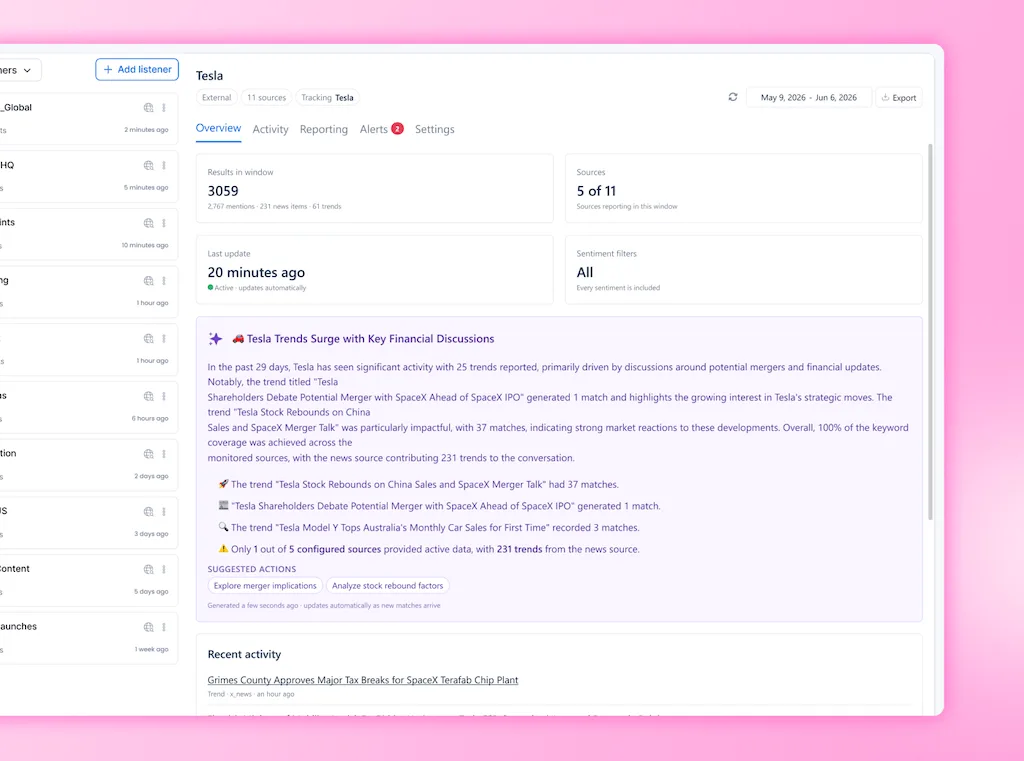
- Loomly: AI-led listening appears on both plans. The public table lists two monthly uses on Starter and five on Beyond, but doesn’t explain what counts as one use.
- Hootsuite: Standard includes Lumen with a seven-day search window, while Professional and Advanced extend the search window to 30 days. Enterprise adds broader listening depth.
AI tools and automation
Caption generation is now the baseline, while live social data and approved facts make the assistant more useful.
How each platform uses AI
- Vista Social: Ask Vista works with live schedules, inbox conversations, performance results, and connected work. AI Training & Knowledge grounds output in approved brand facts, while Skills save repeatable processes, and Agents run scheduled work for human review. Advanced and above also includes 77 hosted MCP tools.
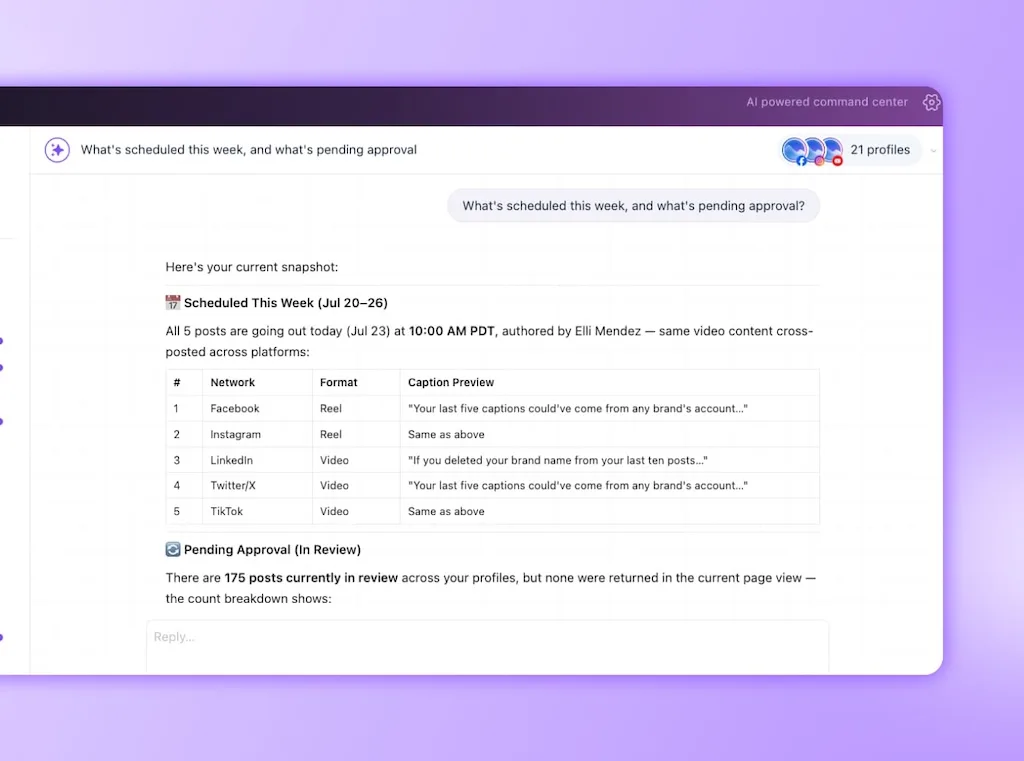
- Loomly: Use AI for chat, post ideas, captions, supported replies, listening, and analytics. Brand voice controls shape the output, although the public product page doesn’t show an equivalent combination of reusable Skills and scheduled Agents.
- Hootsuite: Wisdom supports content, image, care, listening, and analytics work across the platform. Hootsuite also supports MCP connectors, while the available automation and governance controls vary by plan.
How AI allowances compare
- Vista Social: Core AI credits run from 1,000 on Professional to 3,500 on Scale. AI Assistant use is 2,500 on Professional, 10,000 on Advanced, and unlimited on Scale.
- Loomly: Starter has limited AI use, while Beyond has a larger allowance. The public page doesn’t publish a number.
- Hootsuite: Wisdom appears on every public plan, though the comparison page doesn’t publish a numeric allowance.
Other tools included with each platform
The smaller feature gaps can decide whether a team keeps another subscription or completes the work inside its social platform.
What else does each platform include?
- Vista Social: Manage and reply to reviews across supported networks, run employee advocacy, build link-in-bio pages with Vista Page, and use Vista Work for tasks linked to live posts, messages, reviews, reports, and ideas. Three test advocates are included, while the 25-person advocacy program costs $199 per month.
- Loomly: Keep team assignments and approval work inside its calendars, but Loomly doesn’t publicly list a dedicated multi-network review hub, employee advocacy product, social-linked project module, or native link-in-bio tool.
- Hootsuite: Use Parliament for employee advocacy, Perch for link-in-bio pages, and team assignments for collaborative work. Review coverage depends on the selected workflow and integrations, while Hootsuite doesn’t list a project module that attaches tasks to live social items in the same way as Vista Work.
Who should choose Loomly?
- Best for: Small teams that want a guided calendar, approvals, post ideas, and clear previews.
- Why it works: Starter is the lowest three-person price here, while Beyond includes unlimited users.
- Vista Social advantage: Reviews, wider network support, social-linked tasks, and deeper AI cover more of the daily job.
- Check first: A fourth user or thirteenth account moves the annual rate from $49 to $249. Scheduled reports and white labeling can do the same.
Who should choose Hootsuite?
- Best for: Teams centered on established listening, customer care, paid social, and governance.
- Why it works: Lumen starts on Standard, while higher plans add inbox automation, routing, and team controls.
- Vista Social advantage: Flat tiers include several teammates, while review care, automation, linked tasks, and deeper AI remain connected.
- Check first: Formal approvals require Advanced at $399 per person each month with annual billing.
How to test all three tools
Give every tool the same hard week. Use one client, the same approval route, a real inbox queue, and an expected report.
- Add the whole team: Include the creator, approver, community manager, and anyone who needs reports.
- Revise a live draft: Replace the asset after feedback and confirm that reviewers see the current version.
- Work the inbox: Assign five conversations, automate one common reply, and pass one sensitive thread to a person.
- Ask the AI: Request an explanation of a real result. Then check whether the answer uses your data and approved facts.
- Count the cleanup: Note every spreadsheet fix, copied link, outside task, and extra paid seat left at the end.
Conclusion
The fourth teammate is still the useful test. That person triggers Loomly Beyond and another Hootsuite seat. Vista Social Advanced still has room for two more people.
Loomly is a strong calendar-led choice, while Hootsuite brings mature listening and care. Vista Social offers the best overall balance because the wider workflow shares live context.
Bring your approver and inbox owner into the trial. Run one difficult week, then choose the tool that leaves the least work outside it.
Start free and test Vista Social with your real profiles for 14 days.
Frequently asked questions
Which is best: Loomly, Hootsuite, or Vista Social?
Vista Social is the best overall option for a connected social workflow. Loomly is strongest for approachable content planning, while Hootsuite suits teams prioritizing mature listening and care.
How much do these tools cost for five users?
With annual billing, five users cost about $304 on Vista Social Scale. Loomly Beyond costs $249, while Hootsuite Standard costs $495. Hootsuite approvals require Advanced at $1,995 for five users.
Does Loomly have social listening?
Loomly now advertises AI-led listening on every plan. Starter gets two monthly uses, while Beyond gets five. Confirm how Loomly counts each use, because the public page doesn’t define it.
Does Hootsuite include approvals on every plan?
No. Hootsuite includes content review and approval on Advanced at $399 per user each month. Standard and Professional don’t include that flow, while the listed rate needs annual billing.
Which tool is best for agencies?
Vista Social is the strongest agency choice because client work, reviews, reports, and AI stay together. Loomly suits calendar-led agencies, while Hootsuite offers deeper listening and care.
Try Vista Social for free
A social media management platform that actually helps you grow with easy-to-use content planning, scheduling, engagement and analytics tools.
Get Started NowAbout the Author

Content Writer
Orion loves to write content that refuses to be boring. As part of Vista Social, he helps brands, creators, and agencies stop doom scrolling and start winning with social media. When he's not in front of a keyboard, he's watching films in IMAX with his wife, dissecting football tactics (the European kind), and getting lost in a good book.
Loading related tools...

The most complete social media management platform for teams who demand more.






Tools
PublishingAnalyticsEngagementIntegrations
FacebookInstagramLinkedInRedditSnapchatThreadsTikTokX (Twitter)YouTubeMCPVista Page (link-in-bio)All IntegrationsCopyright © 2026 Vista Social LLC. All Rights Reserved.
Social inboxes
A unified inbox should show the conversation, its owner, and the next action. All three tools cover supported comments and private messages, but their depth varies.
How each inbox works
How each platform handles DM automation
Build one common reply flow in a free trial, then watch how it handles the first real conversations.