

Published on January 8, 2026
10 min to read
Vista Social vs. Zoho Social: Which is Better?

Summarize with AI

Table of contents
Summarize with AI

ChatGPT

Claude

Perplexity
Share

Vista Social

X (Twitter)


Blink once, and your brand disappears from the feed. Social media tools now play a bigger role in how teams plan, engage, and measure success. This reality makes choosing the right platform important, especially when weighing Vista Social vs. Zoho Social.
Today, social media management goes beyond publishing posts. Teams need one place to organize content, respond to audiences, review performance, and collaborate without friction. When a tool feels complicated or limited, growth slows and consistency suffers.
In this blog, we take a closer look at Vista Social and Zoho Social to help you see which platform better supports modern social media management and long-term success.
Table of contents
Vista Social vs. Zoho Social: Two social media management tools compared
Managing social media can quickly become time-consuming. Using the right tool helps keep everything organized and manageable.
Here’s an in-depth comparison of Vista Social and Zoho Social, showing how each platform supports daily social media tasks and overall workflow.
Social media publishing
When comparing these two platforms, both tools help users publish and schedule posts across many social platforms from one dashboard. That said, they focus on different needs and styles of work.
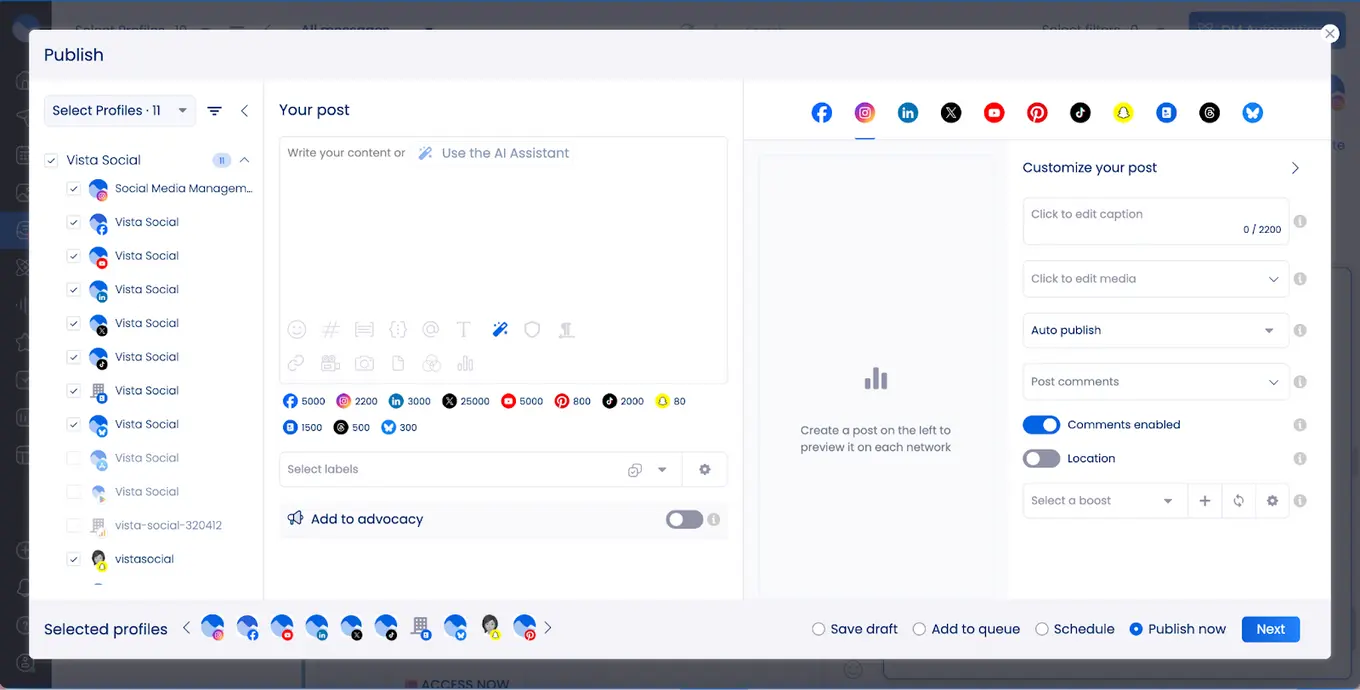
Vista Social puts strong emphasis on modern content. It supports short-form videos, Instagram Reels, TikTok posts, and even trending audio. This makes it a solid option for brands that rely on fast-moving content and visual storytelling. The interface feels clean and simple, so even beginners or teams handling a large number of posts can move quickly without feeling lost.
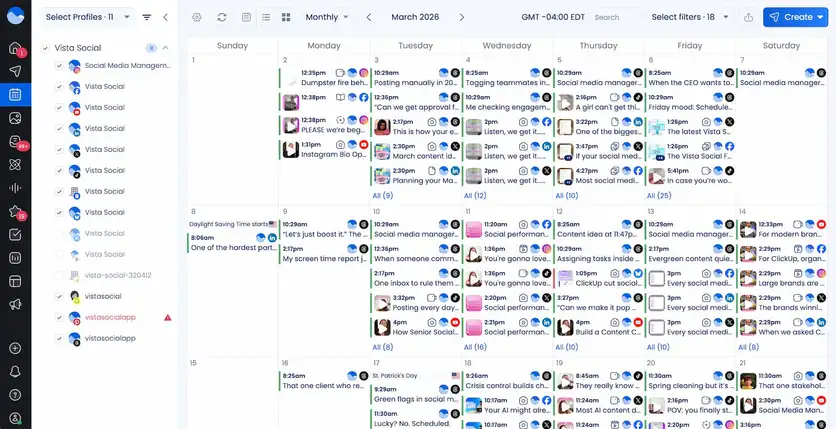
Another strength of Vista Social is its smart social media calendar. Users can see all scheduled posts in one place and plan content across platforms with ease. The calendar also helps teams choose better posting times to improve engagement, which saves time and guesswork.
Vista Social also makes publishing more efficient. With bulk scheduling, content queues, and a built-in media library, users can upload assets once and reuse them anytime. Cross-platform posting works smoothly, so a single piece of content can go live on multiple networks with just a few clicks.
Zoho Social, on the other hand, emphasizes structured publishing and automation. Its SmartQ feature uses AI to suggest the best posting times based on audience activity.
Users can upload posts in bulk and set evergreen content to repeat automatically. Zoho Social also provides RSS feeds and a browser extension for seamless content curation.
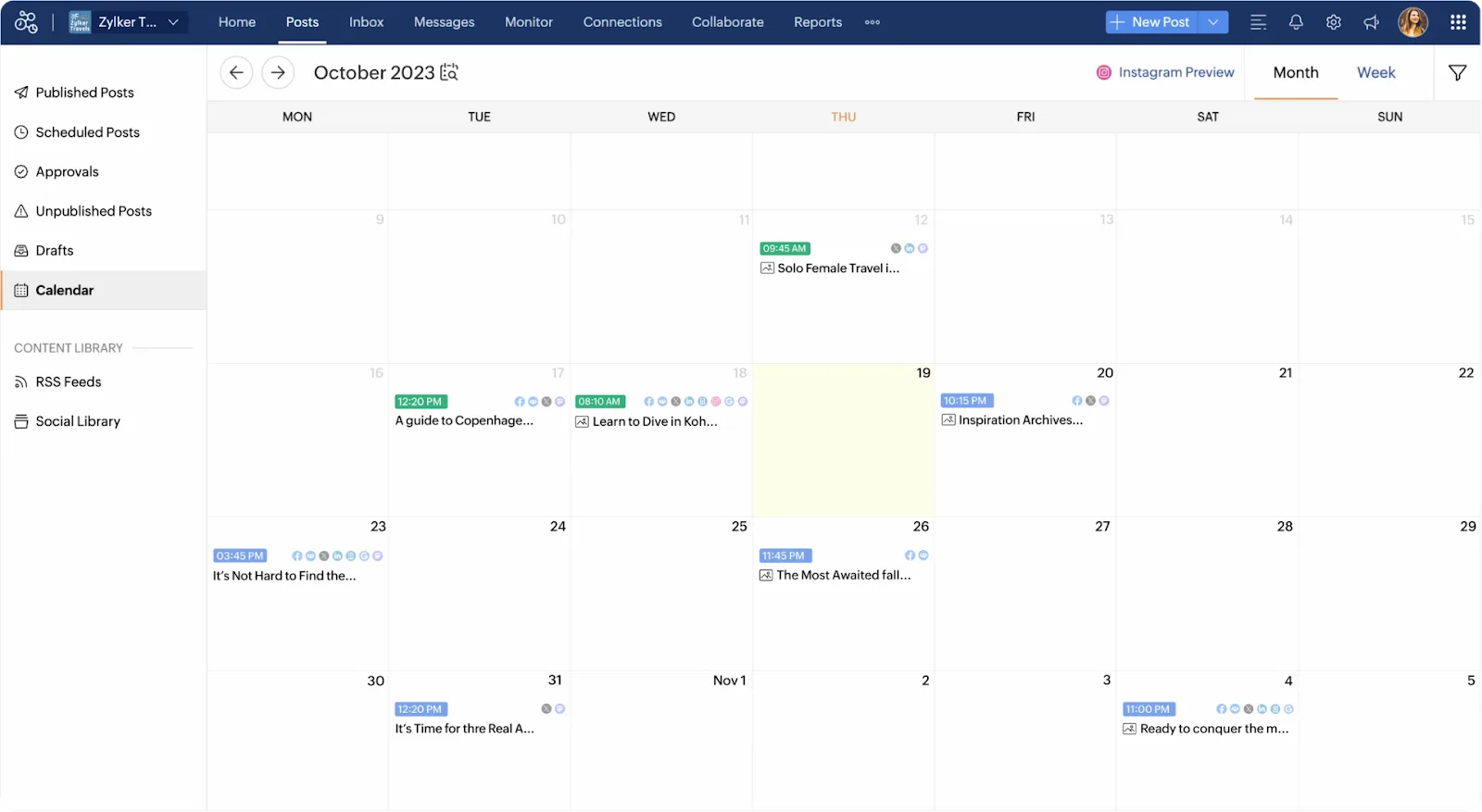
A drag-and-drop content calendar gives a clear overview of upcoming posts, and approval workflows allow teams to review drafts before publishing.
Social media analytics
When it comes to social media analytics, Vista Social and Zoho Social take different approaches.
Vista Social offers detailed dashboards that monitor how your social profiles perform, track audience sentiment, measure post engagement, compare competitors, analyze reviews, and even evaluate team productivity.
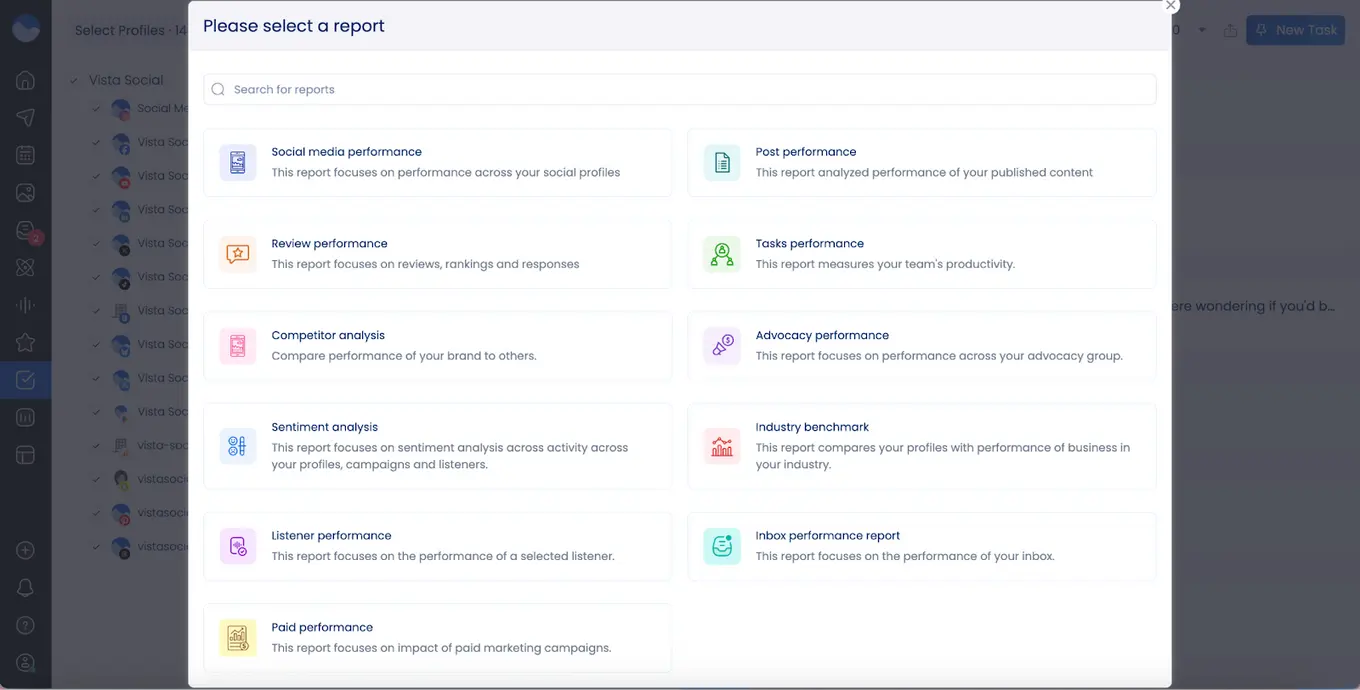
Most of these analytics tools are included across various plans, so small teams and agencies can access deep insights without needing the highest subscription tier. With this level of reporting, businesses can capture both the numbers and the mood behind their content. This helps refine strategies and improve engagement more effectively.
Zoho Social also provides detailed analytics for various social media platforms. It helps track engagement, reach, impressions, and audience demographics. You can create custom reports, schedule them automatically, and see which posts perform best.
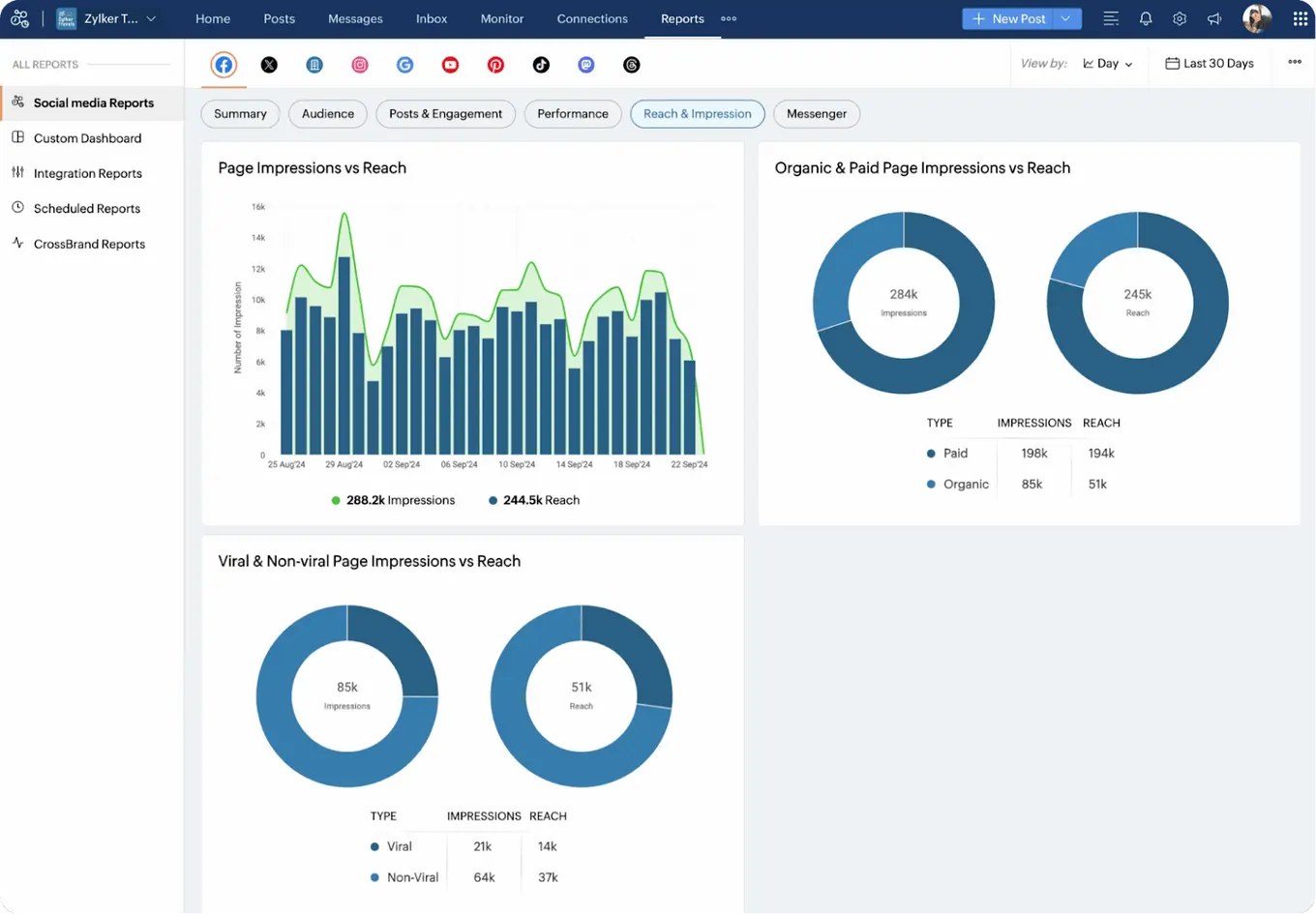
A standout feature is Social ROI tracking, which uses UTM parameters and connects with Google Analytics and Zoho CRM to show exactly which posts drive website visits, and conversions.
Zoho Social also lets you monitor competitors, track audience feedback, and find the best times to post, making it easier to improve results and grow your social presence.
Social media engagement
Keeping your audience engaged and managing messages is key to building strong online relationships. Vista Social’s Social Inbox brings all comments, mentions, and messages from your connected profiles into a single stream.
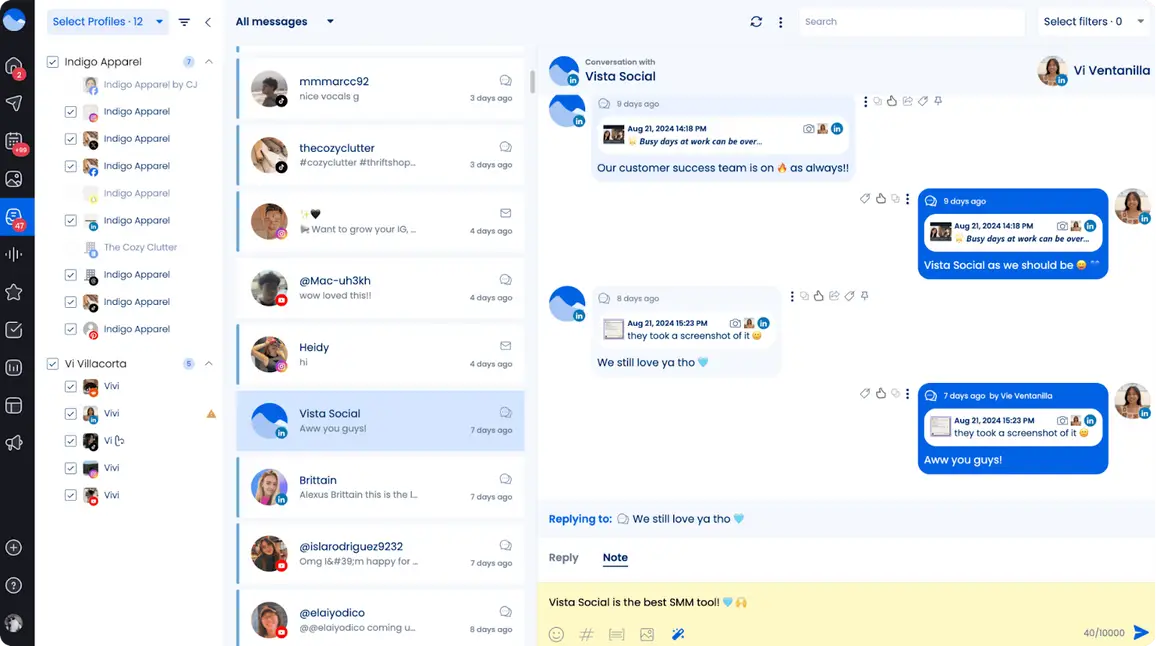
Messages are grouped by profile, so you can see where each conversation is happening. You can reply faster and more efficiently.
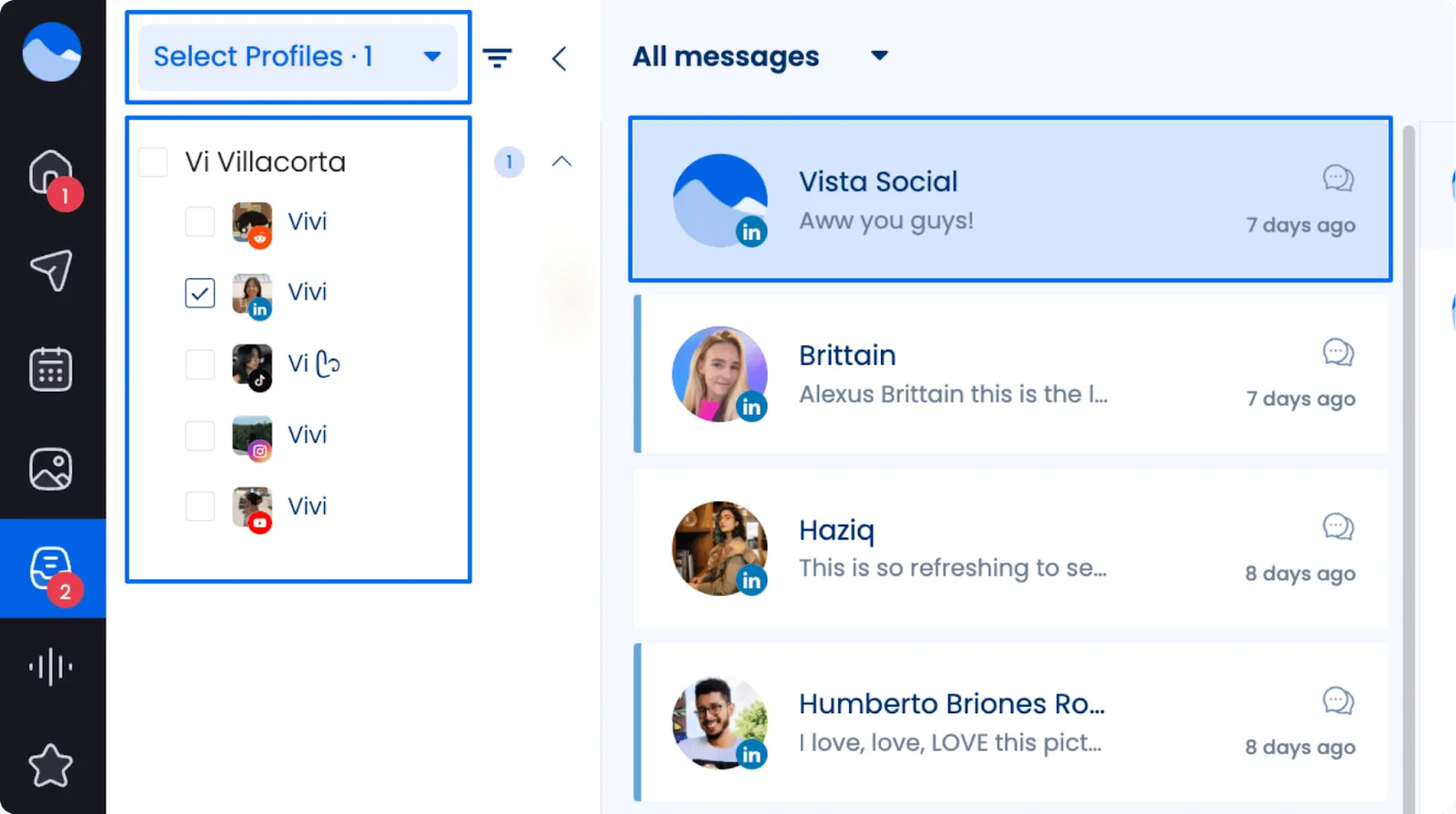
Labels, tags, and sorting options help keep messages organized. Powerful search and filters make it easy to find any message, whether it’s a DM on Instagram or a comment on Facebook.
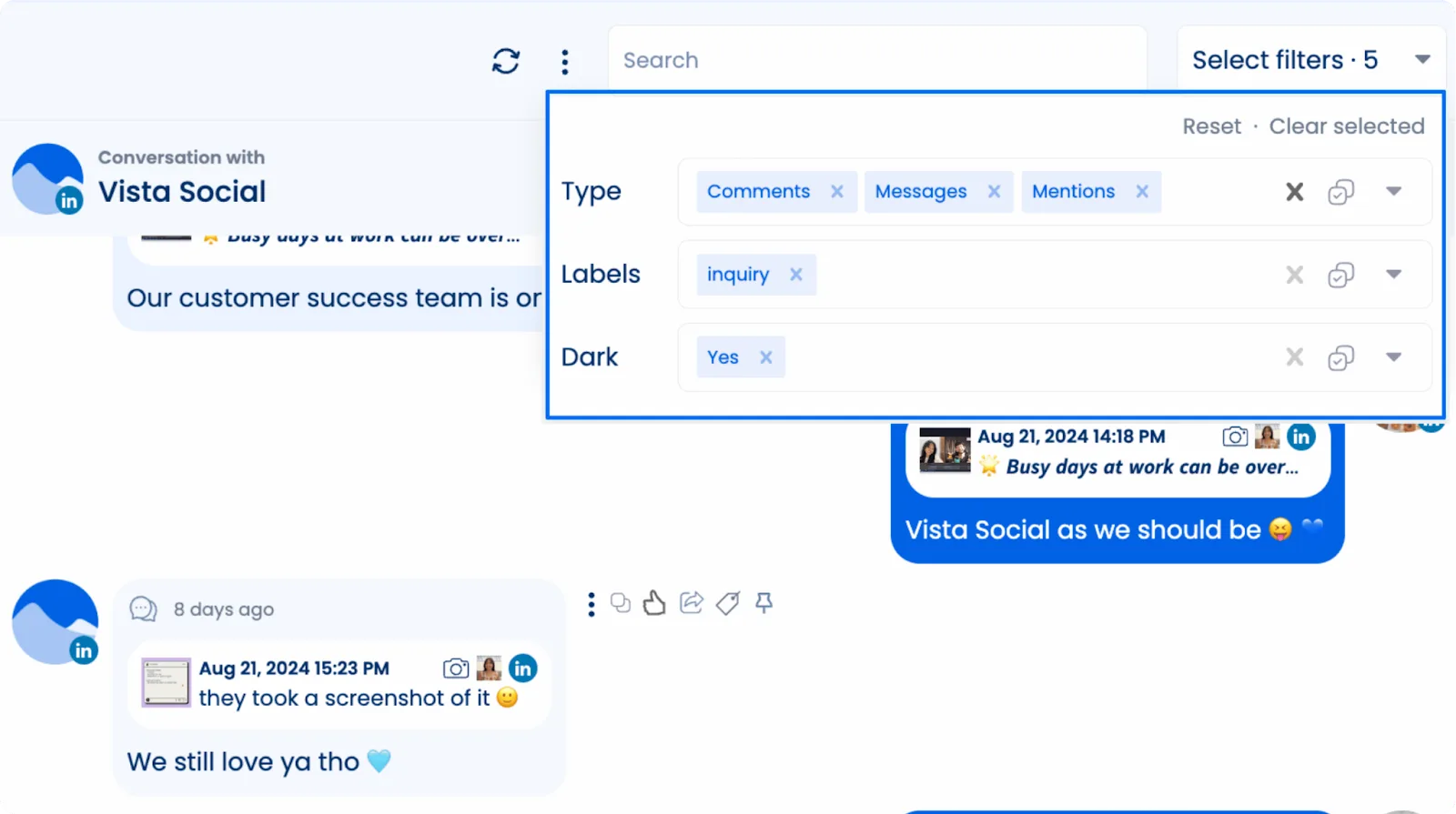
The Social Inbox also helps with engagement tracking and automated replies. You can set up DM workflows to respond quickly to common questions. This makes sure no message gets missed.
Zoho Social also offers a unified inbox that brings together messages, comments, and mentions from all your social accounts. It emphasizes filters and saved replies to help teams prioritize interactions and respond faster. The platform tracks past customer conversations, giving teams context for more informed responses.
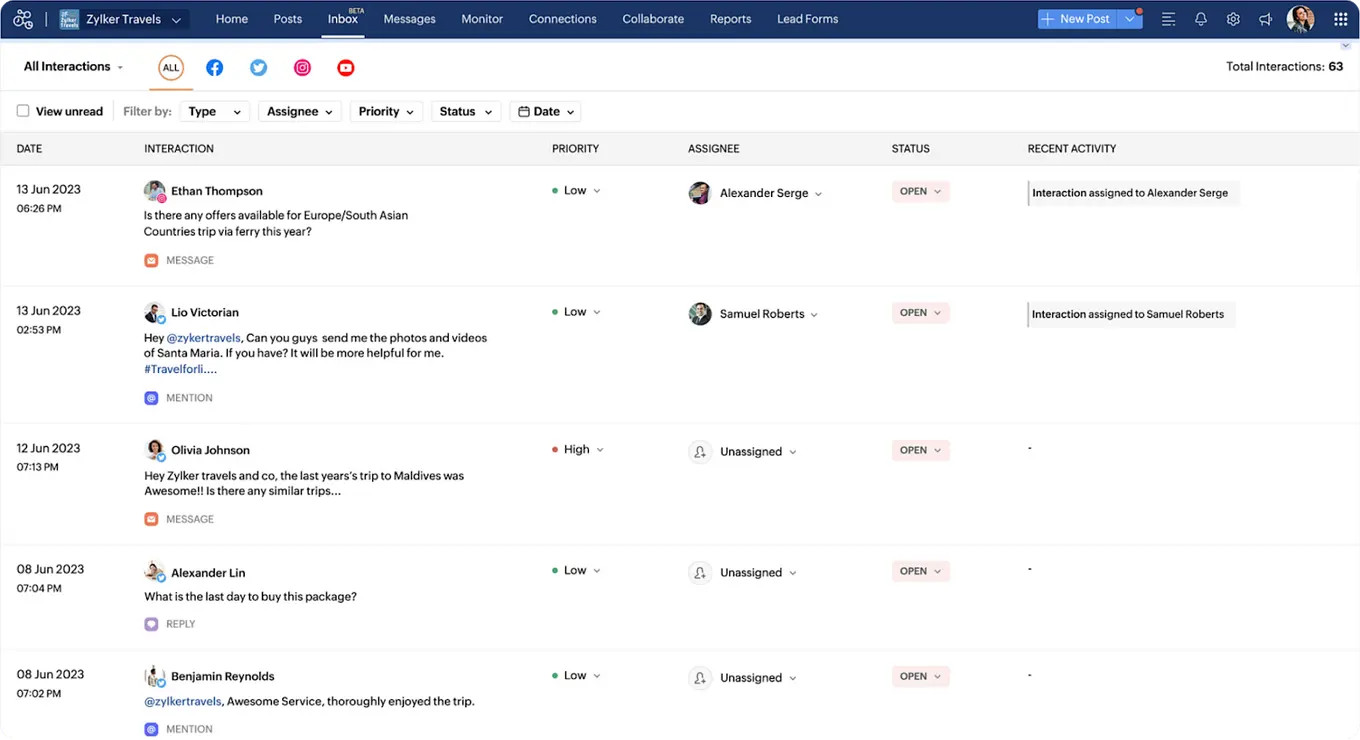
Zoho Social also uses saved replies and templates to make responding to common questions faster and more consistent, while WhatsApp-specific pre-made responses allow teams to reply instantly and keep messages organized by purpose.
Social listening
Social listening lets brands see what people are saying online about their products, services, or industry.
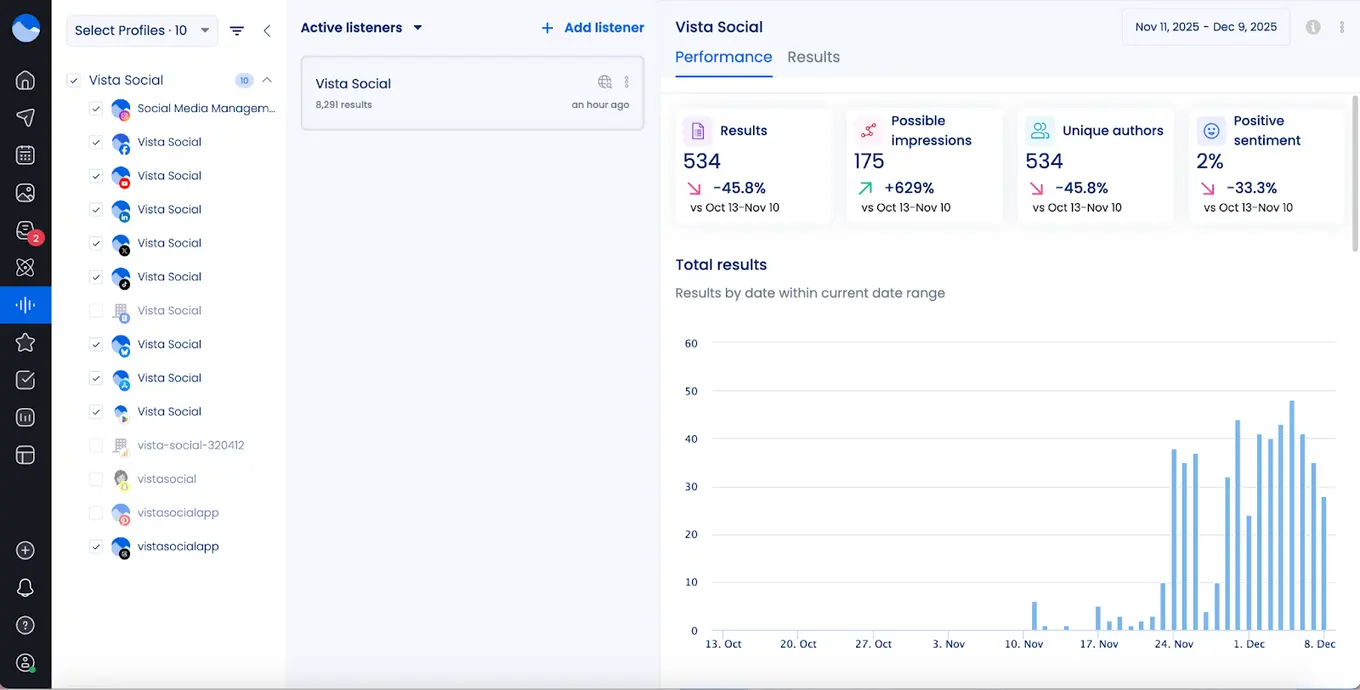
With Vista Social, you can track keywords in two ways. You can monitor conversations on your own platform, or use an add-on to follow keywords in public posts across different social media sites and web feeds. The platform also automatically finds content that matters to you, sends alerts, and delivers insights you can act on without extra work.
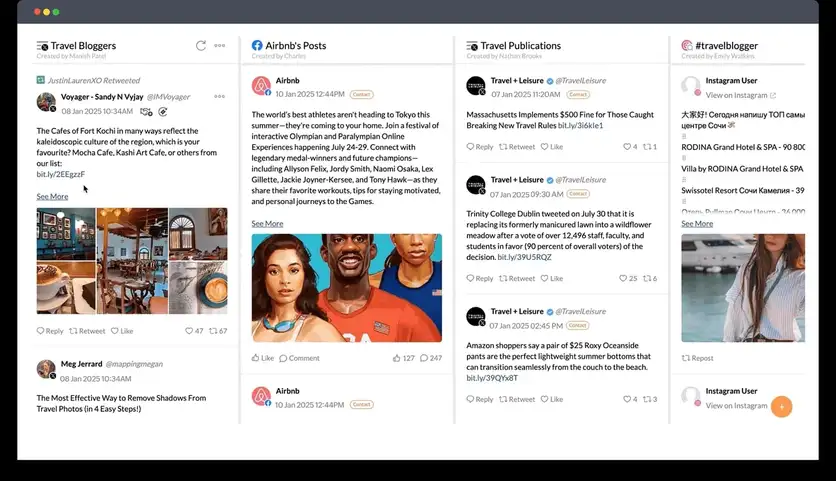
Zoho Social also offers social listening through its Monitor tab, letting you track posts related to your brand or the brands you manage. You can build multiple columns to organize conversations, giving you a clear view of what people are saying in real time. Each column updates automatically with new posts, and you can interact directly by liking, commenting, or sharing.
Review management
Customer reviews shape how people see your brand and influence trust.
Vista Social gathers reviews from popular sites like Yelp, TrustPilot, TripAdvisor, and OpenTable, all in one place. Your team receives instant alerts when new reviews appear, so you can respond quickly to compliments or concerns. Staying on top of feedback helps maintain your brand’s reputation, strengthen customer trust, and keep ratings high across platforms.
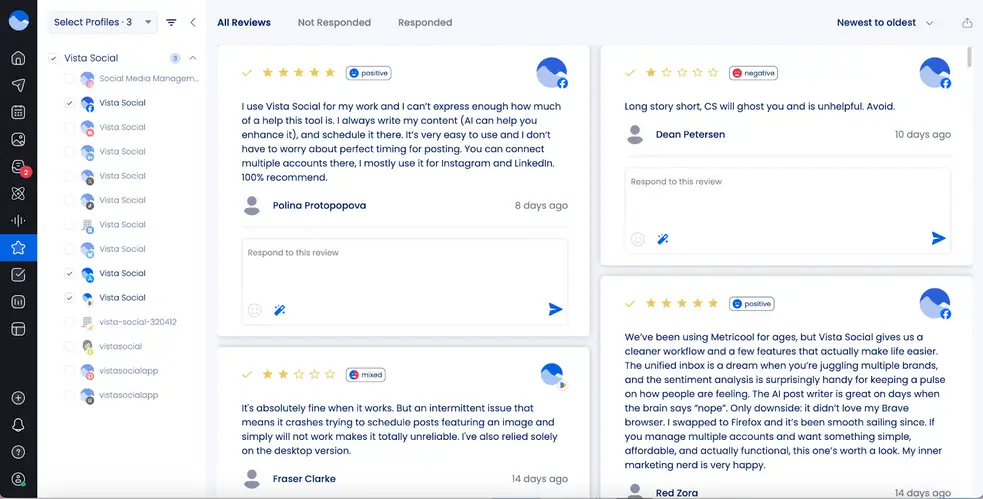
Unlike Vista Social, Zoho Social does not bring reviews from multiple platforms into a single dashboard. It mainly focuses on Google Business Profile reviews, leaving sites like Yelp, TripAdvisor, and TrustPilot unsupported. This makes it harder to track all feedback in one place and respond quickly across platforms.
Users who need broader review management often rely on third-party tools or integrations with Zoho CRM. While these solutions allow monitoring reviews from Google, Facebook, and TripAdvisor, they require extra setup and add complexity.
Team collaboration
Strong collaboration within a team is essential to keep social content consistent and ensure smooth workflows.
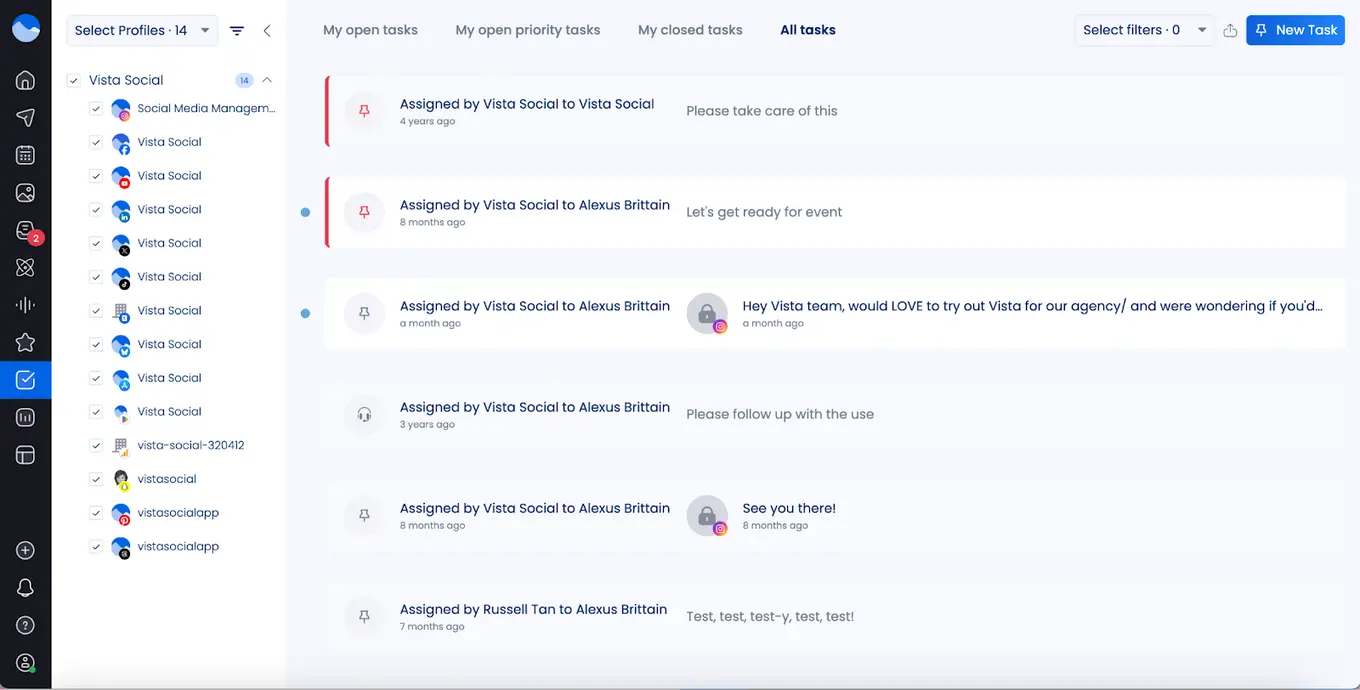
Vista Social offers features like shared content calendars, customizable roles and permissions, content approval workflows, and collaborative publishing.
The Enterprise plan even allows unlimited users, so every team member can stay on the same page about what’s scheduled and when posts go live. This setup is particularly useful for agencies or businesses handling multiple clients or brands, helping teams work together efficiently without confusion.
Zoho Social, on the other hand, supports team collaboration with its “Collaborate” tab, where all discussions about posts, mentions, and reports are organized in one place. Teams can use content approval workflows and role-based permissions to keep tasks clear and ensure posts stay on-brand.
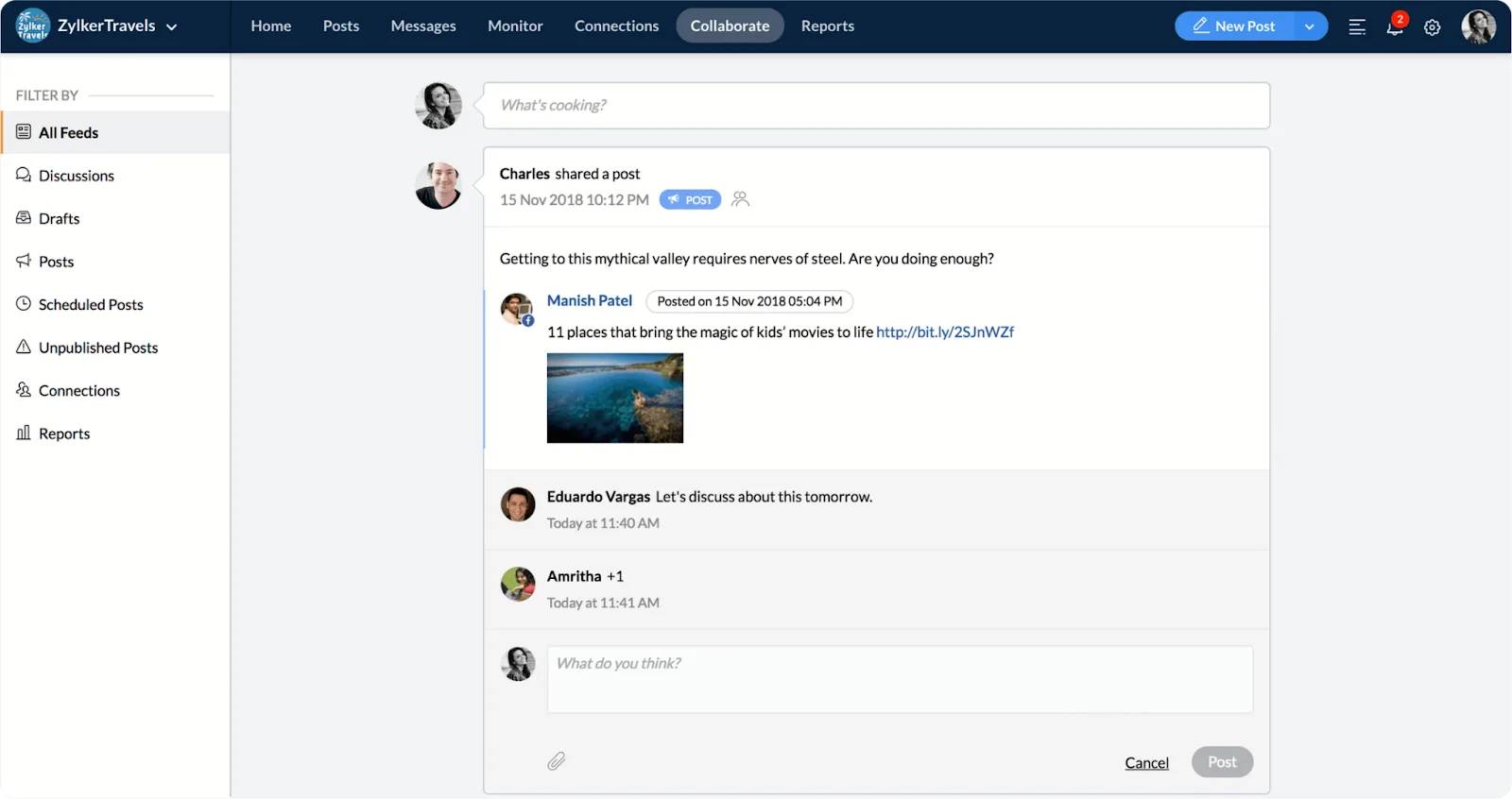
Built-in chat, audio, and video tools let teams communicate in real time. Members can tag each other or clients for quick feedback, and a shared media library makes creating visual content easier.
Compared to Vista Social, Zoho Social offers more structured discussion tools and client involvement. Vista Social, on the other hand, focuses on unlimited users and flexible workflows for faster, simpler team management. Both platforms support collaboration, but the approach and interface feel different depending on your team’s needs.
Artificial intelligence
AI is changing the way we handle social media. With Vista Social, you get an AI assistant powered by ChatGPT that can boost your efficiency and creativity. It helps you come up with captions, generate content ideas, and even find trending audio for your posts.
You can also use Vista Social to plan your posting schedule and streamline your workflows. Its free AI hashtag generator makes discovering relevant hashtags easy for anyone.
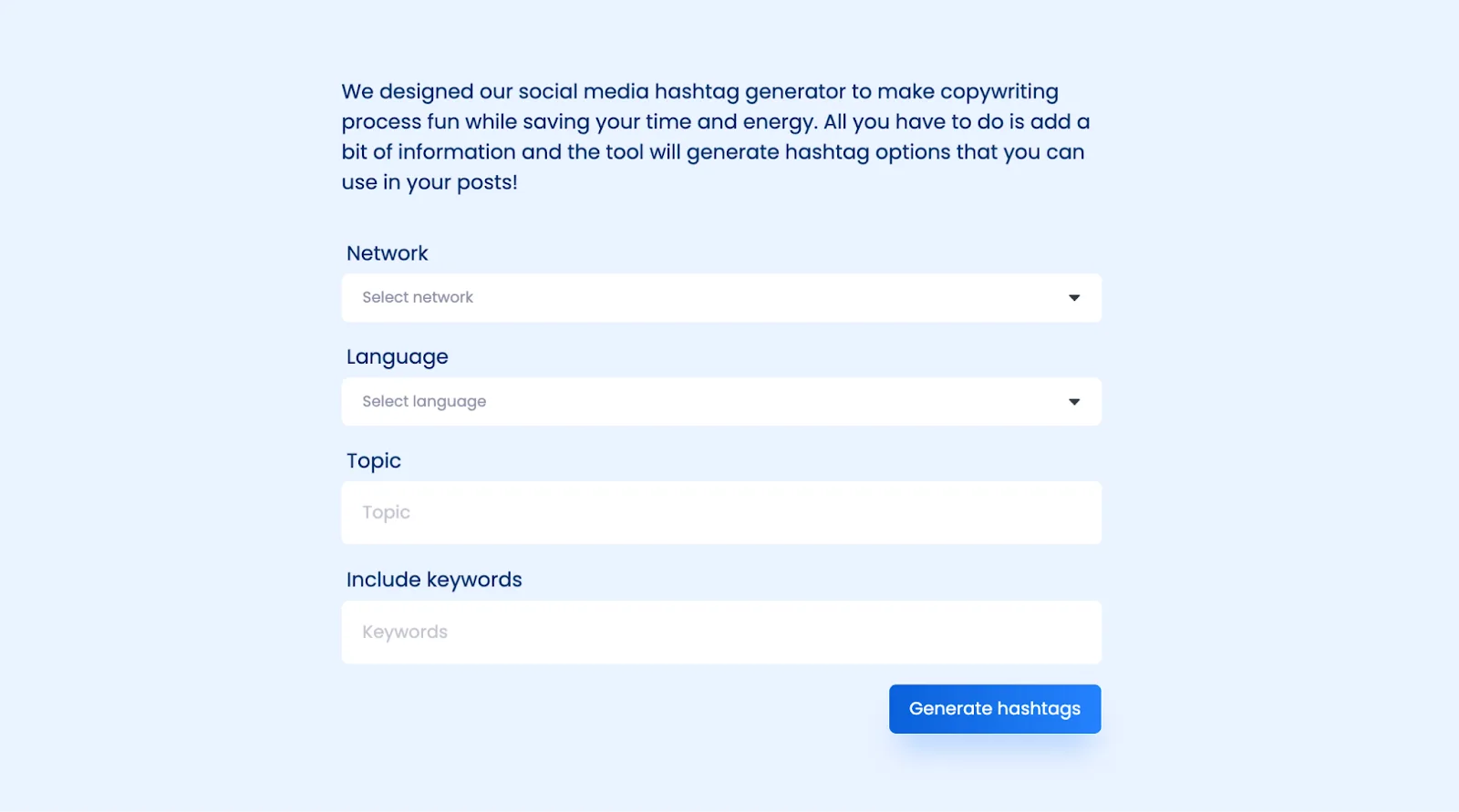
The platform also supports MCP integration, so you can manage your entire social media presence right from the AI chat interface. From ChatGPT, you can:
- Draft and publish posts
- Track performance and analyze results
- Receive suggestions for improving your strategy
- Read and reply to comments
Zoho Social also offers AI through its assistant, Zia, which uses OpenAI’s ChatGPT capabilities. Zia can generate original captions, threads, or posts from prompts or keywords. You can adjust tone and style to match your brand.
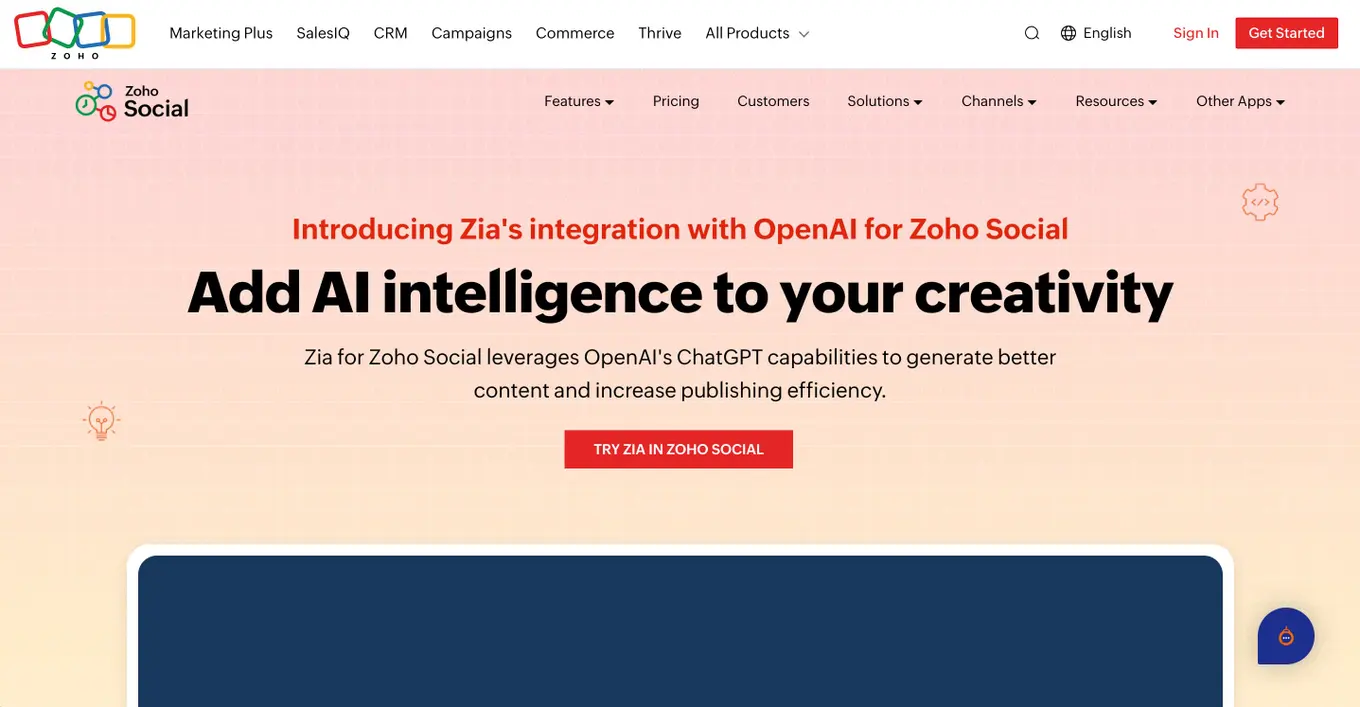
Zia also suggests images, hashtags, and emojis to improve engagement, and it can draft replies to comments or messages while analyzing the emotional tone to help prioritize responses.
Automation
Vista Social shines when it comes to automation. It goes beyond just scheduling posts, covering messaging, workflows, and repetitive tasks.
With its strong DM automation, you can create automatic replies, set up follow-ups, or trigger auto-responses when someone comments or sends a message. This makes it easier for small teams to stay engaged without needing someone online all the time.
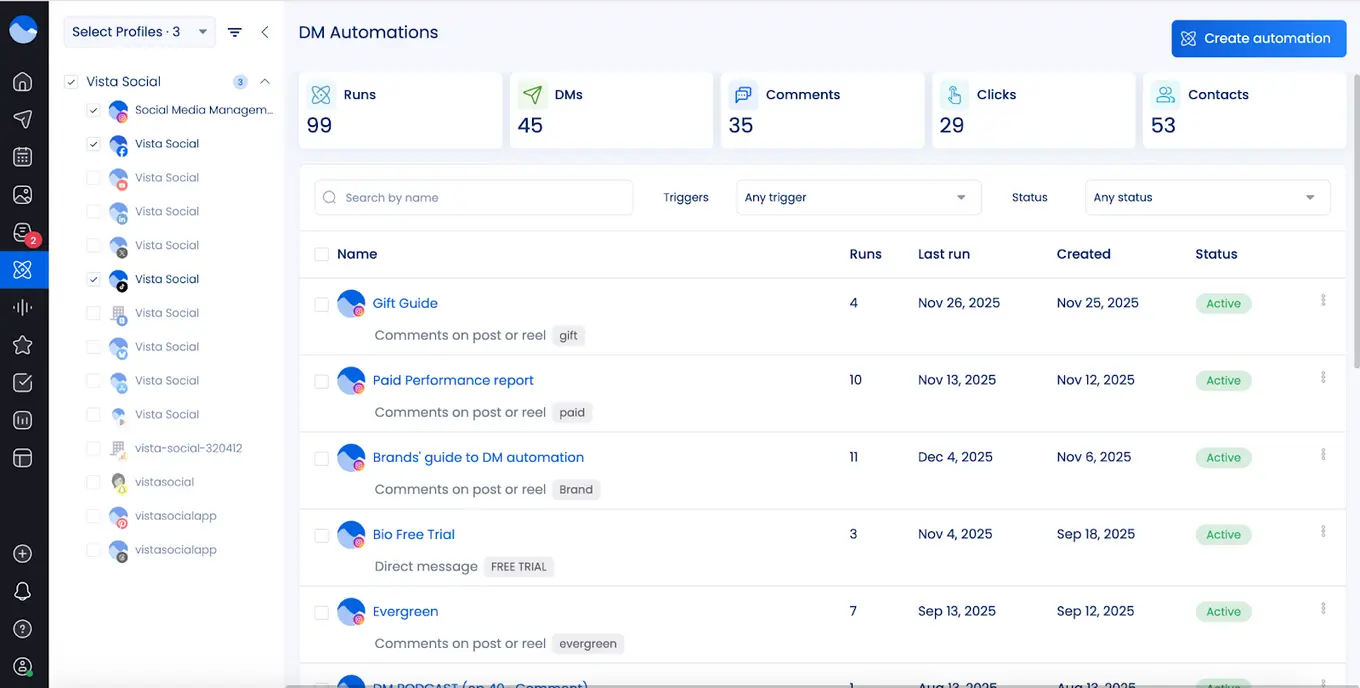
Additionally, Vista Social streamlines content management with bulk scheduling, posting workflows, and smart scheduling. These features cut down manual work and help maintain a steady, consistent presence across social media.
Zoho Social takes a slightly different approach. Its AI assistant, Zia, suggests the best times to post and manages bulk scheduling. It also tracks trends, keywords, hashtags, and brand mentions automatically. Inbox rules allow messages, comments, and mentions to be assigned to the right team member or converted into support tickets or sales opportunities. Automated performance reports help teams track results without extra effort.
Employee advocacy
Employee advocacy helps brands reach a wider audience by letting team members share pre-approved content on their personal social accounts.
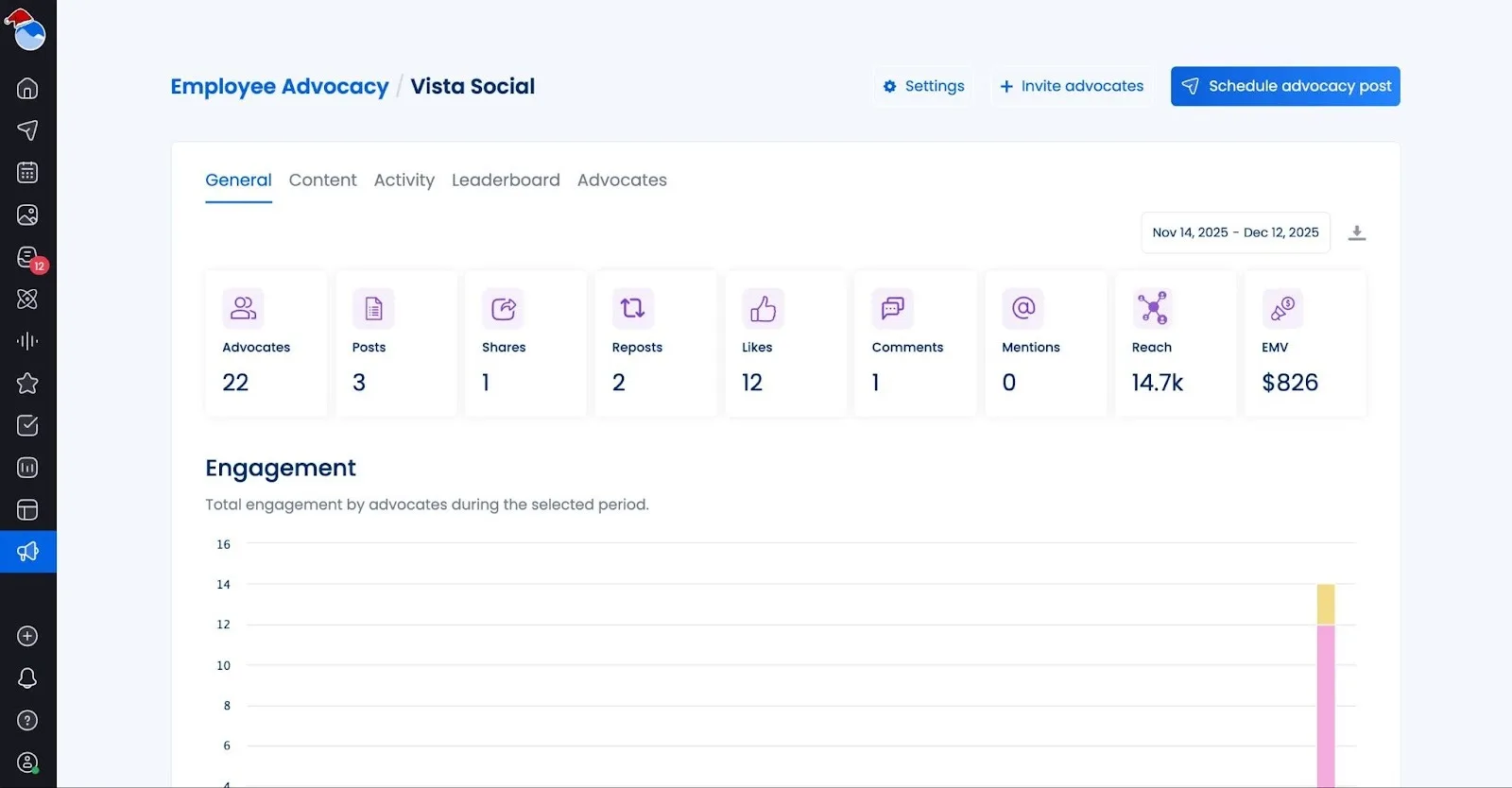
Vista Social offers this feature as an optional add-on across all its plans. By default, up to three employees (advocates) can join for free, making it perfect for small teams or agencies just getting started.
For larger teams, Vista Social provides a dedicated Advocacy plan. This plan centers on employee advocacy while also including social publishing, engagement, and analytics tools.
Priced at $199 per month, the plan supports up to 25 employees. It allows organizations to grow their advocacy program without paying for extra unused seats. Key features include unlimited posts, content approval workflows, reporting dashboards, leaderboard tracking, best-time posting suggestions, and AI support for creating content efficiently.
Unlike Vista Social, Zoho Social does not include built-in employee advocacy. Zoho’s advocacy tools are part of its Zoho Connect platform, which focuses on employee experience rather than social media management. This means teams using only Zoho Social cannot run an employee advocacy program directly from the platform.
Zoho Connect allows employees to share company updates and content on personal accounts like Facebook, LinkedIn, and Twitter. While this works for larger organizations already in the Zoho ecosystem, it requires extra setup and coordination outside of Zoho Social itself.
Integrations
Vista Social stands out for its wide range of integrations, covering nearly every aspect of social media management.
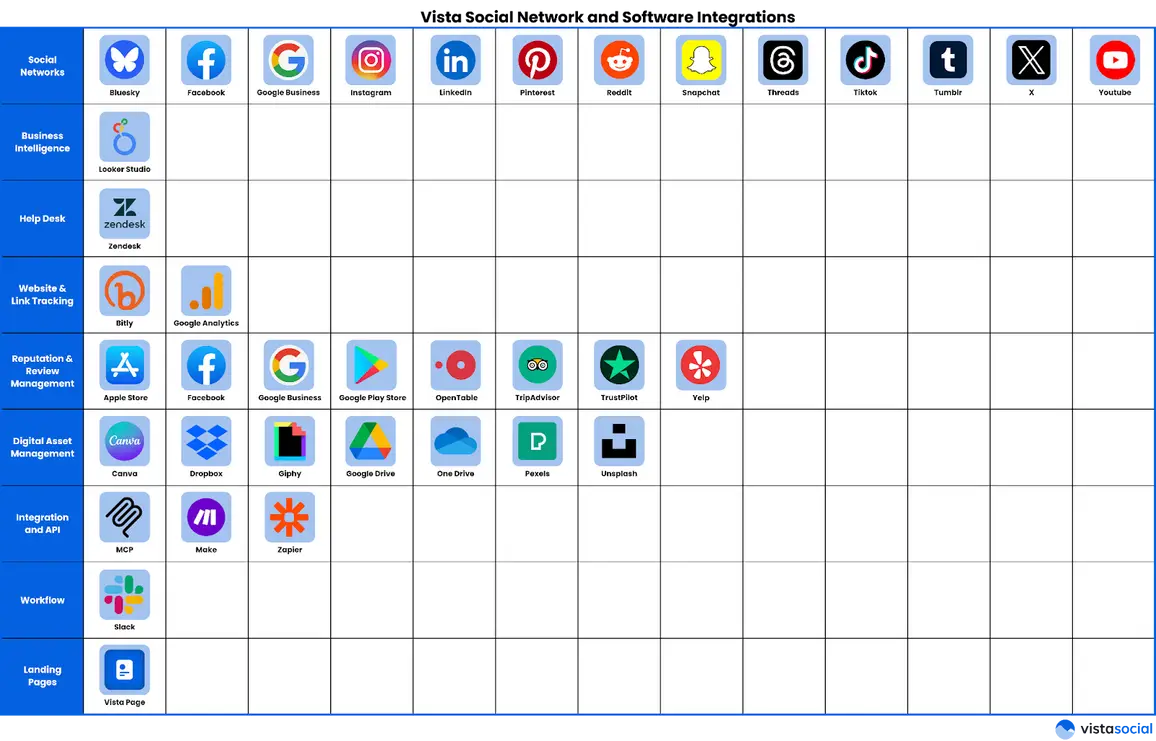
It doesn’t just connect to major social platforms like Facebook, Instagram, LinkedIn, TikTok, X/Twitter, YouTube, Pinterest, Snapchat, Threads, and Bluesky—it also links to tools that support the full marketing workflow. Teams can manage everything from publishing and engagement to analytics, review monitoring, and digital asset libraries all in one place.
Vista Social also integrates with business tools such as Google Looker Studio for analytics, Zendesk for customer support, Bitly for link tracking, and cloud storage options like Google Drive, Dropbox, and OneDrive.
On top of that, workflow automation tools like Zapier and Make are fully supported, along with AI desktop assistants like ChatGPT and Claude. This flexibility allows teams to centralize their publishing, monitoring, analytics, and automated processes, making Vista Social highly adaptable for a variety of business needs.
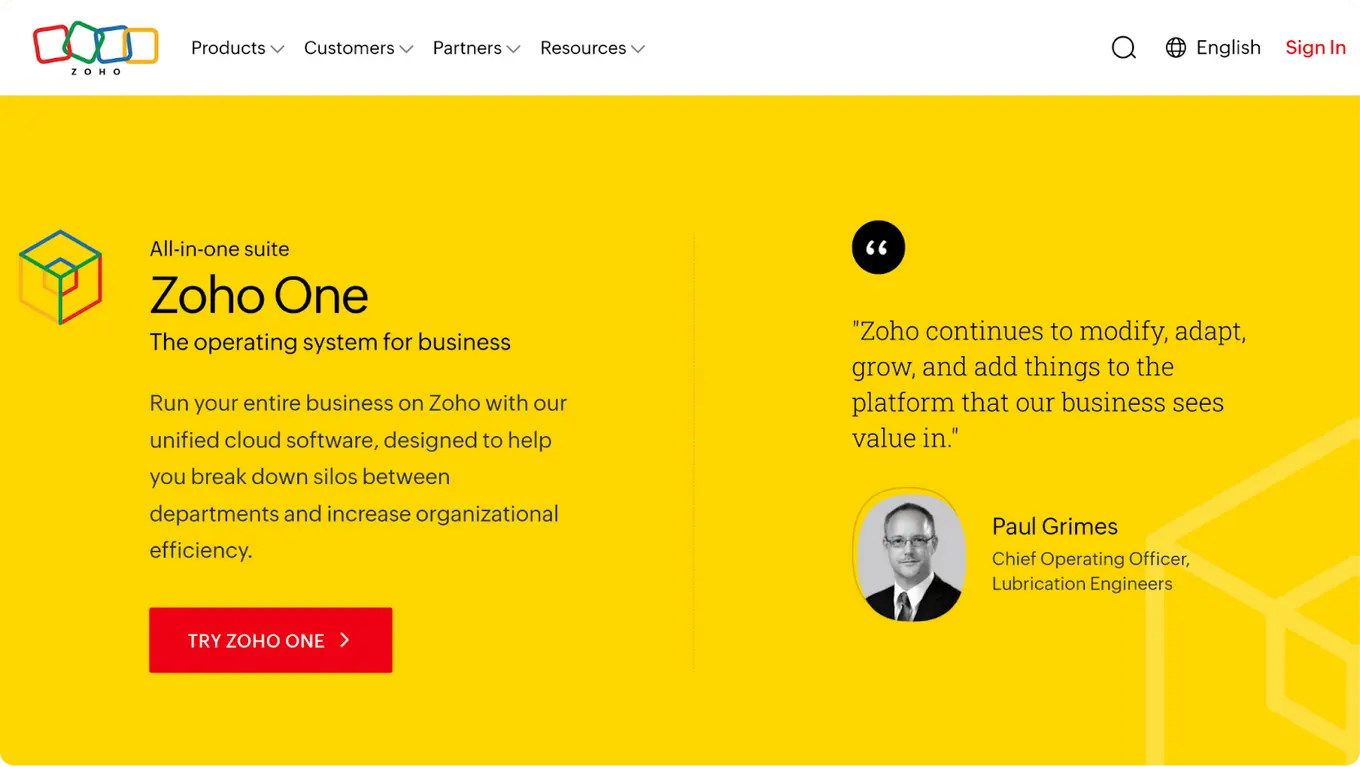
Zoho also links closely with other Zoho apps like Zoho CRM, Zoho Desk, Zoho Analytics, and Zoho Mail. This helps teams track leads, convert messages into support tickets, and analyze social performance. Users can even access Canva, Pixabay, Pexels, and Giphy for media creation directly within the platform.
For third-party apps, Zoho supports connections through Zapier and Zoho Flow. Teams can automate workflows with tools like Slack, WordPress, and HubSpot. While Zoho covers many integrations, its strength is mostly within the Zoho ecosystem. Vista Social, on the other hand, provides broader flexibility across both social platforms and business tools outside a single ecosystem.
Pricing

Vista Social plans:
- Professional: $79/month for 15 profiles, 3 users
- Advanced: $149/month for 30 profiles, 6 users
- Scale: $379/month for 70 profiles, 10 users, white-label, unlimited AI
- Enterprise: Custom pricing for unlimited users
In addition to these core plans, Vista Social offers Employee Advocacy as an optional add-on. By default, up to 3 employees can participate for free. For larger teams, the Advocacy plan is much better, pricing scales are $199/month covering 25 employees.
External listeners is also an add-on starting at $75/month/listener.
Zoho Social plans:
- Free Plan: $0 with limited features for 1 user
- Standard: $10 per month for 1 user, 1 brand
- Professional: $30 per month for 1 user, 1 brand, includes more features
- Premium: $40 per month for 3 users, 1 brand
Zoho Social can work for individuals or small businesses just starting out. But for teams that want more control, automation, and advanced features, Vista Social gives better value. The pricing may be higher, but the tools and scalability make it worth it.

Try Vista Social for free
A social media management platform that actually helps you grow with easy-to-use content planning, scheduling, engagement and analytics tools.
Get Started NowAbout the Author

Content Writer
Content writer and copywriter with over 2 years of experience, specializing in VSL scriptwriting. I’ve worked with various brands to create compelling content. Passionate about storytelling that connects and converts. Loves cats, poetry, and skincare
Loading related tools...




Tools
PublishingAnalyticsEngagementIntegrations
FacebookInstagramLinkedInRedditSnapchatThreadsTikTokX (Twitter)YouTubeBlueskyVista Page (link-in-bio)All IntegrationsCopyright © 2026 Vista Social LLC. All Rights Reserved.