

Published on December 16, 2025
11 min to read
Vista Social vs. Sprout Social: Social Media Tools Compared

Summarize with AI

Table of contents
Summarize with AI

ChatGPT

Claude

Perplexity
Share

Vista Social

X (Twitter)


Managing social media without the right tools slows growth and eats up time. That’s why more brands are comparing Vista Social vs. Sprout Social to find a platform that can boost results and make daily tasks easier. With over 92% of businesses now using social media for marketing, the tool you choose can shape your success.
Both platforms help you post and track performance, but the experience and value you get can feel very different. Many teams want a tool that is simple to use and built to support real engagement.
In this blog, we’ll take a clear look at Vista Social vs. Sprout Social so you can see which platform gives you the best support for stronger content and smoother workflows.
Table of contents
Vista Social vs. Sprout Social: Which tool is right for you?
Tools like Vista Social and Sprout Social are designed to help, but they do it in very different ways. Let’s break down Vista Social vs. Sprout Social so you can see which one fits your team best.
Social media publishing
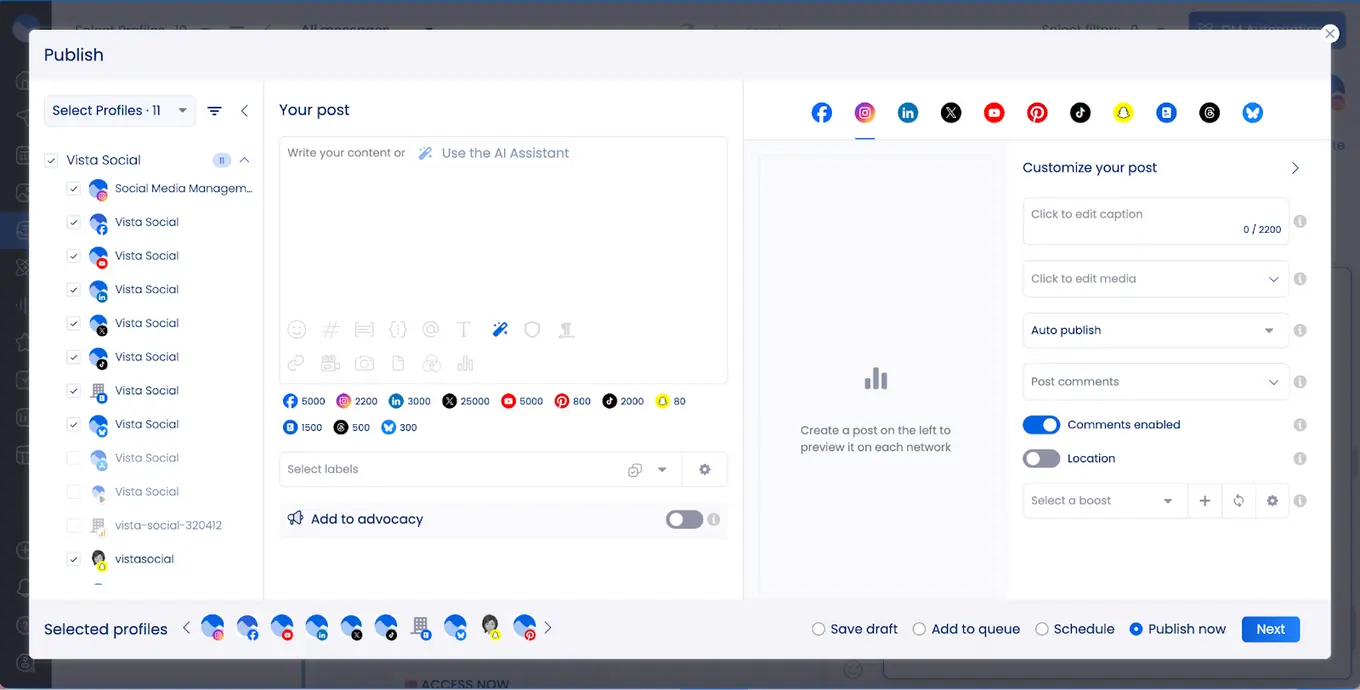
Both Vista Social and Sprout Social provide powerful publishing and content planning tools, including collaborative calendars, multi-network publishing, bulk scheduling, and multimedia support.
Vista Social is designed for teams that want a modern approach to social media publishing. It supports short-form videos, Instagram Reels, TikTok posts, and trending audio, helping brands stay visible and relevant on fast-moving platforms.
Planning content is simple with Vista Social’s smart calendar. Teams can see all scheduled posts across platforms, keeping campaigns organized and balanced. Bulk scheduling and content queues let users plan multiple posts at once, saving time while maintaining consistency.
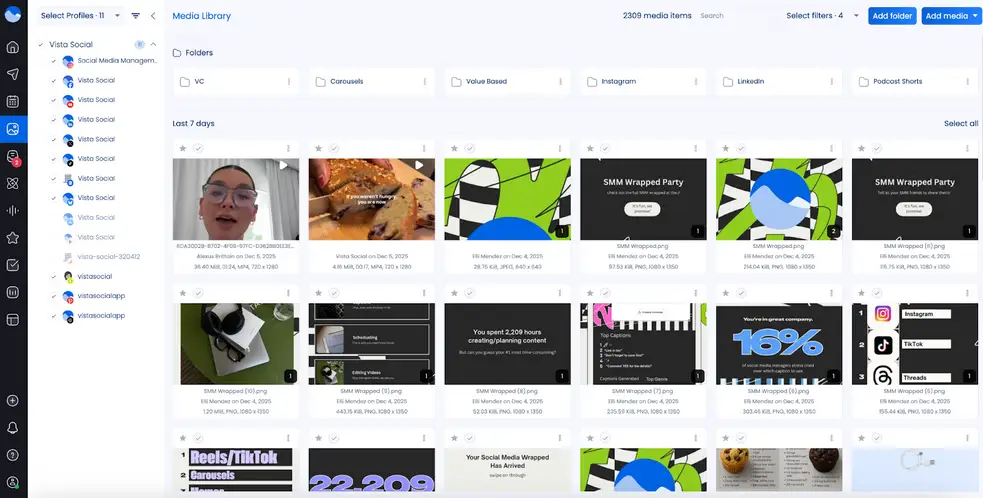
The built-in media library makes content creation easier. Teams can store images, videos, and other assets in one place and reuse them across campaigns without searching through files.
Overall, some of Vista Social’s social media publishing features include:
- Visual feed planner for platforms like Instagram and TikTok
- Bulk scheduling
- Add the first comment to your post when you schedule
- Cross-posting to multiple platforms
- The ability to schedule one post multiple times
- Evergreen content auto-reposting
- Poll scheduling
- Post boosting
Sprout Social’s publishing process is similar. The platform has a focus on structure and timing, and its central calendar brings posts from multiple platforms into one view, giving teams clear oversight of all scheduled content.
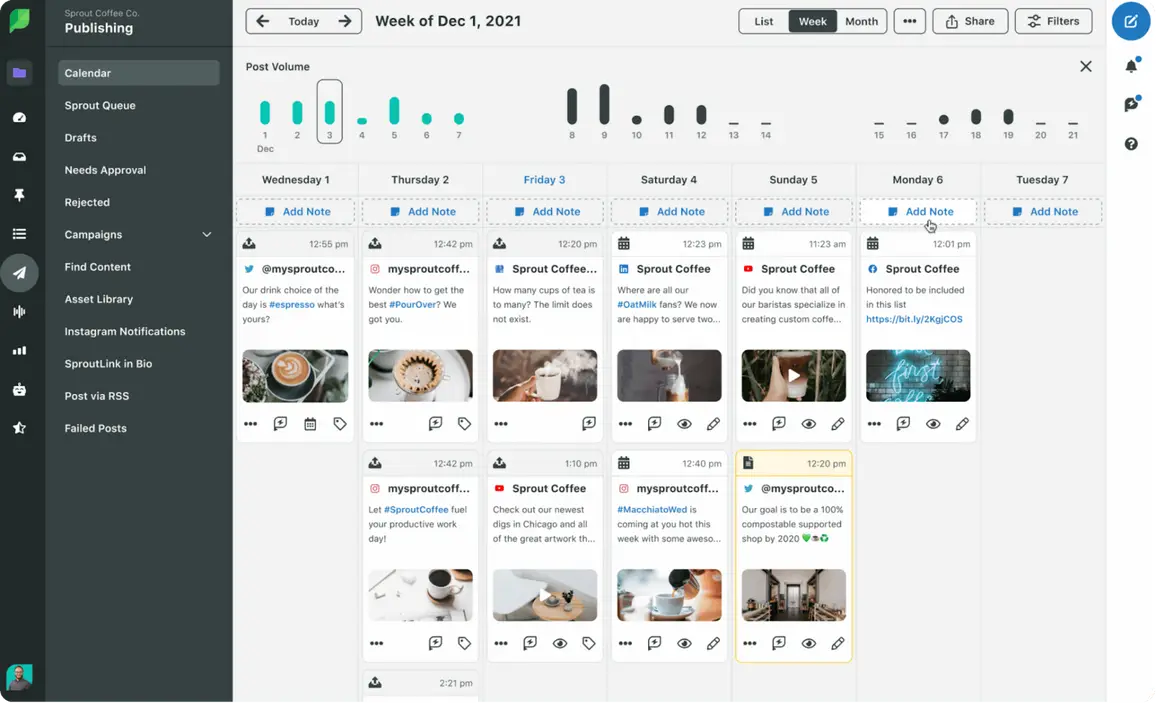
ViralPost® and Optimal Send Times analyze audience engagement to recommend the best times to post for each profile. Sprout Queue works alongside ViralPost® to automate scheduling, filling gaps in the calendar while keeping posts timed for maximum engagement.
Teams can also add internal notes to plan campaigns, events, and holidays directly on the calendar, making collaboration easier and more organized.
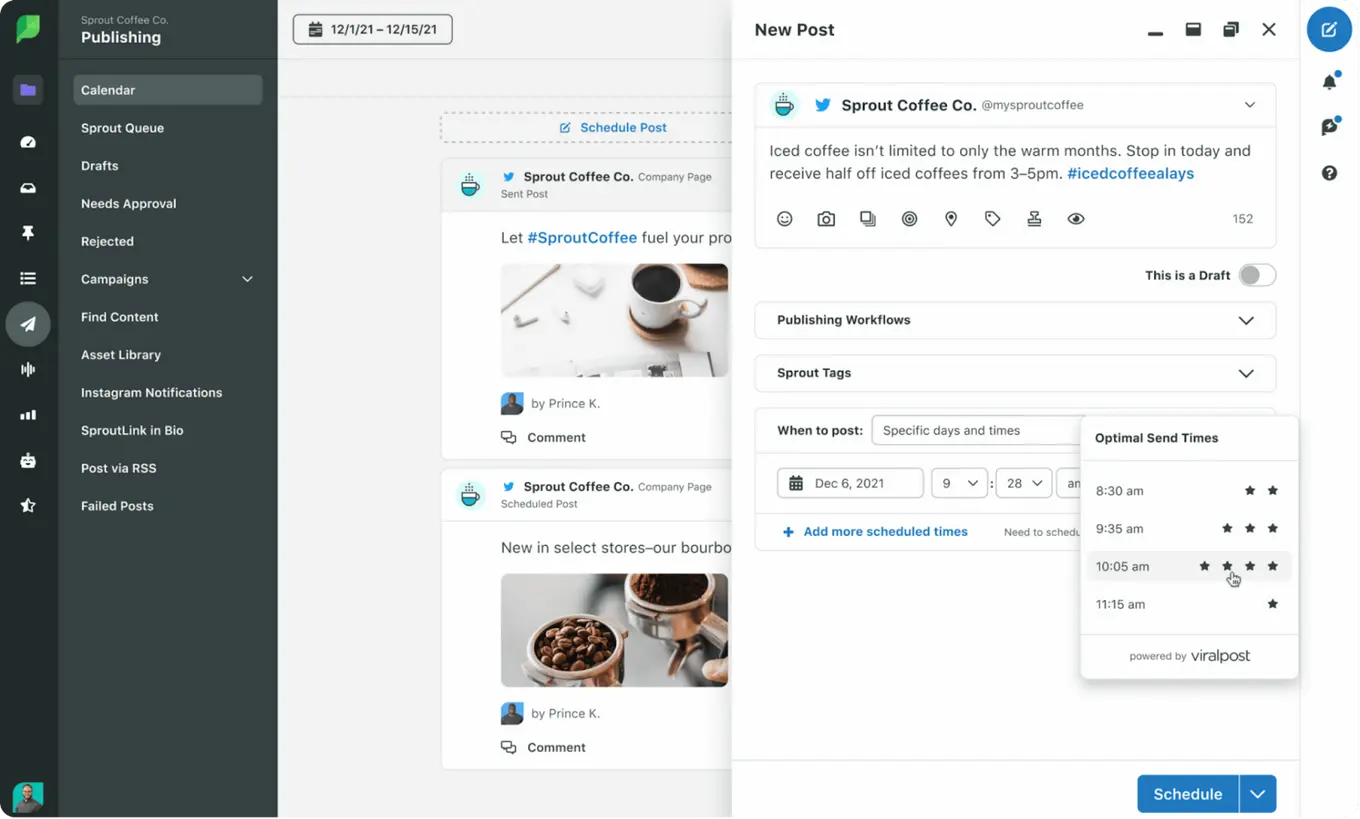
Sprout Social’s publishing system is highly structured and designed for teams managing large volumes of content across many profiles. Vista Social takes a more accessible and user-friendly approach to publishing.
Social media analytics
Vista Social and Sprout Social both provide analytics, but they serve different types of teams.
Vista Social makes advanced insights accessible for all users, even on lower-tier plans. Users gain access to post-performance, profile analytics, sentiment analysis, review reports, competitor insights, and team performance dashboards without paying per seat.
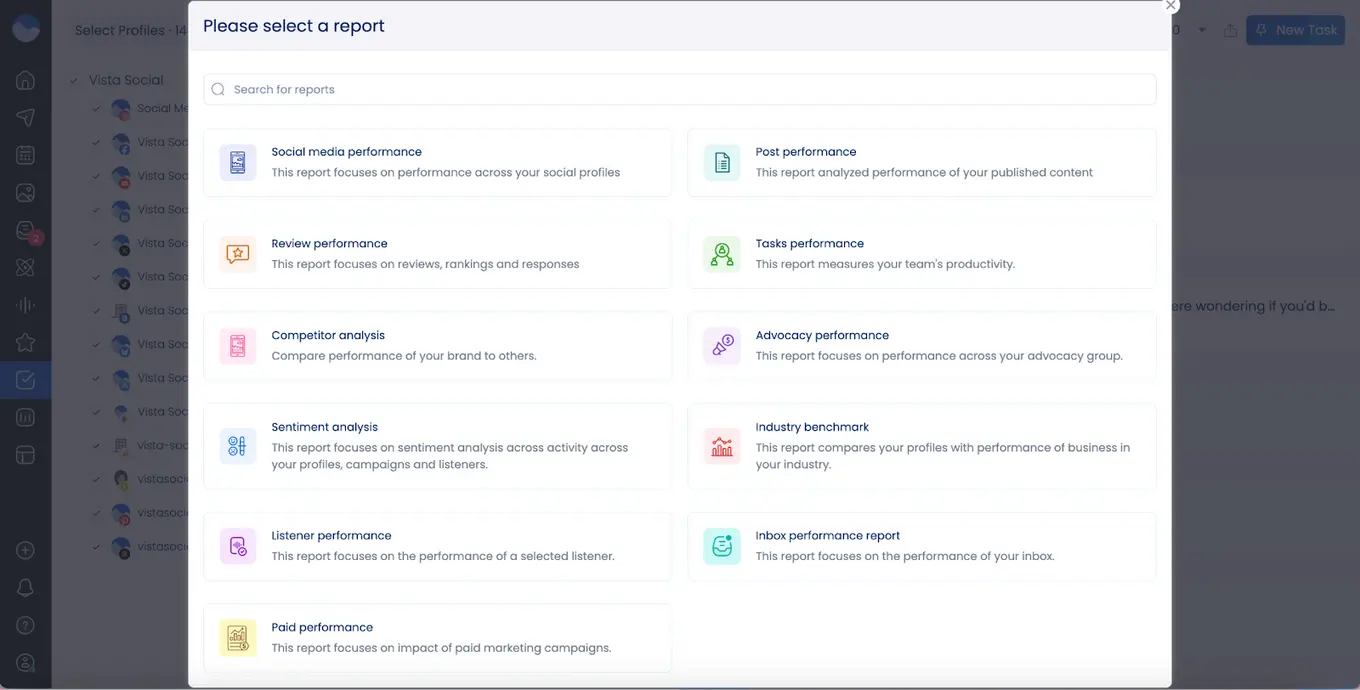
Some of the analytics/reporting features Vista Social offers include:
- Cross-platform and individual platform reports for platform and post performance
- Reports for review management, community management, and paid performance
- Competitor analysis and industry benchmark reports
- Automated/scheduled reporting
- Custom report builder
Sprout Social offers deeper, enterprise-style reporting that is ideal for large teams or organizations with complex workflows. It provides post, profile, and group-level reports across all major networks, along with competitor benchmarking, keyword tracking, sentiment analysis, and Google Analytics integration on higher plans.
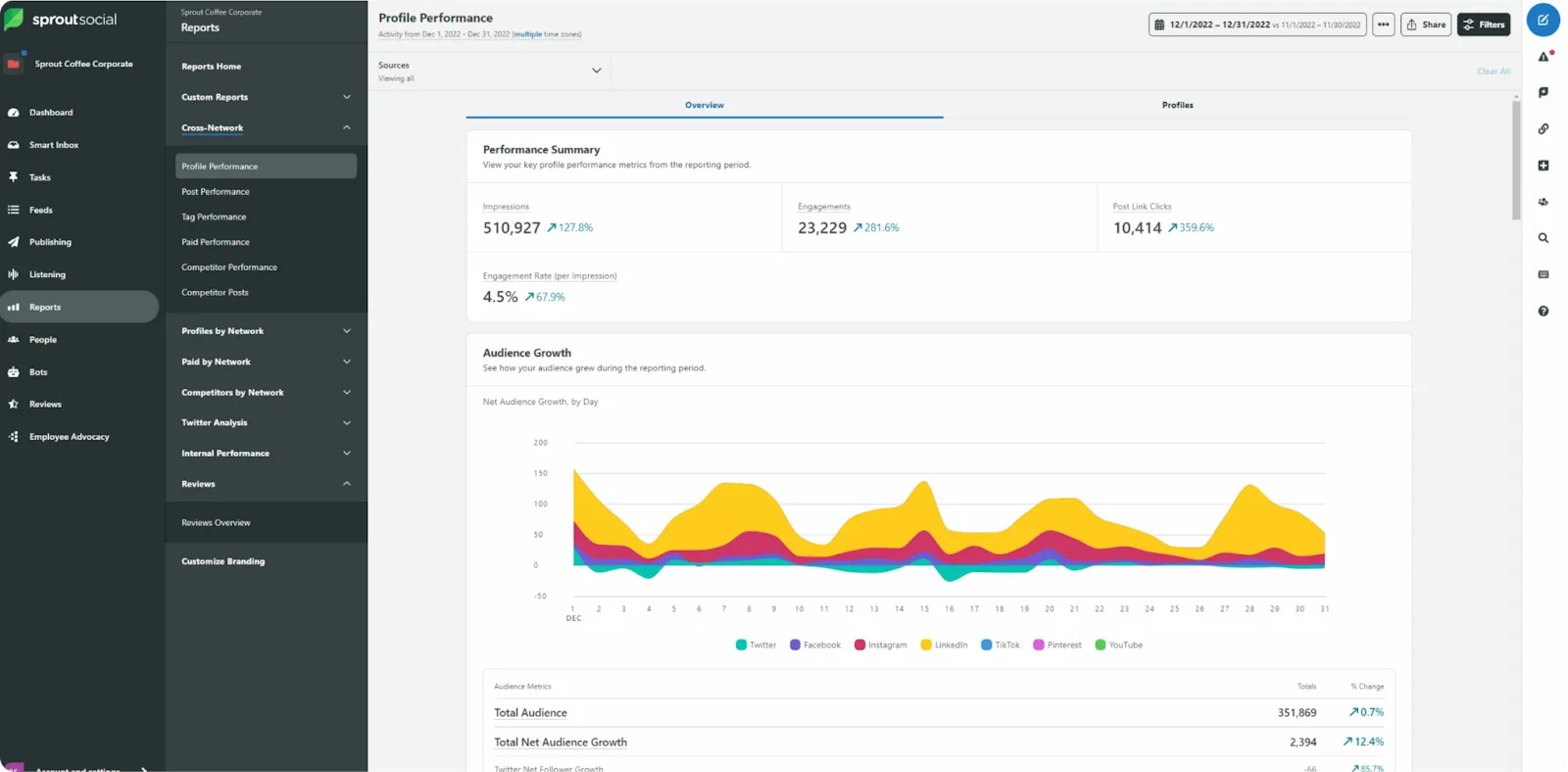
While powerful, many of these features require higher-tier subscriptions, which can be limiting for smaller teams or agencies.
Social media engagement
Engaging your audience quickly and effectively is essential for building strong connections online.
Vista Social makes this simple with a unified inbox that brings together comments, direct messages, and mentions from all platforms in one place.
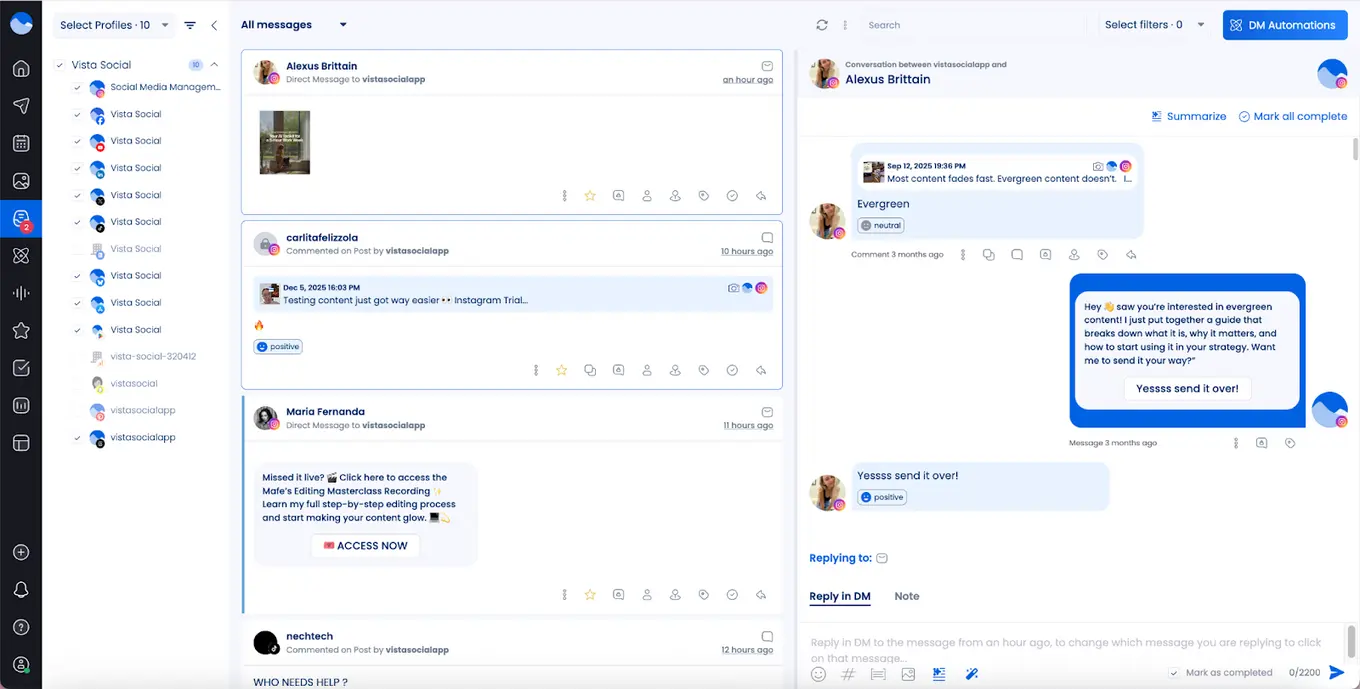
With built-in auto-replies, DM automation, and engagement tracking, teams can respond faster, stay organized, and make sure no conversation is missed. The platform is designed to streamline workflows, so teams spend less time juggling messages and more time focusing on meaningful interactions.
Other key engagement features include:
- A report to showcase how well your team is keeping up with customer mentions and messages
- Internal communication around customer comments/messages to bolster collaboration
- Sentiment filtering so your team can gauge how customers feel about your brand
- Inbox macros for making repetitive tasks as easy as a single click
- Message labeling, task assigning, and social CRM
Sprout Social is extremely strong in engagement and customer care, particularly for brands with high inbound message volume. Its Smart Inbox, case management system, reply collision detection, sentiment analysis, message spike alerts, and CSAT/NPS surveys make it well-suited for customer support–driven social teams.
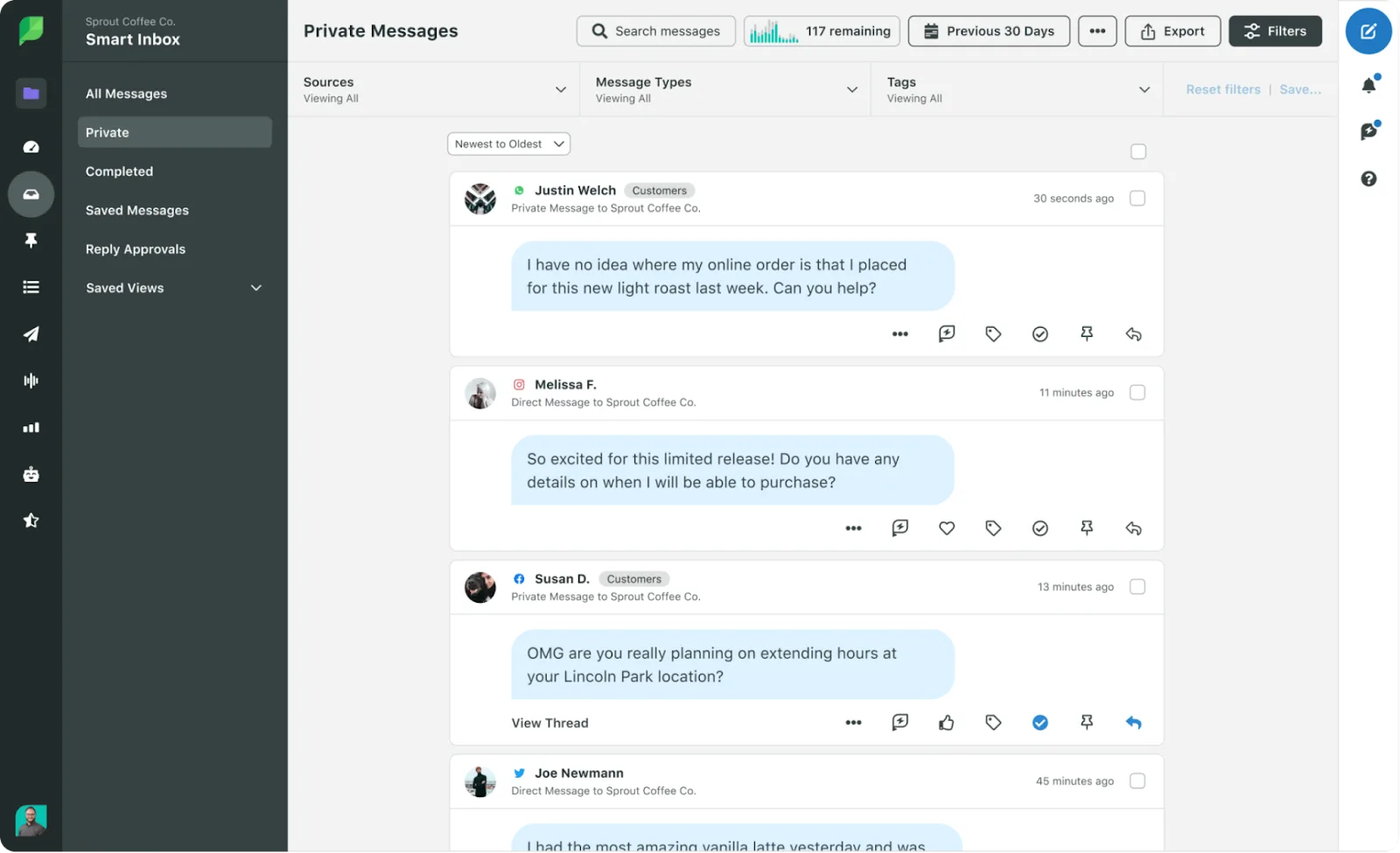
Advanced features like automated workflows, AI-assisted replies, chatbots, and case routing are available at the Advanced and Enterprise levels, reinforcing Sprout’s positioning as a customer care platform as much as a social tool.
Social listening
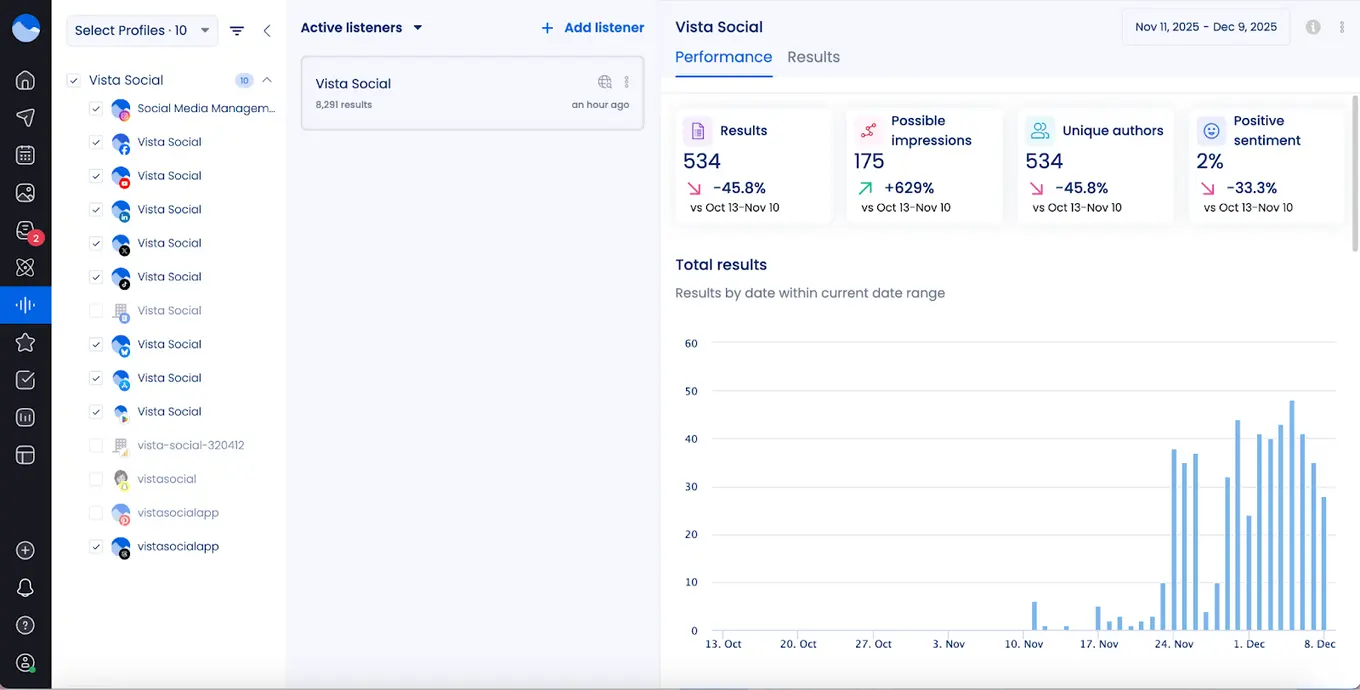
When it comes to social listening, Vista Social gives teams a simple solution to monitor what people are saying across social networks, review sites, and the web.
It automatically tracks keywords, hashtags, and mentions, curates relevant content, and sends alerts, so teams get actionable insights without extra work. This makes it easy to stay on top of audience sentiment, spot trends, and monitor competitors in real time.
Sprout Social also provides robust listening capabilities, leveraging AI to process large volumes of data across networks, blogs, and forums. Users can build detailed queries and analyze qualitative and quantitative insights through dashboards.
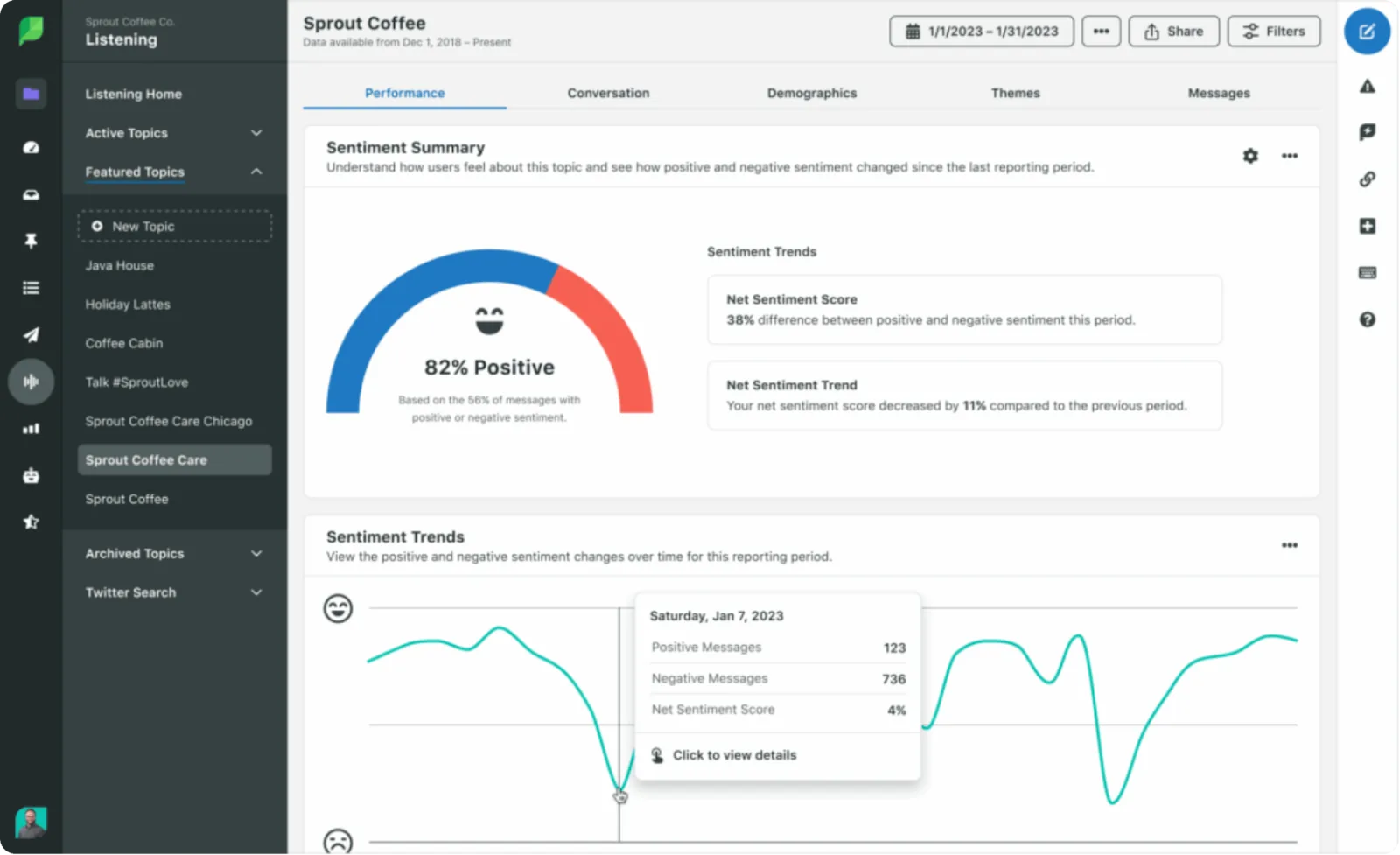
Both tools provide social listening as an add-on, giving brands the power to choose whether this is something they need and how many different listeners they need to set up.
Team collaboration
Strong team collaboration is essential for keeping social media content organized, consistent, and on schedule.
Vista Social provides a robust set of tools for teams of all sizes. With flexible roles and permissions, shared content calendars, content approval workflows, and collaborative publishing, everyone on the team knows exactly what content is scheduled and when posts go live.
Enterprise plans allow unlimited users, making it ideal for agencies or businesses managing multiple clients or brands. Teams can work together seamlessly, reducing errors and improving efficiency while keeping content consistent across all channels.
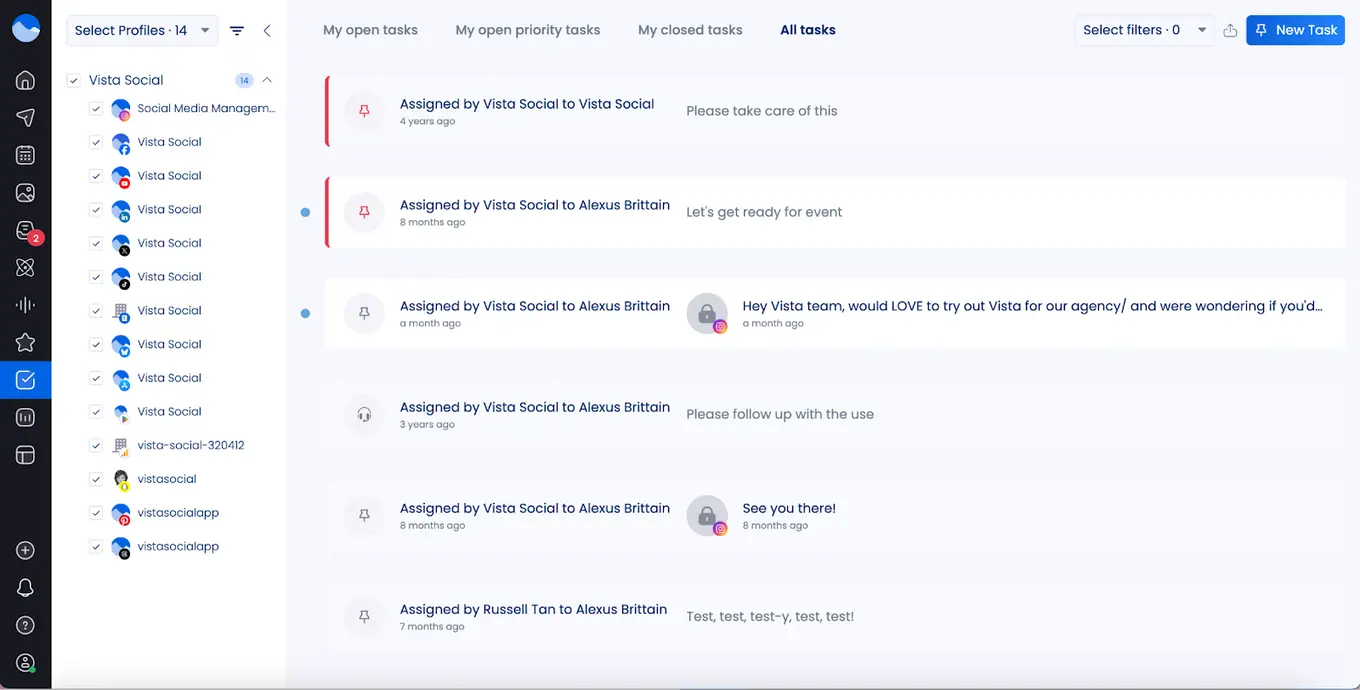
Vista Social’s team collaboration capabilities include:
- User groups and profile groups to customize permissions and access
- The ability to assign and manage tasks for team members
- Internal conversations in the social inbox
- Approval workflows for ensuring nothing slips through the cracks
- Easy onboarding for new team members
Sprout Social also emphasizes collaboration, with its Smart Inbox bringing messages from all social profiles into a single filterable stream. Teams can assign messages, add tags, mark messages complete, and even convert messages into actionable cases. Real-time activity updates show when a teammate is viewing or replying, helping avoid duplicate responses.
However, many of these advanced workflow and case management features are only available on Sprout Social’s higher-tier plans—and each plan has a per-user price tag.
Artificial intelligence
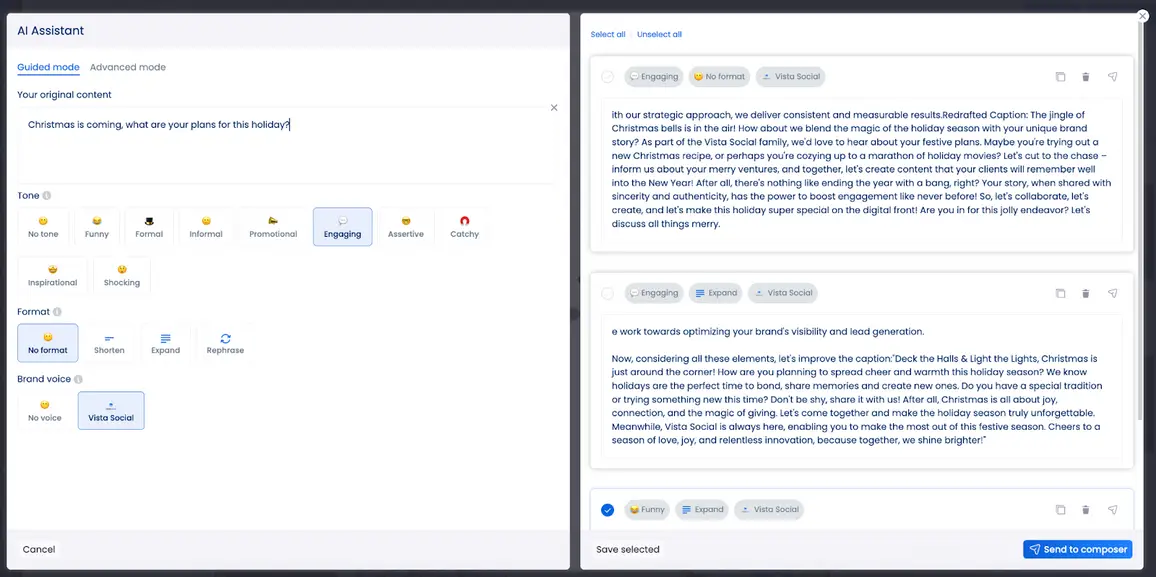
AI can make social media management faster, smarter, and more effective. Vista Social integrates a ChatGPT-powered assistant that helps users generate captions and brainstorm fresh content ideas.
It goes beyond writing support, suggesting trending audio for short-form videos and helping schedule posts through automated workflows, so teams can maintain consistency without extra effort.
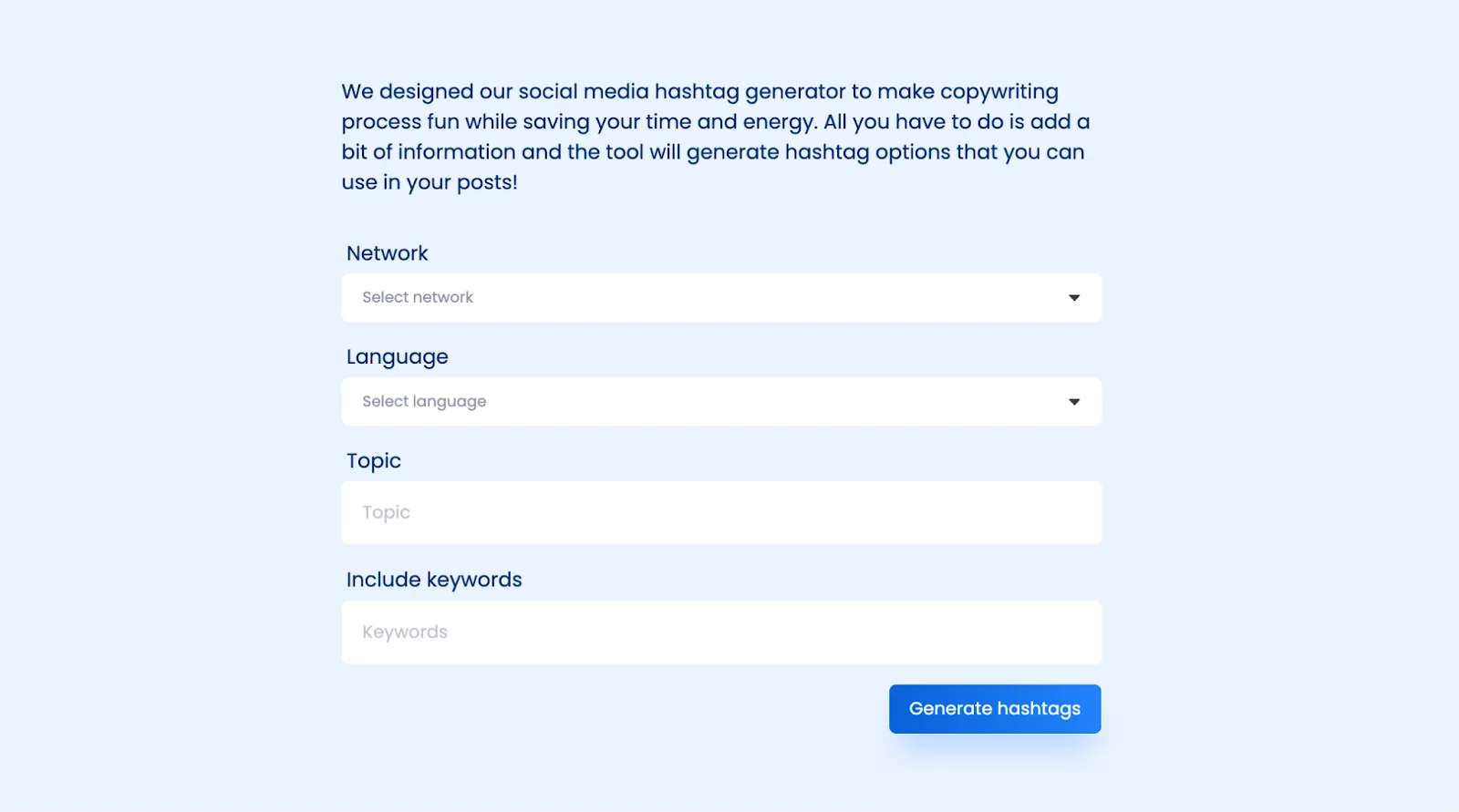
Vista Social also includes a free AI hashtag generator, giving users an easy way to optimize reach.
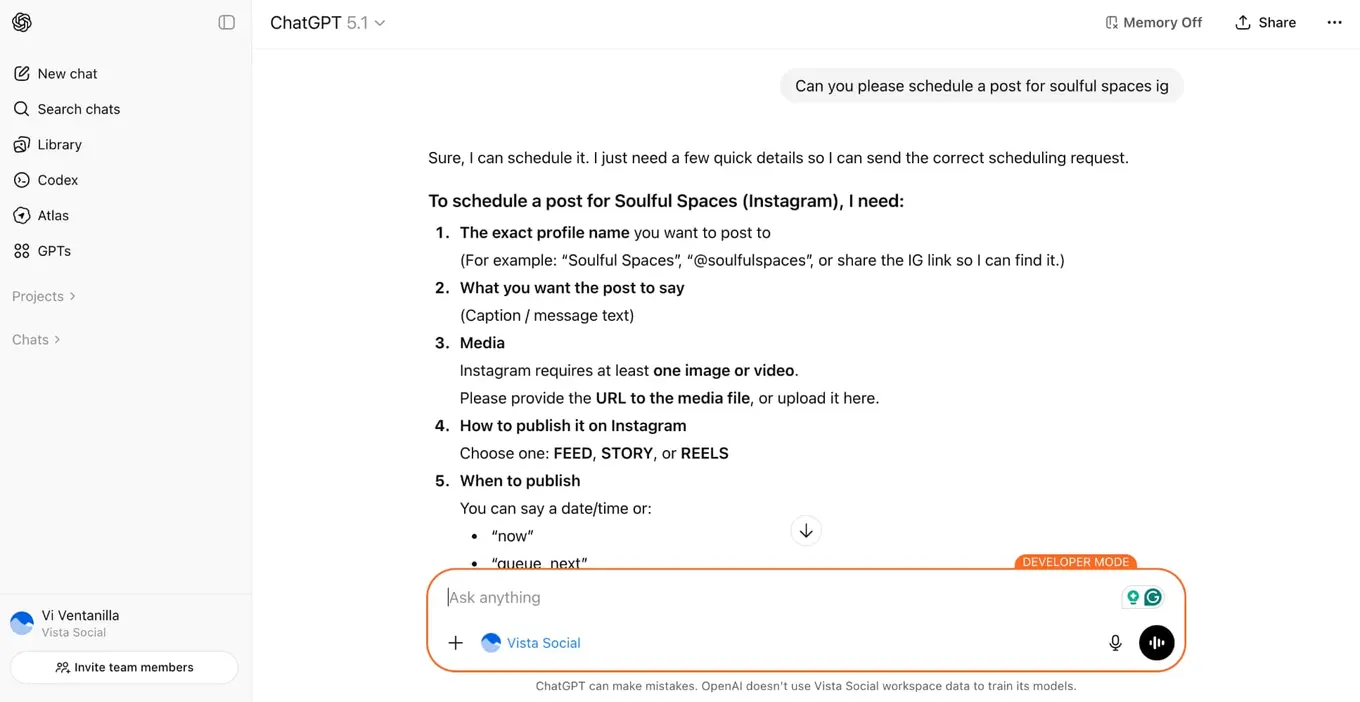
With its MCP integration, teams can manage their social presence entirely within the AI interface. From one platform, users can create and publish posts, track performance, receive actionable strategy tips, and even read and respond to comments—all without leaving the chat environment.
Sprout Social uses AI primarily to enhance content creation, engagement, and customer care, but most of its AI-powered features are only available on higher-tier plans. AI Assist helps generate alt text, enhance post copy, suggest replies, summarize conversations, and analyze sentiment within the Smart Inbox and reviews.
These features are especially useful for large teams managing high volumes of messages and customer interactions, but they are largely gated behind the Professional, Advanced, or Enterprise plans.
Automation
Vista Social puts a strong focus on keeping teams efficient with minimal effort. It offers robust DM automation, auto-replies, and trigger-based messaging, such as sending follow-ups when someone comments or messages.
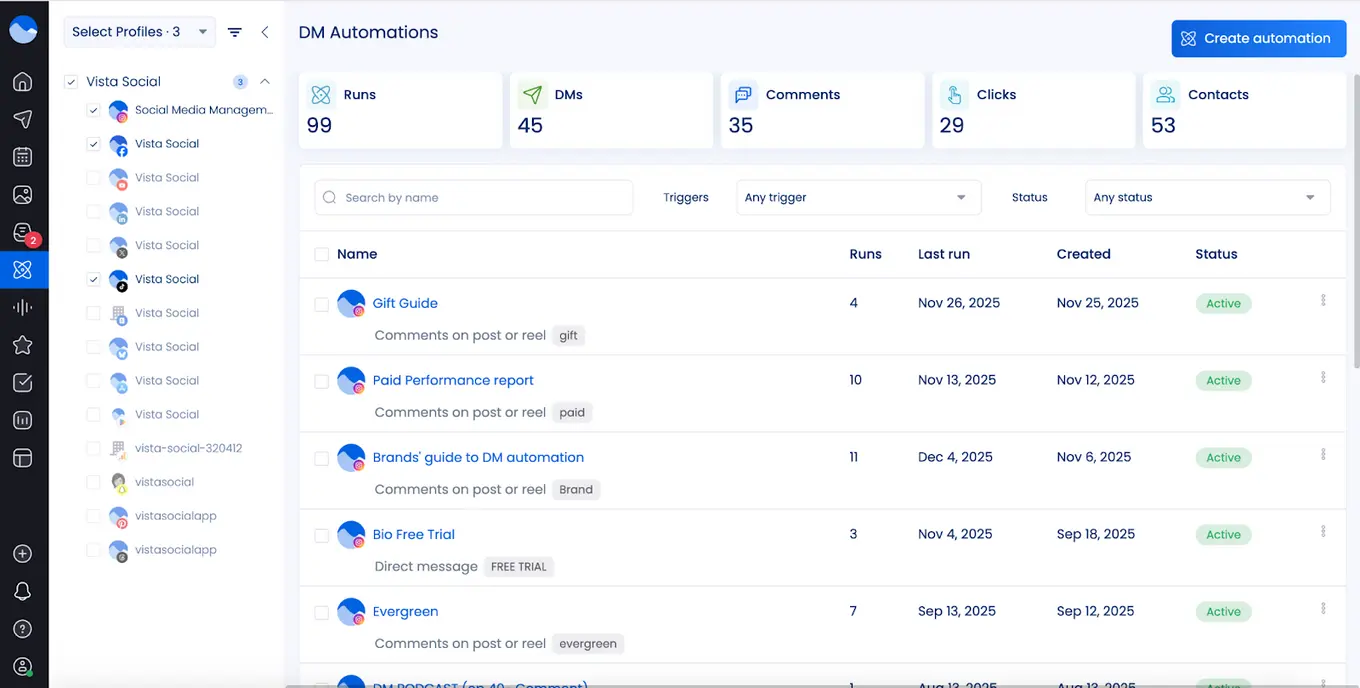
Bulk scheduling, smart queues, and automated posting workflows make it easy to maintain a consistent content calendar without constant manual work. Even smaller teams can stay responsive and active without being online all the time.
Vista Social’s automation features include:
- DM automation for generating auto-replies based on comments or DMs
- The ability to generate leads or followers via automated DMs
- Auto-responses generated from workflows using AI-detected message intent
Automation in Sprout Social is built for structured, enterprise-grade workflows. Advanced automation features include publishing rule builders, inbox and case routing rules, automated message classifications, macros, chatbots, spike alerts, and workflow automation via the Sprout API.
These tools are powerful for organizations with complex approval chains and customer care operations, but most automation features are only available on the Advanced and Enterprise plans and often require setup and technical coordination.
Employee advocacy
Vista Social makes employee advocacy accessible even on standard plans. Up to three employees can participate for free, making it a practical choice for small teams or agencies.
For organizations looking to scale, Vista Social offers a dedicated Advocacy plan priced at $199 per month for 25 employees. This plan bundles social publishing, analytics, and engagement features with advocacy at its core.
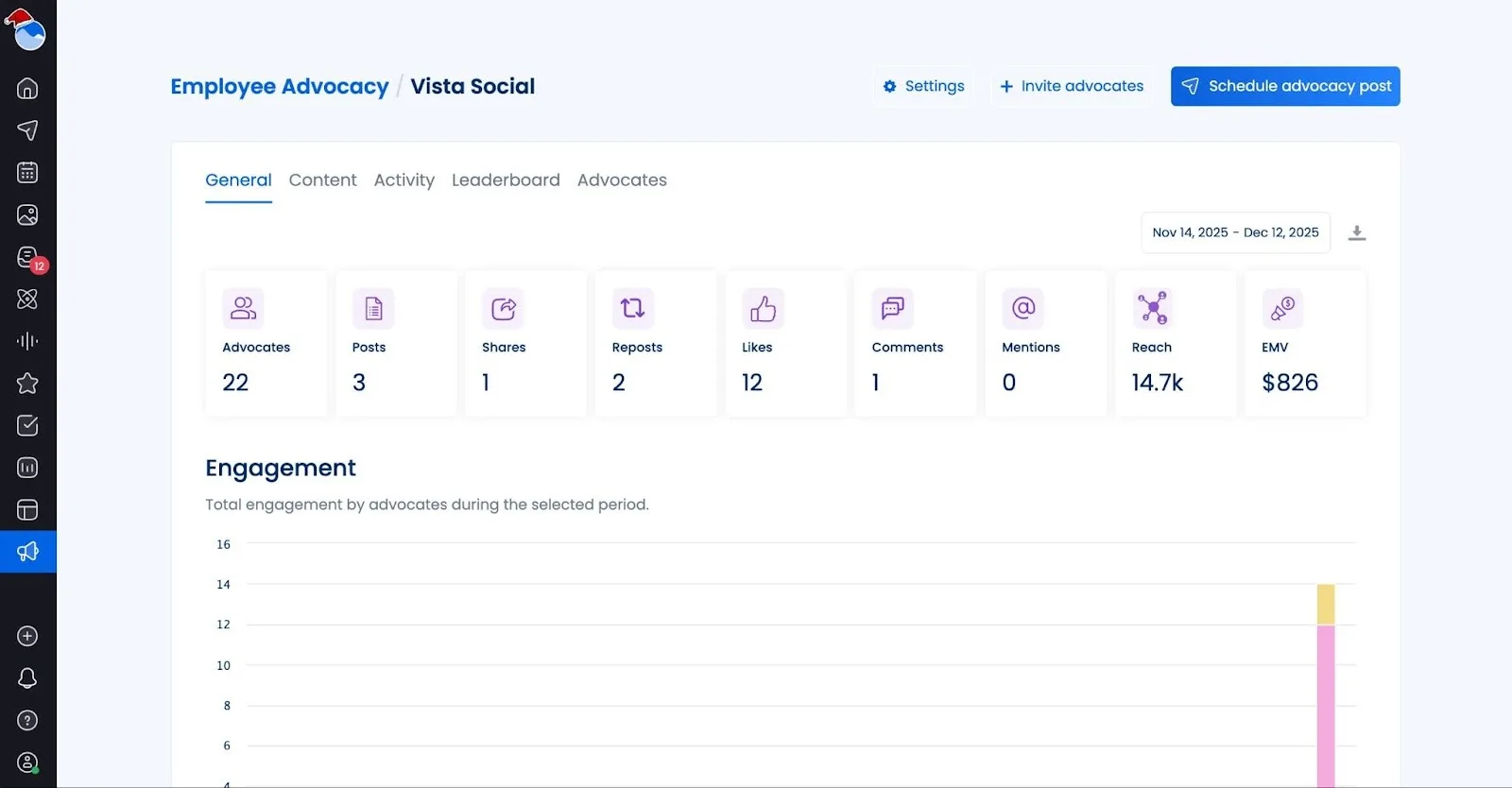
Teams gain access to unlimited posts, content approval workflows, reporting dashboards, leaderboard tracking, optimal send times, and AI-assisted post creation. Vista Social’s approach ensures that advocacy is fully integrated and straightforward without requiring expensive add-ons.
Sprout Social offers employee advocacy as an add-on. It allows teams to curate on-brand content that employees can easily share, while tracking performance through UTM parameters and earned media value calculations.
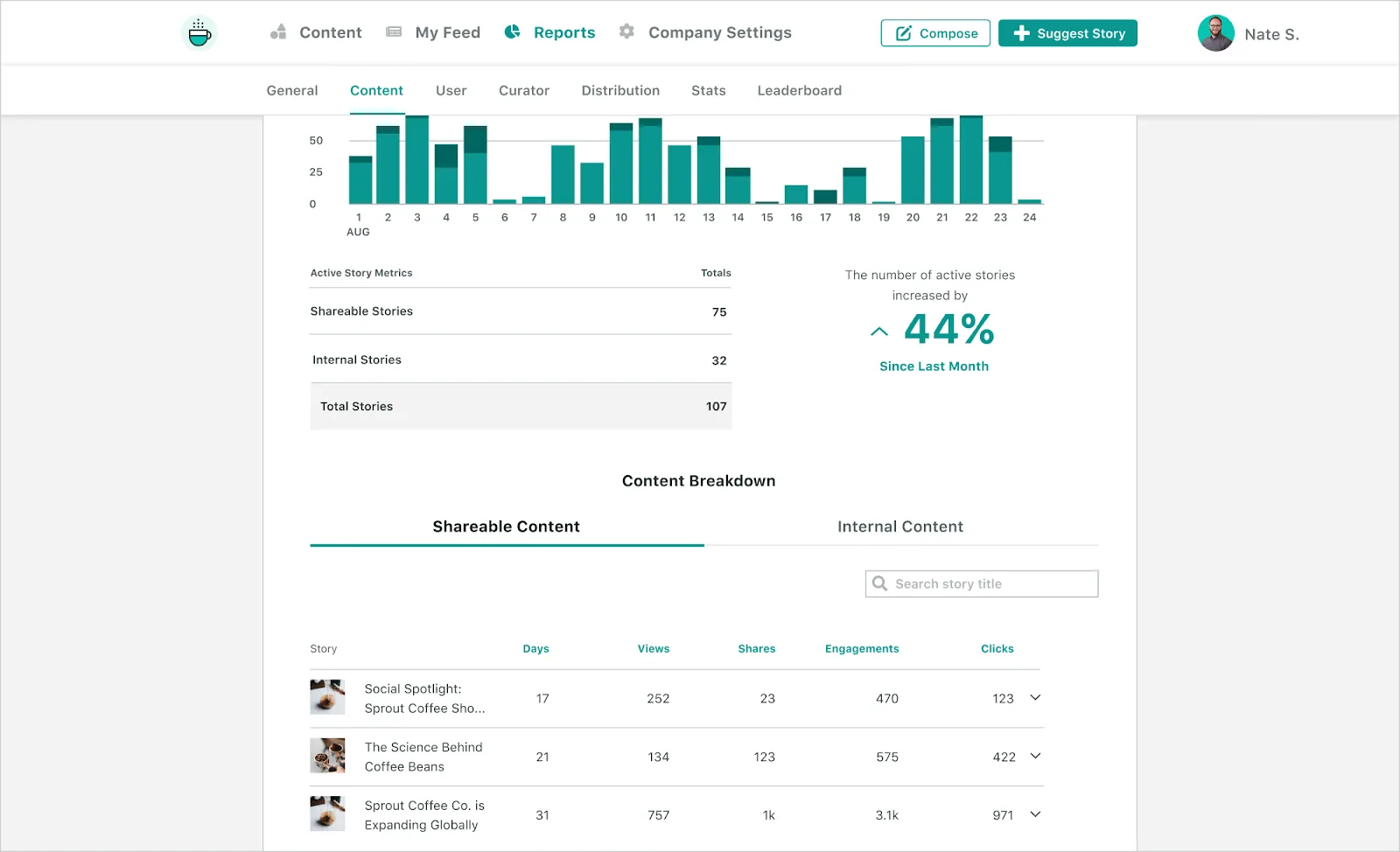
Content discovery is streamlined through tools like My Feed, newsletters, Slack notifications, and mobile alerts, making it easy for employees to stay engaged without extra effort. Advocacy content can also be sent directly from Sprout’s Compose workflow, keeping brand messaging consistent and organized with tags and reporting.
Integrations
Vista Social gives teams the power to manage nearly every aspect of social media from a single platform. Its built-in integrations cover all major networks, including Facebook, Instagram, LinkedIn, TikTok, X/Twitter, YouTube, Pinterest, Snapchat, Threads, and Bluesky.
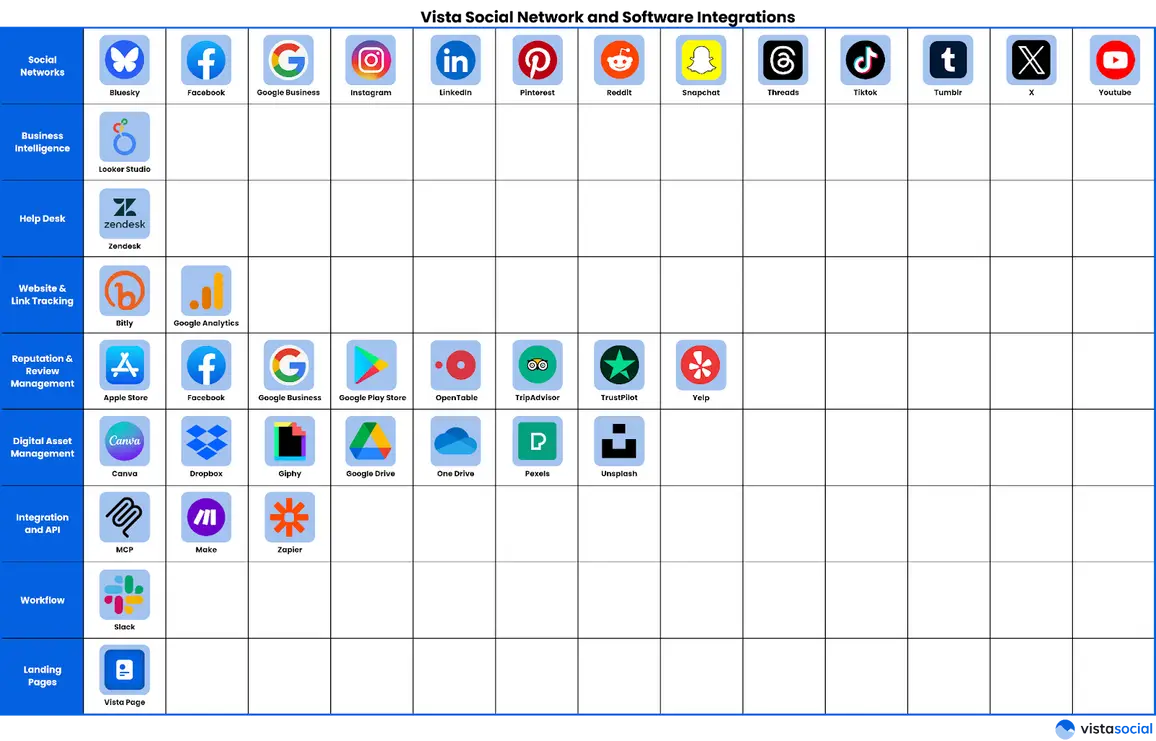
Beyond social networks, Vista Social seamlessly connects with business intelligence tools like Google Looker Studio, help desk platforms such as Zendesk, link tracking services like Bitly, and cloud storage solutions including Google Drive, Dropbox, and OneDrive.
Teams can also automate workflows with Zapier and Make, while AI integrations with ChatGPT or Claude help generate content, automate responses, and optimize publishing schedules. This level of integration makes Vista Social highly adaptable, whether you’re a growing team or a large enterprise.
Sprout Social also offers a unified platform for managing major social networks including Instagram, Facebook, LinkedIn, TikTok, YouTube, X/Twitter, Threads, and Bluesky. It is built for teams that need clear workflows and deep integrations, from messaging tools like WhatsApp and Messenger to CRM and business platforms such as Salesforce, HubSpot, Shopify, Canva, and Adobe. Social listening is also a focus, giving teams insight into audience behavior and trends.
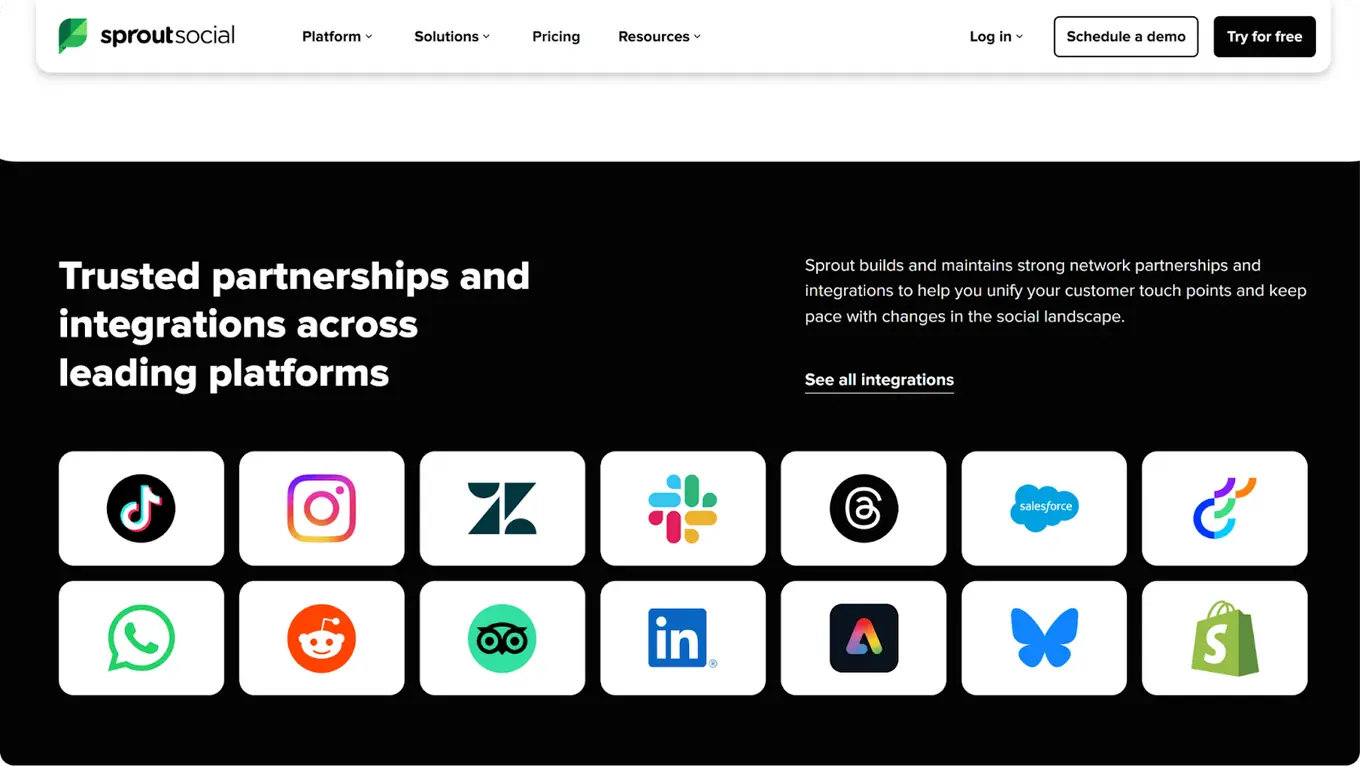
While powerful, some advanced analytics, automation, and integrations are limited to higher-tier or enterprise plans, whereas Vista Social provides many key tools in a single package without extra add-ons.
Innovation
Vista Social has built a reputation for innovation by focusing on features that make social media management simpler, faster, and smarter. Unlike platforms that spread functionality across multiple tools, Vista Social combines publishing, engagement, listening, and analytics into a single, unified dashboard.
Teams can schedule posts across multiple networks, optimize posting times, and rely on AI-driven suggestions for content and engagement—all without complicated add-ons. This approach ensures marketers can act quickly, save time, and stay ahead of trends, whether managing one account or several.
Some users complain that Sprout Social feels more like a legacy platform that struggles to keep up with the pace and needs of social media marketers in 2026.
While Sprout Social may put its own emphasis on innovation, it’s mostly doing so by focusing on advanced capabilities that are geared toward enterprise customers and often require higher-tier plans. Smaller teams may find some features less accessible, and managing multiple networks can involve navigating separate modules.
What sets Vista Social apart is that its innovations are designed for all users. AI recommendations, smart scheduling, and workflow automation are available across plans, giving teams practical tools they can use immediately.
While Sprout focuses on high-level automation and proactive social care for enterprises, Vista Social prioritizes ease of use, speed, and accessibility, letting marketers work efficiently without extra complexity.
Pricing
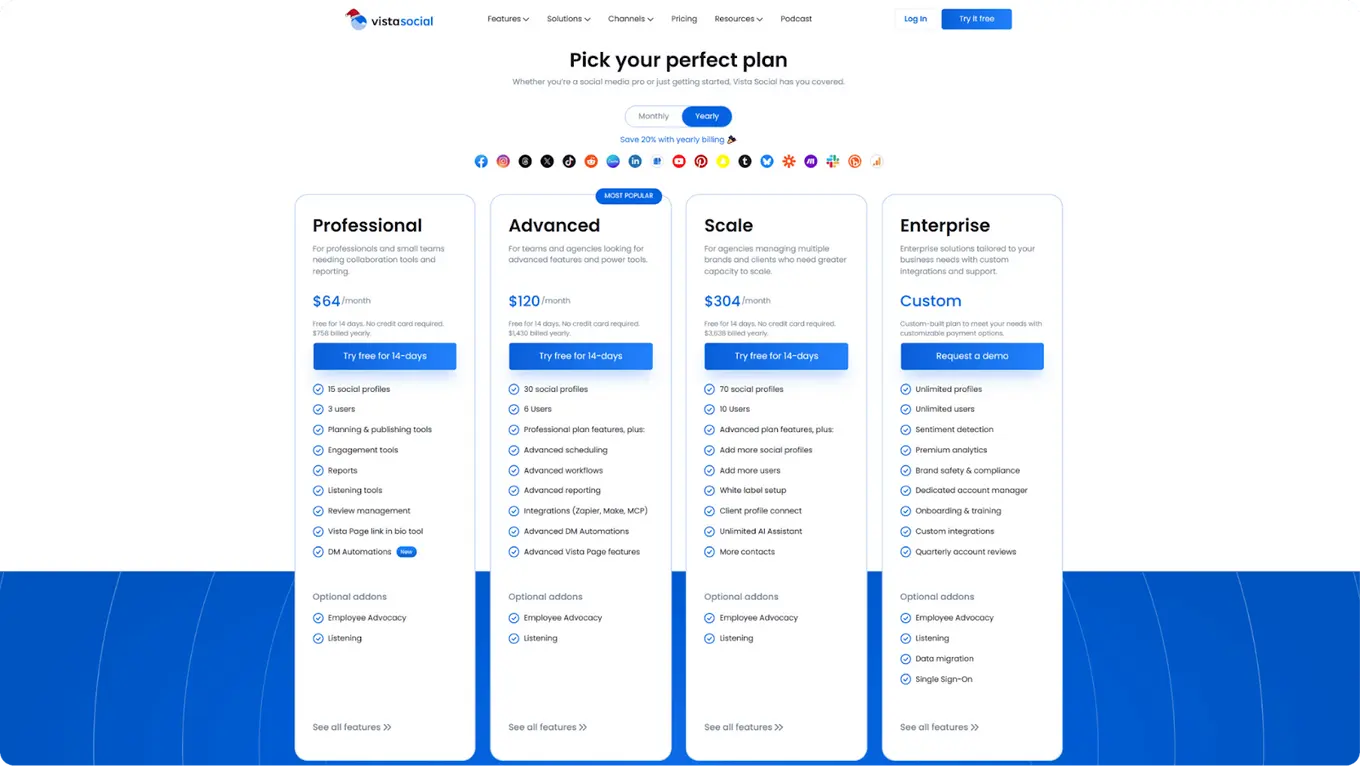
Vista Social plans:
- Professional: $64/month for 15 profiles, 3 users
- Advanced: $120/month for 30 profiles, 6 users
- Scale: $304/month for 70 profiles, 10 users, white-label, unlimited AI
- Enterprise: Custom pricing for unlimited users
Vista Social combines publishing, analytics, engagement tools, and employee advocacy as its main focus. Employee Advocacy is included for up to 3 employees, with larger teams able to scale at $199/month for 25 users. This approach gives small to mid-sized teams access to advanced tools without paying per user, making it easier to manage multiple platforms efficiently.
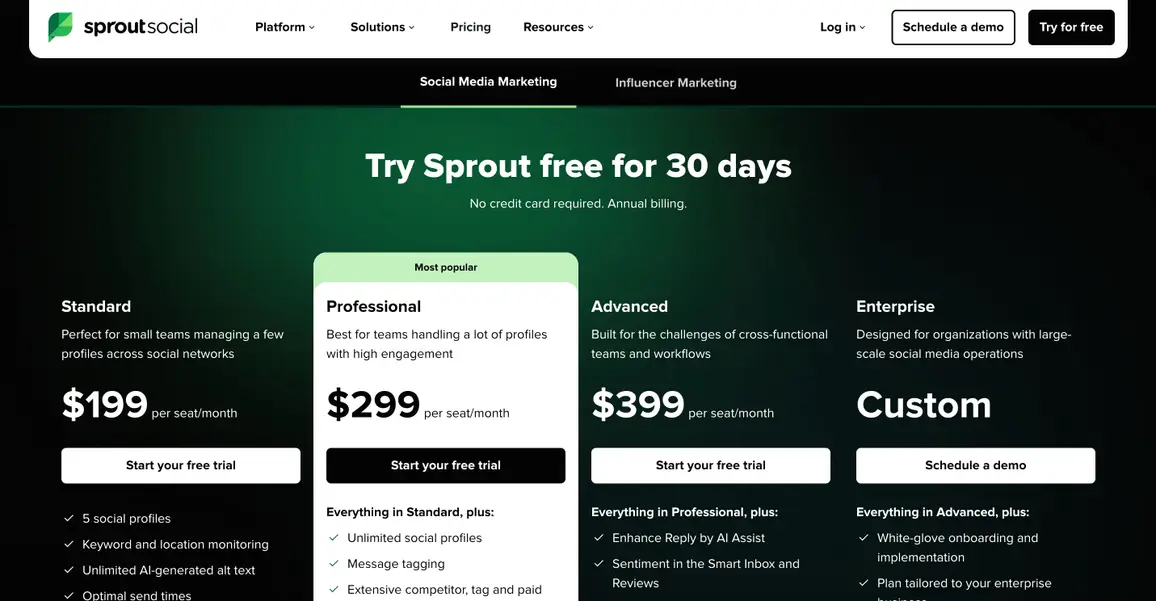
Sprout Social plans:
- Standard: $199/month per seat for 5 profiles, includes Optimal Send Times, review management, unlimited AI-generated alt text, and reporting
- Professional: $299/month per seat, adds unlimited profiles, message tagging, competitor insights, and AI-assisted post creation
- Advanced: $399/month per seat, includes AI-assisted replies, sentiment tracking, API and helpdesk integrations, and team productivity reporting
- Enterprise: Custom pricing
While Sprout Social offers strong analytics, AI insights, and engagement tools, many of its advanced features—like sentiment tracking, automated replies, and workflow integrations—are only available on higher-tier plans. This can make managing multiple users or scaling a team more expensive.
When comparing Vista Social vs. Sprout Social, Vista Social provides more features upfront for a lower cost, especially for teams focused on organic growth, collaboration, and AI-powered tools.
Sprout Social is better suited for larger organizations that need enterprise-level workflows, but costs increase per user as advanced features are unlocked. Choosing the right platform depends on team size, workflow complexity, and budget, and testing both can reveal which fits best.

Try Vista Social for free
A social media management platform that actually helps you grow with easy-to-use content planning, scheduling, engagement and analytics tools.
Get Started NowAbout the Author

Content Writer
Content writer and copywriter with over 2 years of experience, specializing in VSL scriptwriting. I’ve worked with various brands to create compelling content. Passionate about storytelling that connects and converts. Loves cats, poetry, and skincare
Loading related tools...




Tools
PublishingAnalyticsEngagementIntegrations
FacebookInstagramLinkedInRedditSnapchatThreadsTikTokX (Twitter)YouTubeBlueskyVista Page (link-in-bio)All IntegrationsCopyright © 2026 Vista Social LLC. All Rights Reserved.