

Published on December 23, 2025
11 min to read
Vista Social vs. Buffer: Which is Right for You?

Summarize with AI

Table of contents
Summarize with AI

ChatGPT

Claude

Perplexity
Share

Vista Social

X (Twitter)


Posting without a management tool can lead to rushed captions, missed schedules, and results that are hard to track. The right platform helps you stay organized, post consistently, and focus on what truly drives engagement.
This blog takes a closer look at Vista Social vs. Buffer—with a focus on scheduling, analytics, and everyday workflows—so you can choose the tool that best supports your goals.
Table of contents
Vista Social vs. Buffer: Which tool is right for your needs?
Vista Social and Buffer are built to reduce the load of running your social media on your own, yet each one serves users in its own way. This in-depth comparison of Vista Social vs. Buffer will help you see which tool better supports your day-to-day social media needs.
Social media publishing
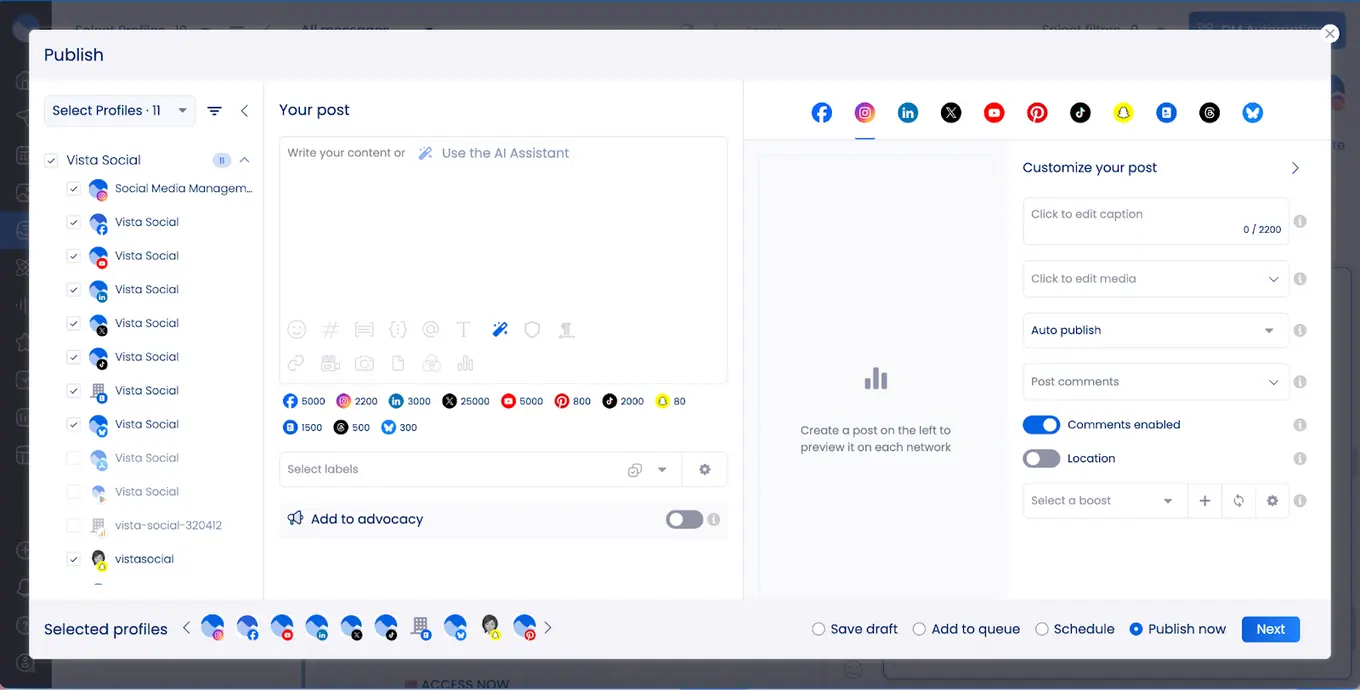
In the Vista Social vs. Buffer discussion, both platforms aim to simplify social media publishing by bringing multiple accounts into one dashboard. The difference lies in how each tool supports modern content creation and scheduling.
Vista Social is built for modern, high-volume publishing. It handles short videos, Reels, TikTok content, and trending audio with ease. Instead of feeling crowded, its interface stays simple and easy to learn, which helps users manage frequent posting without confusion or delays.
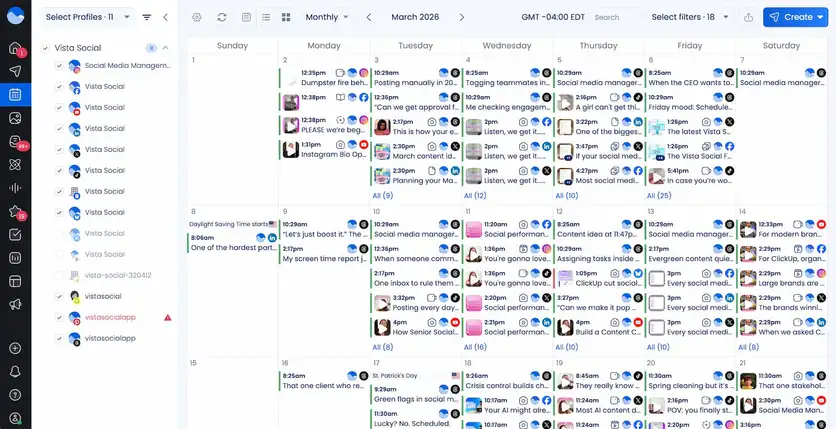
Content planning is also more visual in Vista Social. Its social media calendar shows scheduled posts across all platforms in one place, making it easier to spot gaps and adjust timing for better reach.
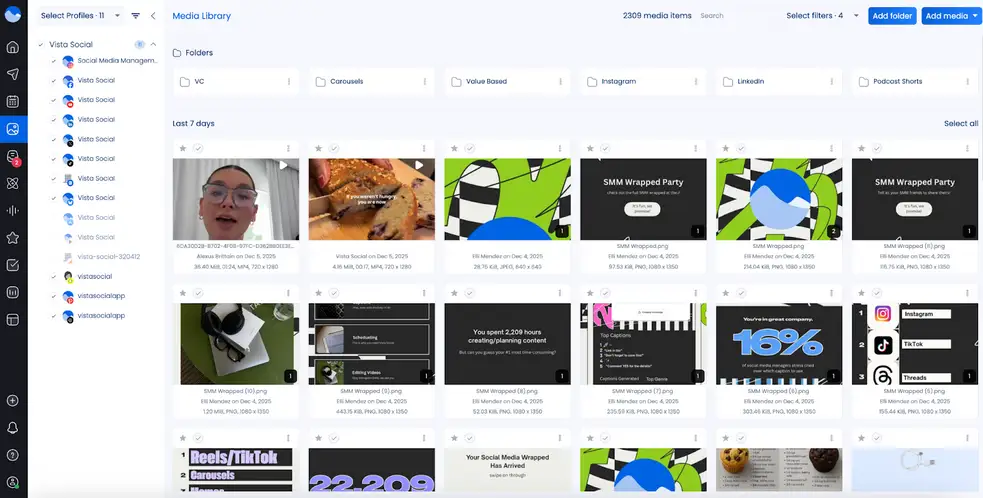
Publishing is streamlined through bulk scheduling, content queues, and an integrated media library. This setup allows users to prepare content in advance and share it across channels with minimal effort.
Everything needed for publishing stays organized, so posting once and publishing everywhere becomes a smooth, repeatable process.
Buffer approaches social media publishing from a simplicity-first perspective. Its drag-and-drop content calendar makes it easy to plan ahead, reschedule posts, and maintain a consistent posting cadence.
The visual media calendar provides a clear weekly or monthly overview, which works well for creators and small teams managing lighter content volumes.
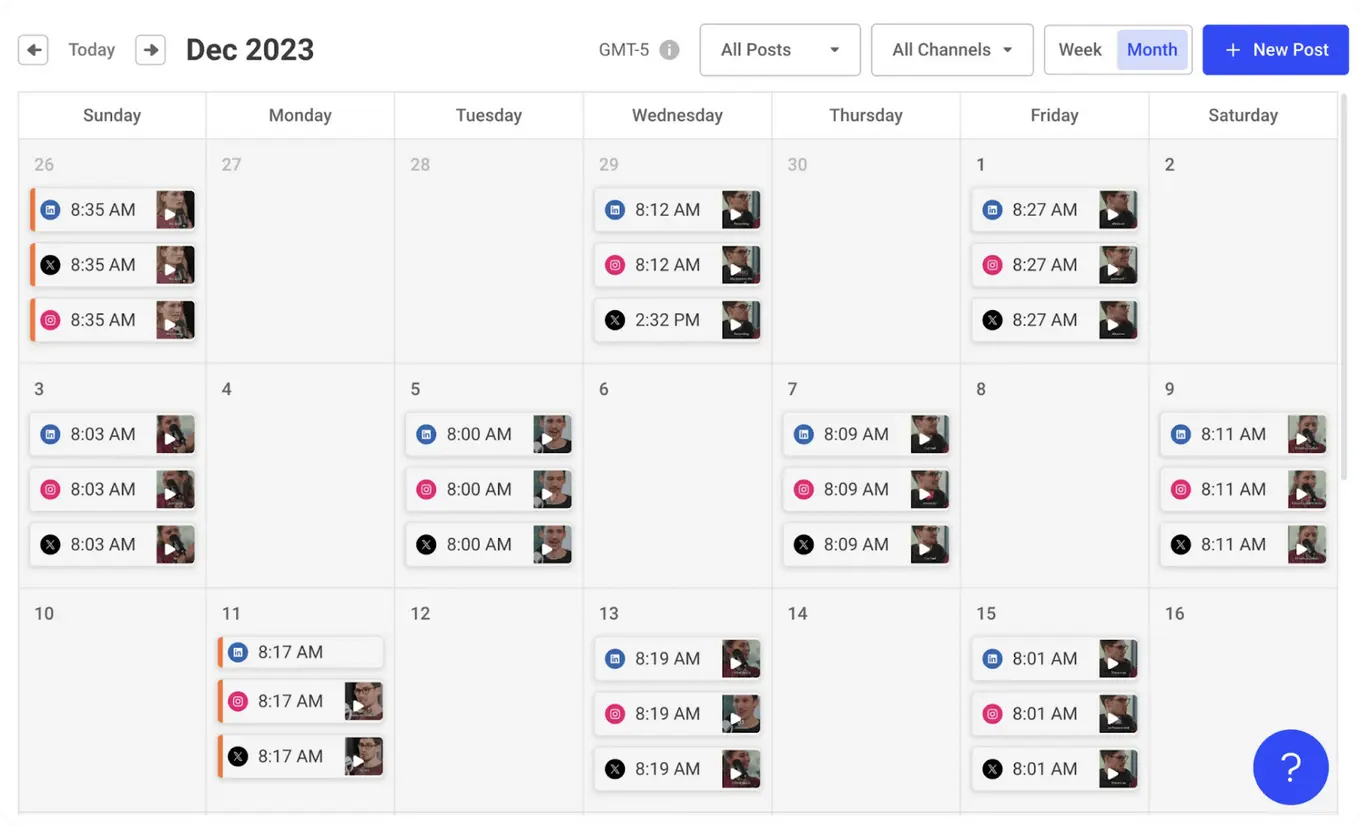
Buffer also supports bulk scheduling and offers post timing suggestions to help users publish at optimal times. Free users can schedule up to ten posts per channel, making it accessible for individuals or businesses with basic needs, while paid plans unlock unlimited scheduling.
Buffer’s mobile reminders are especially useful for platforms that require manual publishing steps, allowing users to complete posts directly on Instagram, TikTok, and YouTube through the app.
In the end, the Vista Social vs. Buffer decision comes down to scale. Buffer suits smaller workloads and basic scheduling, while Vista Social is better for teams managing high-volume content.
Social media analytics
With Vista Social, you get detailed dashboards that show how your social accounts are doing, how people respond to your posts, what competitors are up to, and even how your team is performing.
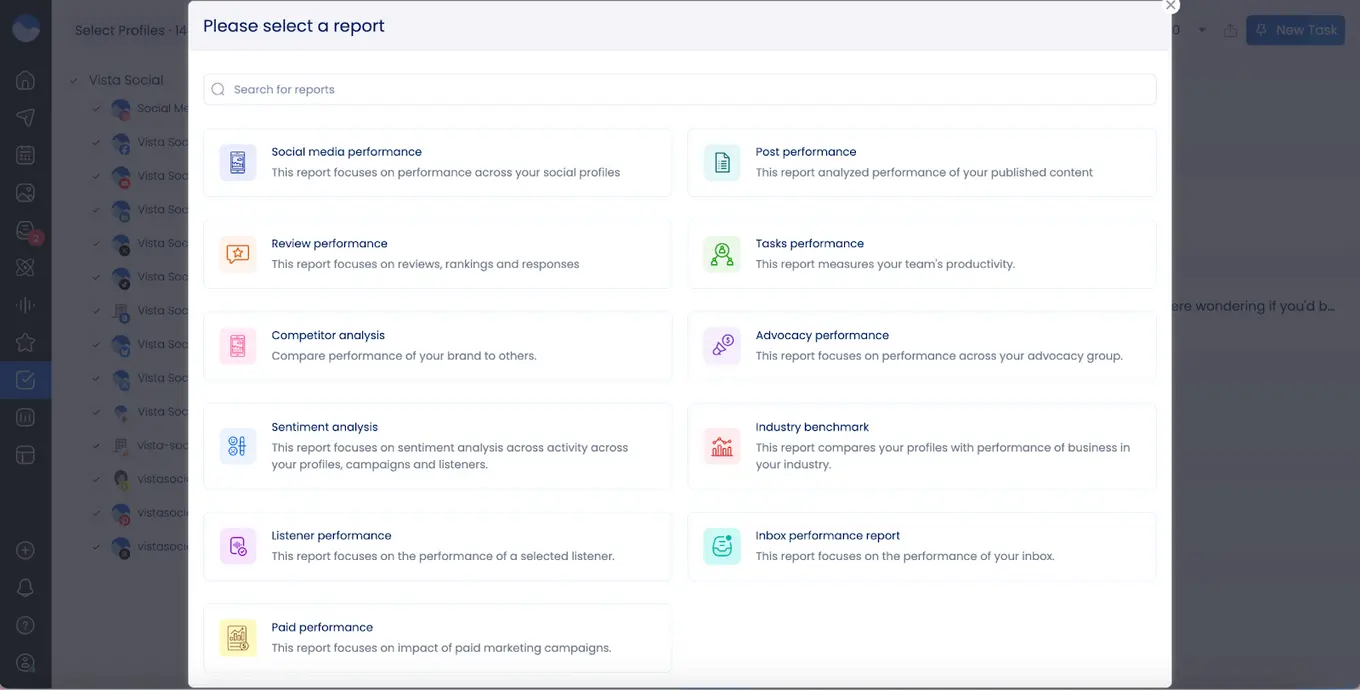
Most of these insights are included in regular plans, so smaller teams and agencies don’t have to pay extra for the full picture. By combining numbers with audience feedback, Vista Social makes it easier to adjust your strategy and boost engagement.
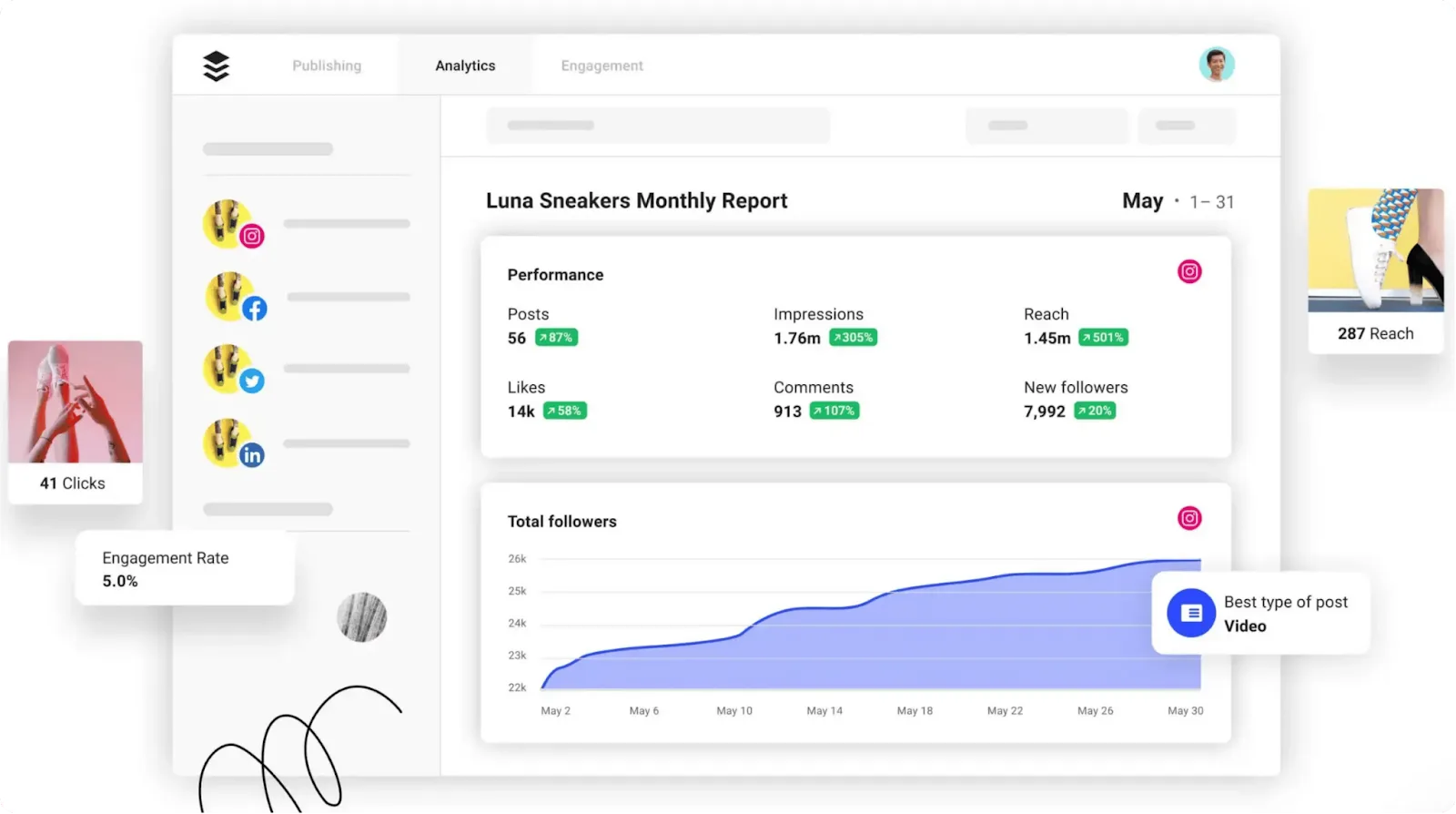
Buffer also offers dashboards to monitor reach, clicks, engagement, impressions, follower growth, and post performance.
On the free plan, Buffer only shows basic analytics for the past 30 days, and advanced insights—like detailed trends or deeper engagement analysis—are locked behind higher-tier plans. This can make it harder for small teams or budget-conscious users to get the full picture, limiting how quickly they can refine their social strategies.
Social inbox
Vista Social’s Social Inbox brings all comments and messages from your connected profiles into a single stream, so you no longer have to jump between platforms to stay on top of conversations.
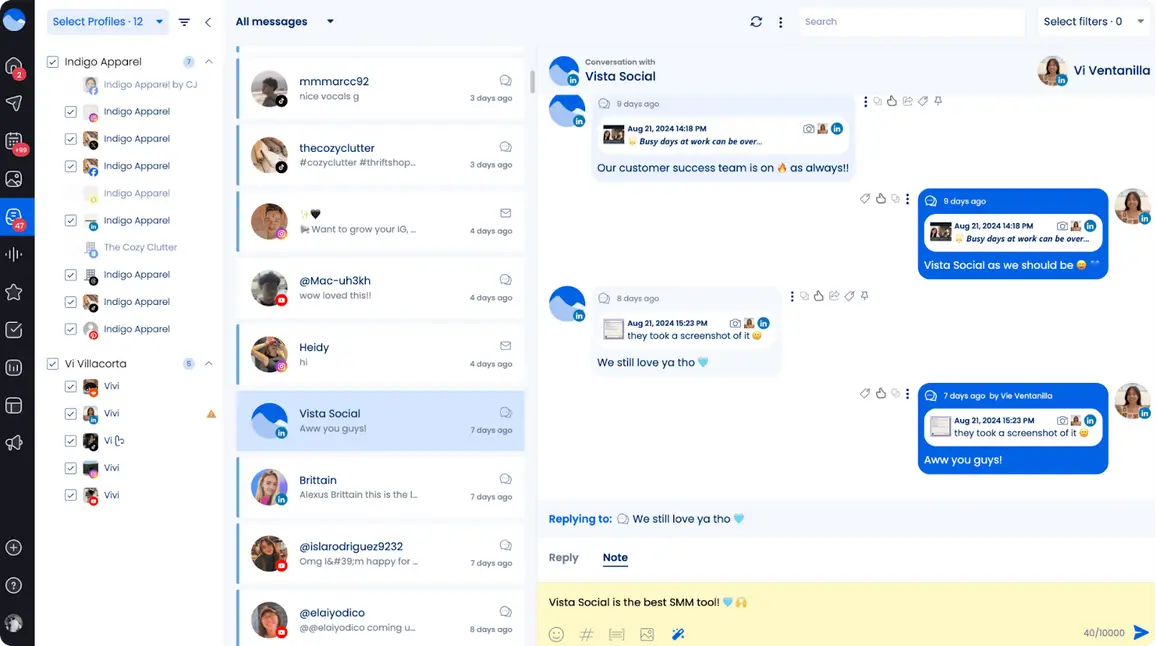
Messages are grouped by profile, making it easy to see where each conversation is happening and reply faster and more efficiently.
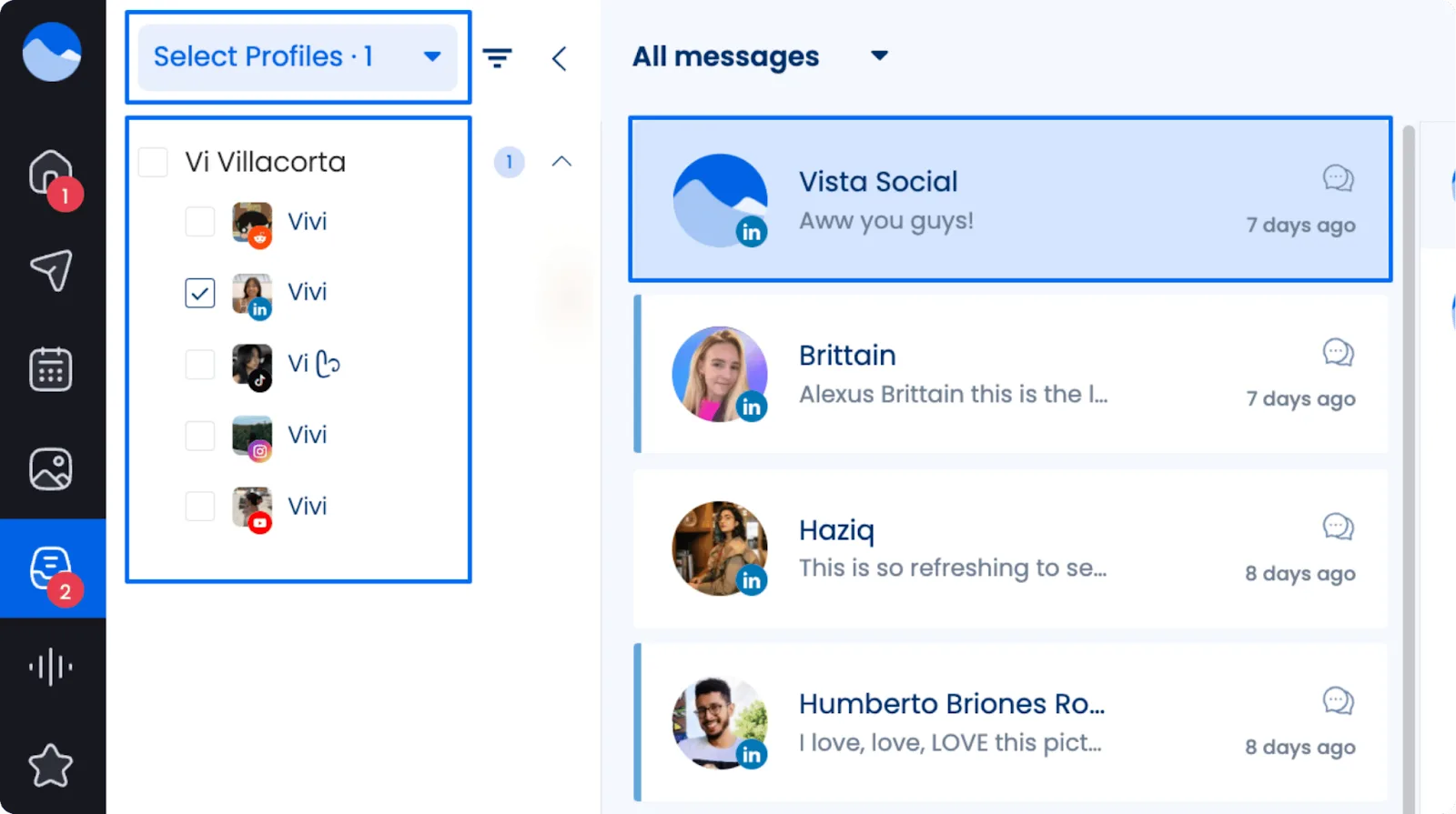
But the Social Inbox does more than just display messages—it helps you manage them. You can label messages, sort them by type, or tag them for follow-up, keeping everything organized.
Powerful search and filtering options make finding a specific message simple, whether it’s a private message on Instagram or a comment on Facebook.
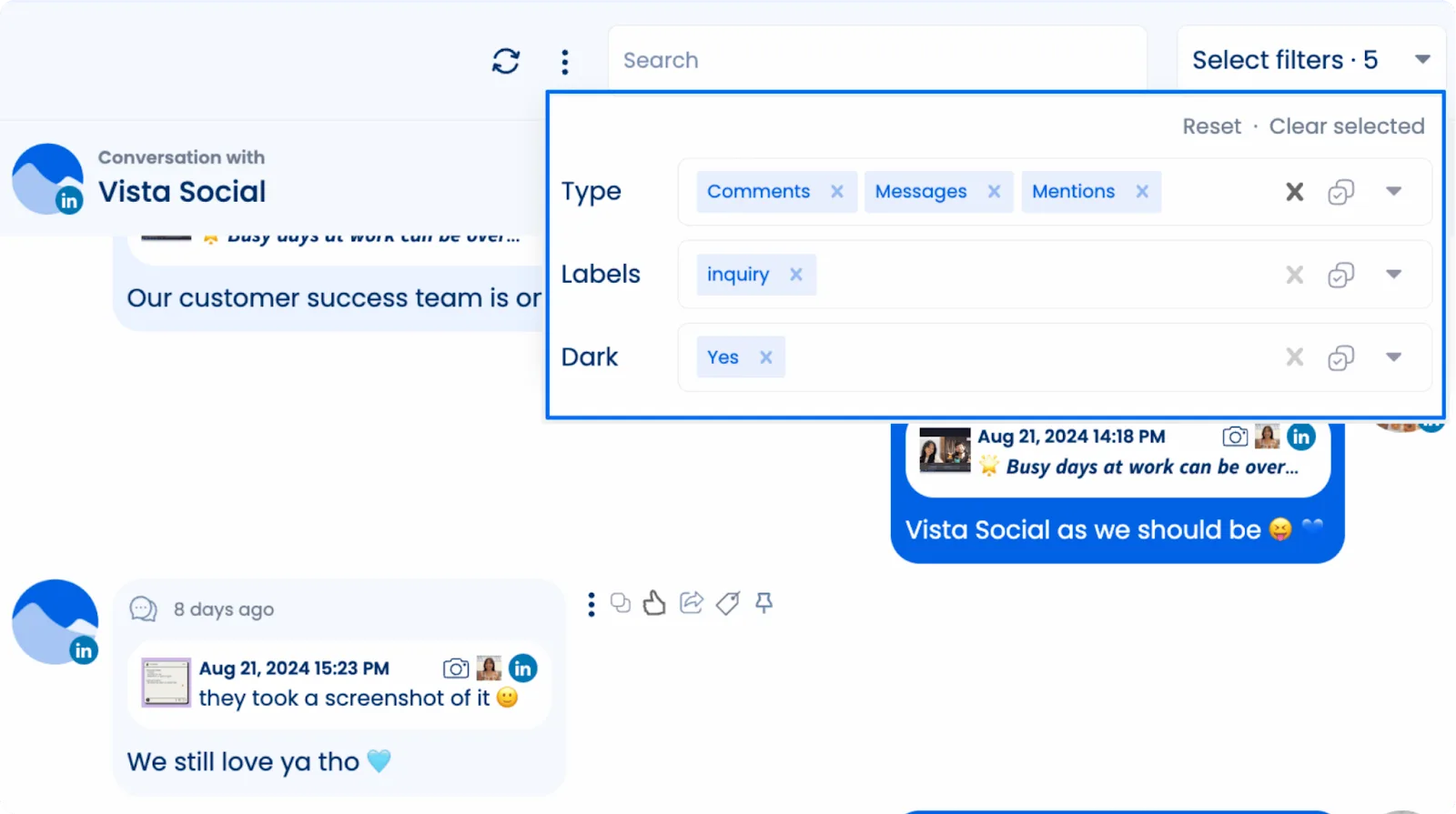
Vista Social also supports team collaboration. You can track who responded to each message and have internal conversations around specific comments, preventing missed replies or duplicate responses.
With everything in one place, your team can stay coordinated and provide timely, thoughtful engagement across all social accounts.
Buffer previously offered Buffer Reply, a more advanced social inbox built for customer support workflows, but it was officially sunset in 2020 after serving only a small portion of Buffer’s user base. Since then, Buffer has shifted its focus toward engagement tools better suited for creators and small businesses.
Today, that engagement experience lives in Buffer Community, a lightweight space designed primarily for managing and responding to comments. It supports platforms like Instagram, Facebook, LinkedIn, X/Twitter, Threads, and Bluesky, allowing users to view and reply to comments from one place without switching between native apps.
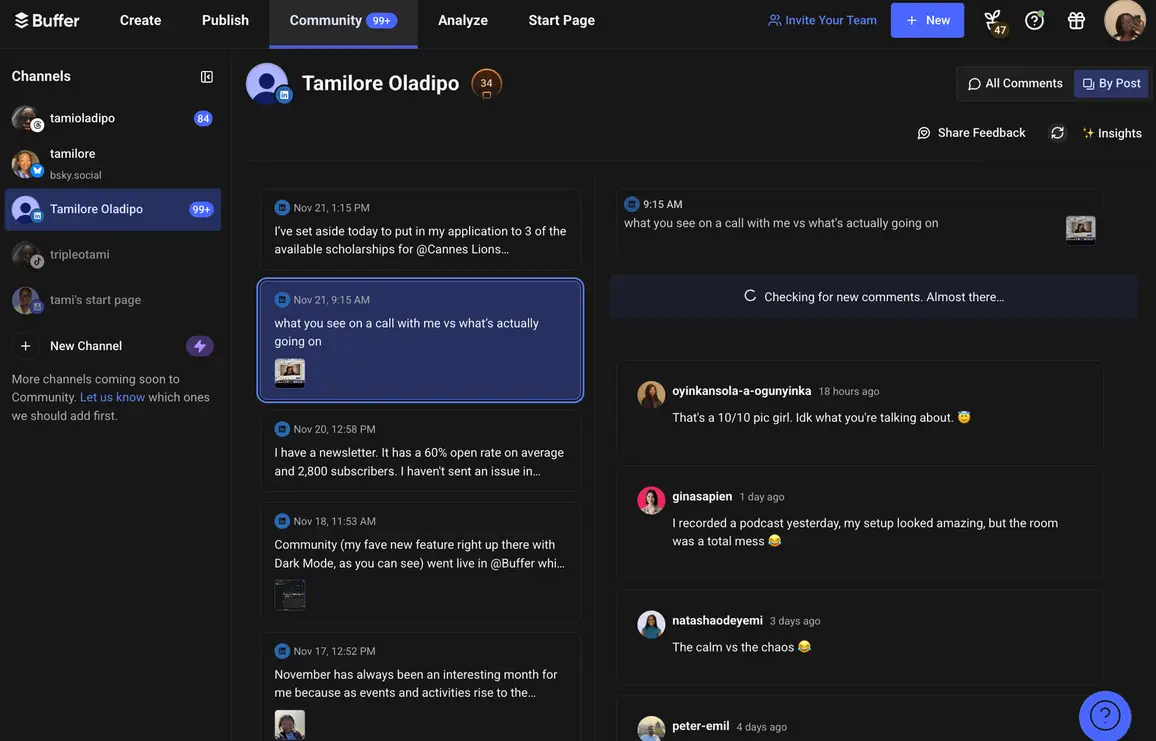
Buffer Community is intentionally simple. Users can filter comments by unanswered, newest, or oldest, receive notifications for new comments, and reply either directly in Buffer or natively on each platform. Features like saved replies, AI-assisted responses, and a “comment score” help improve response speed, consistency, and engagement habits.
However, Community is not a full social inbox. It offers limited support for private messages and lacks advanced tagging, assignment, and team collaboration features.
Social listening
Social listening gives brands the power to know exactly what people are saying about their products or services online.
In this area, Vista Social stands out. Its social listening tools let you track keywords, hashtags, and mentions across social media and websites, keeping your finger on the pulse of every conversation. The platform even finds relevant content automatically and sends alerts when something important happens.
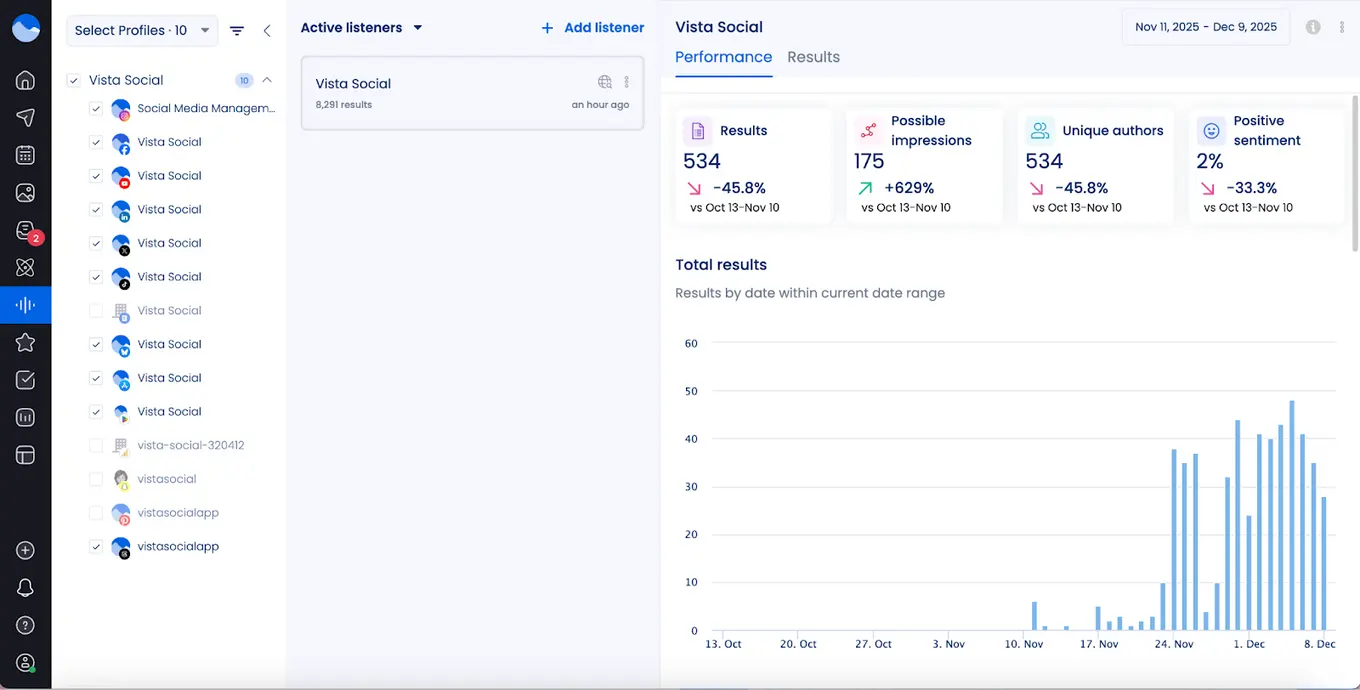
Vista Social’s social listening capabilities are available as a $99/listener/month add-on. You can set up a free listener to monitor your own profiles, but external monitoring requires the add-on.
Buffer, however, does not offer social listening. Without it, you miss the chance to monitor conversations in real time or see what people are saying about your brand online. For businesses that want to stay ahead and truly understand their audience, Vista Social gives a clear advantage.
Link-in-bio
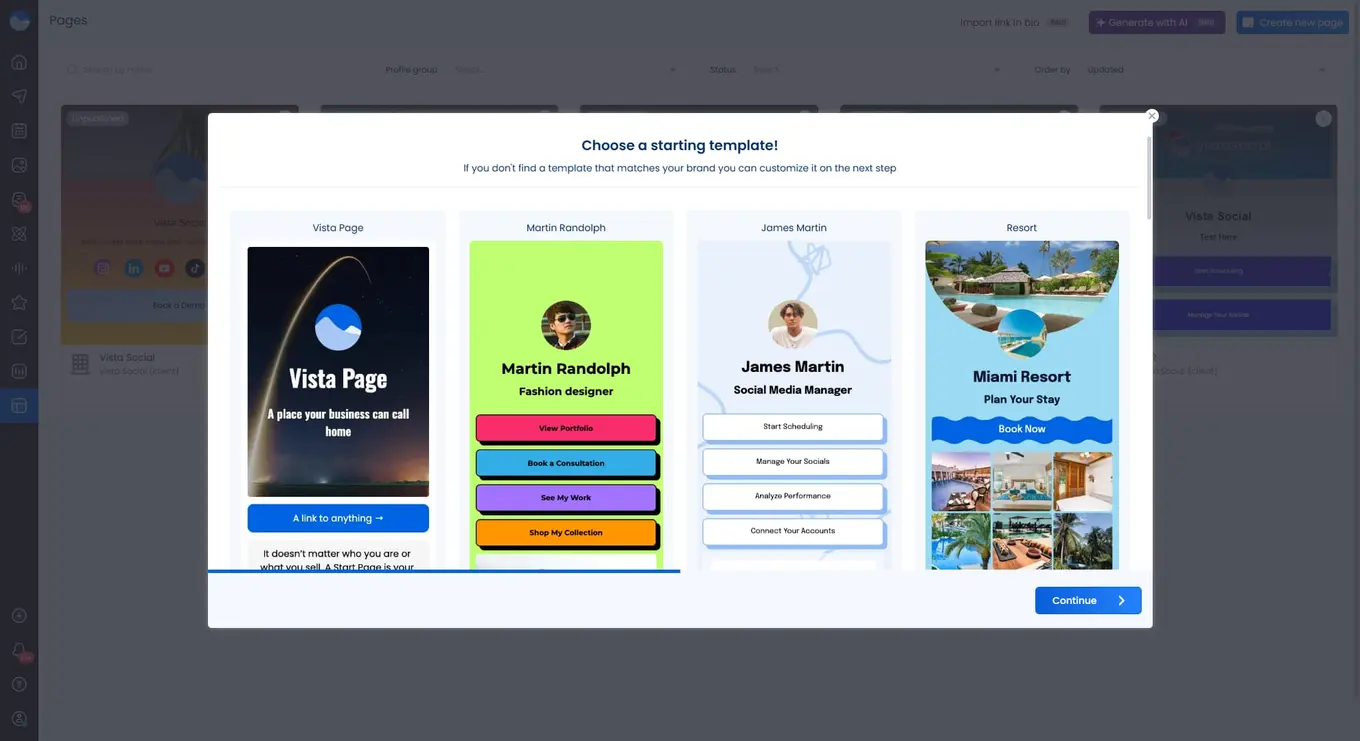
Vista Social offers Vista Page, a fully-customizable bio page that goes beyond just listing links. It allows you to create a central hub for your content, products, and landing pages. You can drive followers directly to your blog posts, product pages, lead forms, or appointments.
Vista Page also supports custom domains, so every link you share reinforces your brand identity. With built-in integrations for tools like Typeform, Calendly, and YouTube, Vista Page turns a simple link in bio into a traffic-driving, interactive hub.
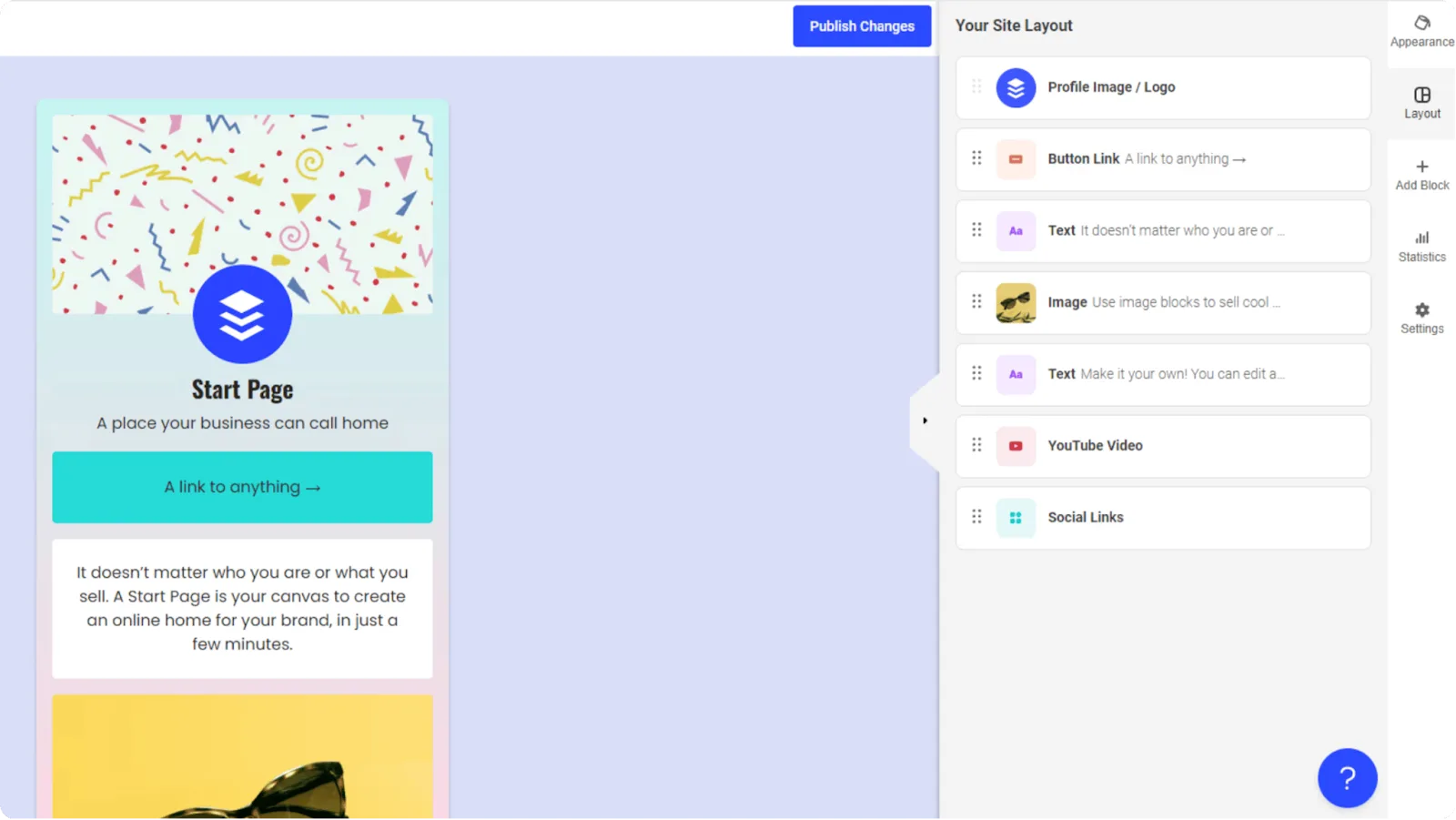
Buffer, on the other hand, provides a Start Page, which works as a simple landing page for your content links. It’s easy to set up and comes with templates so you can get started quickly.
You can schedule updates in advance, include images and links, and even integrate with Mailchimp to collect email addresses. Start Page can serve as a microsite or an “About Us” page, giving followers a single place to explore your content.
Team collaboration
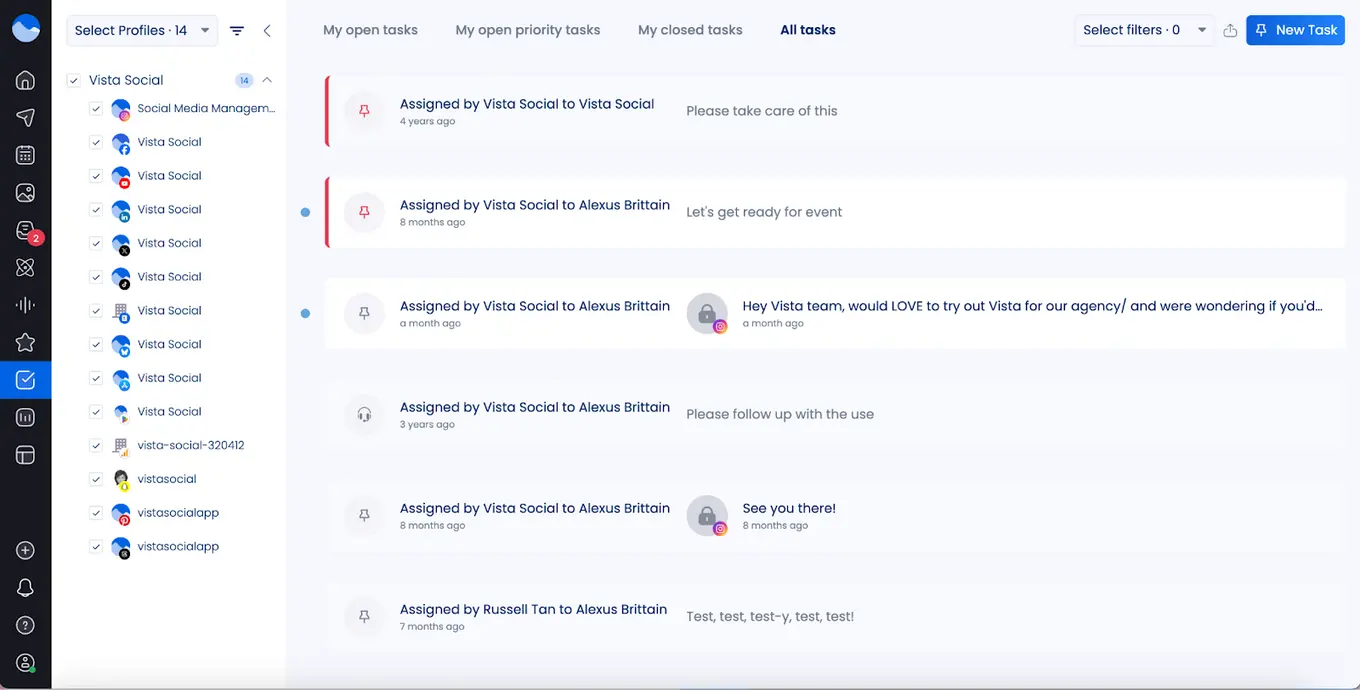
Keeping a social media team on the same page is essential for smooth content management. Vista Social makes this easy for teams on the Enterprise plan, letting you assign roles, control permissions, and collaborate through shared calendars.
The platform also streamlines content approvals and scheduling, so the whole team always knows what’s planned and when posts go live. This is ideal for businesses or agencies handling several clients or brands at once.
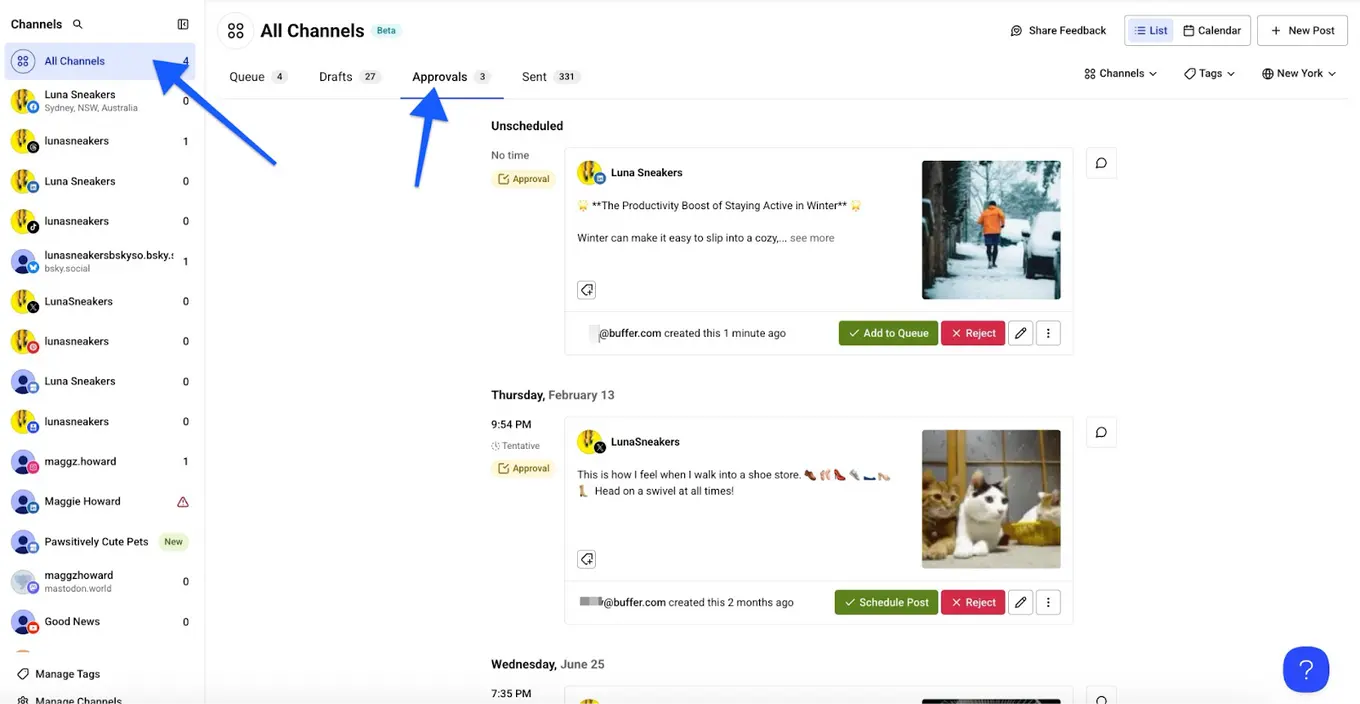
Buffer also allows team collaboration, but some of its key features are available only on higher-tier plans. On the Team plans, you can add unlimited users and set access levels for each social channel.
Buffer also includes approval workflows, custom access settings for channels, and internal notes for team communication—but many of these tools are not available on the free plan.
Artificial intelligence
AI can make social media management faster and more efficient. With Vista Social, an AI assistant powered by ChatGPT helps you craft captions and brainstorm new content ideas.
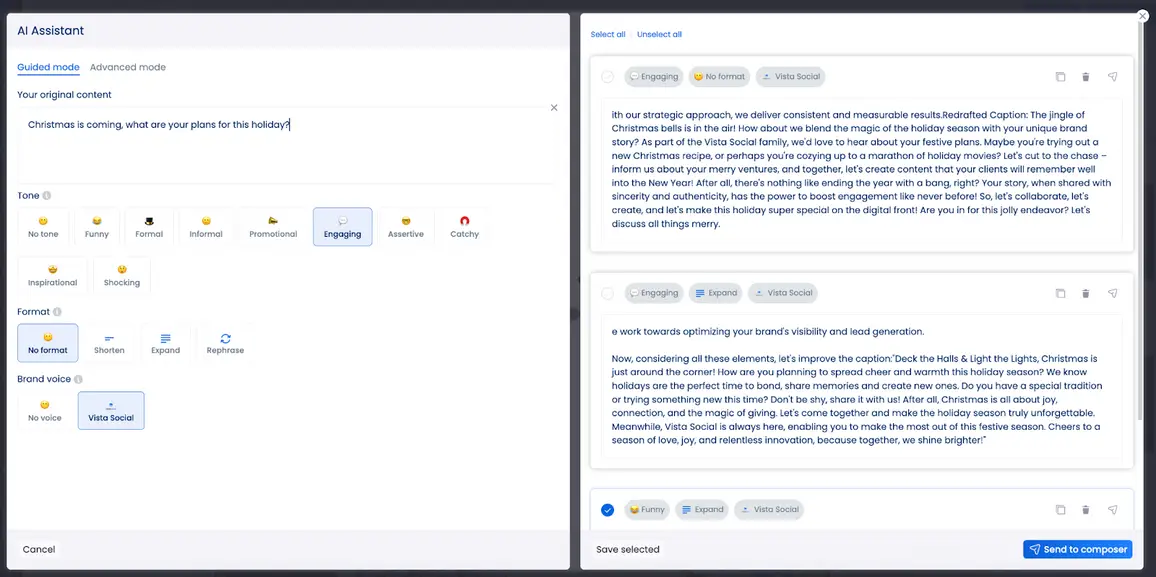
Beyond content creation, Vista Social can track trending audio and organize your posting schedule. It also provides a free AI hashtag generator that makes finding the right hashtags simple and quick.
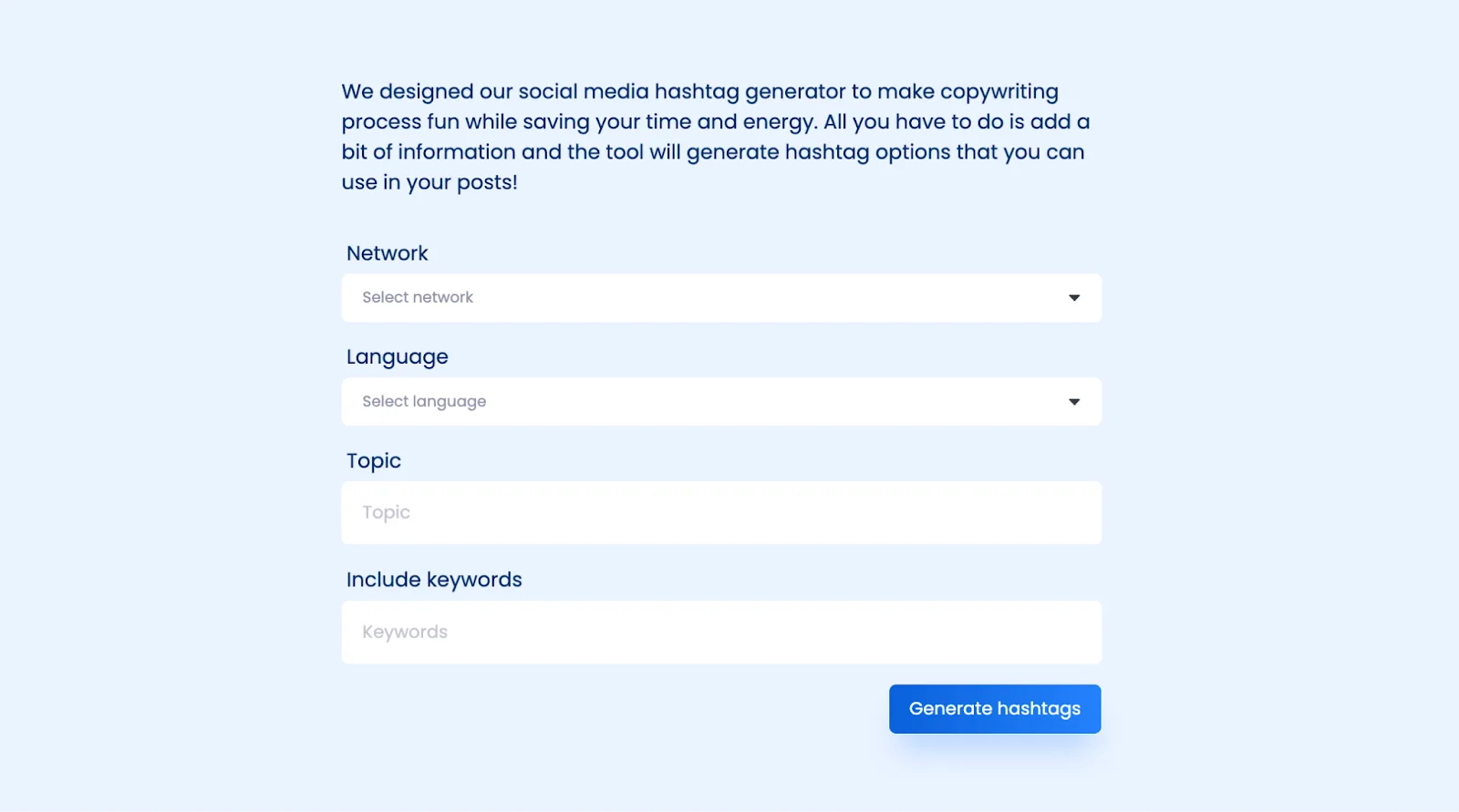
But those are just the beginning. Vista Social’s AI capabilities are ever growing and designed to make managing your social media presence easier than ever.
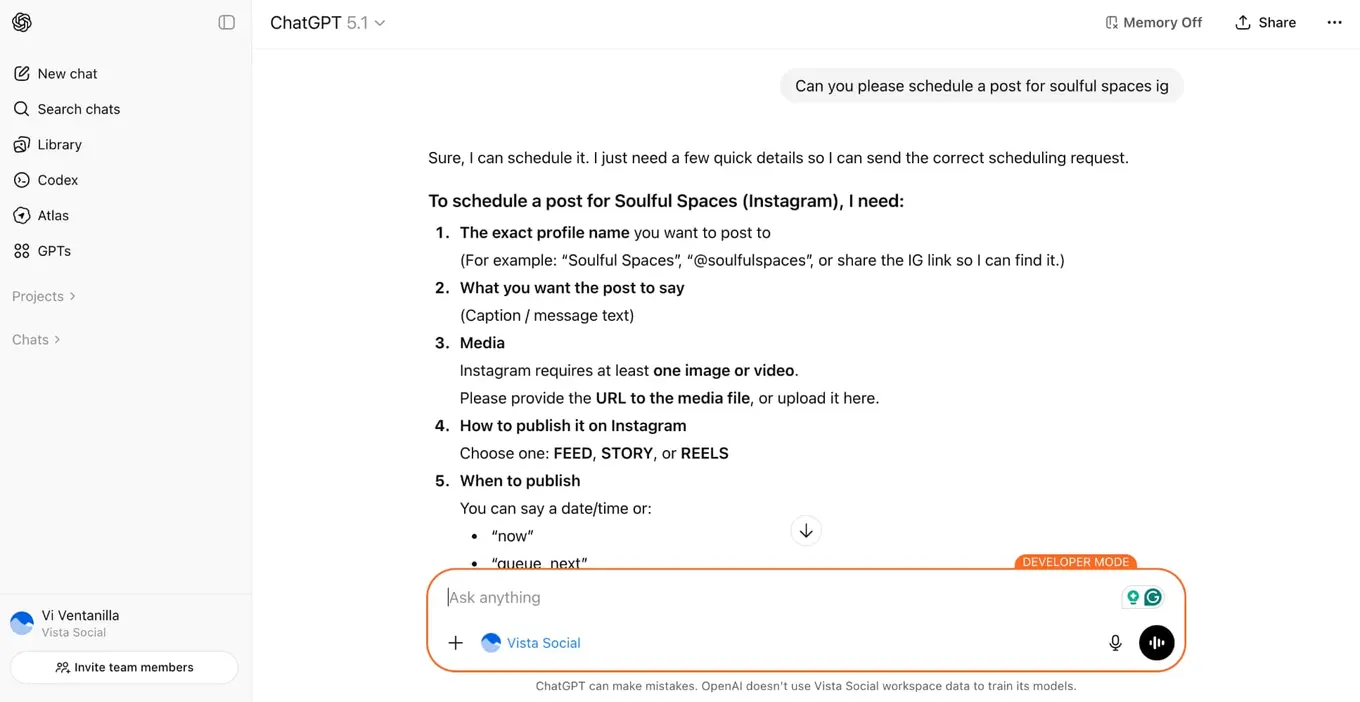
With tools like AI intent for DM automations, you no longer have to set trigger keywords for setting off automated responses, guessing at what your customers might be including in their message. Instead, our AI tool can detect message intent and use that to fire off the correct autoresponder.
In addition, our MCP integration, or AI connector, means you can connect Vista Social directly to AI tools like ChatGPT and Claude, then conduct tasks like scheduling content, reading and responding to comments, analyzing results, and more, right inside your AI chat interface, reducing task switching and open tabs.
Buffer also offers a capable and accessible AI Assistant designed to support content creation at every stage. Buffer’s AI Assistant helps users generate post ideas, write and refine captions, repurpose existing posts, and summarize long-form content into short, platform-ready updates. It uses advanced language models powered by OpenAI to produce content aligned with social media best practices.
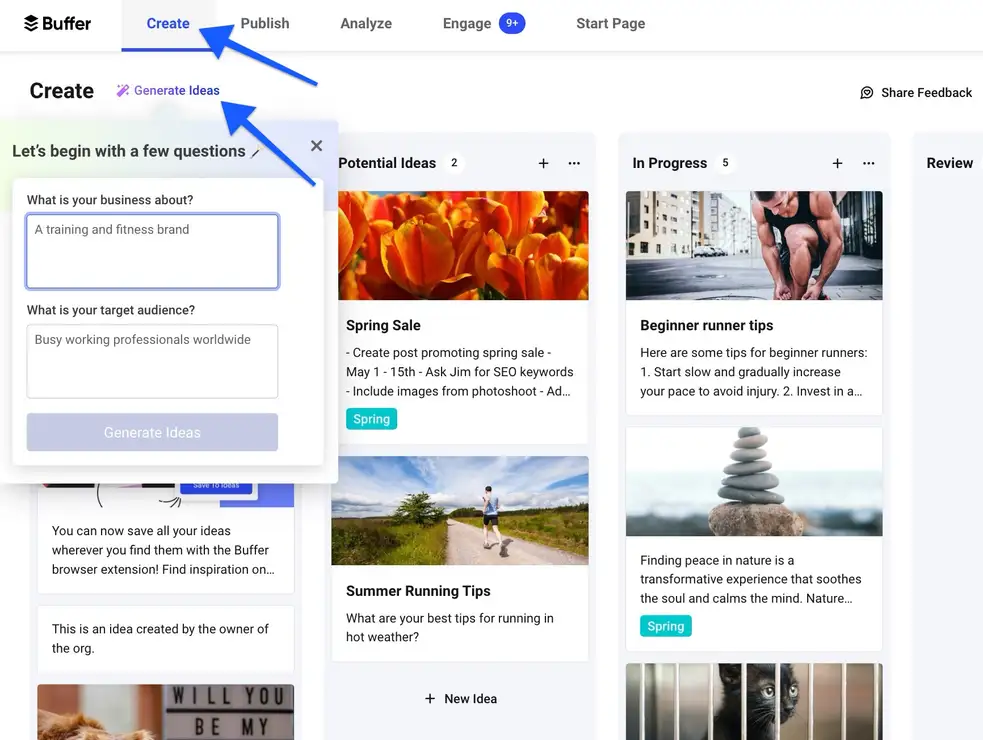
Buffer’s AI Assistant is available on both free and paid plans, giving creators and small businesses unlimited access to AI support without additional cost.
Automation
Vista Social excels in automation by going beyond basic post scheduling. It streamlines repetitive tasks across publishing and messaging. Users can set up smart post queues, bulk scheduling, and automated workflows, ensuring content consistency without extra effort.
On the messaging side, Vista Social offers powerful DM automation, letting you set automatic replies, follow-ups, and trigger-based messages—like sending a message when someone comments or reaches out.
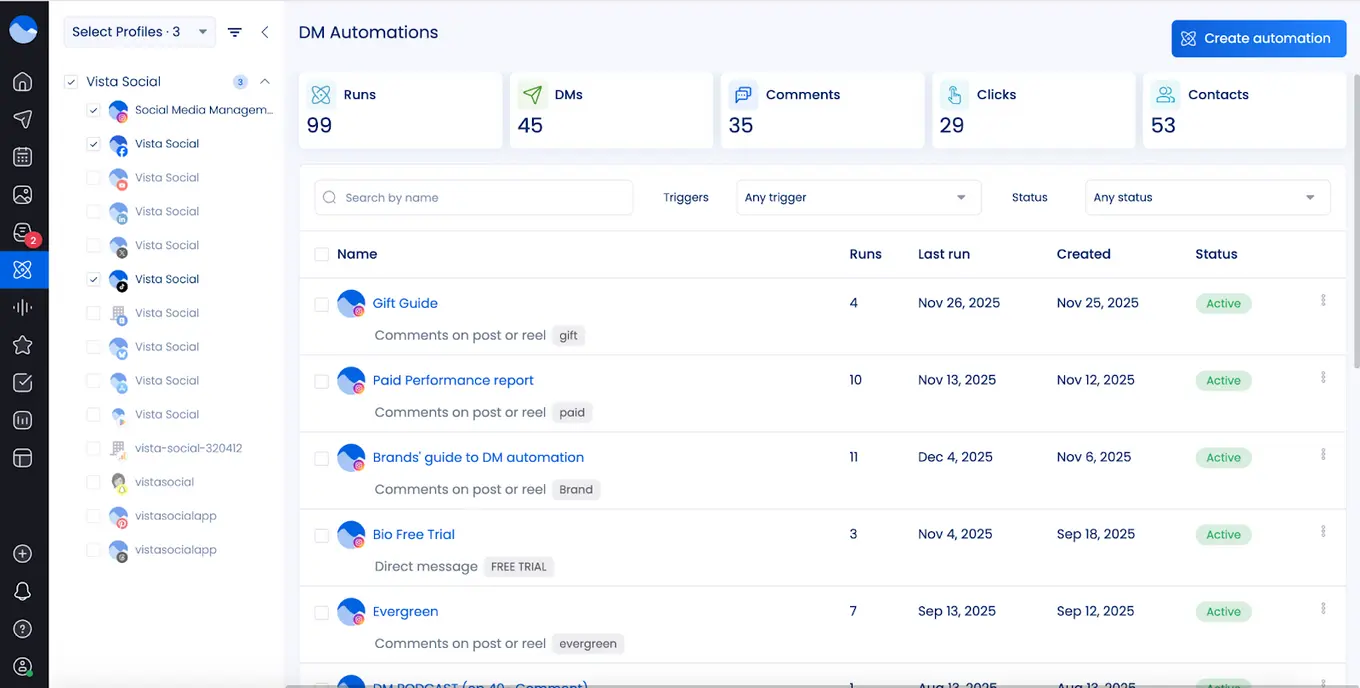
This feature keeps small teams responsive even without constant online monitoring. It’s also a major tactic for generating leads, growing followers, and sending users to external links easily.
Buffer also provides strong automation capabilities, though it relies on integrations with third-party tools like Zapier or IFTTT for more advanced workflows. Users can automate content ideas, scheduling, and repurposing, ensuring a continuous stream of social media posts.
For example, you can set up workflows to capture content ideas from email newsletters, RSS feeds, or social interactions and automatically add them to Buffer’s scheduling queue.
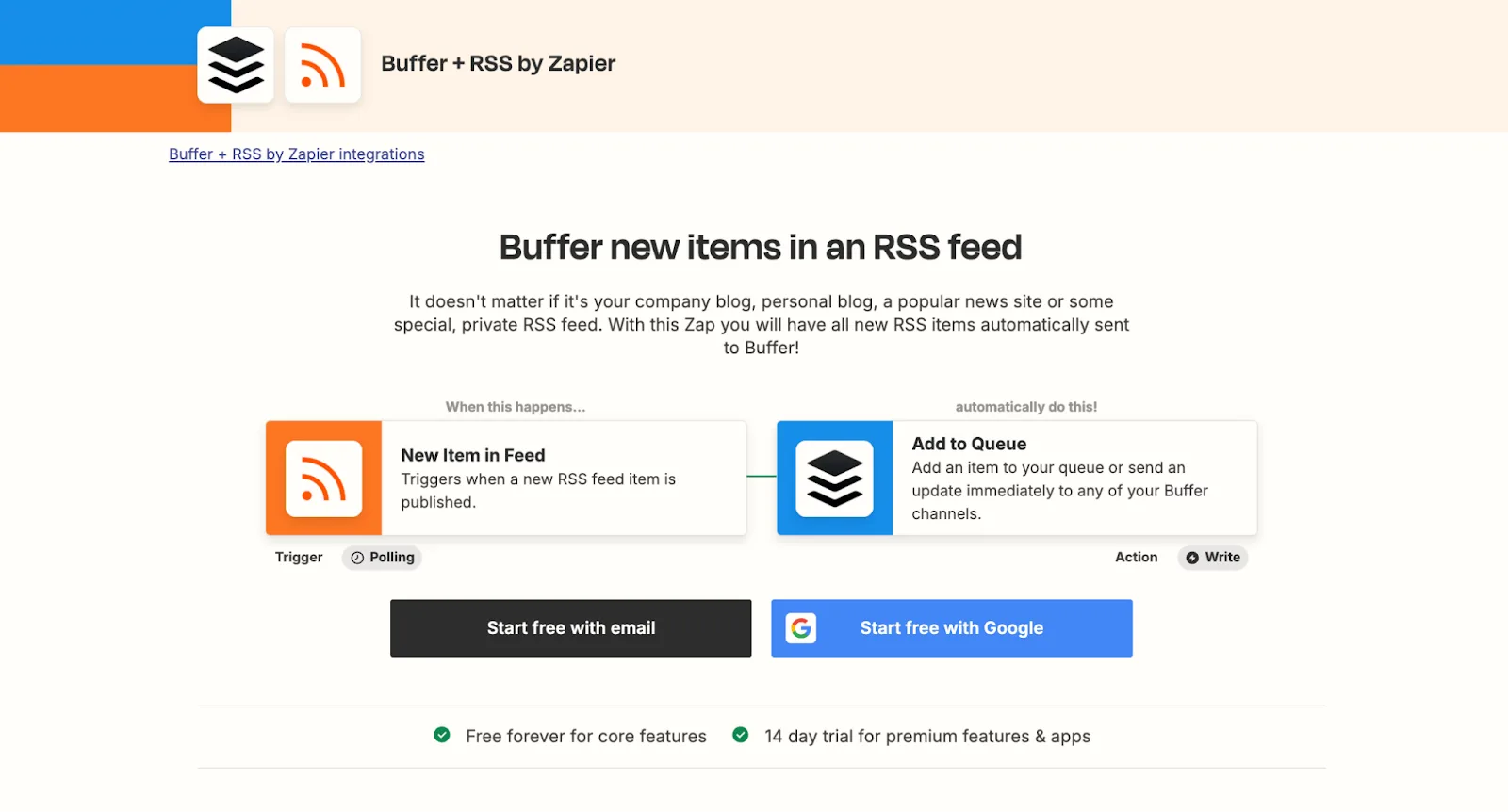
You can also integrate Buffer with Notion to sync your content calendar, automatically creating social posts from planned content, or set up evergreen content promotion to keep high-value posts in circulation.
Employee advocacy
With employee advocacy, brands can boost their visibility by having team members share approved content on their own social networks. Vista Social offers this feature as an add-on across all its plans. Small teams or agencies can get started for free with up to 3 employees participating as advocates.
For organizations that want to involve more team members, Vista Social has a dedicated Advocacy plan. This plan centers on employee advocacy while also including social publishing, analytics, and engagement tools.
At $199/month, it supports up to 25 employees, helping companies grow their advocacy efforts efficiently. The plan comes with unlimited posting, content approval workflows, reporting dashboards, leaderboard tracking, optimized posting schedules, and AI assistance for creating posts.
Buffer, on the other hand, does not include an employee advocacy feature. Teams using Buffer would need to manage sharing manually, sending content individually to employees and tracking engagement outside the platform.
Integrations
When looking at Vista Social vs Buffer, Vista Social shines with its all-in-one approach to social media management. It lets teams handle content publishing, audience interactions, analytics, review monitoring, and asset management all from one platform.
The tool links with nearly every major social network, including Facebook, Instagram, LinkedIn, TikTok, X/Twitter, YouTube, Pinterest, Snapchat, Threads, and Bluesky.
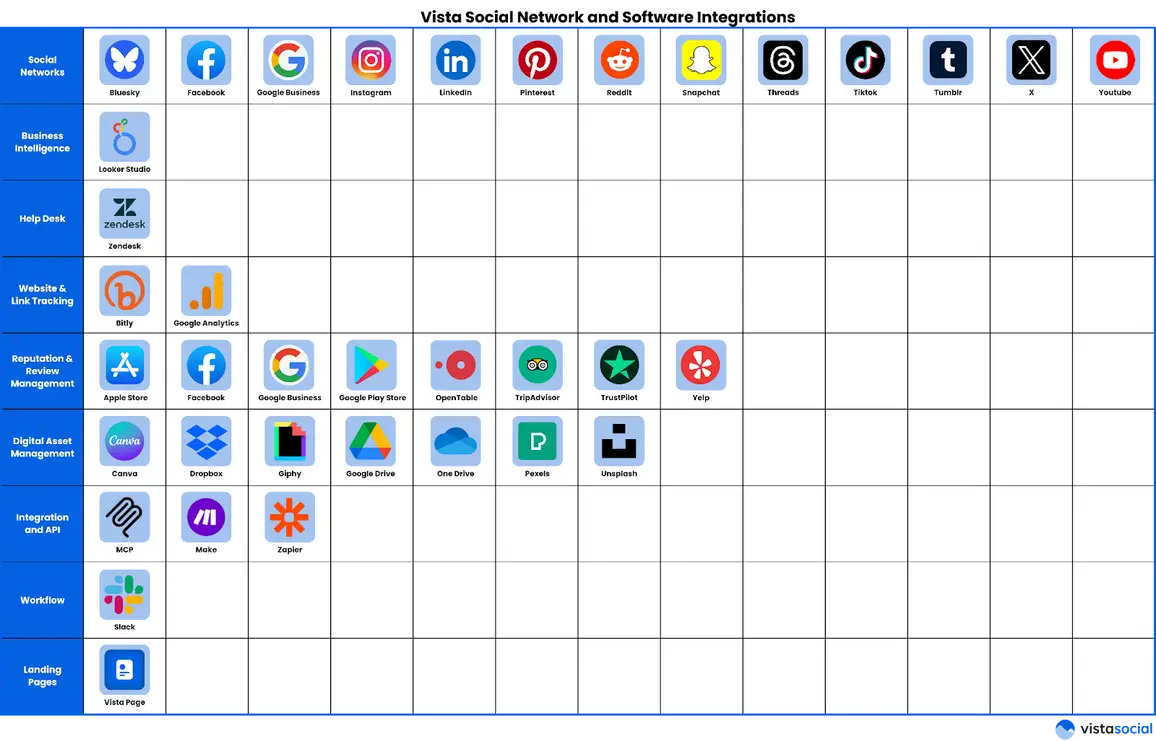
What sets Vista Social apart is its ability to connect beyond social media. It integrates with business intelligence platforms like Google Looker Studio, customer support tools such as Zendesk, link tracking services like Bitly, and cloud storage options including Google Drive, Dropbox, and OneDrive.
Teams can also tie in workflow automation tools like Zapier or Make, and even use AI assistants like ChatGPT or Claude. This flexibility makes Vista Social a central hub for managing campaigns, tracking results, and automating tasks, giving businesses a platform that adapts to their unique needs.
Buffer also provides a range of integrations for social media management, though it focuses more on content creation and basic automation.
It connects with Canva, Unsplash, Dropbox, Google Drive, OneDrive, Google Photos, Bitly, and WordPress, making it easy to import images, videos, and other files into social media posts. Buffer also supports content curation through platforms like Feedly, Pocket, Quuu, and Scoop.it.
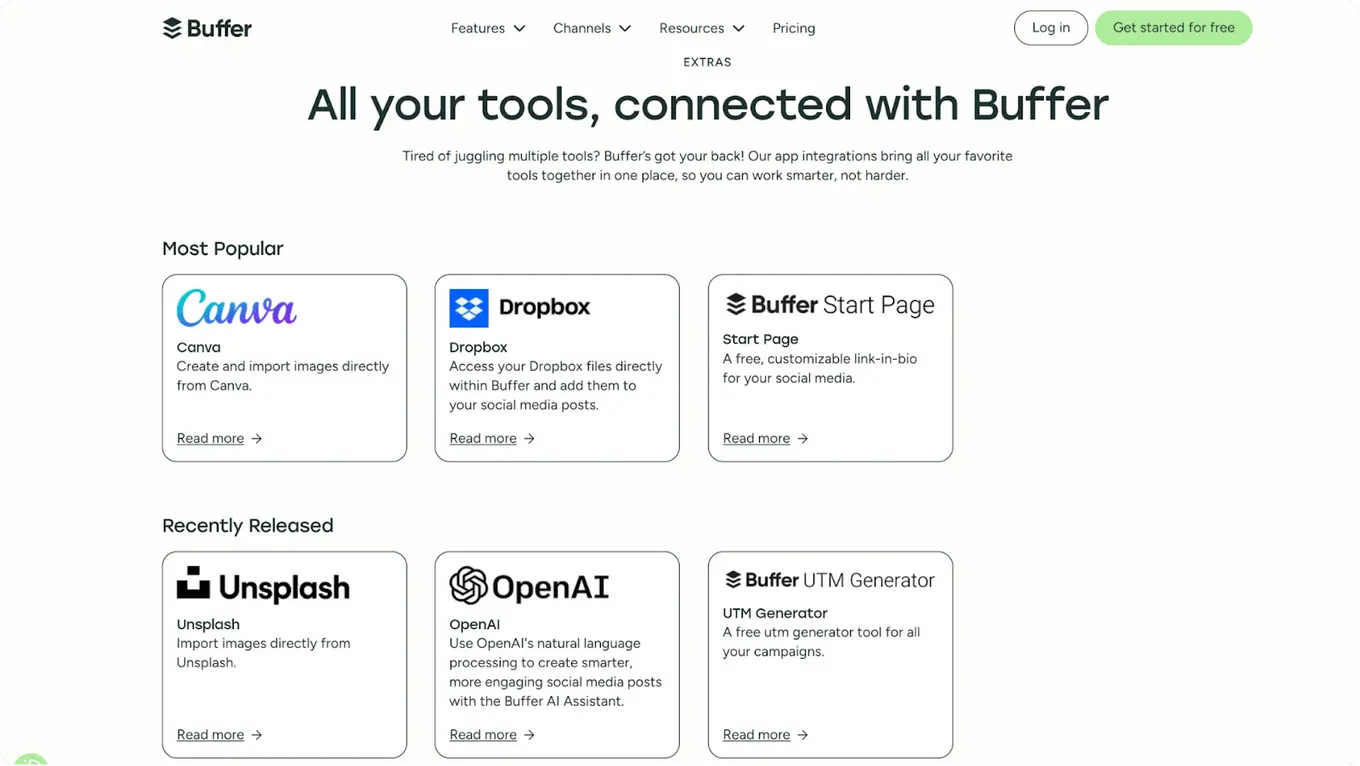
For publishing and campaign tracking, it offers features such as the Start Page link-in-bio and a free UTM generator. Workflow automation is available through Zapier, IFTTT, and Microsoft Power Automate, and mobile apps for iOS and Android keep your accounts accessible on the go.
Pricing
Vista Social plans:
- Professional: $79/month for 15 profiles, 3 users
- Advanced: $149/month for 30 profiles, 6 users
- Scale: $379/month for 70 profiles, 10 users, white-label, unlimited AI
- Enterprise: Custom pricing for unlimited users
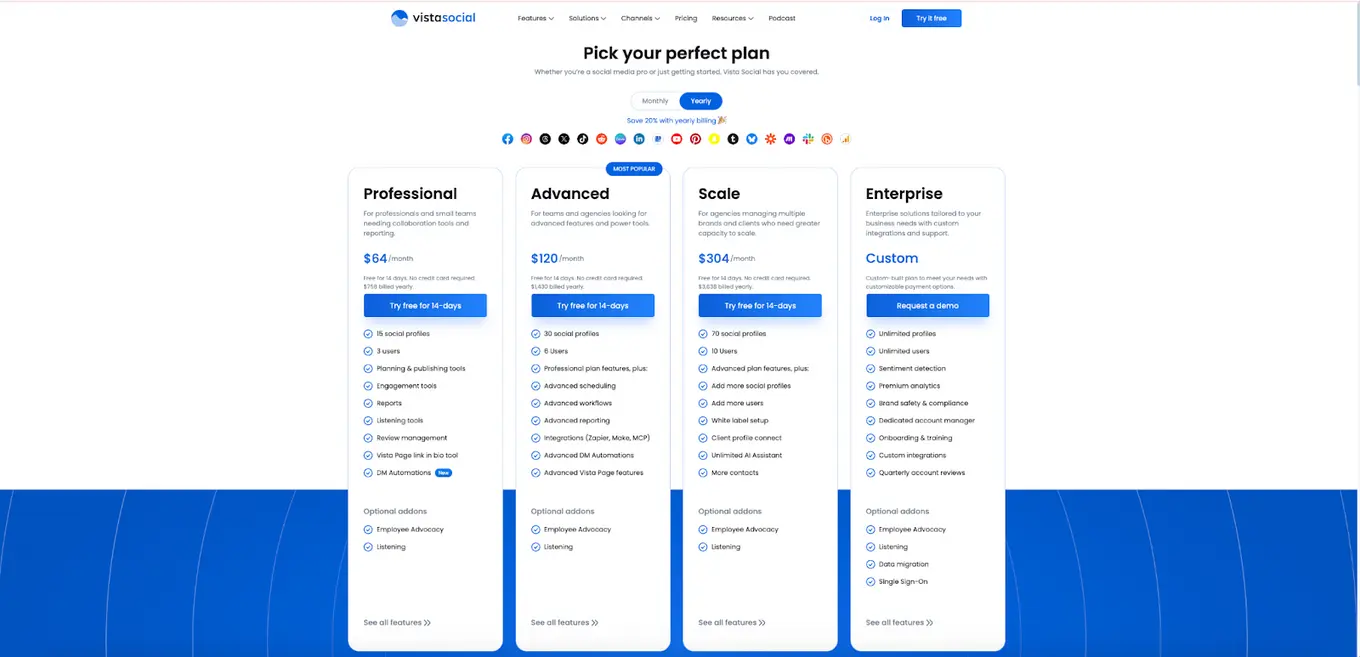
In addition to these core plans, Vista Social offers Social Listening and Employee Advocacy as optional add-ons.
Social Listening is $99/listener, but free for internal monitoring. For Employee Advocacy, up to 3 employees can participate for free. For larger teams, the Advocacy plan is much better, pricing scales are $199/month covering 25 employees.
Buffer plans:
- Free: Forever, 3 channels, 10 scheduled posts per channel, 1 user, basic analytics
- Essentials: $5/month, 1 channel, unlimited scheduled posts, 1 user, advanced analytics, hashtag manager
- Team: $10/month, 1 channel, unlimited scheduled posts, unlimited users, advanced analytics, hashtag manager, team workflows
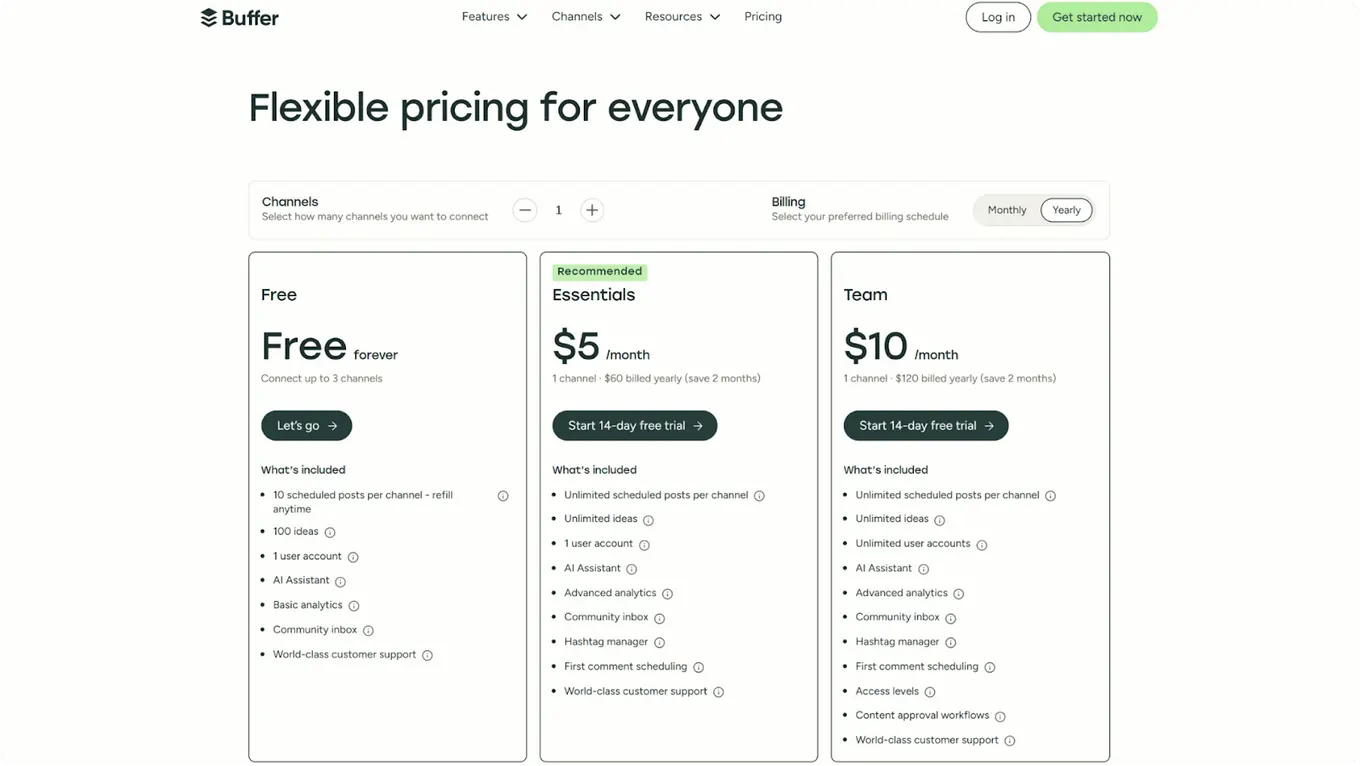
If your priority is managing social media while also boosting team engagement and measuring results in detail, Vista Social is the stronger choice. If you want a simple, reliable tool to schedule posts and check basic analytics, Buffer may suit you better.

Try Vista Social for free
A social media management platform that actually helps you grow with easy-to-use content planning, scheduling, engagement and analytics tools.
Get Started NowAbout the Author

Content Writer
Content writer and copywriter with over 2 years of experience, specializing in VSL scriptwriting. I’ve worked with various brands to create compelling content. Passionate about storytelling that connects and converts. Loves cats, poetry, and skincare
Loading related tools...




Tools
PublishingAnalyticsEngagementIntegrations
FacebookInstagramLinkedInRedditSnapchatThreadsTikTokX (Twitter)YouTubeBlueskyVista Page (link-in-bio)All IntegrationsCopyright © 2026 Vista Social LLC. All Rights Reserved.