


How to Write a Social Media Policy (Free Template Included)
July 27, 2026
13 min read

Summarize with AI

Table of contents
Share

Vista Social

X (Twitter)


A social media policy often starts life as a six-word Slack message: “Please ask before you post.” Then the message gets buried between a campaign update and a lunch order, while the shared login keeps making its way around the team.
Nobody has to go rogue for that setup to fail. A new hire can repost a customer photo without consent, or a founder can publish from the wrong account.
A useful policy covers what employees may say, who controls brand accounts, what needs sign-off, and where a sensitive issue goes next.
The document sets the rules, and your publishing workflow turns those rules into routine. When access, review, and escalation match the policy, good judgment doesn’t depend on somebody finding the right PDF first.
Table of contents
The short version
- Cover both account types: Write separate rules for official brand accounts and employees’ personal accounts.
- Name the decision makers: Record who drafts, reviews, publishes, owns access, and speaks during a crisis.
- Build the review path: Use permissions and approvals to keep sensitive content from going live unchecked.
- Cover AI use: List allowed tools, sensitive information, labeling expectations, and the person responsible for the final check.
Why your team needs one, even if you are small
A team needs a social media policy as soon as more than one person can represent the business online. Clear ownership protects the accounts, while sensible personal-use rules give employees room to talk about their work.
- Protect access: The U.S. Securities and Exchange Commission’s X account was compromised in January 2024 after multifactor authentication had remained disabled. Name the access owner, require multifactor authentication, and include recovery in your reputation plan.
- Protect trust: The 2025 Trust Barometer found that 75% of employees across 22 markets trusted their employer to do what is right. A fair policy supports that relationship by setting clear boundaries without treating employees as a threat.
- Enable advocacy: A 2023 LinkedIn study found that seven employees’ profiles averaged 2.75 times more impressions and five times more engagement than the company page. Use advocacy guidelines to make participation voluntary and safe.
Refine Labs president Megan Bowen summed up the practical point behind the study:
“The key is to create content that people want to know about and distribute it where they’re already spending their time.”
Megan Bowen, Refine Labs LinkedIn analysis
The study is small, so its figures shouldn’t be treated as a universal LinkedIn benchmark. It still shows why the strongest policies protect the brand and make responsible participation easier.
Your free social media policy template
If you came for the template, you shouldn’t have to read thousands of words to reach it. Copy the version below into your document system, replace every bracketed field, and link to separate brand, security, crisis, and legal references where your team needs more detail.
This template is a practical starting point, not legal advice. Ask qualified counsel to review anything involving discipline, protected employee activity, endorsements, privacy, regulated claims, or local employment law before adoption.
[COMPANY NAME] SOCIAL MEDIA POLICY

Owner: [ROLE / NAME]
Version: [NUMBER]
Effective date: [DATE]
Next review: [DATE]
Questions and reports: [CONTACT / CHANNEL]

1. PURPOSE AND SCOPE

This policy helps [COMPANY] use social media safely, clearly, and effectively.

It applies to [EMPLOYEES / CONTRACTORS / INTERNS / FREELANCERS / PARTNERS] when they:

• Access or manage an official [COMPANY] account
• Create, approve, publish, monitor, or report on company social content
• Discuss [COMPANY], its people, customers, products, or work through a personal account

Platforms covered include [LIST PLATFORMS, COMMUNITIES, FORUMS, REVIEW SITES, AND EMERGING CHANNELS].

2. OFFICIAL BRAND ACCOUNTS AND PERSONAL ACCOUNTS

Official accounts

Only people approved by [ACCOUNT OWNER] may create, access, or publish through an official account. Official content must follow this policy, the [BRAND GUIDE], and the approval route in section 4.

Personal accounts

Employees may discuss their work in a personal capacity when they follow confidentiality, disclosure, conduct, and legal requirements. Personal opinions must not be presented as an official [COMPANY] position.

Participation in employee advocacy is voluntary. [COMPANY] does not require employees to promote the business through personal accounts.

3. ROLES AND RESPONSIBILITIES

Policy owner: [NAME / ROLE]
Account and credential owner: [NAME / ROLE]
Content drafter(s): [NAME / ROLE]
Routine reviewer: [NAME / ROLE]
Legal or compliance reviewer: [NAME / ROLE]
Final publisher: [NAME / ROLE]
Crisis lead: [NAME / ROLE]
Public spokesperson: [NAME / ROLE]
Backup owner(s): [NAME / ROLE]

Each person receives only the account and publishing access required for their role. [ACCOUNT OWNER] reviews [VISTA SOCIAL PROFILE GROUP / OTHER SYSTEM] access every [CADENCE] and removes it within [TIME] when someone leaves or changes roles.

4. APPROVAL AND PUBLISHING WORKFLOW

Every official post follows this route:

Draft → [REVIEWER] → [ADDITIONAL REVIEW IF NEEDED] → [FINAL APPROVER] → Publish or schedule

The following content always requires [LEGAL / COMPLIANCE / LEADERSHIP] approval:

• [PAID PROMOTIONS AND ENDORSEMENTS]
• [LEGAL, HEALTH, FINANCIAL, OR PERFORMANCE CLAIMS]
• [PARTNER OR EMBARGOED ANNOUNCEMENTS]
• [EXECUTIVE STATEMENTS]
• [CRISIS RESPONSES]
• [OTHER HIGH-RISK CONTENT]

Posts may publish only after every required approval is recorded in [VISTA SOCIAL APPROVAL WORKFLOW / OTHER SYSTEM].

5. BRAND VOICE AND CONTENT STANDARDS

Official content follows [BRAND VOICE LINK] and [VISUAL / ACCESSIBILITY GUIDE].

Our voice is [THREE TRAITS]. We use [APPROVED TERMS] and avoid [TERMS / CLAIMS / TOPICS]. Every post must meet our standards for accessibility, image and music rights, customer consent, accuracy, and platform fit.

Corrections are handled by [ROLE]. Material errors are documented in [SYSTEM], and a public correction is issued when [CRITERIA].

6. CONFIDENTIALITY, SECURITY, AND ACCOUNT ACCESS

Never publish or enter into an unapproved tool:

• Customer, prospect, or employee personal data
• Passwords, recovery codes, or security information
• Unreleased financial, product, legal, or partnership information
• Material covered by a contract, embargo, or nondisclosure agreement
• Any other information classified as [COMPANY CLASSIFICATION]

Official accounts require [PASSWORD MANAGER], multifactor authentication, approved recovery contacts, and individual user access where available.

Suspected loss of access must be reported to [CONTACT] within [TIME].

7. LEGAL AND COMPLIANCE

Employees must disclose a material relationship with [COMPANY] when endorsing its products or services. Approved disclosure wording is [DISCLOSURE], and it must be easy to notice and understand.

Only properly licensed or approved text, images, video, audio, trademarks, and music may be used. Written consent is required before using customer or colleague content where [CONSENT STANDARD].

This policy does not restrict rights protected by applicable law, including legally protected discussion of pay, benefits, safety, or working conditions.

Questions involving employment rights, regulation, or discipline go to [LEGAL / PEOPLE CONTACT].

8. AI-GENERATED CONTENT

Approved AI tools: [LIST OR REGISTER LINK]
Approved uses: [LIST]
Prohibited data: [LIST OR DATA POLICY LINK]
Disclosure standard: [WHEN AND HOW TO DISCLOSE]

A person must review every AI-assisted draft before external use. The reviewer verifies facts, names, dates, links, claims, permissions, accessibility, brand voice, and the risk of misleading the audience.

AI content may not publish automatically unless [APPROVER] has approved the exact workflow in writing. [HIGH-RISK CONTENT TYPES] always require human approval.

9. PERSONAL USE

When discussing [COMPANY] through a personal account:

• Make your relationship to the company clear when relevant
• State that opinions are your own when readers may confuse them with a company position
• Protect confidential and personal information
• Follow disclosure, copyright, and conduct requirements
• Send press, investor, legal, and security inquiries to [CONTACT]

[COMPANY] monitors [PUBLIC BRAND MENTIONS / OFFICIAL ACCOUNTS / OTHER SCOPE] for [PURPOSE].

It does not request personal-account passwords or monitor [OUT-OF-SCOPE ACTIVITY], except where permitted and required by law.

10. CRISIS AND ESCALATION

An incident includes [ACCOUNT COMPROMISE / SAFETY ISSUE / LEGAL THREAT / DATA EXPOSURE / RAPID HARMFUL ATTENTION / OTHER THRESHOLD].

When an incident occurs:

1. Capture the content, account state, link, and time.
2. Contact [CRISIS LEAD] through [CHANNEL].
3. Pause scheduled content in [VISTA SOCIAL PUBLISHING CALENDAR / OTHER SYSTEM] when instructed by [ROLE].
4. Secure affected accounts with [SECURITY CONTACT].
5. Route public responses through [SPOKESPERSON] and [APPROVAL WORKFLOW].
6. Record decisions and follow-up actions in [SYSTEM].

11. REPORTING, ENFORCEMENT, AND REVIEW

Report a possible breach, unsafe post, or policy question to [CONTACT / CONFIDENTIAL CHANNEL]. Preserve relevant drafts, messages, approvals, and links for review.

Possible violations are reviewed by [PEOPLE / LEGAL / POLICY OWNER] under [RELATED POLICY]. Any response will consider context, severity, intent, history, and applicable law.

The policy owner reviews this document every [QUARTER / SIX MONTHS / YEAR] and after material changes to law, platforms, tools, account access, or team structure.

ACKNOWLEDGMENT

I have read this policy, know where to ask questions, and understand the responsibilities that apply to my role.

Name: [NAME]

Signature: [SIGNATURE]

Date: [DATE]
Turn the document into everyday controls
Once the document is approved, translate its recurring rules into the social tool your team already uses. Permissions, brand guidance, and approval routes should handle routine decisions, while the full policy remains available for onboarding, exceptions, incidents, and formal reviews.
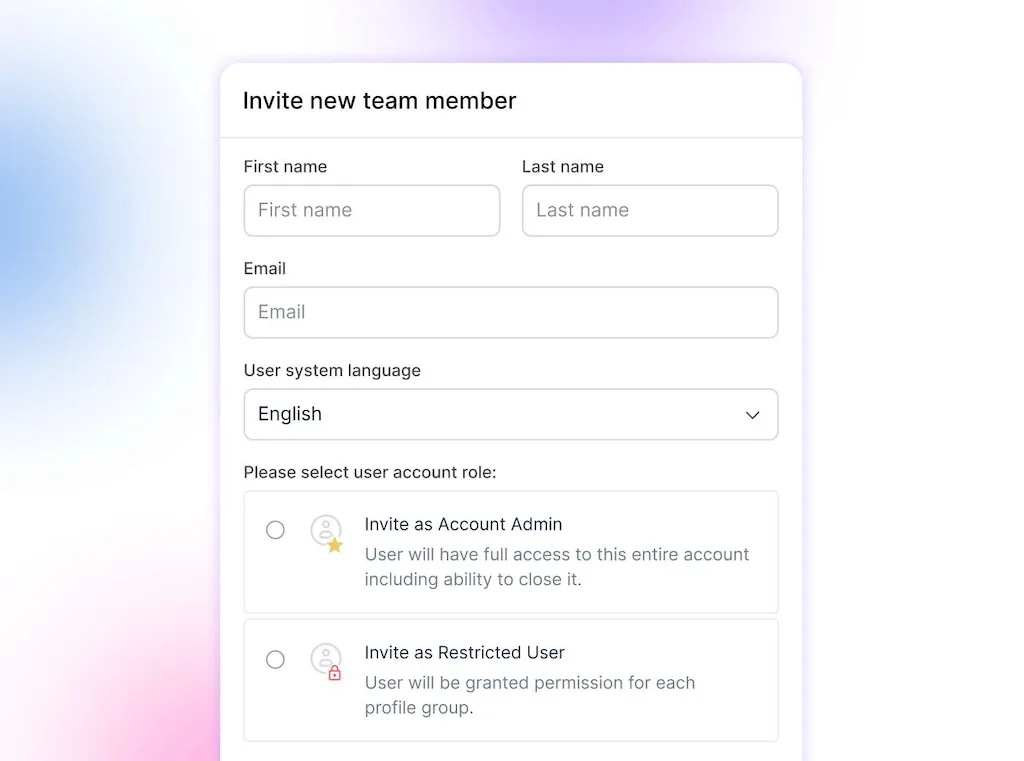
In Vista Social, Profile Groups and user permissions control access. AI Training & Knowledge supplies approved context, Brand Voice and Brand Safety guide drafts, and Contributor access can route posts through approval workflows.
If you’d like to test the workflow, try Vista Social free. No credit card is required.
How to write a social media policy in 7 steps
Write the policy with the people who will use and own it. These seven steps fill the template in order, with Marketing covering publishing and People, legal, security, and leadership shaping higher-risk rules.
1. Define scope and who it covers
Inventory the people, profiles, and activities the policy covers. Include dormant and local accounts because an old login can still carry your name.
- People: Employees, contractors, interns, freelancers, agencies, executives, and temporary campaign partners.
- Accounts: Brand, product, location, recruitment, executive, and community profiles.
- Activity: Publishing, replies, reporting, paid campaigns, and advocacy.
- Ownership: Policy, account, and review owners.
2. Split official and personal rules
Write two labeled sets of rules. Official users need publishing, security, and approval instructions, while personal guidance should focus on disclosure, confidentiality, and who speaks for the company.
Ask which account every rule covers. An unclear answer will create hesitation later.
3. Assign roles and set up an approval workflow
Build the responsibility table before writing approval prose. One person can hold several roles, but every row needs an owner and backup.
| Decision | Primary owner | Backup | Workflow control |
|---|---|---|---|
| Draft routine posts | Social media manager | Content marketer | Contributor publishing permission |
| Review brand and campaign fit | Marketing lead | Brand lead | Single-step approval |
| Review regulated or high-risk claims | Legal or compliance | Approved outside counsel | Multi-step approval |
| Publish approved content | Publishing manager | Marketing lead | Manage publishing permission |
| Manage account access | Account admin | IT or operations lead | User and Profile Group permissions |
| Lead crisis response | Communications lead | Executive sponsor | Shared calendar and publishing visibility |
Give each person an individual account and set team permissions around the job. Keep shared passwords out of the publishing process.
Rules on paper vs. rules in the workflow
“Sensitive posts require approval” fails when a shared password can bypass the rule. Route each draft to the named reviewer and keep its status visible.
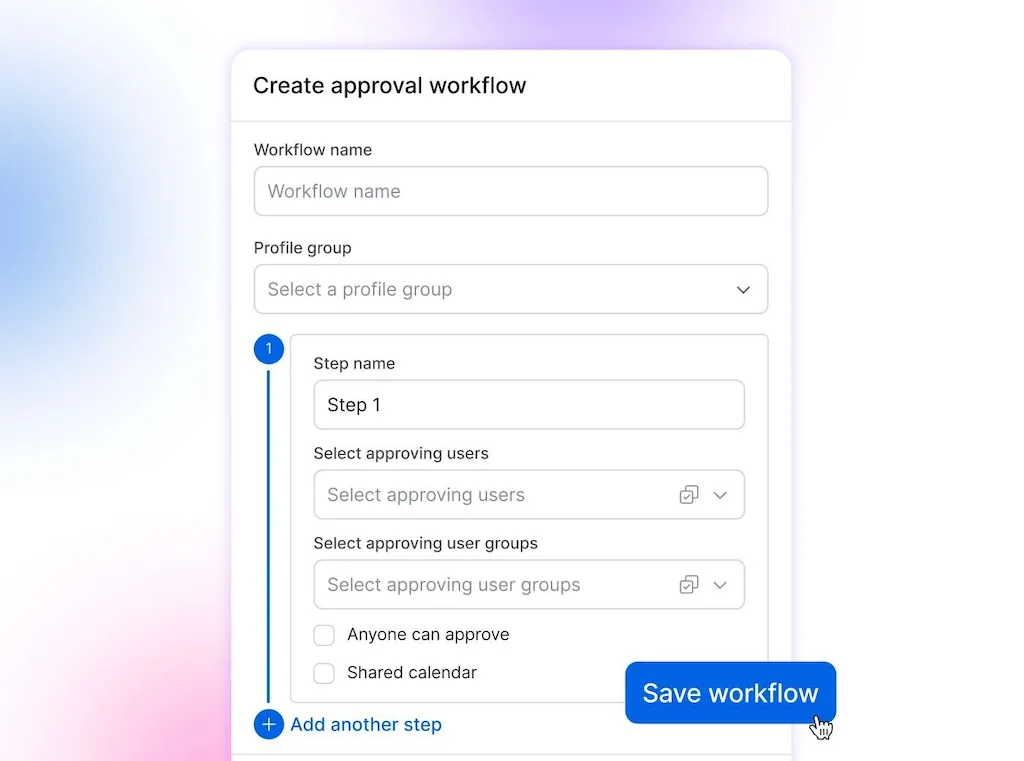
Several social tools support approvals, so keep a workflow your team already follows. In Vista Social, Contributors can’t publish directly, reviewers can be added for higher-risk work, and the calendar shows where each post sits.
4. Write the voice and content standards
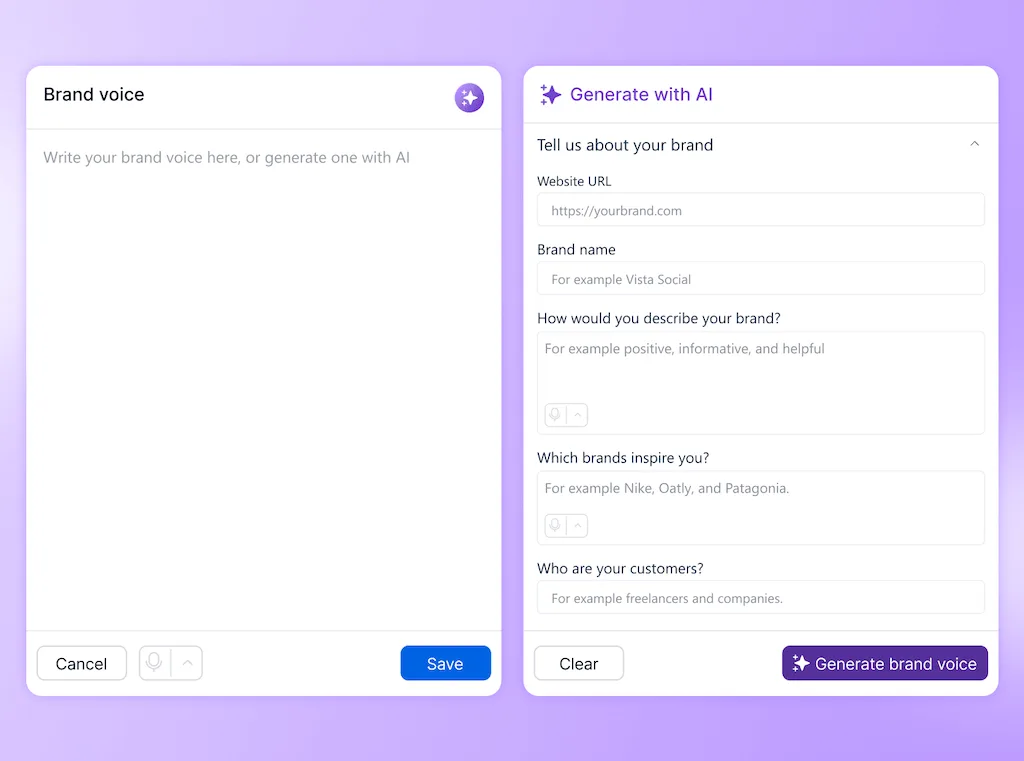
Turn broad values into instructions for a caption, image, or reply. “Be professional” leaves room for interpretation; a sample response gives the community manager a route.
Cover the moments where judgment changes:
- Routine content: Voice, terminology, visuals, accessibility, hashtags, and links.
- Community replies: Response boundaries, private data, moderation, and escalation.
- Claims: Sources and the reviewer are required before publishing.
- Corrections: Who edits a post and when a public correction is needed.
5. Write the security, legal, and AI rules
Bring security, legal, and AI owners into one working session. Record the credential system, require multifactor authentication, and give offboarding a named owner.
Cover endorsements, rights, consent, regulated claims, records, and AI-assisted content. In the United States, ask counsel to check personal-use language against NLRB guidance.
6. Write the crisis and enforcement sections
Define incidents through observable conditions, such as an account compromise, legal threat, safety issue, or exposed data. Set thresholds for responding, escalating, and pausing scheduled content.
Document the first actions in order:
- Capture the content, account state, and time.
- Alert the policy owner and crisis lead through the named channel.
- Pause scheduled content when the response lead calls for it.
- Secure the account if access may be compromised.
- Publish only through the approved spokesperson and review path.
- Record decisions, corrections, and follow-up work.
Enforcement should be proportionate and handled by people or legal. Explain how concerns are investigated and where employees can ask questions.
7. Roll out the policy and schedule its review
Publish the policy somewhere employees can find it, explain role-specific sections, and collect acknowledgment. Test it with two or three scenarios.
Try specific cases: An employee praises a customer on LinkedIn, a creator submits an AI image of a public figure, or a partner sends an embargoed announcement. Fix the rules where people hesitate.
Set an owner, version number, and next review date before launch. Review the document at least yearly, and revisit it sooner when your team, tools, regulations, or account structure changes.
The clause most templates skip: AI-generated content
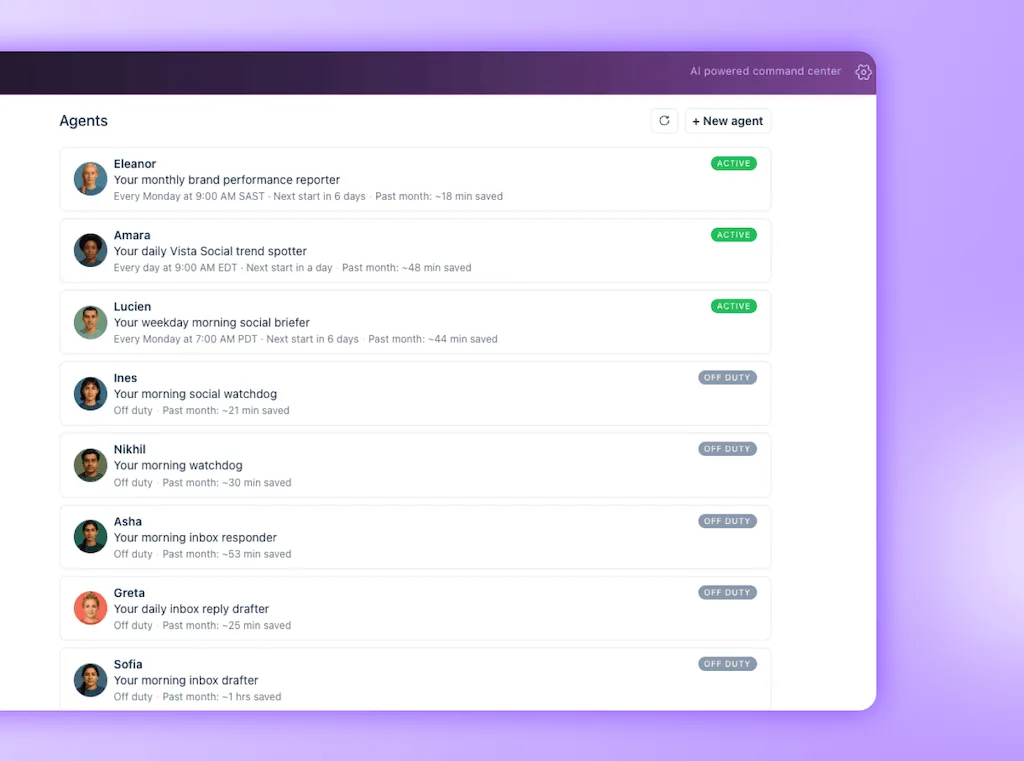
An AI clause names approved tools, protected information, disclosure rules, and the reviewer. Include AI agents that draft or monitor on a schedule, and set their access, reporting, and approval boundaries.
Use a short decision table so the rule still works when a new tool appears:
| Question | Policy answer |
|---|---|
| Can this data enter an AI tool? | Only public or company-approved material may be entered. Confidential, customer, credential, legal, financial, and private employee data is prohibited. |
| Can AI draft this content? | Yes, when the tool and use case are approved. The named reviewer remains responsible for the published result. |
| Does it need disclosure? | Follow applicable law, platform labels, campaign terms, and the company’s disclosure standard. Escalate uncertainty before publishing. |
| What must a person check? | Facts, names, dates, links, claims, rights, accessibility, brand voice, and the risk of misleading the audience. |
| Can it publish automatically? | Only workflows explicitly approved in writing may publish, and high-risk categories always require a person to approve. |
Keep an approved-tool register beside the policy so vendor or model changes don’t make the main document obsolete.
Make the approved route easy to follow
A policy earns its place when people can follow it without hunting through folders. Keep the full document as the reference, then carry routine decisions into permissions, brand guidance, and review paths inside the social tool your team already uses.
The six-word Slack message from the opening no longer has to carry the whole system. When someone has a customer photo, a sensitive claim, or a full content queue, they already know who can approve it and what happens next.
Want to put the policy into practice? Start a free trial today. No credit card is required.
Frequently asked questions
What should a social media policy include?
Include the 11 sections in this template, then add an owner, version number, acknowledgment, and review date.
What is the difference between a social media policy and social media guidelines?
A policy sets mandatory boundaries and accountability. Guidelines help people apply brand voice and publishing practices within them.
Do small businesses need a social media policy?
A small business needs a policy once several people can represent it online. A solo operator can begin with a one-page ruleset, multifactor authentication, and a recovery contact.
Can an employer discipline an employee for social media posts?
Sometimes, depending on the post, jurisdiction, and employment law. In the United States, some group discussion about working conditions can be protected, so counsel should review discipline language.
What should a social media policy say about AI?
For AI, state the tool list, information boundaries, labeling standards, and responsible reviewer. Include synthetic images, video, and audio involving real people.
How often should you update a social media policy?
Review it yearly and after major changes to law, tools, access, or team structure. Regulated teams may run quarterly checks.
About the Author

Content Writer
Orion loves to write content that refuses to be boring. As part of Vista Social, he helps brands, creators, and agencies stop doom scrolling and start winning with social media. When he's not in front of a keyboard, he's watching films in IMAX with his wife, dissecting football tactics (the European kind), and getting lost in a good book.