

Published on February 5, 2026
15 min to read
Instagram Advertising 101: How to Run Ads on Instagram

Summarize with AI

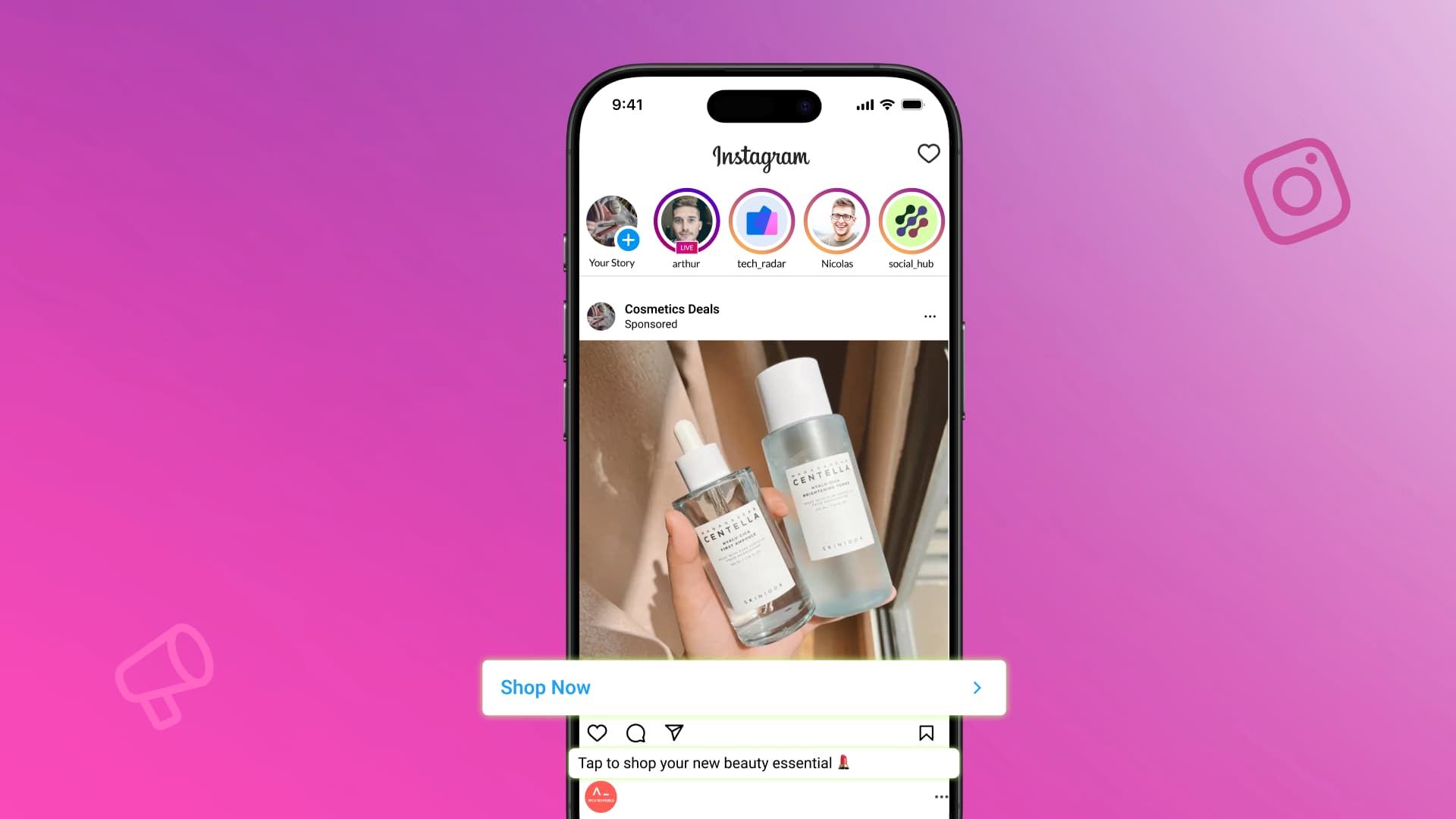
Table of contents
Summarize with AI

ChatGPT

Claude

Perplexity
Share

Vista Social

X (Twitter)


Instagram has become one of the most powerful places to advertise your business. The platform lets you reach over 1.74 billion users through ads—that’s a huge audience ready to discover new brands and products.
But running Instagram ads isn’t just about throwing money at a post and hoping for the best. You need to understand how the platform works, what ad types perform well, and how to set up campaigns that actually drive results.
This guide covers all of that, plus proven social media advertising tips that work specifically for Instagram.
Table of contents
What is Instagram advertising?
Instagram advertising is the paid side of your Instagram marketing strategy. Your regular posts only reach your followers, and maybe a few more people discover you through hashtags or Explore.
But Instagram ads are different. They let you put your content directly in front of people who may not have found you yet.
These ads look almost identical to regular posts. They show up in people’s feeds, Stories, Reels, and other places on the app. The only difference is a small “Ad” label and a call-to-action button that can send people to your website, app, or profile.
What makes Instagram advertising so effective is how specific you can get with targeting. You can choose exactly who sees your ad based on their age, location, interests, and even their past behavior on Instagram and Facebook. That means every dollar of your ad budget goes toward reaching the people most likely to care about what you offer.
What are the different types of Instagram ads?
Instagram gives you several different ad formats to choose from. Each one works well for different goals and types of content. Let’s break them down.
Image ads
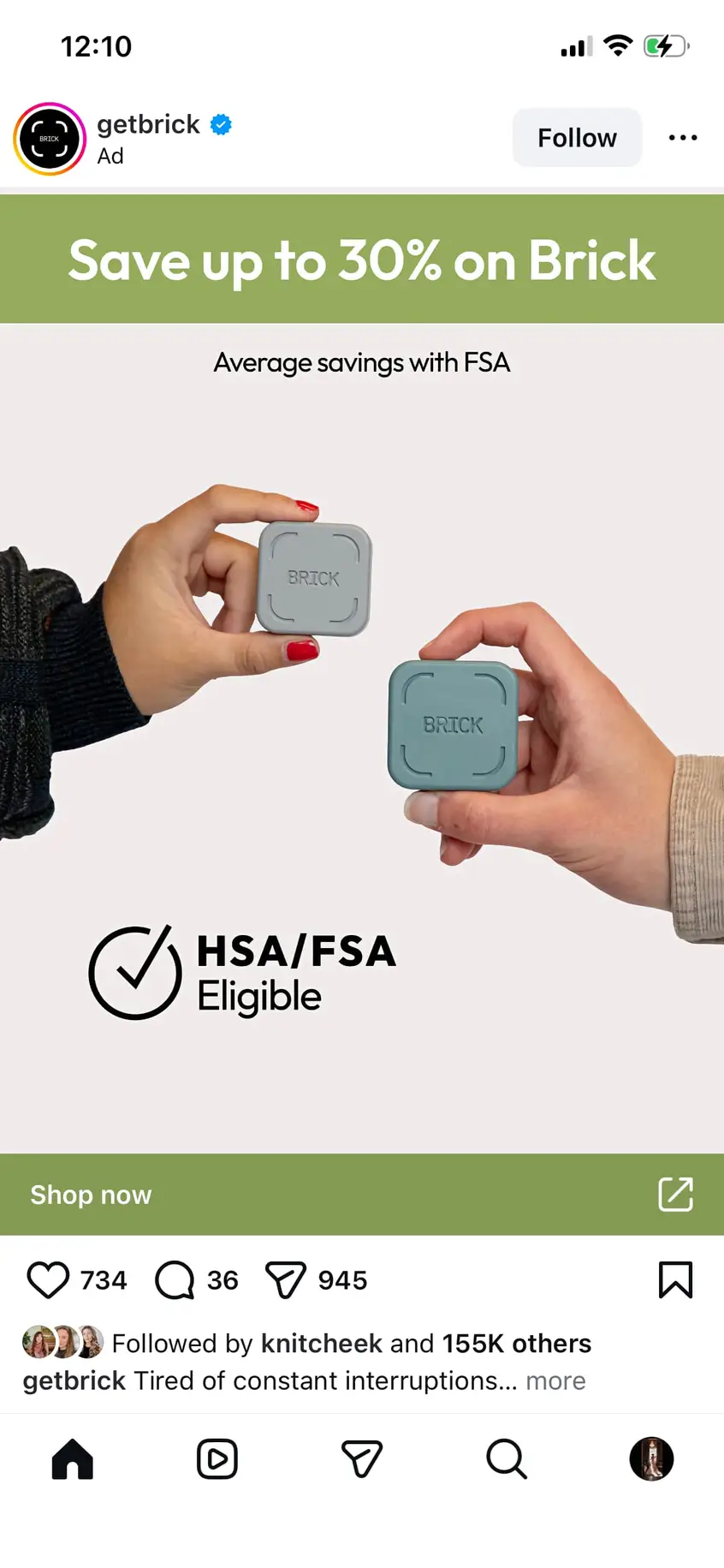
Image ads are the simplest type of Instagram ad—single photos that appear in people’s feeds, just like regular Instagram posts. They work great when you have a strong visual to share, whether it’s a clean product shot, a lifestyle image, or a graphic with text.
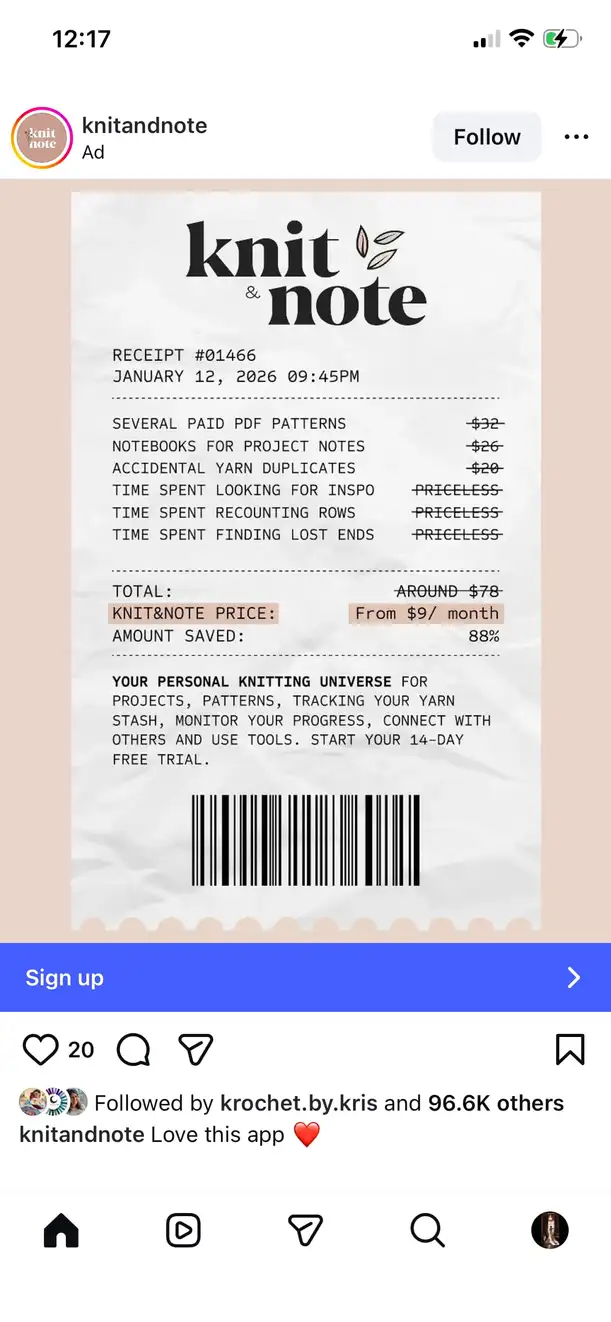
As shown in the example by Knit & Note, a quick and informative picture is sometimes all you need to get your target audience’s attention. The key is making sure your image grabs attention as people scroll through their feed.
Image ads support square (1:1) or vertical (4:5) formats, and vertical images (like the example above) tend to perform better because they take up more screen space on mobile devices. That extra real estate makes a real difference when you’re competing for attention in a crowded feed.
Video ads
If a single image isn’t enough to tell your story, video ads give you more room to work with. These ads can technically be up to 60 minutes long, but shorter is almost always better. Most people scroll quickly, so aim for 15-30 seconds to hold their attention.
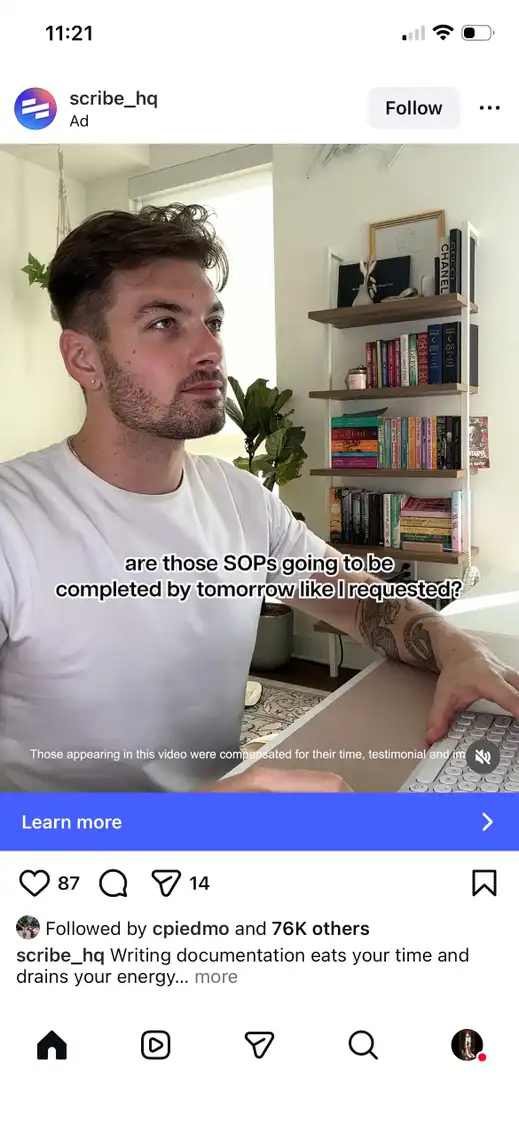
Video ads appear in the Instagram feed and start playing automatically as people scroll past (without sound unless someone taps to turn it on). They’re a great fit when you want to show your product in action, share customer testimonials, or walk someone through how something works. The motion alone helps your ad stand out in a feed full of static images.
Reels ads
Reels ads are where a lot of the momentum is right now. These vertical videos appear between organic Instagram Reels content and can be up to 90 seconds long, though 15-30 seconds typically performs best.
What makes Reels ads so effective is that they feel native to the experience. They’re full-screen, they blend in with the content people are already watching, and they don’t feel like a hard interruption. Reels advertising now reaches 726.8 million users—that’s more than half of everyone you can reach on Instagram. If you’re only running one ad format, this is the one to seriously consider.
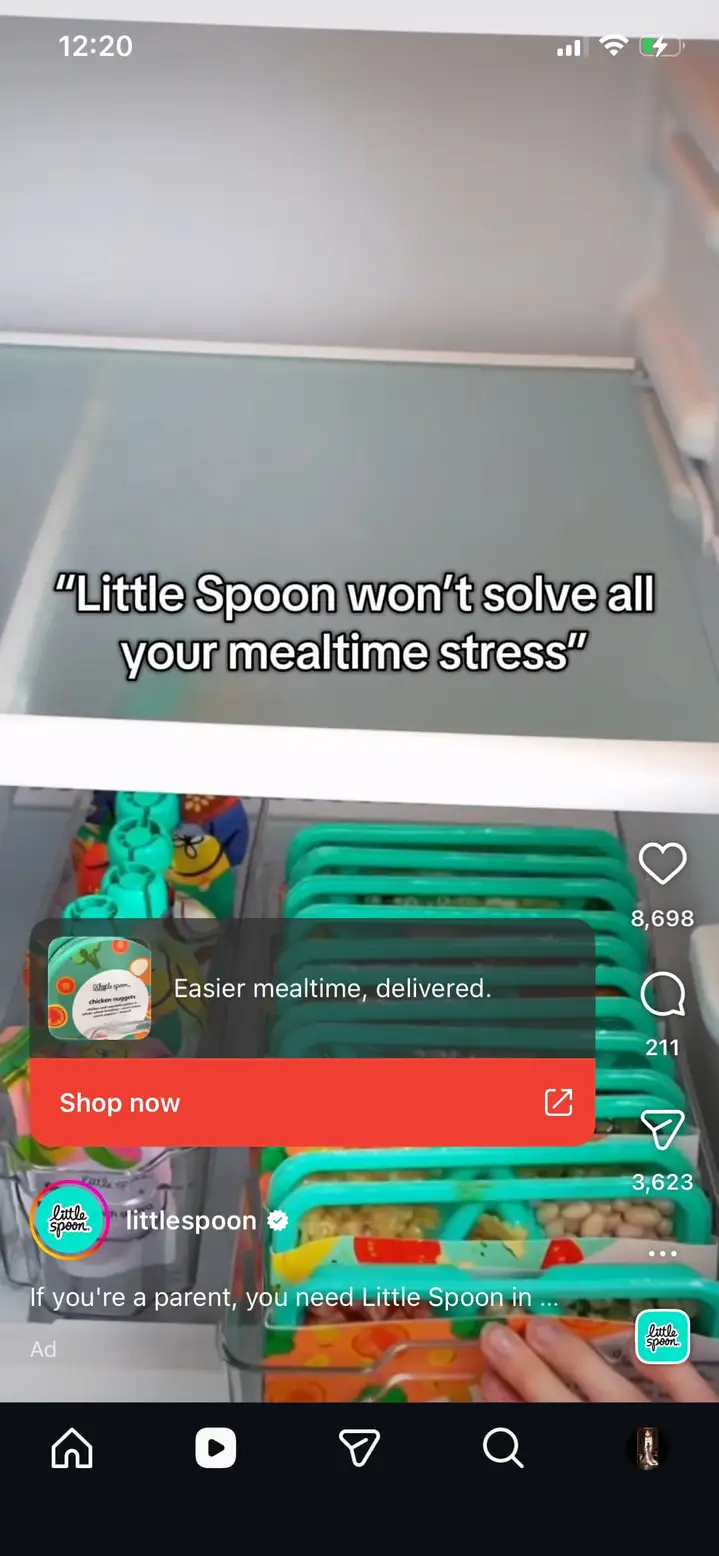
This is a great example by The Little Spoon. They take advantage of a reel’s full dimensions to showcase their products in action.
Story ads
Story ads appear between people’s Stories from accounts they follow. These full-screen vertical videos or images take over someone’s entire phone screen, which gives you an immersive canvas to work with.
They can include interactive elements like polls or questions, and they always include a swipe-up link (or tap-to-visit on newer devices) that takes people to your website or landing page. Story ads are especially effective for time-sensitive promotions because the format itself already feels urgent—Stories disappear after 24 hours, so people are naturally primed to act quickly.
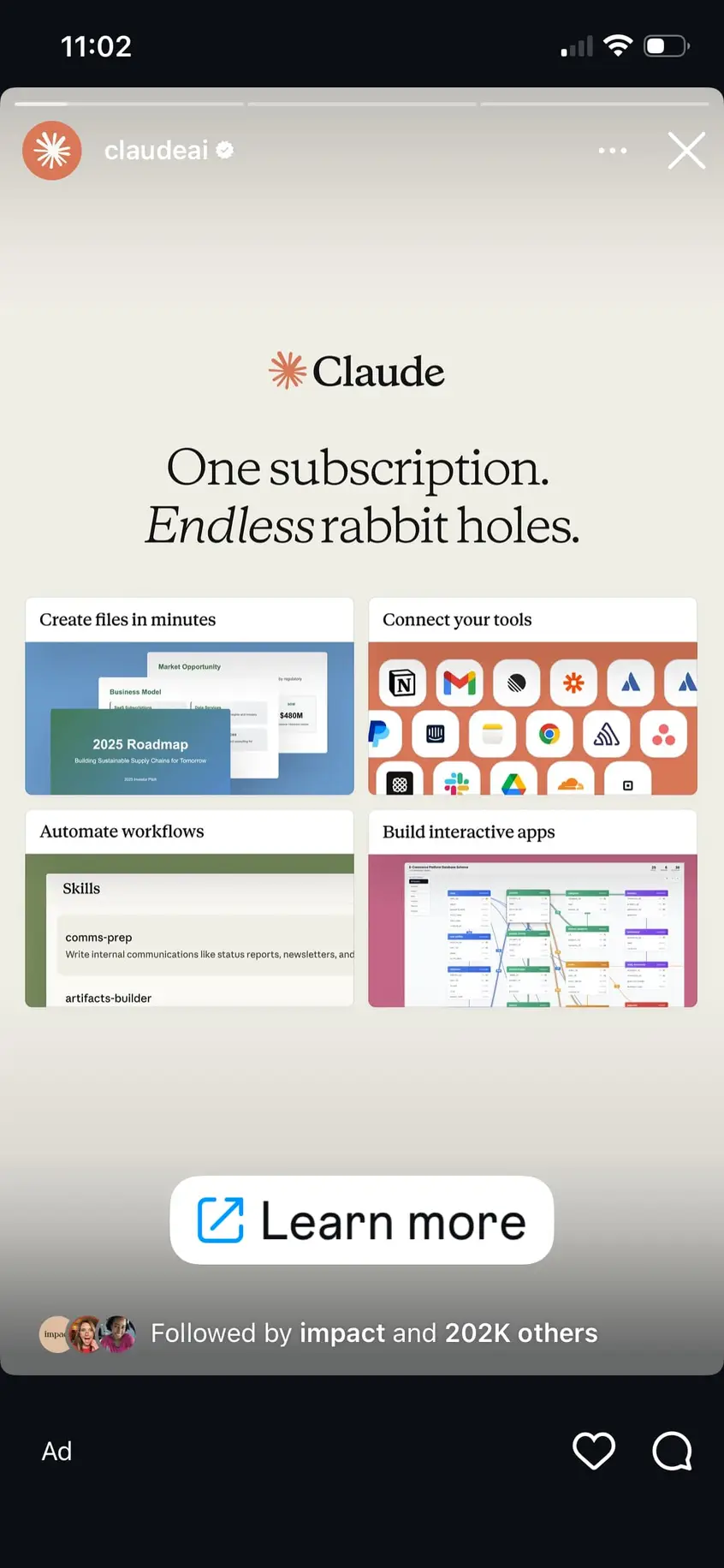
Claude does this amazingly with this straightforward story showcasing their capabilities. The audience can simply click on the “Learn more” button widget, which will redirect them to Claude’s website.
Carousel ads
Carousel ads let you include 2-10 different images or videos in a single ad. People swipe through each card, and every card can have its own image, headline, and link.
Think of carousels as a way to tell a more complete story. You could walk someone through the steps of using your product, show different angles or color options, or highlight a whole product collection. Each card can link to a different page on your website, or they can all point to the same place. The swiping action also helps—it gives people a reason to actively engage with your ad instead of passively scrolling past it.
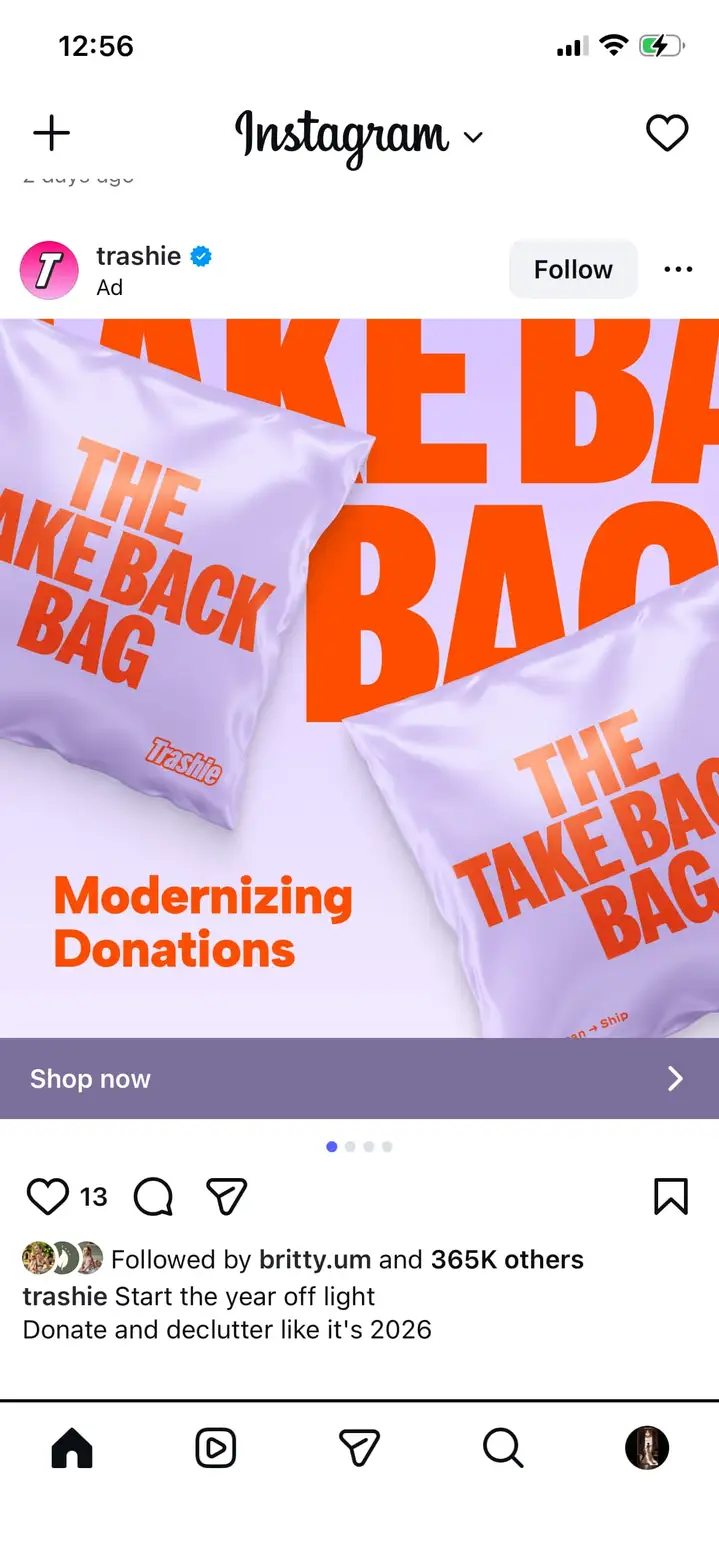
This carousel ad by Trashie highlights the brand’s products as well as a sale as you scroll further (buy 3, get 1 free). The product packaging is bright and eye-catching, and this carousel provides a creative way to get more eyes on the brand.
Collection ads
Collection ads combine a main image or video with multiple product images below it. When someone taps the ad, it opens a full-screen experience where they can browse your products without ever leaving Instagram.

These ads are built specifically for shopping, and they’re a strong fit for ecommerce businesses that want to showcase multiple products at once. The instant experience that opens when someone taps creates a mini storefront right inside Instagram, complete with more images, videos, and product details.
Shopping ads
Shopping ads are designed for ecommerce businesses that want to drive purchases directly inside Instagram. These ads tag products in your images or videos so people can tap to see details and prices right away.

The real advantage here? When someone taps “Shop now,” they can complete their purchase without leaving the app. The entire shopping experience happens inside Instagram, which removes friction. Every extra step between “I want this” and “I bought this” is a chance for someone to change their mind—and shopping ads cut out most of those steps.
To use shopping ads, you need an Instagram Shop set up with products in your catalog. Your shop needs to connect to an ecommerce platform or Facebook catalog that contains your product information. Learn more about how to sell on Instagram to set up your shop properly.
How much does Instagram advertising cost?
Here’s the truth about Instagram ad costs: There’s no single answer.
Meta (Instagram’s parent company) doesn’t publish average costs per click or costs per thousand impressions. Every figure you see claiming to be an “average Instagram ad cost” comes from third-party estimates, not official Meta data.
What we do know is that ad prices increased 14% year-over-year in the last quarter of 2024, and costs are likely to keep rising.
Several factors affect how much you’ll pay for Instagram ads.
Your campaign objective plays a big role. Awareness campaigns typically cost less than conversion campaigns because you’re asking people to do something simpler — see your ad versus buy your product.
Your target audience matters too. The more specific or popular your audience is, the more you’ll pay. Audiences like women aged 25-35 in major cities are in high demand, so more advertisers compete for them and costs go up.
Ad quality and relevance can actually save you money. Instagram rewards ads that people engage with by showing them to more people at a lower cost. A well-crafted ad with strong visuals and copy can outperform a bigger budget with weak creative.
Competition in your industry fluctuates throughout the year. During busy shopping seasons or in competitive industries, costs go up because more advertisers are bidding for the same audience.
Your geographic location affects pricing as well. The average price per ad increased 16% in the U.S. and Canada during Q4 2024, while the rest of the world saw a 24% increase.
The good news? You have complete control over how much you spend. You set your own budget—which can be as low as $1 per day—and Instagram will never spend more than that amount.
Start small, test what works, and scale up your budget as you see results.
How to run successful Instagram ads
Ready to create your first Instagram ad campaign? Here’s exactly how to do it.
Step 1: Set up your accounts
Before you can run Instagram ads, you need an Instagram business or creator account and a Facebook Page connected to that account.
If you haven’t converted to a business account yet, here’s how to do that:
- Open Instagram and go to Settings > Account > Switch to professional account.
- Choose “Business” and follow the prompts.
- Connect your Instagram account to a Facebook Page by going to your Instagram settings, tapping Business, and selecting “Connect to Facebook Page.” You can connect to an existing page or create a new one.
Step 2: Access Meta Ads Manager
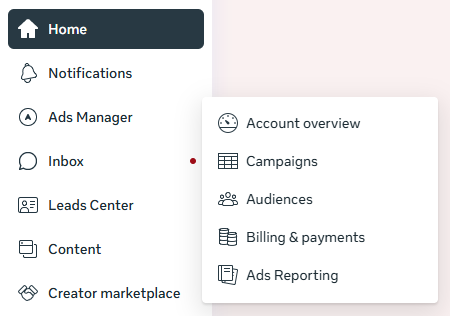
Instagram ads run through Meta Ads Manager, the same tool used for Facebook ads. Head to business.facebook.com and log in with your Facebook account. From the Meta Business Suite dashboard, click on Ads Manager then Campaigns in the left sidebar—this is where you’ll create and manage all your Instagram ad campaigns.
Step 3: Create a new campaign
Click the green Create button in Ads Manager to start a new campaign. Meta will first ask you to choose a campaign objective—the main goal you want to achieve.
Your options are:
- Awareness: Grow brand awareness around your company and its products/services
- Traffic: Generate traffic to your website, app, or landing page
- Engagement: Boost comments, event responses, or messages
- Leads: Collect lead data from potential clients/customers
- App promotion: Increase clicks and downloads of your app
- Sales: Make direct product sales thanks to your ads
Choose the one that matches your business goal. Want newsletter signups? Go with Leads. Want product purchases? Choose Sales.
Step 4: Run through Meta’s ad setup
The steps you take to set up your ad vary based on which objective you choose—and whether you choose to use manual setup or recommended settings.
If you’re new to running Instagram ads, go with recommended settings to start. It helps provide a great starting point, especially when you’re still learning how the different settings work.
Once you’ve chosen your setup mode, you’ll be able to create a name for your ad and continue through the ad setup.
Come up with some kind of naming convention you can use for each of your ads to help keep them organized. Something like Promotion – Date – Platform could work well. So an Instagram ad promoting your new flavor launch in February could look like Rose Flavor Launch – February – Instagram.
Next, set your budget and schedule. You can choose a daily budget (spend up to a set amount each day) or a lifetime budget (spend up to a set amount over the entire campaign duration). For scheduling, you can run your ads continuously or set specific start and end dates.
(Just note that your budgeting, audience building, and other setup areas may look different depending on the objective and setup mode you chose.)
Step 5: Define your target audience
This is where Instagram advertising gets really powerful. You can target people based on location (country, state, city, or a radius around a specific address), age and gender, interests (from yoga to video games), behaviors (past actions and purchase history), and custom audiences (upload a list of existing customers or website visitors).
You can also create lookalike audiences, which find new people who are similar to your existing customers. This is one of the most effective targeting options available.
80% of U.S. adults ages 18-29 use Instagram, compared to just 19% of those 65 and older. Keep that in mind when setting your age targeting — it’ll help you avoid spending budget on demographics that aren’t active on the platform.
Step 6: Choose your ad placements
Placements determine where on Instagram (and potentially other Meta apps) your ads will appear. You have two options.
Advantage+ placements (recommended) lets Meta automatically show your ads wherever they’re likely to perform best, including Instagram, Facebook, Messenger, and Audience Network. If you’re new to Instagram advertising, start here—Meta’s system will test different placements and optimize delivery for you.
Manual placements lets you choose specific spots yourself, like Instagram Feed, Stories, or Reels. Use this if you want to run Instagram-only campaigns or test specific formats.
Step 7: Create your ad
This is where you build what people will actually see. Connect your Instagram business account to the campaign, then choose your ad format—single image or video, carousel, or collection.
Upload your creative assets and write your ad copy. Your primary text appears above your image (keep it short and benefit-focused), your headline grabs attention, and your call-to-action button tells people what to do next (options include “Shop Now,” “Learn More,” “Sign Up,” and more).
Use the preview panel on the right side of Ads Manager to see how your ad will look across different placements before you publish.
Step 8: Review and publish
Before you hit publish, take a minute to double-check your objective, budget, audience, and creative. Everything should match what you planned.
When it all checks out, click Publish. Your ad will go through a review process (usually a few hours) to make sure it meets Instagram’s ad policies. Once approved, your ad starts running.
How to boost Instagram posts with Vista Social
Running full campaigns through Ads Manager gives you the most control—six different objectives, detailed custom audiences, A/B testing, and in-depth analytics. But sometimes you just want to put some ad budget behind content that’s already doing well. That’s where boosting comes in.
Boosting is simpler and faster. You take an existing post that’s already getting traction, set a budget, choose a basic audience, and you’re done. You can think of it as pouring fuel on a fire that’s already burning.
Use Ads Manager when you have specific business goals and need full control. Use boosting when good content deserves a wider audience.
Vista Social makes boosting even easier by letting you handle everything from the same platform where you’re already scheduling content and tracking performance. You can review your post performance using Vista Social’s analytics tools, identify which posts are worth putting budget behind, and launch a boost without leaving the platform.
Just head to your content calendar and find a post that’s been doing well. Open it up to double check the stats, then click Boost at the bottom.
The first time you create a boost through Vista Social, you’ll want to click the + to Add boost with your specific budget, audience, and other settings. You can always reuse these exact same settings again and again, or adjust them for future boosted posts.
The boost settings is where you get to input information like:
- Your ad account
- Your budget
- Your timeline
- Your audience
Click Save boost then Boost for your boosted post to go live.
But the real value comes after the boost is live. Vista Social shows how your boosted posts perform compared to your organic content side by side, giving you a clear picture of your social media ROI.
A post that does well on its own might do even better with a boost—or it might not. Having both sets of data in one place helps you spend your ad budget more wisely.
Check out our guide to boosting social posts for more on this strategy.
Instagram advertising best practices
Now that you know how to set up campaigns and boost posts, let’s talk about what separates ads that perform well from ads that waste budget.
Keep your ads on brand
Your Instagram ads should look and sound like they belong to your brand. When someone sees your ad and then visits your profile or website, they should immediately recognize the connection. If your ad looks nothing like the rest of your content, people start to question whether they’re in the right place.
Use your brand colors, fonts, and visual style consistently across all ads. Keep your messaging consistent too—use the same tone of voice in your ads that you use in your regular Instagram posts. If your brand is playful and casual, don’t suddenly get formal in your ads. That disconnect makes people hesitate, and hesitation kills conversions.
Create compelling ad visuals and copy
You have about one second to grab someone’s attention as they scroll. Use bright colors, clear product shots, or eye-catching graphics. Make sure your image looks good even at small sizes on mobile screens. For video, put your most important message in the first 3 seconds—that’s when people decide whether to keep watching or scroll past.
Your copy should be short and benefit-focused. Instead of listing features, tell people what they’ll get. “Our shoes have memory foam insoles” is a feature. “Walk all day without tired feet” is a benefit. People scroll past features, but they stop for benefits that solve a problem they care about.
Put an emphasis on mobile optimization
99.3% of Instagram users access the platform on mobile devices. That stat alone should shape every creative decision you make.
Keep text minimal and large enough to read on small screens. Make sure your landing pages load quickly on mobile—a slow-loading page after someone clicks your ad is basically throwing money away.
Test your ads on your own phone before launching to catch anything that looks off. And for video, always use vertical (9:16) for Stories and Reels—it uses every pixel of screen space your ad is paying for.
Test different ad types
What works for one business might not work for another. The only way to know what performs best for yours is to test.
Try different ad formats against each other—image ads vs. video ads, carousel ads vs. single image ads, Reels ads vs. in-feed ads. Also test different elements within the same format, like different images, headlines, copy, call-to-action buttons, or audience segments.
The important thing is to test fairly. Run your tests with the same budget and timeframe so you can actually compare results. Then put more budget behind what works and cut what doesn’t.
Consider sound-off viewers
Many people scroll Instagram with their sound off, especially in public places. In fact, 69% of consumers watch video without sound in public.
This means your video ads need to tell a complete story even when muted. Add captions or text overlays that explain what’s happening, and use strong visuals that carry the message on their own. If someone can’t understand your ad with the sound off, you’re losing a big chunk of your audience.
Instagram makes this easy—when you upload a video ad, you can automatically generate captions or upload your own caption file.
Monitor your performance
Creating great ads is only half the equation. You also need to track how they perform and make adjustments based on what the data tells you.
Check your ad performance at least a few times per week. Pay attention to reach (how many people saw your ad), click-through rate (what percentage of people clicked), cost per result (how much you paid for each action), and return on ad spend (how much revenue you generated compared to your ad spend).
Vista Social helps you track these metrics alongside your organic content performance, giving you a complete picture of your Instagram strategy. Simply head into your dashboard and run your Paid performance report to see how your ads or boosted posts are stacking up against your organic content strategy.
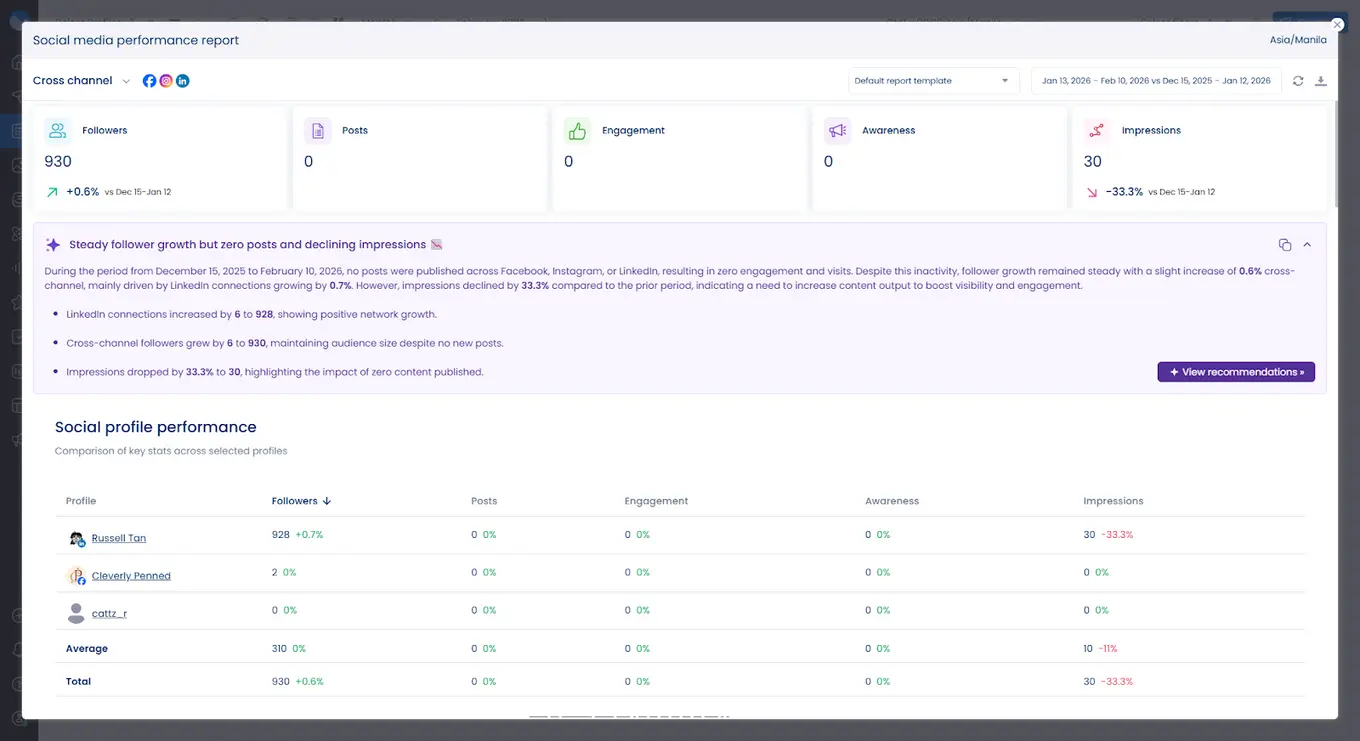
When an ad isn’t performing well, don’t be afraid to pause it and try something different. Your ad budget is too valuable to waste on campaigns that aren’t delivering.
Add Instagram advertising to your strategy
Instagram advertising opens up new ways to grow your business and reach people who would never discover you organically. The audience is massive—it’s just a matter of putting the right message in front of the right people.
The key to success is starting with clear goals, creating ads that grab attention, and learning from every campaign you run. Don’t expect perfection from your first attempt. Instagram advertising is a process, and your results will get better as you test, learn, and refine your approach.
Ready to take your Instagram advertising to the next level? Vista Social helps you manage both your organic content and paid campaigns in one place, with tools for scheduling, analytics, and performance tracking that make growing your presence much easier.
Instagram advertising FAQs
Is it worth it to run Instagram ads?
Yes, for most businesses. Instagram ads let you reach people who wouldn’t otherwise see your content, and the targeting options help you spend your budget on the people most likely to care about what you offer.
That said, Instagram ads work best when you already have a clear understanding of your target audience and business goals. If you’re just starting out, focus on learning how to use Instagram for business, building a solid content calendar, and understanding what your audience responds to before investing heavily in ads.
Can you advertise on Instagram without a Facebook Page?
No. Instagram requires a Facebook Page connected to your business account to run ads. This is because Instagram ads run through Meta Ads Manager, which manages advertising across both Facebook and Instagram.
The good news is that creating a Facebook Page is free and takes just a few minutes. You don’t need to actively use the page or post content there—it just needs to exist and be connected to your Instagram account.
How long should your Instagram ad campaign run?
Most campaigns should run for at least 7-14 days to gather enough data for meaningful results. Running a campaign for just 1-2 days doesn’t give Instagram’s algorithm enough time to optimize delivery and find the best audience for your ads.
For specific promotions or events, align your campaign duration with your promotion timeline. If you’re advertising a weekend sale, run your ads for 3-5 days leading up to and during the event. For ongoing campaigns focused on consistent lead generation or sales, consider running ads continuously and reviewing performance every 2-4 weeks to make adjustments.

Try Vista Social for free
A social media management platform that actually helps you grow with easy-to-use content planning, scheduling, engagement and analytics tools.
Get Started NowAbout the Author

Content Writer
Russell Tan is a content marketing specialist with over 7 years of experience creating content across gaming, healthcare, outdoor hospitality, and travel—because sticking to just one industry would’ve been boring. Outside of her current role as marketing specialist for Vista Social, Russell is busy plotting epic action-fantasy worlds, chasing adrenaline rushes (skydiving is next, maybe?), or racking up way too many hours in her favorite games.
Loading related tools...




Tools
PublishingAnalyticsEngagementIntegrations
FacebookInstagramLinkedInRedditSnapchatThreadsTikTokX (Twitter)YouTubeBlueskyVista Page (link-in-bio)All IntegrationsCopyright © 2026 Vista Social LLC. All Rights Reserved.