

Published on February 24, 2026
7 min to read
Vista Social vs. Manychat: Social Automation Tools Compared

Summarize with AI

Table of contents
Summarize with AI

ChatGPT

Claude

Perplexity
Share

Vista Social

X (Twitter)


If you’re weighing Vista Social against Manychat, you’re probably looking for a tool that actually keeps up with your social media workload.
With over 5.66 billion social media users worldwide, brands need smarter ways to manage conversations, automate replies, and stay active across every platform. Both Vista Social and Manychat promise to help with that. But they take very different approaches.
One is an all-in-one social media management platform. The other is a chatbot builder focused on automated messaging. They overlap in a few areas, but the gaps between them are bigger than you might expect.
So which one actually fits the way you work? Let’s break it down feature by feature so you can decide for yourself.
Table of contents
Vista Social vs. Manychat: Which tool fits your needs?
The comparison table gives you a quick overview. Now let’s dig into each feature so you can see exactly where these tools overlap—and where they don’t.
Social media management
If you can’t schedule and publish content easily, nothing else really matters. Good management tools are the starting point for any social media strategy.
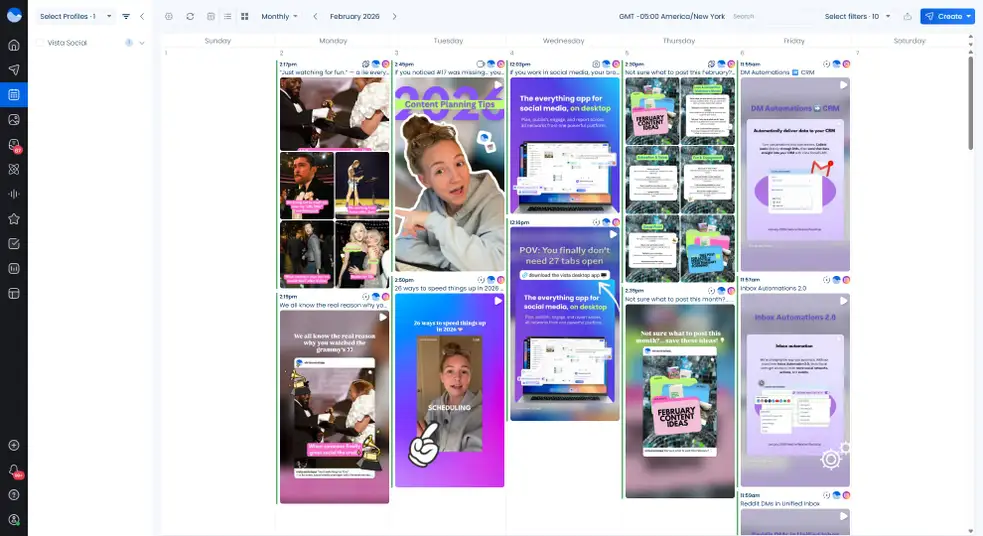
Vista Social is built from the ground up for this. You get a clean visual calendar where you can drag and drop posts across dates. You can schedule content to more than a dozen platforms from one composer. Bulk scheduling lets you upload posts through a CSV file, and approval workflows keep your team aligned before anything goes live.
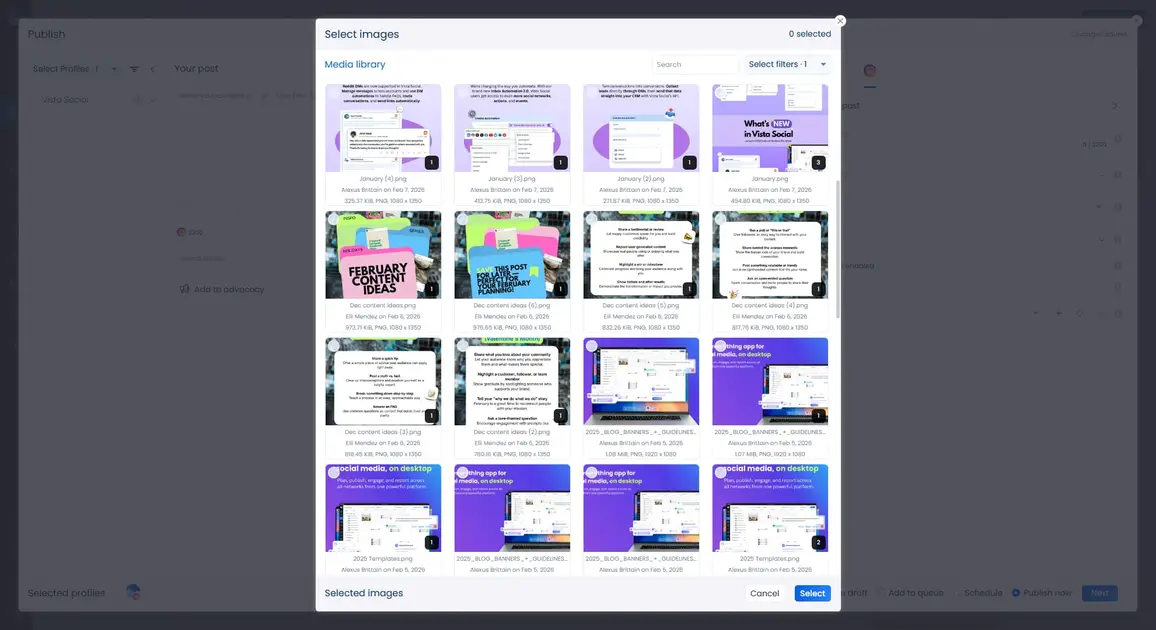
You also get a content library, hashtag tools, optimal send times, and the ability to manage multiple client accounts from a single dashboard. It’s everything you need to run a social media marketing strategy without switching between apps.
Manychat doesn’t offer any social media management features. There’s no content scheduling, no publishing tools, and no content calendar. If you use Manychat, you’ll still need a separate platform to plan, create, and post your content—which means managing two tools instead of one.
The gap here is clear. If your workflow involves planning and publishing content—and for most social media teams, it does—Vista Social handles it all. Manychat doesn’t touch this area.
DM automation
Of course, publishing is only half the equation. What happens after someone sees your post and sends you a message? That’s where DM automation comes in—and it’s where these two tools overlap the most.
Manychat was built entirely around DM automation. You can create detailed conversation flows using a drag-and-drop builder. It supports keyword triggers, conditional logic, and multi-step sequences.
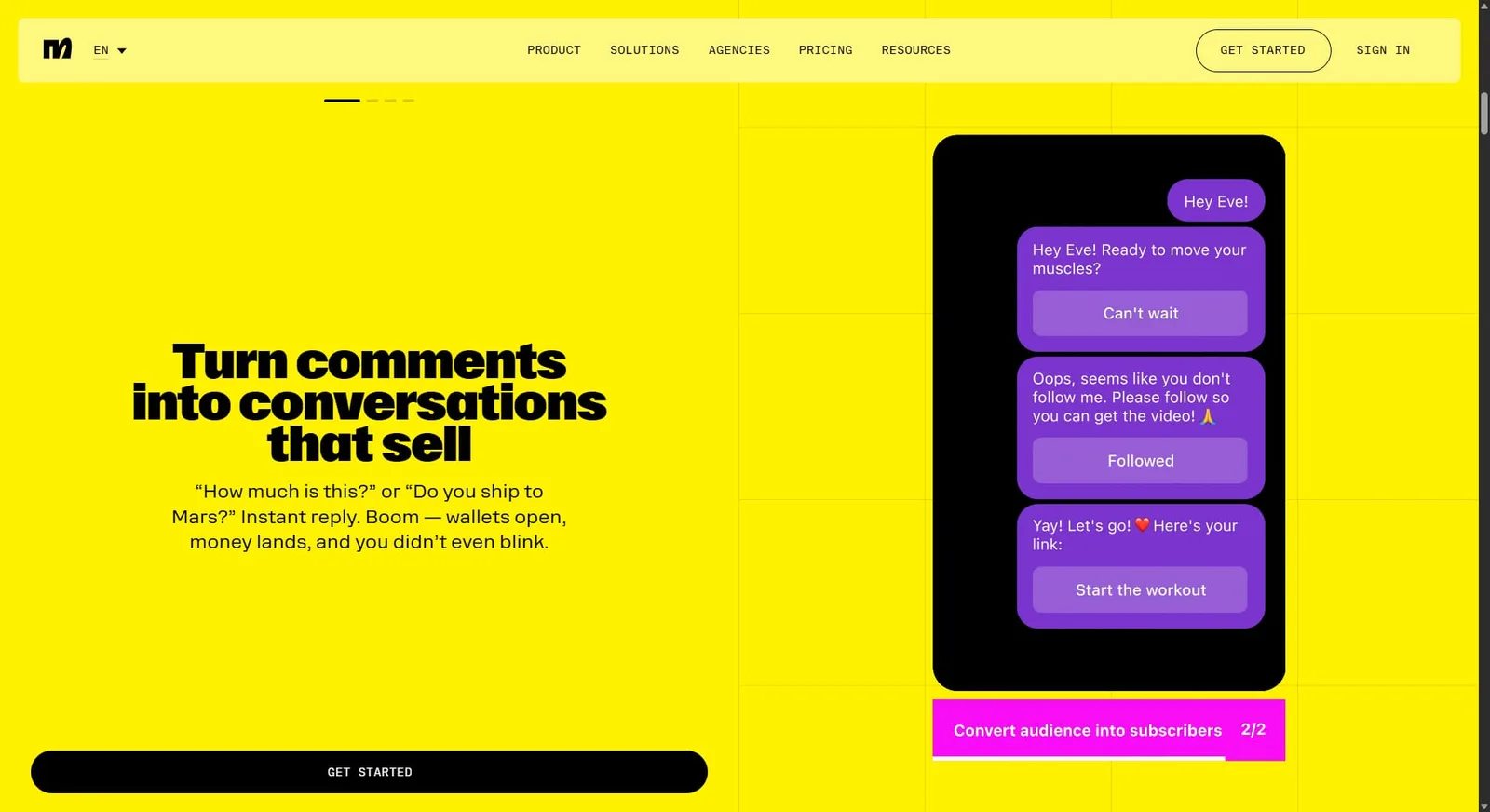
You can also set up automations that fire when someone comments on a post or clicks a specific link. If chatbot building is your only focus, Manychat gives you deep control over those flows.
Vista Social also offers DM automation as part of its platform. You can set up keyword-triggered auto-replies, build automated conversation flows, and collect lead data right through DMs. Learn more about how to use DM automation to get started.
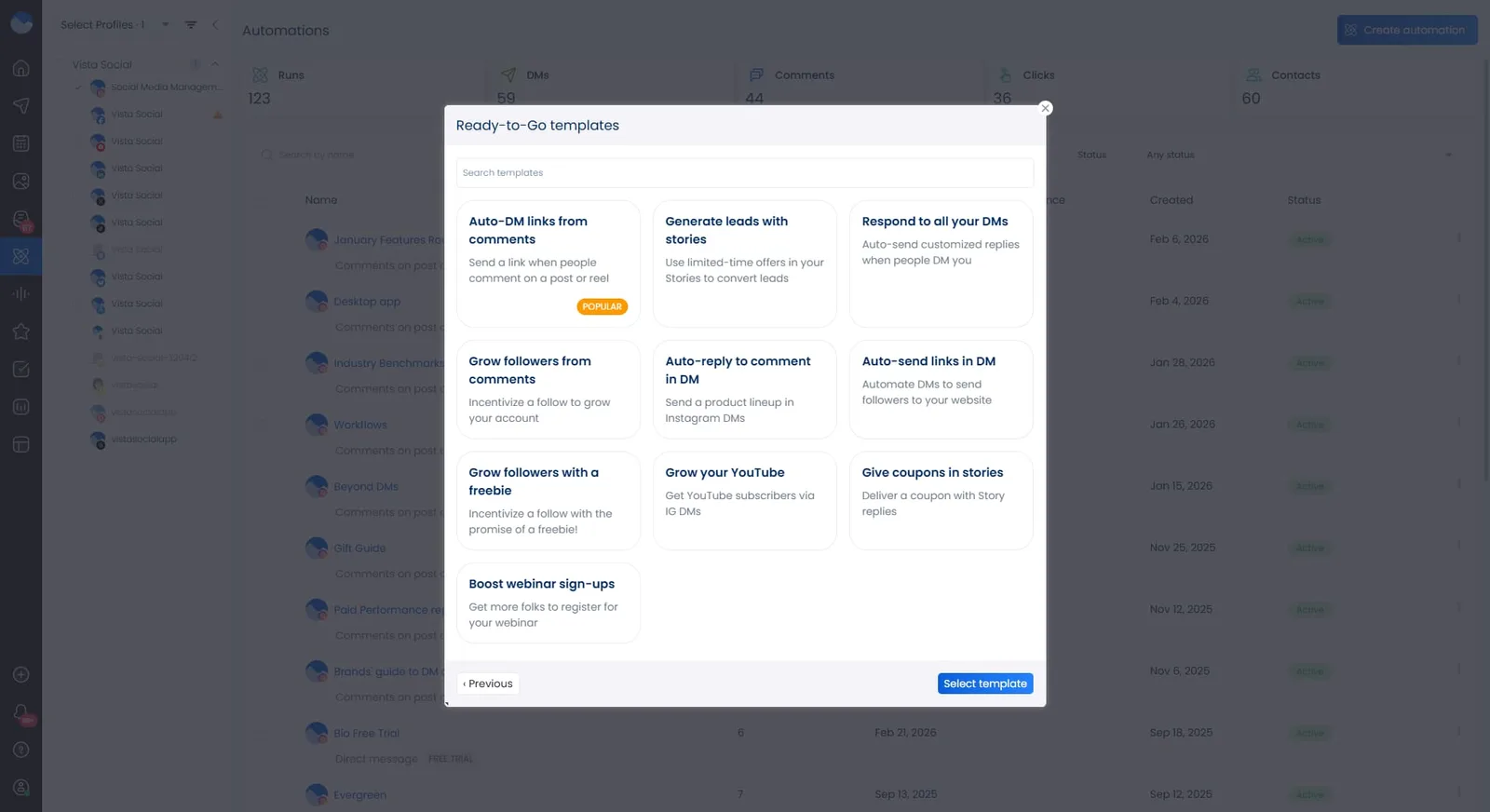
What makes Vista Social’s approach different is that DM automation lives inside the same tool where you manage everything else. Your automated message workflows sit right next to your publishing calendar, inbox, and analytics. That means you can see someone engage with a post, check their DM history, and review your response flows—all without leaving the platform.
Want to see what else is possible? Check out these DM automation use cases for real examples you can try today.
Both tools handle DM automation well. Manychat offers more granular chatbot logic. Vista Social gives you automation that connects to the rest of your social media workflow—which matters when DMs are just one part of your strategy.
Social inbox automation
Beyond automated DMs, there’s also the flood of messages, comments, and mentions that come in every day. Managing all of that manually eats up hours—unless you have the right inbox tools.
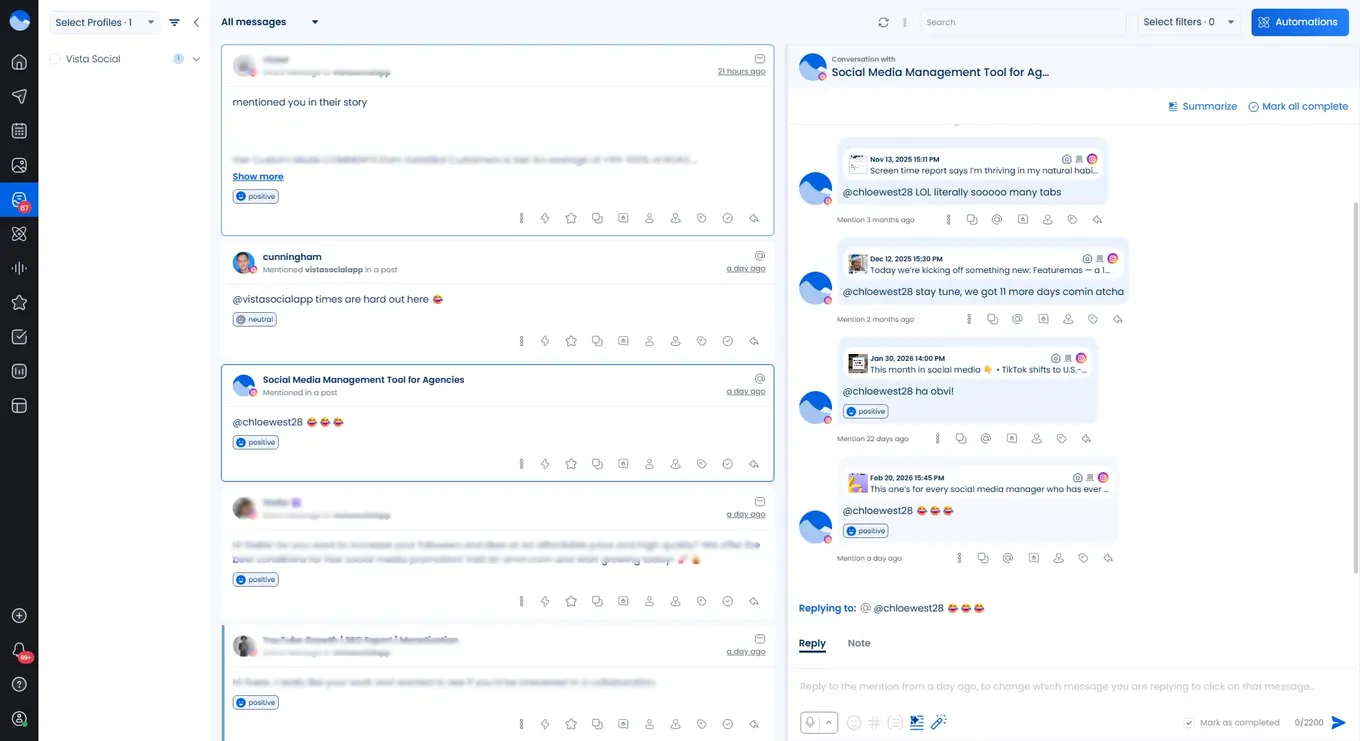
Vista Social puts all your messages, comments, and reviews in one place with its unified social inbox. You can filter conversations, assign them to team members, and respond without leaving the dashboard. This works across every connected platform.
What really sets it apart are the social inbox automations. You can auto-assign conversations to team members, apply tags based on keywords, and set up rules that keep your inbox organized without manual effort. It’s built for teams that handle high message volumes.
Manychat has a live chat inbox that works with its connected channels. It’s useful for conversations happening inside Manychat’s automated flows, but it’s not designed to be a full social inbox. You won’t find auto-tagging across platforms, team assignment rules, or comment management outside of messaging.
If your team handles customer conversations across multiple platforms daily, Vista Social’s inbox covers more ground. Manychat’s inbox is limited to its own messaging channels.
Artificial intelligence
So far, we’ve looked at management, automation, and inbox tools. But there’s another layer that ties all of it together—AI. Both platforms offer it, but the way they package it matters.
Vista Social includes its AI assistant across all plans. It helps with caption writing, content suggestions, and smart reply drafts in your inbox. It’s built right into the publishing and engagement workflows. You don’t pay extra to use it.
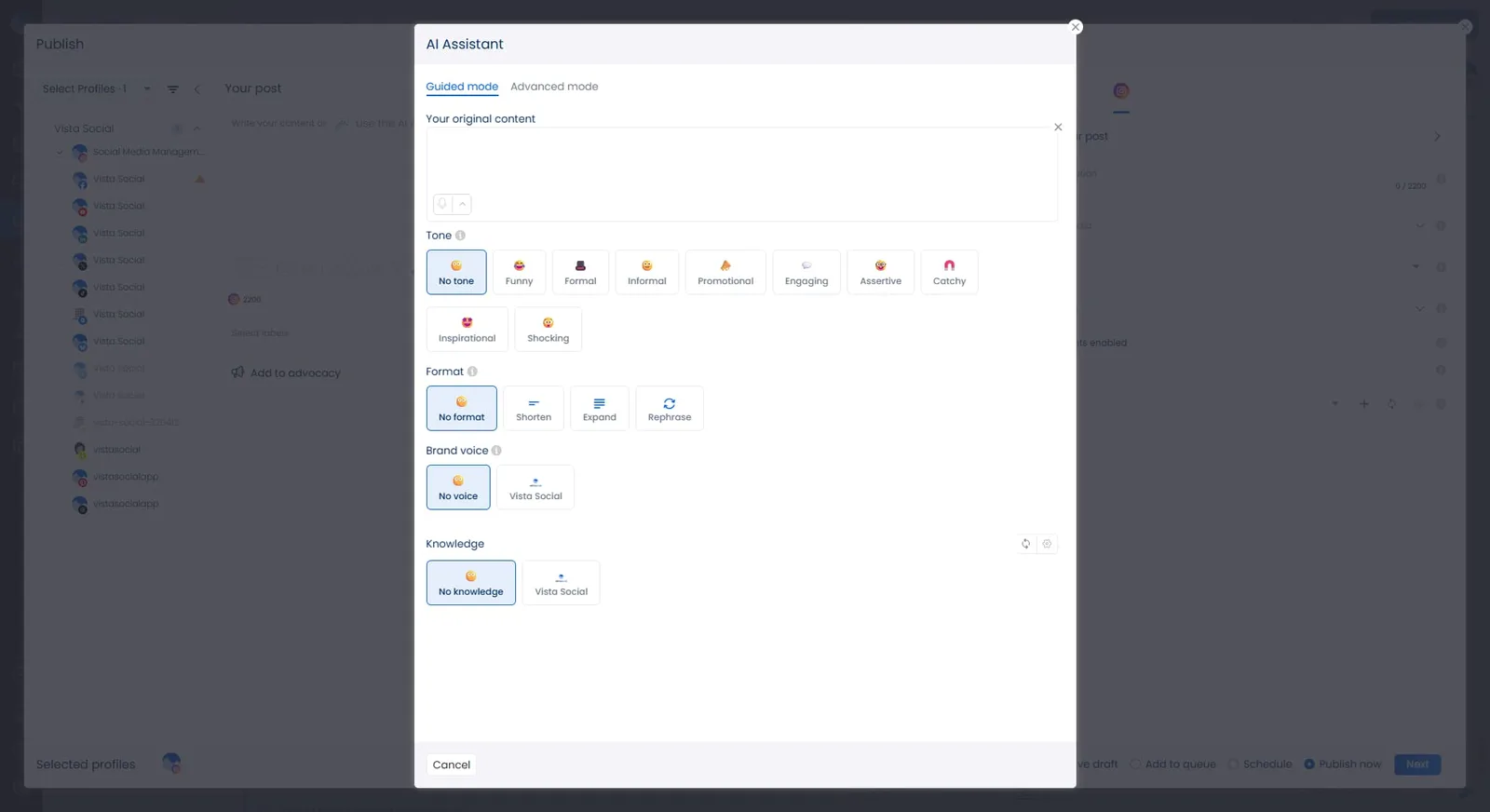
But even more than that, Vista Social incorporates AI into its DM automations at every level. AI can:
- Detect incoming message intent so you don’t have to focus only on keywords mentioned in messages
- Read and respond to messages for you
- Train itself based on your knowledge base and respond to DMs accordingly
Manage all of your social inbox conversations at scale by incorporating AI into your workflows.
Manychat offers AI features on its Pro and Elite plans, including intent recognition and an AI Flow Builder. These tools help your chatbot understand what someone means—even if they don’t type a specific keyword. It’s useful for making automated conversations feel more natural.
The catch? Manychat’s AI add-on costs $29/month on top of your existing plan. For teams already dealing with a growing contact list, that extra cost adds up. If AI tools are important to your workflow, that pricing difference is worth noting.
Supported platforms
Features aside, none of it matters if the tool doesn’t connect to the platforms your audience actually uses.
Vista Social connects to more than a dozen social platforms:
- X/Twitter
- TikTok
- YouTube
- Threads
- Bluesky
- Snapchat
- Google Business Profile
Meanwhile, Manychat supports the following:
- Facebook Messenger
- Telegram
- SMS
- TikTok (in beta)
That means Manychat doesn’t support LinkedIn, YouTube, Pinterest, Reddit, or X/Twitter. If your strategy involves any of those platforms—and most brands are active on at least a few of them—you’ll need a separate tool to manage them.
For businesses and agencies that need to be active across many platforms, Vista Social covers far more ground.
Pricing
Now that you’ve seen how the features compare, let’s talk about what it all costs. This is where these two tools really diverge—they use completely different models, so it’s worth understanding how prices scale over time.
With the social media management market growing rapidly, picking the right tool now matters more than ever.
Manychat uses contact-based pricing. The free plan includes basic features but adds Manychat branding to everything. As your contact list grows, so does the cost.
Here’s how Manychat’s pricing scales:
- Free: Up to 1,000 contacts
- Pro: Starts at $15/month for 500 contacts
- Elite: Contact for custom pricing
On top of that, WhatsApp and SMS messages carry per-message fees. And the AI add-on adds another $29/month. So what looks affordable at first can grow fast as your audience does.
Vista Social uses flat-rate pricing based on features and team size—not contact counts. Every plan includes scheduling, DM automation, a social inbox, analytics, and the AI assistant. There are no surprise fees as your audience grows.
Here’s a quick look at Vista Social’s annual plans:
- Professional: $64/month
- Advanced: $120/month
- Scale: $304/month
- Enterprise: Contact for custom pricing
Think of it this way: with Manychat, you pay for DM automation—and still need a separate tool for publishing, scheduling, analytics, and inbox management. With Vista Social, all of that comes included from day one. When you factor in the cost of Manychat plus a second social media tool, Vista Social often ends up being the more affordable option overall.

Try Vista Social for free
A social media management platform that actually helps you grow with easy-to-use content planning, scheduling, engagement and analytics tools.
Get Started NowAbout the Author

Content Writer
Russell Tan is a content marketing specialist with over 7 years of experience creating content across gaming, healthcare, outdoor hospitality, and travel—because sticking to just one industry would’ve been boring. Outside of her current role as marketing specialist for Vista Social, Russell is busy plotting epic action-fantasy worlds, chasing adrenaline rushes (skydiving is next, maybe?), or racking up way too many hours in her favorite games.
Loading related tools...




Tools
PublishingAnalyticsEngagementIntegrations
FacebookInstagramLinkedInRedditSnapchatThreadsTikTokX (Twitter)YouTubeBlueskyVista Page (link-in-bio)All IntegrationsCopyright © 2026 Vista Social LLC. All Rights Reserved.