

Published on June 10, 2026
10 min to read
How to Create Your Social Media Content Pillars

Summarize with AI

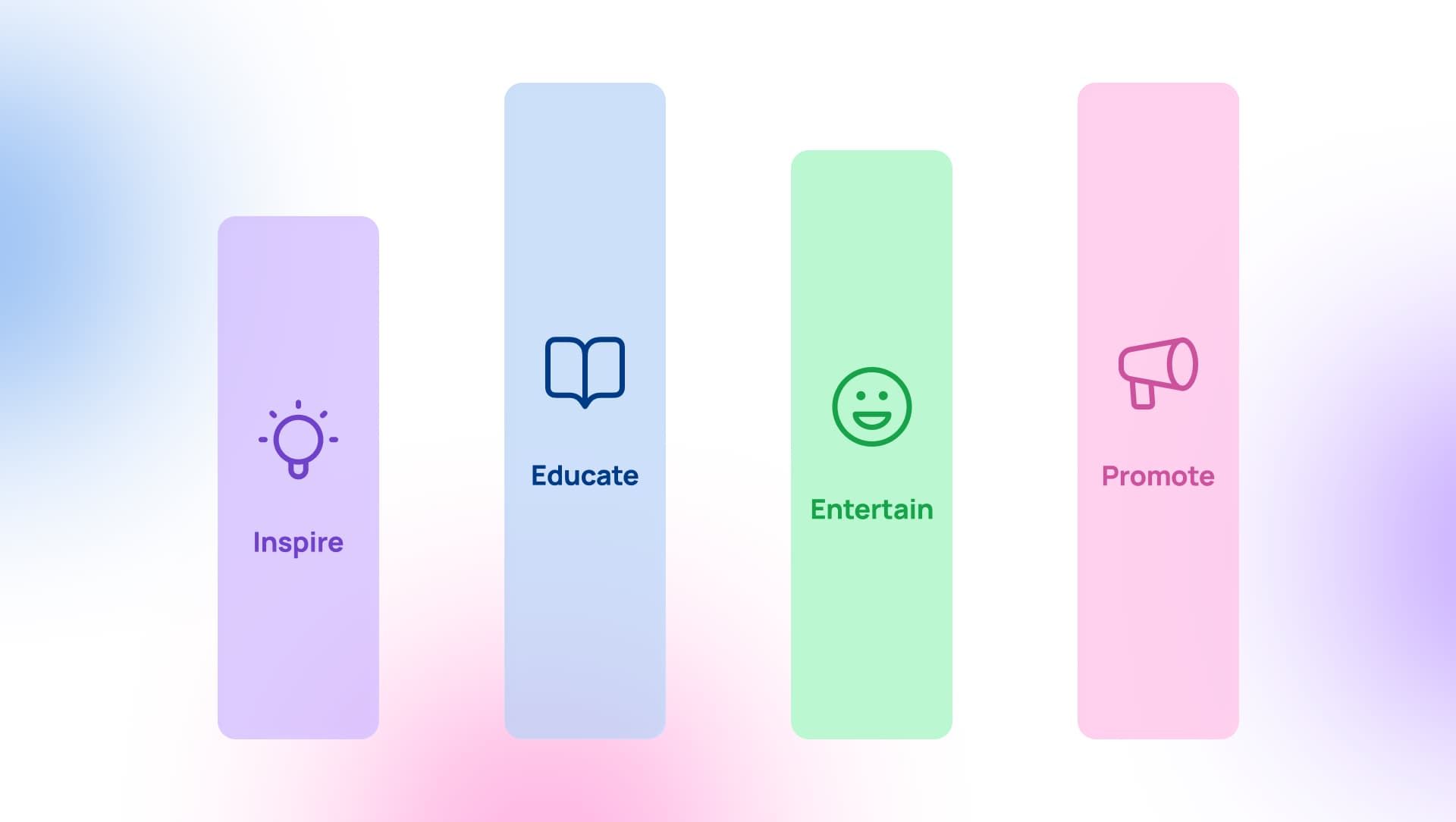
Table of contents
Summarize with AI

ChatGPT

Claude

Perplexity
Share

Vista Social

X (Twitter)


You can recognize a brand you love within a post or two, before the logo even loads. That kind of instant familiarity comes from showing up the same way, again and again, around a few clear themes.
Those themes are your social media content pillars. This guide covers how to choose them, keep them consistent as your team and channels grow, make them work in a feed flooded with AI content, and figure out which ones are worth keeping.
Table of contents
Why content pillars matter more than they used to
Pillars have been standard advice for years, so why do they suddenly carry more weight? A few things shifted.
- Attention is scattered: People half-watch a dozen feeds and commit to almost nothing. A recognizable rhythm is the main reason anyone remembers you tomorrow instead of scrolling past like you’re wallpaper.
- They make AI content worth posting: This is the one that crept up on everyone. The Content Marketing Institute’s 2026 research found that among teams whose content improved last year, 74% credited sharpening their strategy as the biggest reason, well ahead of the 51% who pointed to new tech. Plenty of AI tools will happily generate a thousand posts, and your pillars are what decide which thousand are worth it.
- They give leadership something to point at: “We posted 47 times” lands with a thud in a board meeting. “Our education pillar drove most of our saves, and our customer-story pillar drove most of our demo requests” hands leadership a real story about what social is doing for the business.
Types of content pillars
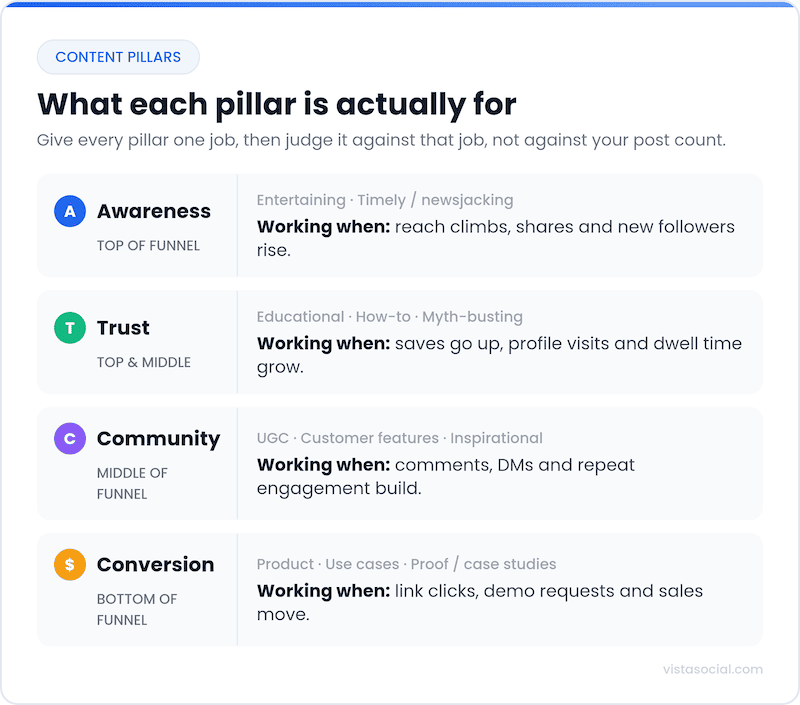
Most guides hand you a list of pillar types and stop there, educational, entertaining, inspirational, promotional, and so on. Useful, but it skips the part that matters for a brand team, which is what each pillar is for. Give every pillar a job, whether that’s pulling in new people, earning trust, building community, or nudging someone toward a purchase.
| Pillar type | What it looks like | The job it does | Example format |
|---|---|---|---|
| Educational | How-tos, explainers, myth-busting | Build trust and authority | Weekly tip series, “how it works” carousels |
| Entertaining | Humor, trends, relatable moments | Reach new people | Skits, trend-jacking, memes in your voice |
| Inspirational | Customer wins, vision, culture | Deepen affinity | Before-and-afters, founder POV |
| Community / UGC | Reposts, features, replies as content | Build belonging | Customer spotlight series, fan roundups |
| Product / proof | Features, use cases, case studies | Drive conversion | Use-case demos, customer results |
| Timely | Reactions to industry moments | Stay relevant, earn reach | Quick takes, your hot take on the news |
Most brands run a blend of these, weighted toward whatever they need most this quarter. The mistake is collecting pillars like souvenirs. The smarter move is picking a few and giving each a reason to exist. Your user-generated content often pulls double duty here, feeding the community job and the proof job at the same time.
Keeping pillars consistent
One person posting to one account can improvise and stay coherent. Stretch that across a dozen profiles, three regions, and a few teammates, and improvising quietly turns into drift, where every post is fine on its own and the feed as a whole loses its center of gravity. Pillars are the shared reference that keeps everyone pulling in one direction.
At that size, pillars stop being a creative exercise and become a kind of guardrail. A few habits hold the line.
- Label every post by pillar: When each post carries its pillar, anyone can glance at the calendar, notice the product pillar has hogged the last two weeks, and rebalance before it ships.
- Bake pillars into approvals: When PR, legal, or a client signs off, “is this on-pillar and on-brand” belongs in the check, not in a panicked message the next morning.
- Keep each brand’s pillars walled off: A pillar set that’s perfect for one brand is noise for another. If you’re juggling a roster of clients, that’s exactly what Vista Social’s agency tools are built to handle.
How to run your content pillars in Vista Social
A pillar plan only earns its keep if it survives a busy week, which usually means living in the same place you post from. In Vista Social, a handful of features pull that off without much fuss.
Labels
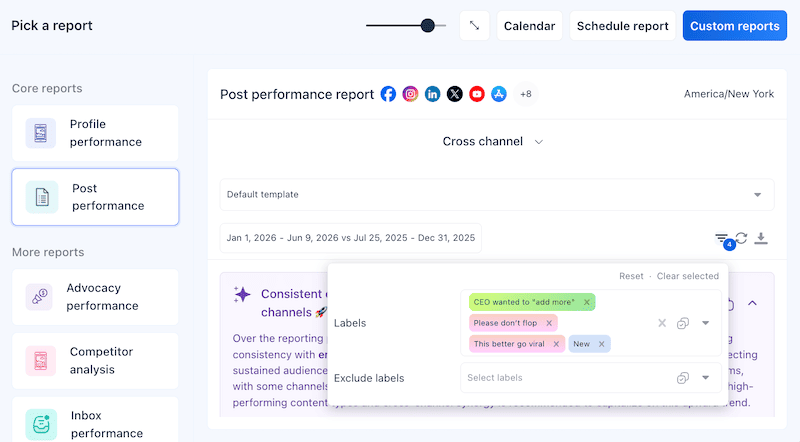
Color-coded labels are the simplest home for your pillars. Make one label per pillar, tag each post as you schedule it, and your calendar turns into a live read on your mix, so a quick scan of the colors tells you whether education has quietly crowded out everything else. The sharper move, and one most teams miss, is labeling your publishing queues too, so each pillar gets its own recurring time slots. Set that up once and your intended ratio enforces itself, every new post drops into the right rhythm instead of you replaying calendar Tetris each Monday.
On-brand AI content
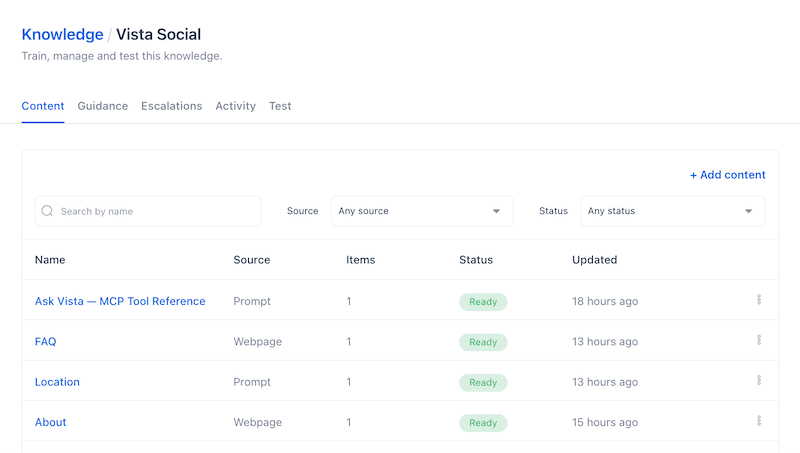
This is the piece that matters most right now. Train a brand voice in Vista Social and feed it AI Knowledge from your own site, docs, and past content, and the AI Assistant writes captions and posts that sound like you and stay inside your pillars, rather than wandering off into the gray, voiceless mush most AI tools default to. It’s the gap between an assistant that has read your playbook and AI slop.
Timely content without the scramble
A timely pillar is usually the first to die, because nobody has time to chase the news. Smart Publishing does the chasing for you, surfacing trending articles from a news category or an RSS feed you choose, then dropping them into a review queue so you green-light what fits your brand before anything goes out. You stay current on your topics without living inside a news tab all day.
Ask your pillars a question
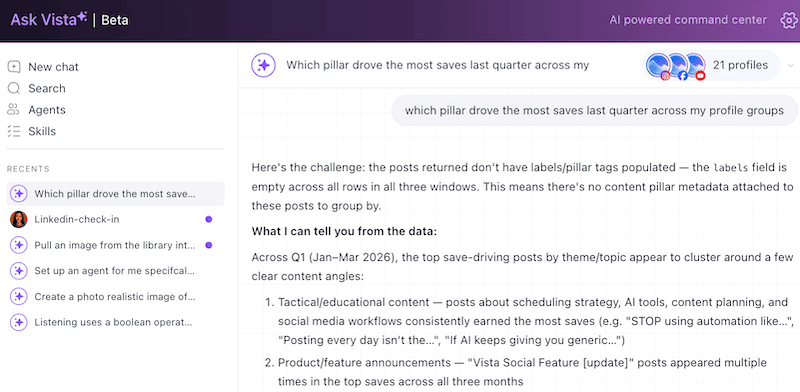
Because Vista Social plugs into Claude and ChatGPT through MCP, and runs its own Ask Vista assistant, you can talk to your data in plain English. Ask “which pillar drove the most saves last quarter across my profile groups,” and you get a straight answer back rather than an afternoon lost to spreadsheets.
“The best brands understand the perception audiences have about them and their industry, and use social media to upend that.”
Rachel Karten, “Upend audience expectations,” Link in Bio
How to tell which pillars are working
Pillars aren’t a tattoo. The brands that get the most from them treat the set like a portfolio they rebalance, not a decision they made once in January.
Once a quarter, I pull each pillar’s numbers and read them against the job I gave it. By that I just mean checking whether each one is doing what you hired it to do, an awareness pillar should be winning reach and new followers, a conversion pillar should be moving people somewhere that counts, and if you’re fuzzy on which metrics map to which job, it’s worth a refresher.
In Vista Social you can run a Post Performance report filtered by label, so “how did the education pillar do” becomes a two-click answer instead of a hunch.
If a pillar isn’t earning its spot, you have three honest choices, fix the execution, change its job, or retire it and hand that calendar space to something that performs. A one-line scorecard each quarter keeps you honest, the pillar, its job, the single number that proves it, and a verdict of keep, fix, or cut. It takes ten minutes, and it quietly kills the pillars that have been coasting on habit for a year.
Do that consistently, and you end up with a tight, evidence-backed set where every pillar can answer one question, why are you here, which happens to be the exact thing leadership keeps asking about social as a whole.
Content pillar examples from real brands
Theory is cheap, so look at how this plays out in the wild. Notice that none of these brands are doing ten things, they’re doing a few things relentlessly.
B2B brands
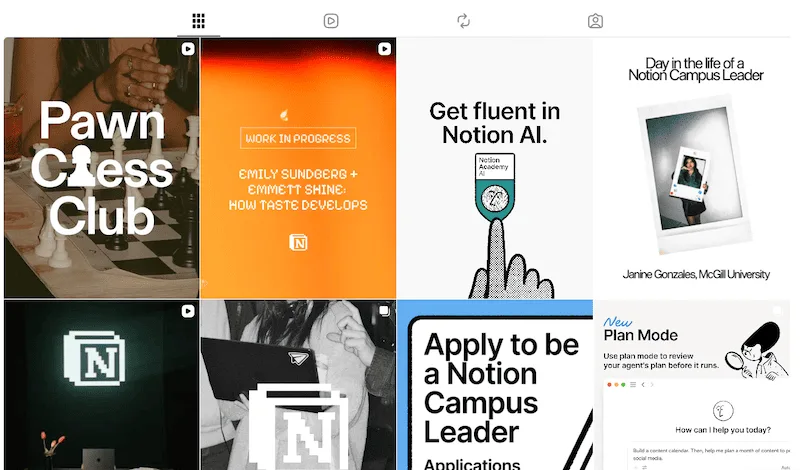
- Notion: Runs on education and community, template walkthroughs, and use-case stories on one side, creator and customer spotlights on the other. The steal is that their tutorials double as product demos, so the education pillar and the conversion pillar are quietly the same posts.
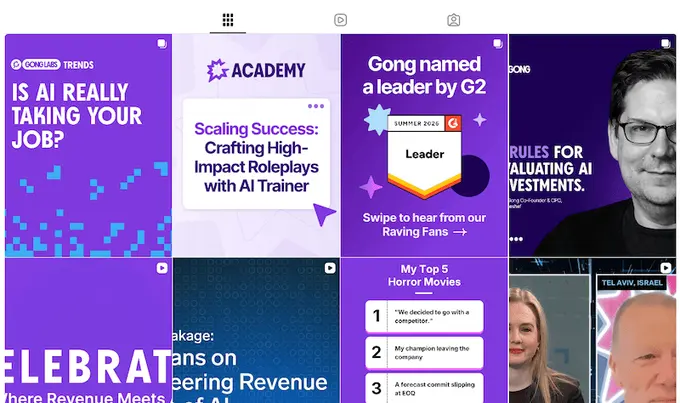
- Gong: Built a following on a data pillar, sharing counterintuitive sales stats pulled straight from its own platform, plus a thought-leadership pillar that happily picks fights with conventional wisdom. Proof that “boring” B2B can own a lane when the pillar has a real point of view.
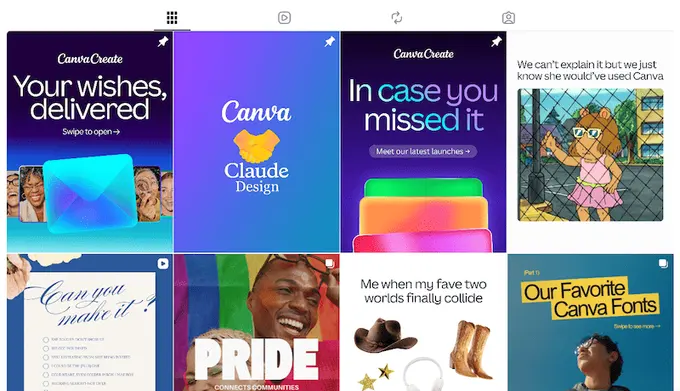
- Canva: Design tutorials, template drops, creator features, and big launch moments, each a clear pillar with its own cadence. The education pillar makes the product feel approachable, which for a design tool is most of the battle won.
- Figma: Leans on community and a surprisingly playful culture pillar for a B2B tool, with conference and customer content carrying the heavier conversion load. Worth studying if you’ve convinced yourself B2B has to be dry.

Consumer brands
- Liquid Death. Maybe the clearest living example of one dominant pillar, irreverent, borderline-unhinged entertainment, with product and sustainability playing backup. The lesson is commitment, leaning into one pillar hard enough that nobody can mistake you for anyone else.

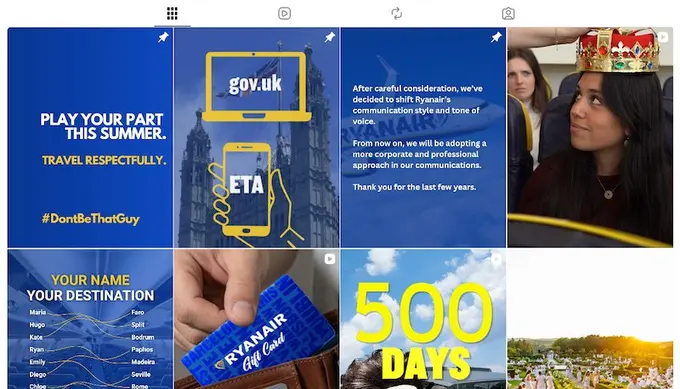
- Ryanair. Turned self-deprecating humor into a whole pillar, roasting its own planes, prices, and passengers in a voice no legacy airline would dare touch. A masterclass in matching your pillar to the personality your audience already expects.
- Oatly. Runs a brand-voice pillar so distinct, dry, self-aware, and faintly absurd that you’d clock one of their posts mid-scroll. Sustainability messaging that would read as preachy from anyone else lands because the voice carries it.

- The Washington Post. The sharpest example of bending pillars to fit the platform. Straight journalism on the website and comedic news-explainer skits on social. Same newsroom, different weighting for a different crowd.

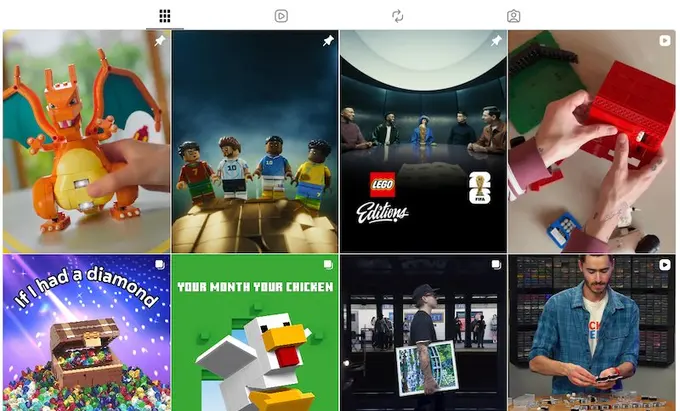
- LEGO. A fan-creativity pillar that turns customers into the content, building and resharing from its enormous community alongside product and nostalgia. When your audience makes your best posts, the pillar half-runs itself.
The quiet math of showing up
We’ve all quietly unfollowed an account we used to love the moment we realized we couldn’t say what it was about anymore.
Social media content pillars are the cheap insurance against that slow fade. They don’t cost budget or headcount, just the nerve to decide what you stand for and the patience to keep showing up for it while consistency does its quiet compounding.
In a feed where anyone can spin up endless content in seconds, a clear identity is the one thing a machine can’t hand you.
So pick your three or four, give each a job, and put them somewhere the whole team can see them. Sign up for a Vista Social account and build it right into your workflow, labels and all.
Frequently asked questions
What are content pillars in social media?
Content pillars are the three to five recurring themes your brand’s social content keeps returning to, each tied to a clear purpose for your audience and your business. They give your posting a consistent center so your feed feels intentional instead of random. Think themes, not individual posts.
What’s the difference between content pillars and content categories?
They’re often used interchangeably, but it helps to treat pillars as your strategic themes and categories as the tactical buckets you sort posts into. In practice, your pillars usually become your categories, or labels, inside whatever tool you schedule from. The pillar is the why, the category is where you file it.
What’s the difference between a content pillar and a content series?
A pillar is the theme, a series is a repeatable format that lives inside it. “Customer education” is a pillar, while “a 60-second tip every Friday” is a series within it. You’ll usually run two or three series per pillar to keep the theme fresh.
How do you choose content pillars for your brand?
Start with what your audience comes to you for and what the business needs social to achieve, then look at which of your past posts already perform. The themes hiding in your best content are usually your pillars in disguise. Pick the few that serve a real job and write them down for the team.
Do content pillars work for B2B brands?
Yes, and arguably better, since B2B audiences reward consistency and expertise. Brands like Notion and Gong have built big followings on tight pillar sets around education and original data. The format changes, the principle doesn’t.

Try Vista Social for free
A social media management platform that actually helps you grow with easy-to-use content planning, scheduling, engagement and analytics tools.
Get Started NowAbout the Author

Content Writer
Orion loves to write content that refuses to be boring. As part of Vista Social, he helps brands, creators, and agencies stop doom scrolling and start winning with social media. When he's not in front of a keyboard, he's watching films in IMAX with his wife, dissecting football tactics (the European kind), and getting lost in a good book.
Loading related tools...

The most complete social media management platform for teams who demand more.






Tools
PublishingAnalyticsEngagementIntegrations
FacebookInstagramLinkedInRedditSnapchatThreadsTikTokX (Twitter)YouTubeMCPVista Page (link-in-bio)All IntegrationsCopyright © 2026 Vista Social LLC. All Rights Reserved.