

Published on April 3, 2026
13 min to read
Pinterest Advertising 101: How to Sell More With Pinterest Ads

Summarize with AI

Table of contents
Summarize with AI

ChatGPT

Claude

Perplexity
Share

Vista Social

X (Twitter)


If you’ve been pouring money into Meta or Google ads and watching your cost per click creep higher every quarter, you’re not alone. Ad costs on those platforms keep rising, and the people seeing your ads aren’t always ready to buy. They’re scrolling through memes, catching up with friends, or watching videos.
Pinterest is a different story. The 619 million people who use it every month aren’t there to kill time. Instead, they’re planning purchases, saving ideas, and actively searching for products.
This guide walks you through how Pinterest advertising works, what ad formats are available, and how to launch campaigns that turn that buying intent into actual sales.
Table of contents
What is Pinterest advertising?
Pinterest advertising lets you pay to put your Pins in front of more people. Your promoted Pins show up in home feeds, search results, and related Pin sections, right alongside organic content.
They look almost identical to regular Pins, with just a small “Sponsored” label at the bottom (as you can see below).
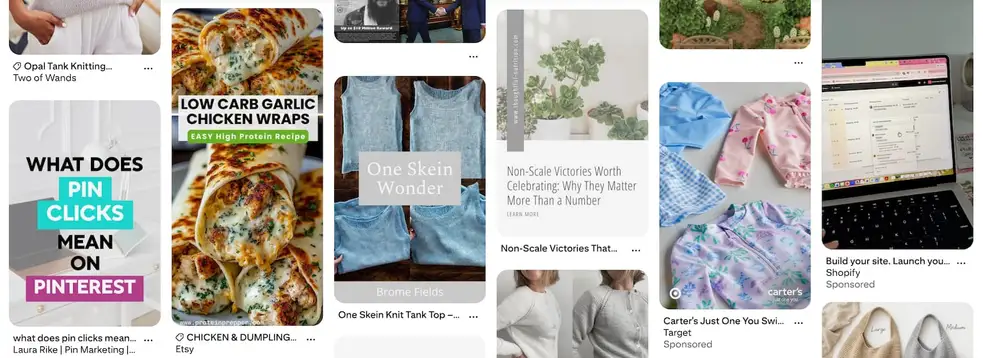
That matters more than you might think. On platforms like Facebook or Instagram, ads interrupt what people are doing. On Pinterest, your ads blend into what people are already looking for. Someone searching “small kitchen storage ideas” is not annoyed by a promoted Pin showing a clever shelf organizer. They welcome it.
Pinterest processes over 80 billion searches a month, and more than half of those searches carry commercial intent. That is a massive pool of people who are not just browsing. They are researching what to buy next.
Benefits of Pinterest advertising
There are real, practical reasons to add Pinterest to your advertising strategy, especially if you are feeling the squeeze on other platforms.
Reach people who are already shopping
On most social platforms, you’re trying to convince someone to care about your product while they’re in the middle of doing something else. Pinterest flips that dynamic.
According to Pinterest, 85% of weekly users have bought something based on Pins they saw from brands. These are people planning weddings, remodeling kitchens, building wardrobes, and stocking up on gifts. They come to Pinterest with a purpose, and your ad can be the thing that helps them make a decision.
Keep driving traffic after your budget runs out
This is one of the most underrated advantages of Pinterest ads. When someone saves your promoted Pin, the “Sponsored” label disappears. That Pin now sits on their board as organic content, and other users can save it again from there.
A single promoted Pin can keep bringing people to your site for weeks or months after the campaign ends. On Facebook or Instagram, the moment you stop paying, the traffic stops too.
Tap into a fast-growing, younger audience
Pinterest is not a shrinking platform. It hit 619 million monthly active users in Q4 2025, a 12% jump year over year. A big chunk of that growth comes from Gen Z, who now make up 42% of the user base. If your brand targets younger shoppers, Pinterest is where they’re discovering products and building wish lists.
Stretch your ad budget further
Pinterest CPCs typically fall between $0.10 and $1.50. CPMs tend to land between $2 and $5. Compare that to Facebook, where CPCs often run $0.30 to $4.00 with CPMs ranging from $3-20, or Google search ads at $1.50 to $9 per click.
If you’re tired of watching your cost per acquisition climb on other platforms, Pinterest gives you room to test and learn without burning through your budget in a week.
Types of Pinterest ads
Picking the right ad format depends on what you’re trying to accomplish and what kind of creative you have to work with. Here’s what Pinterest offers right now.
Standard/image pins
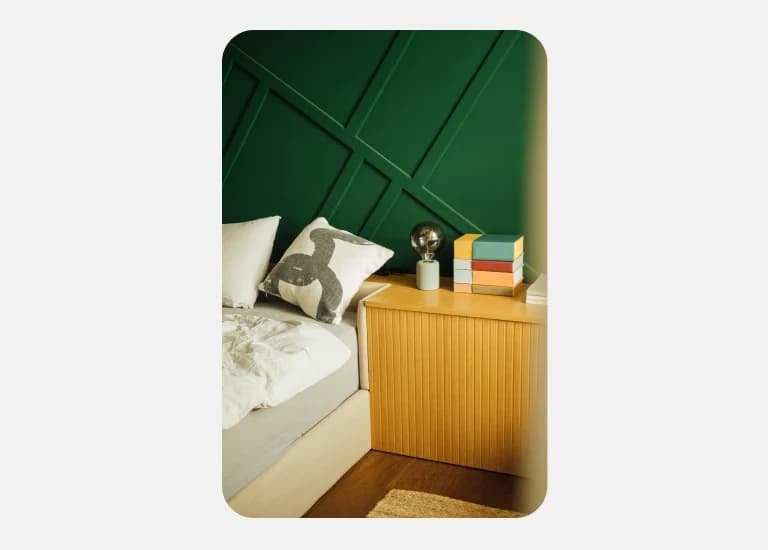
If you’ve never run a Pinterest ad before, standard pins are the easiest place to start. They’re single static images that look and behave like any other Pin, but they get pushed to a wider audience.
Use these when you want to drive clicks to a product page, blog post, or landing page. Stick with vertical images at a 2:3 aspect ratio (1000 x 1500 pixels) since they take up more feed space.
Video pins
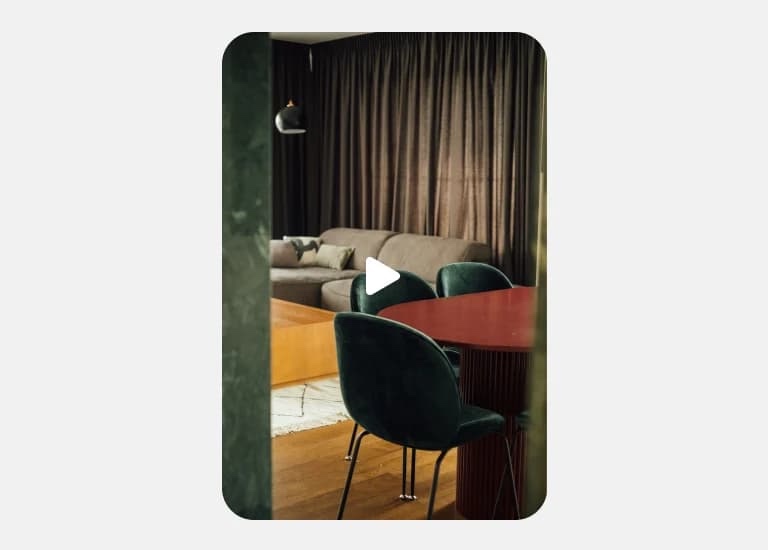
Static images work, but video stops the scroll. Video pins auto-play as users browse, giving you a few seconds to hook someone before they move on. Pinterest offers standard width videos (same size as a regular Pin) and max width videos (which stretch across the full mobile feed).
The key is to front-load your message. Put your strongest visual in the first two to three seconds, and design for sound-off viewing with text overlays. Pinterest recommends keeping videos between 6 and 15 seconds.
Carousel pins
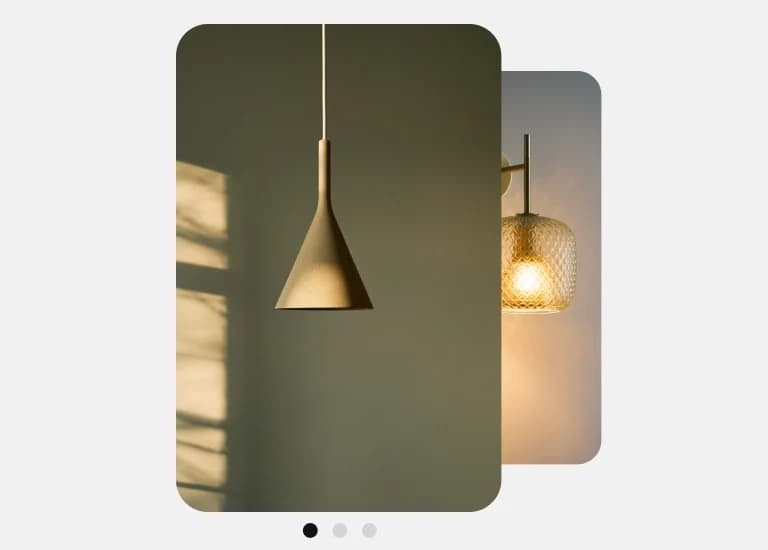
Sometimes a single image is not enough to tell the full story. Carousel ads let users swipe through two to five images, each with its own title, description, and destination link. This is useful when you want to show a product from multiple angles, walk through a process, or feature several items from the same collection. All images need to use the same aspect ratio: either 1:1 or 2:3.
Collections
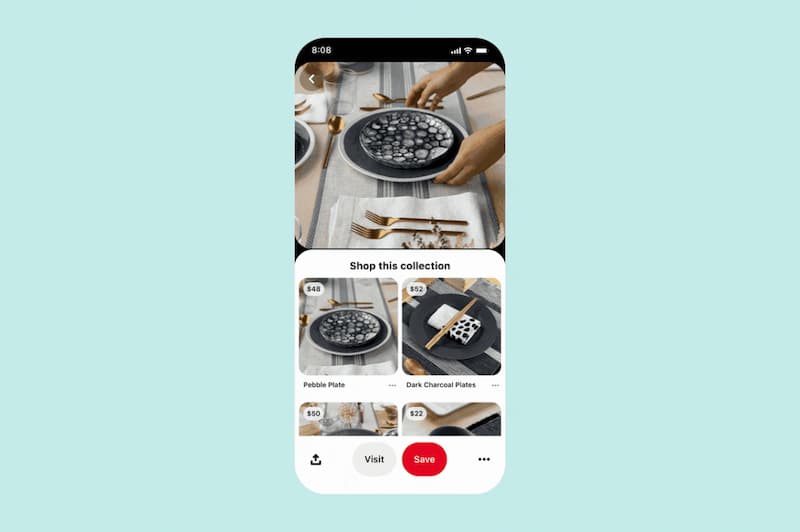
Collection ads solve a specific problem: how do you show a full product line without overwhelming the viewer? This format pairs one large hero image (or video) at the top with three smaller product images below it. When someone taps, they land on a full-screen shopping experience.
Picture a jewelry brand using a lifestyle photo of someone wearing a gold necklace, earrings, and bracelet as the hero image. The three smaller images show each piece individually with a direct link to buy. To use collections, you need a product catalog synced to your Pinterest business account.
Idea pins
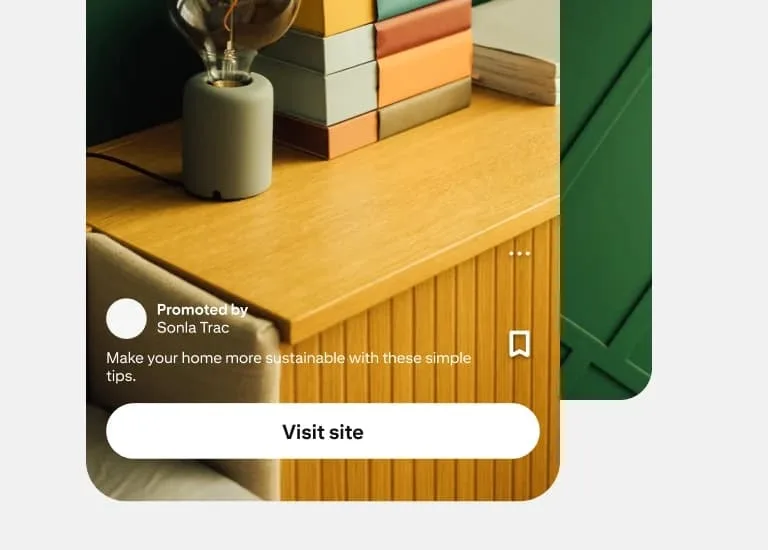
Idea ads are Pinterest’s multi-page format. They combine images, videos, text, and lists into a single Pin with up to 20 pages. Think of them as mini guides baked into one piece of content.
This format works well when you need to show a process rather than just a product. A beauty brand might walk through a five-step skincare routine, with each page featuring a different product. You can also run idea ads as paid partnerships with creators to add credibility and reach new audiences.
Premiere Spotlight pins
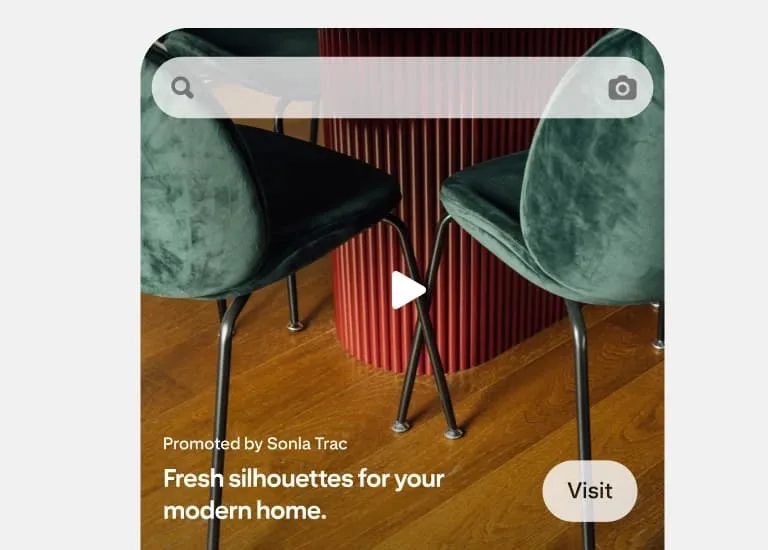
Premiere Spotlight is Pinterest’s premium placement. It puts a full-width video at the very top of the home feed or search page for an entire day. You do not bid for this spot. You reserve it in advance.
This format is built for product launches, seasonal campaigns, or moments when maximum visibility matters most. It is primarily used by larger brands since the reserved placement comes at a premium price.
Quiz pins
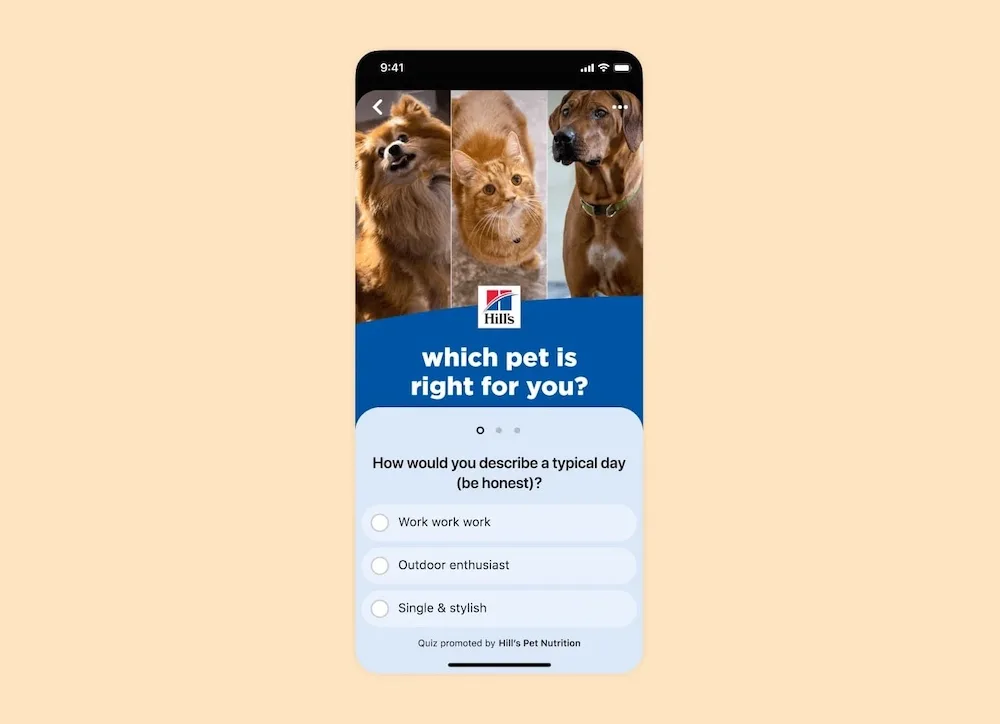
Quiz ads turn your ad into a short interactive experience. You set up two to three multiple-choice questions, and based on the answers, users see different results with an image, headline, and link.
This format is great for guiding people toward the right product. A skincare brand could build a “Find your perfect routine” quiz that sends oily-skin users to one product page and dry-skin users to another. The interactive element keeps people engaged longer, which helps with visibility in the algorithm.
Showcase pins
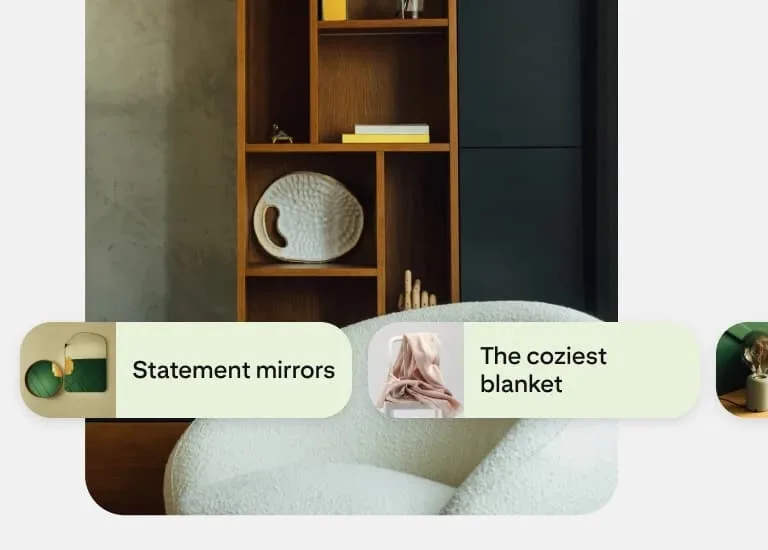
Showcase ads give you the most real estate of any Pinterest format. They feature multiple swipeable cards, and each card can hold up to three clickable features with outbound links. Think of it as a small storefront inside a single Pin.
This format works well for highlighting multiple product lines or content pieces in one ad. Showcase ads are a paid-only format.
How much do Pinterest ads cost?
One of the biggest hesitations with any new ad platform is not knowing what it will actually cost. Here is what you can realistically expect.
Pinterest uses an auction system. You set a bid, and Pinterest charges just enough to beat the next highest bidder. Typical cost ranges:
- CPC (cost per click): $0.10 to $1.50
- CPM (cost per 1,000 impressions): $2 to $5
- CPA (cost per action): $2 to $8, depending on conversion type
What drives those numbers up or down? Competitive industries like fashion, beauty, and home decor attract more advertisers, which pushes bids higher. Narrow targeting can increase costs too. And seasonality plays a big role. During Q4 (October through December), expect to raise your bids by 20 to 50% to stay visible during the holiday rush.
One thing that helps keep costs down is creative quality. Pinterest rewards Pins that get strong engagement with better distribution and lower costs. So investing time in great visuals and clear messaging can directly reduce what you pay per click.
Pinterest offers automatic bidding (where the platform optimizes for you) and manual bidding (where you set your own ceiling). If you are new to Pinterest ads, start with automatic and learn what works before switching to manual control.
How to create a Pinterest ad
Ready to create your first ad? Let’s cover how to set up your first campaign in Pinterest Ads Manager.
Step 1: Open Ads Manager
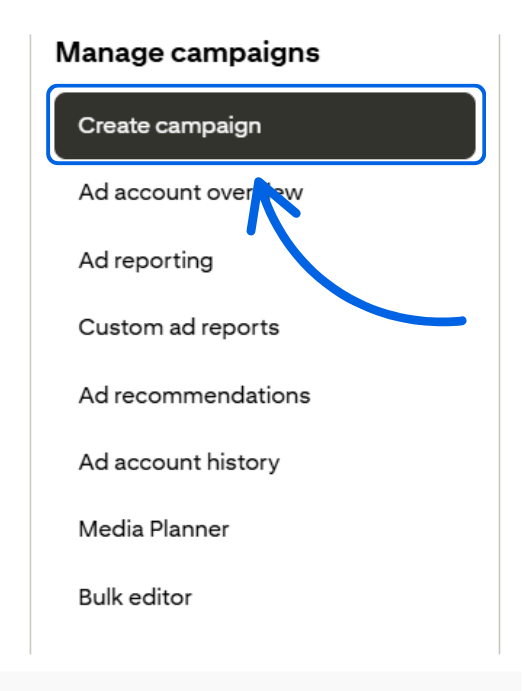
Log into your Pinterest business account and click the Pinterest logo in the top left of the screen. In the selection under Manage Campaigns, click Create campaign.
Step 2: Pick your campaign creation method
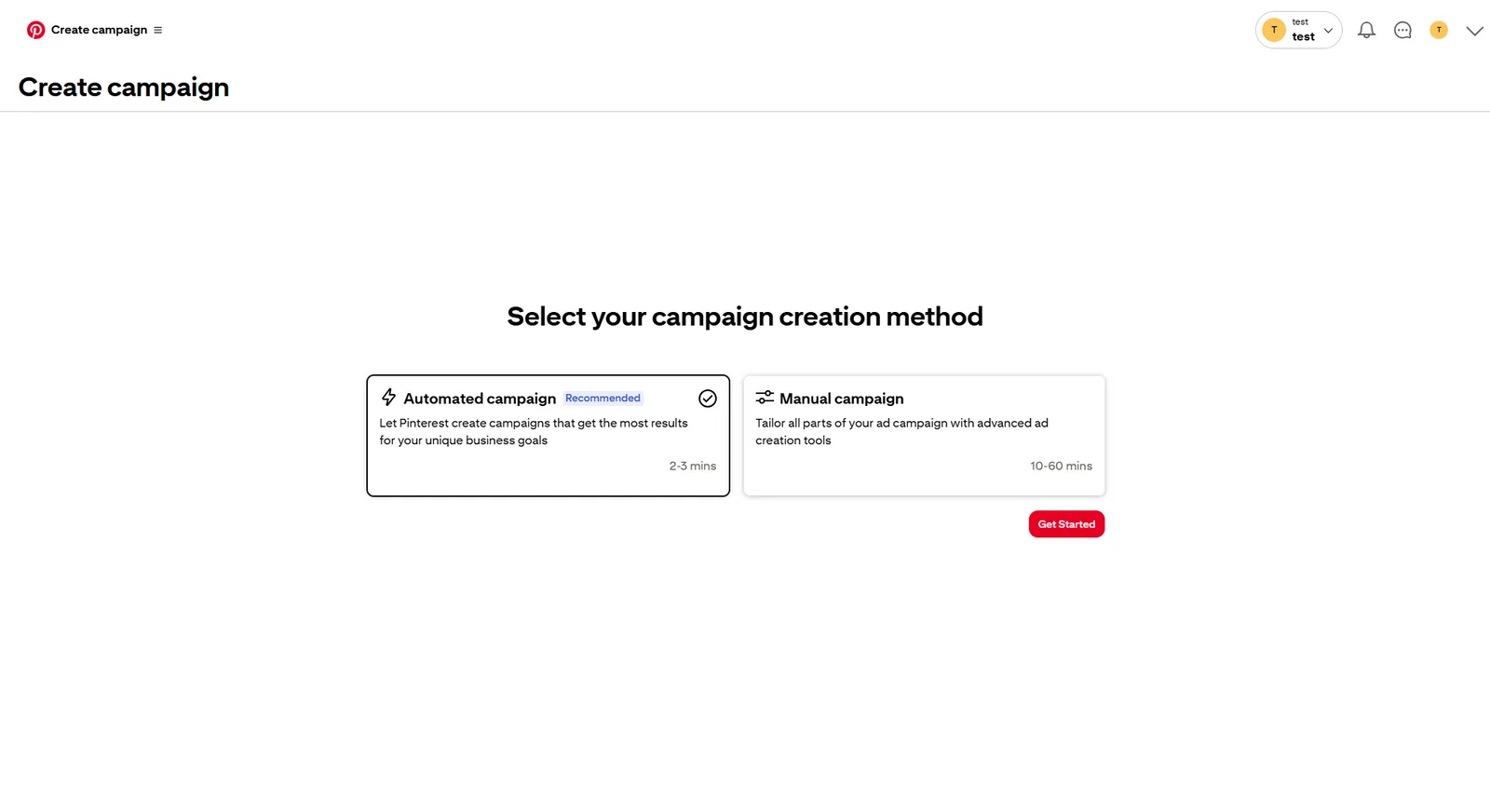
Pinterest offers two kinds of campaign creation methods: Automated campaigns and Manual campaigns. If you want an easier, faster setup, go with the Automated campaign.
Step 3: Set up your campaign
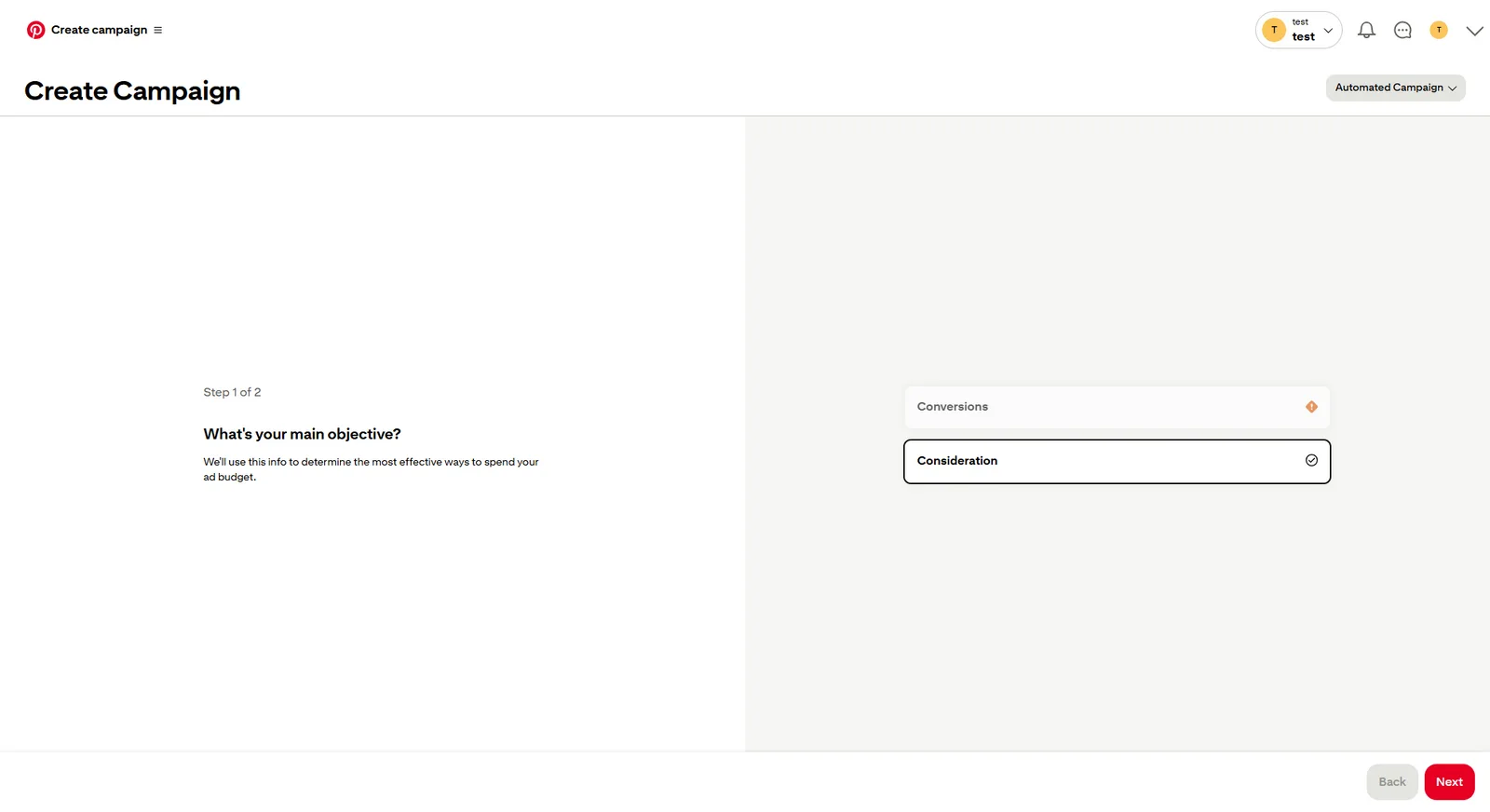
First, Pinterest will ask you what your main objective is with creating the ad, whether it’s Conversions or Consideration.
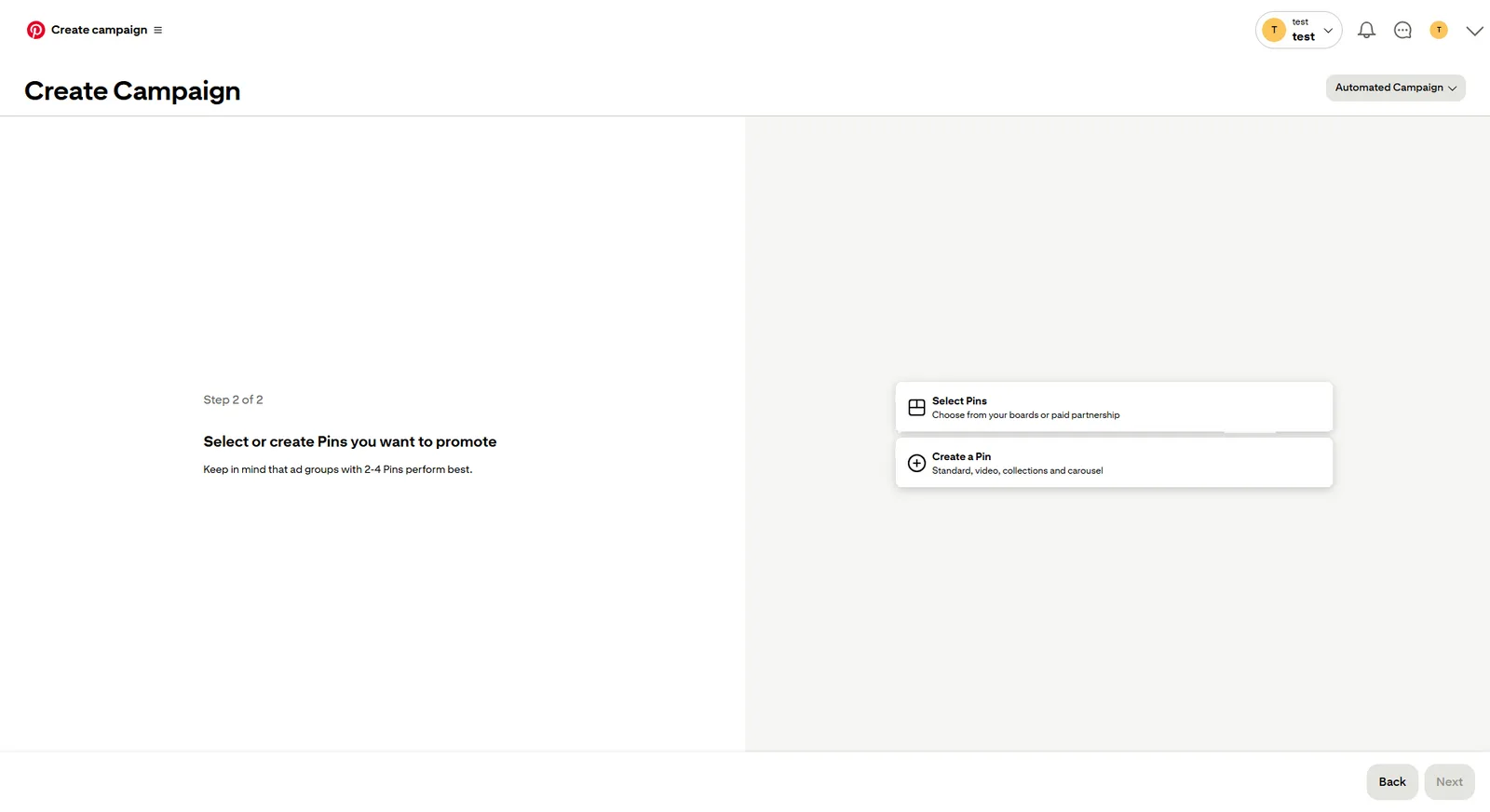
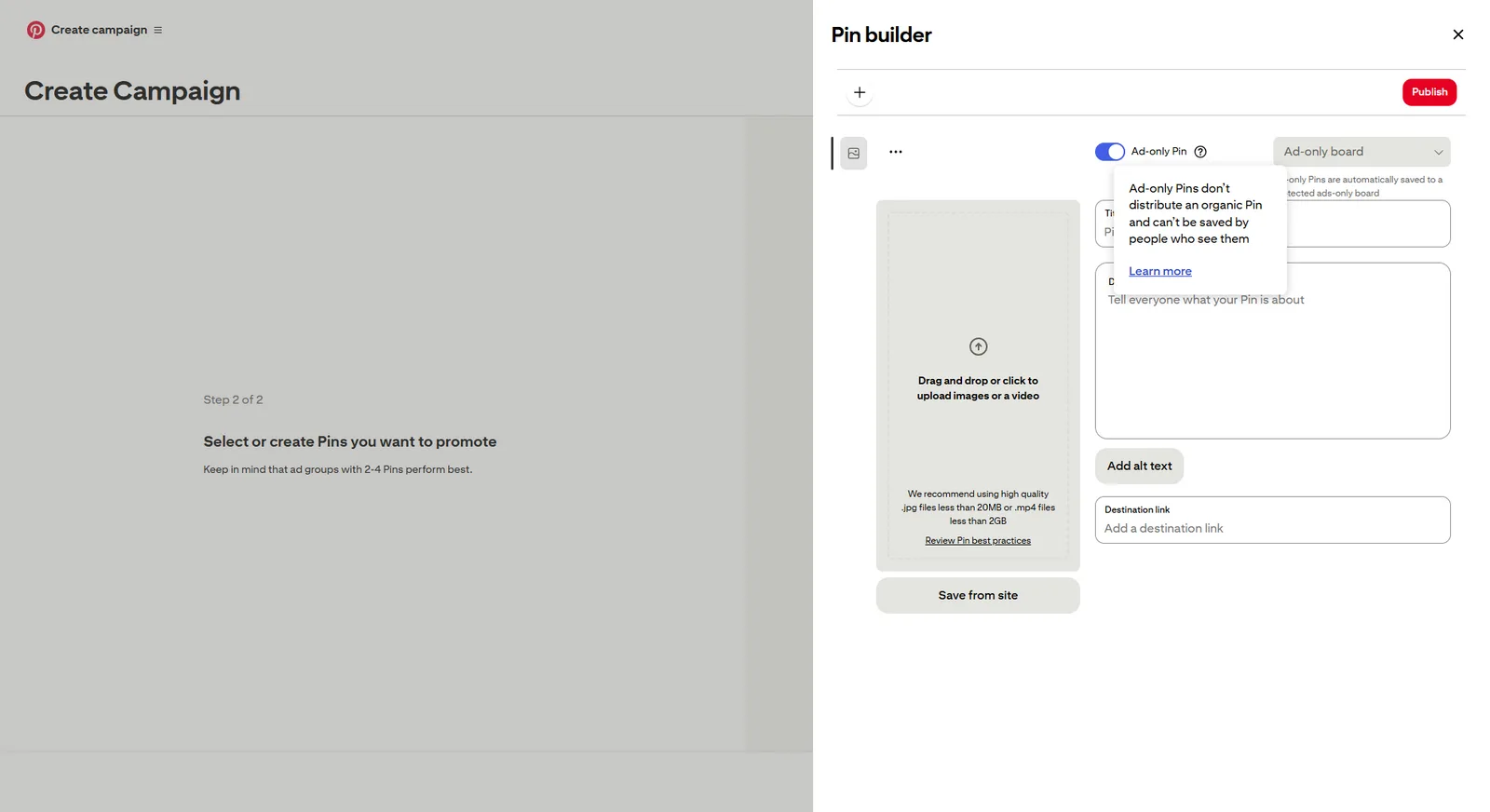
Next, you can either select an existing Pin to promote or create something from scratch. If you’re creating a Pin from scratch, don’t forget to toggle the Ad-only Pin as shown in the screenshot below.
If you want to control every aspect of your ad, go with a Manual campaign.
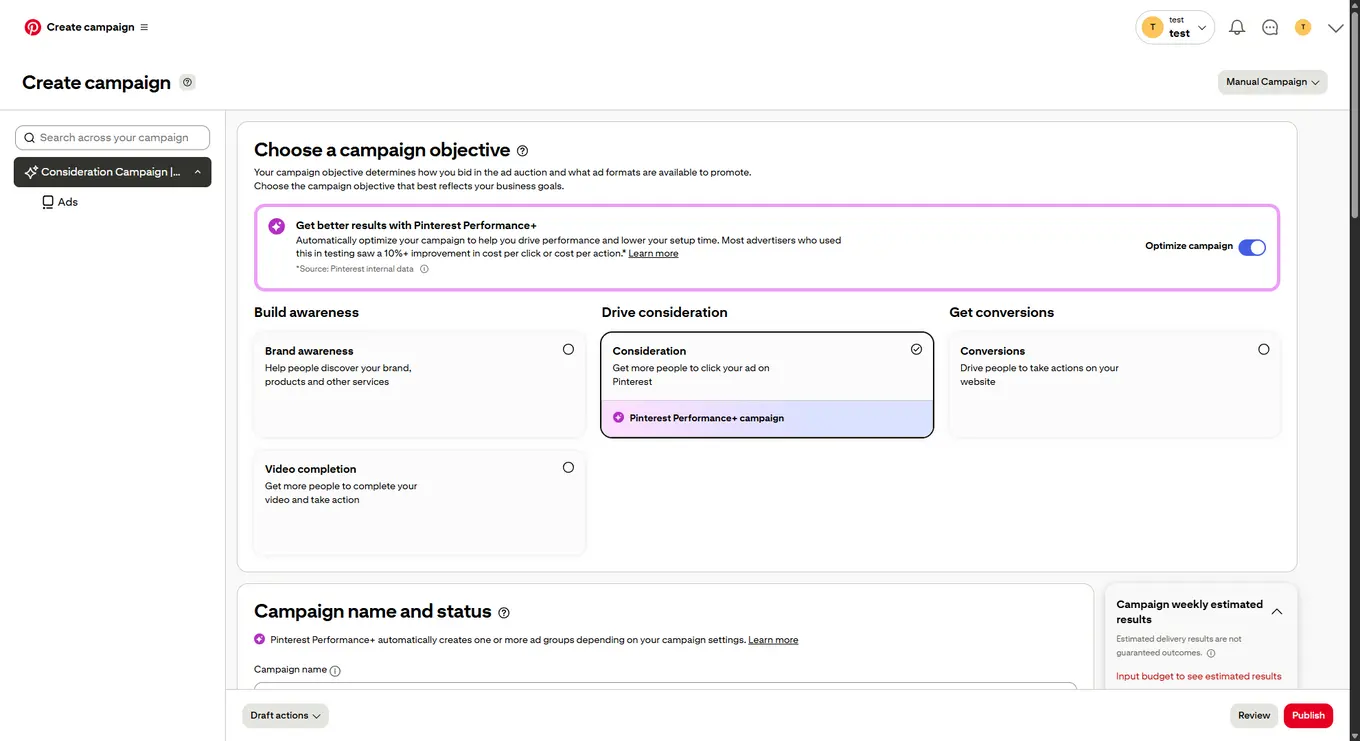
Choose your campaign objective from brand awareness, consideration (traffic), conversions, or video completion. Your objective determines which ad formats and bidding options are available, so pick the one that aligns with your actual goal.
Step 4: Fill in the details
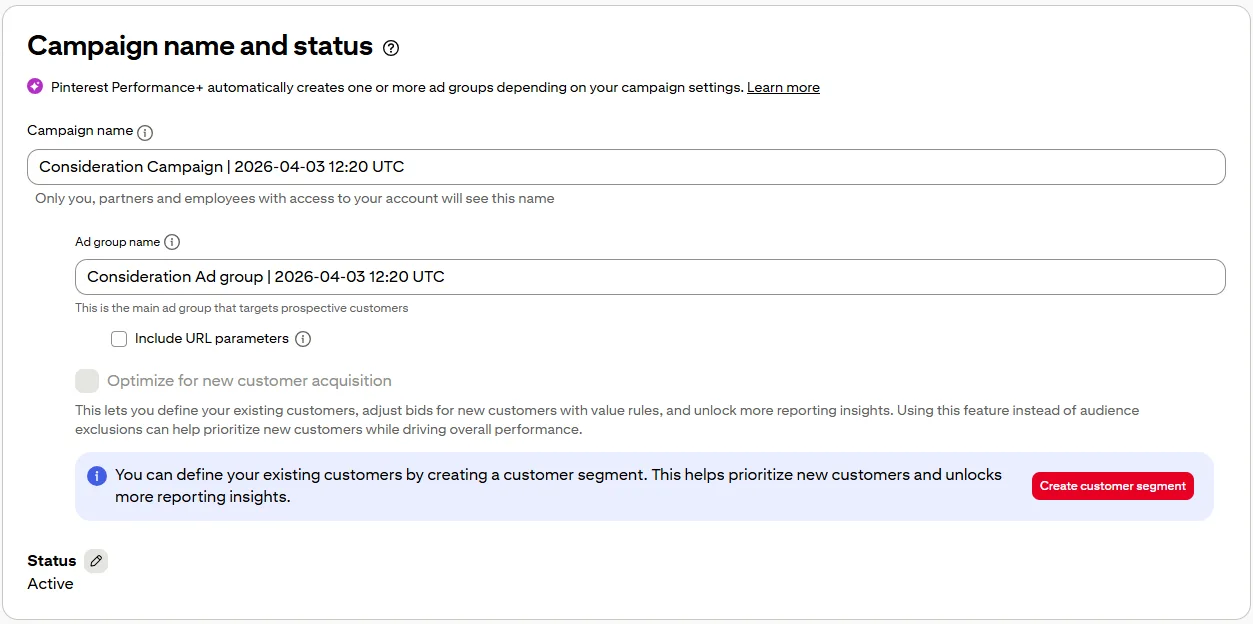
Simply scroll down and fill in the campaign name and status. You’re also able to include IRL parameters for more specific tracking. You can also set the status to Active or Paused in this section.
Step 5: Set your budget and schedule
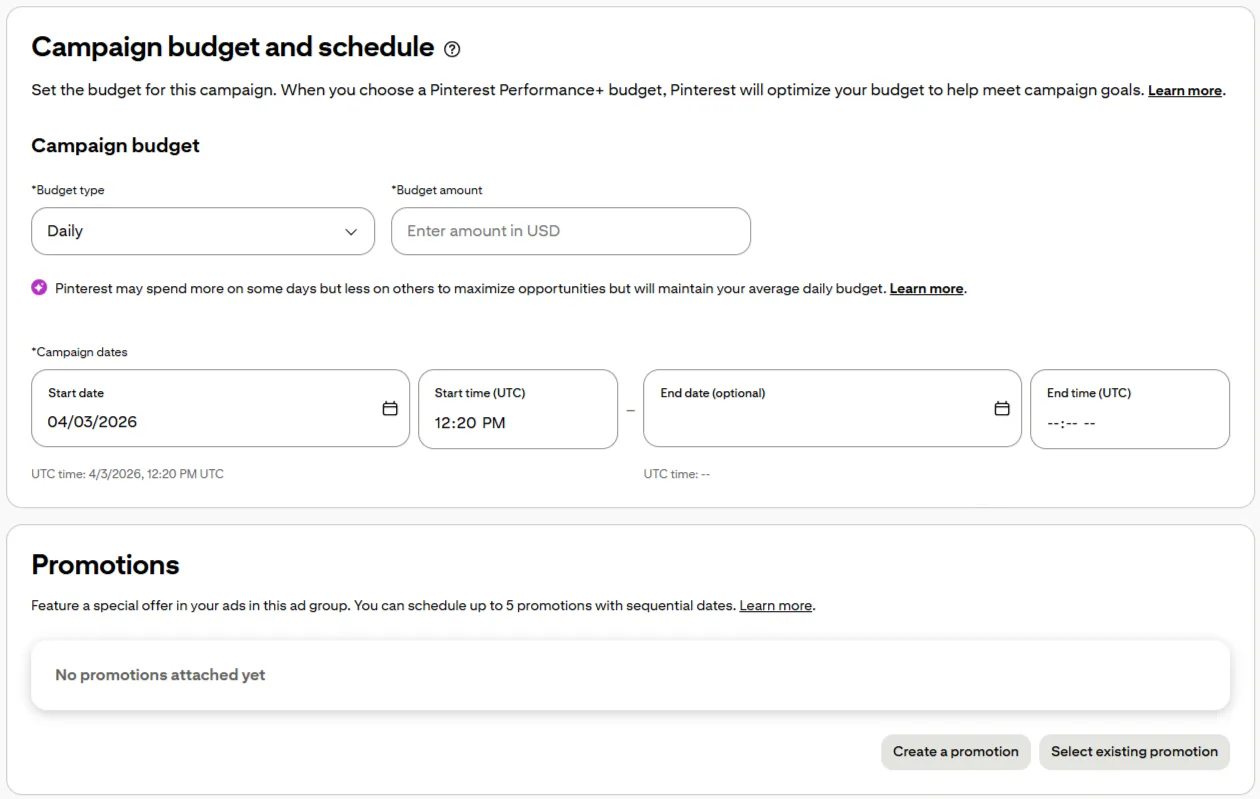
Enter a daily or lifetime budget. You can set specific start and end dates or let the campaign run until you pause it manually.
Step 6: Build your ad group and targeting
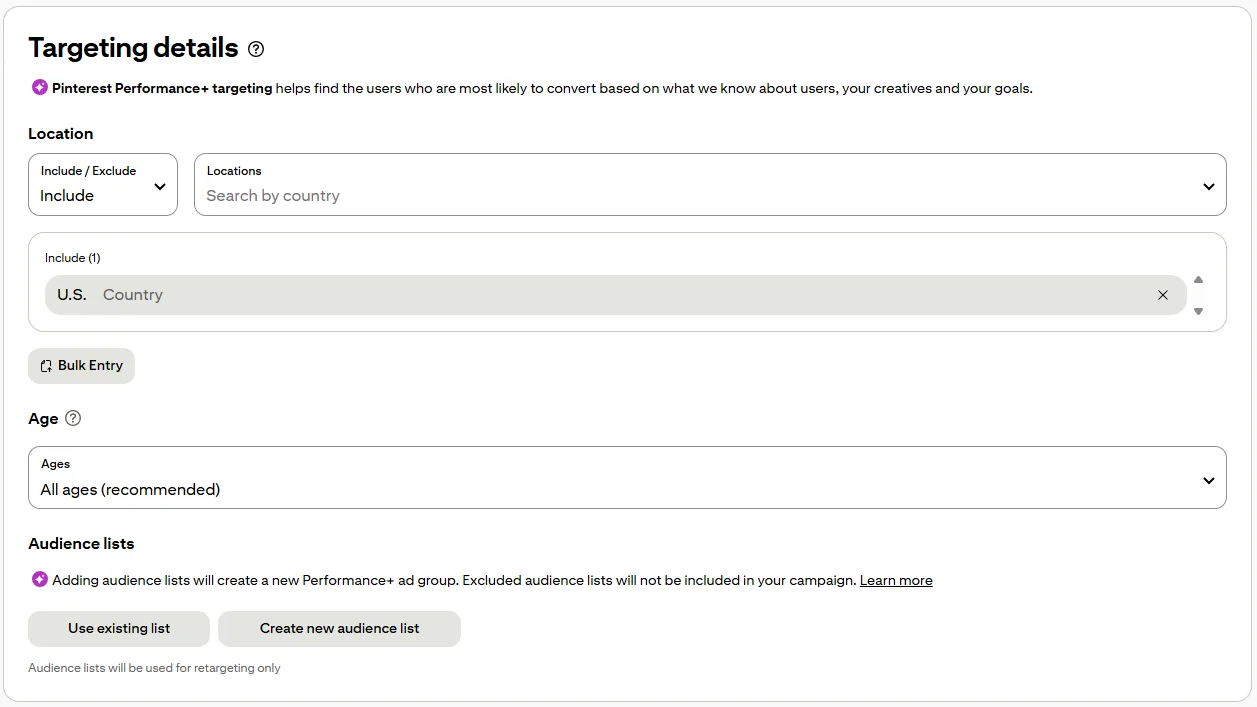
This is where you define who sees your ads. Target by demographics, interests, keywords, or custom audiences like website visitors and customer lists. You can also create actalike audiences to find new people who look like your existing customers. A strong keyword list matters here. Aim for at least 25 keywords, and use a mix of broad match, phrase match, and exact match.
Step 7: Choose your placement and bid
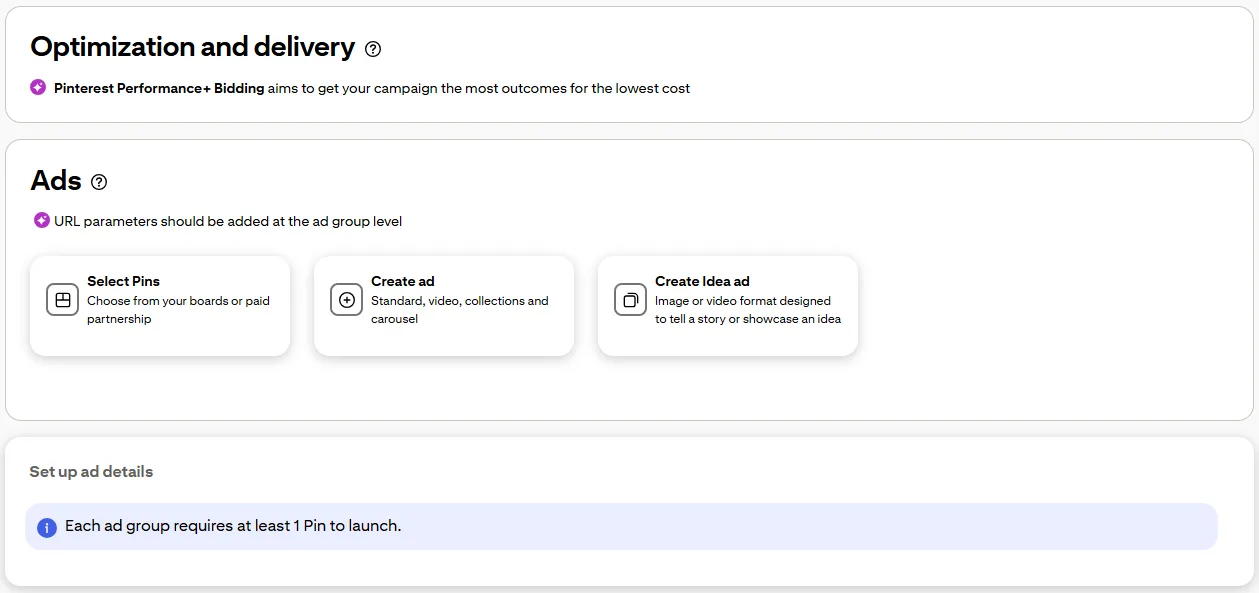
“All placements” is the default and usually the best choice. For bidding, automatic is simpler and works well for most first campaigns. Custom bidding gives you more control once you have performance data to work with.
Step 8: Review and launch
Check your targeting, budget, creative, and links one more time. Then hit Launch. Pinterest typically reviews ads within 24 hours.
How to boost a pin through Vista Social
Running ads through Pinterest Ads Manager works, but it means managing yet another platform on top of everything else. If you’re already juggling content calendars, engagement, and reporting across multiple channels, that’s one more tool you do not need.
That is where Vista Social’s management tools come in. Instead of switching between tools, you can put paid spend behind your best Pinterest content from the same dashboard you use to publish, schedule, and report.
Let’s dive into the basic process.
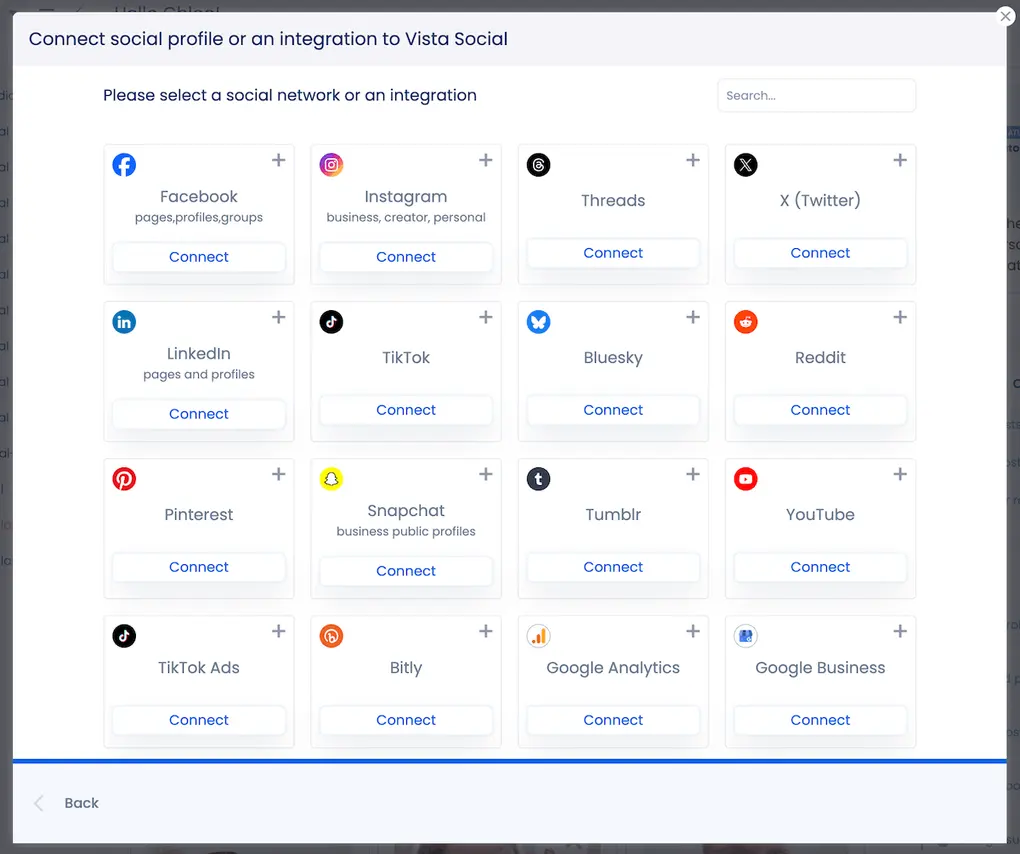
Step 1: Connect your Pinterest profile
Link your Pinterest business account to Vista Social through your profile settings if you haven’t done so already.
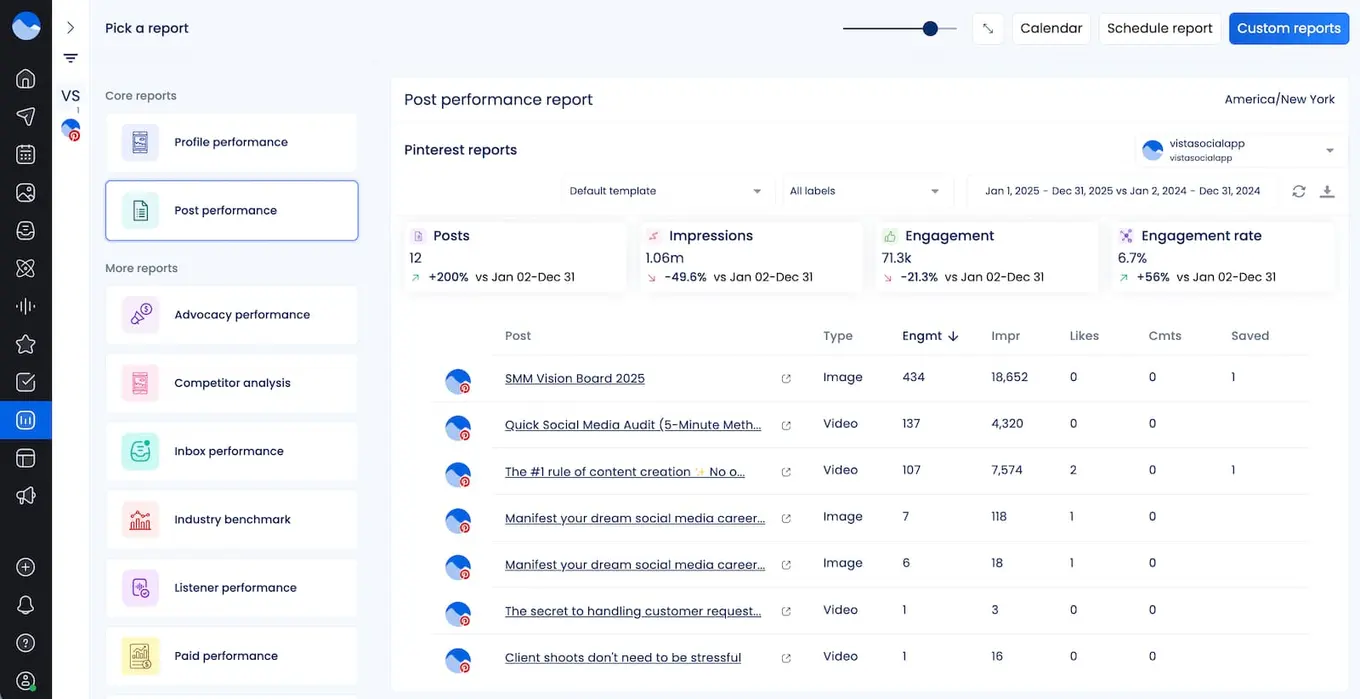
Step 2: Identify your top-performing Pins
This is the step most people skip when they advertise on Pinterest, and it costs them. Instead of guessing which Pins to promote, use Vista Social’s Pinterest analytics to see which organic Pins are already getting strong impressions and engagement. Those are the ones worth putting the budget behind.
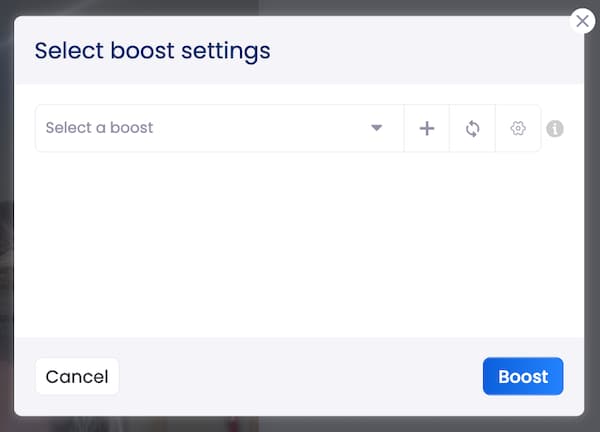
Step 3: Configure your boost
From your Vista Social calendar, select the pin you want to boost and click Boost in the bottom bar. From there, you can choose your boost settings from the dropdown menu:
Or you can click the + to create new boost settings, inputting information like budget, campaign length, audience details, and more.
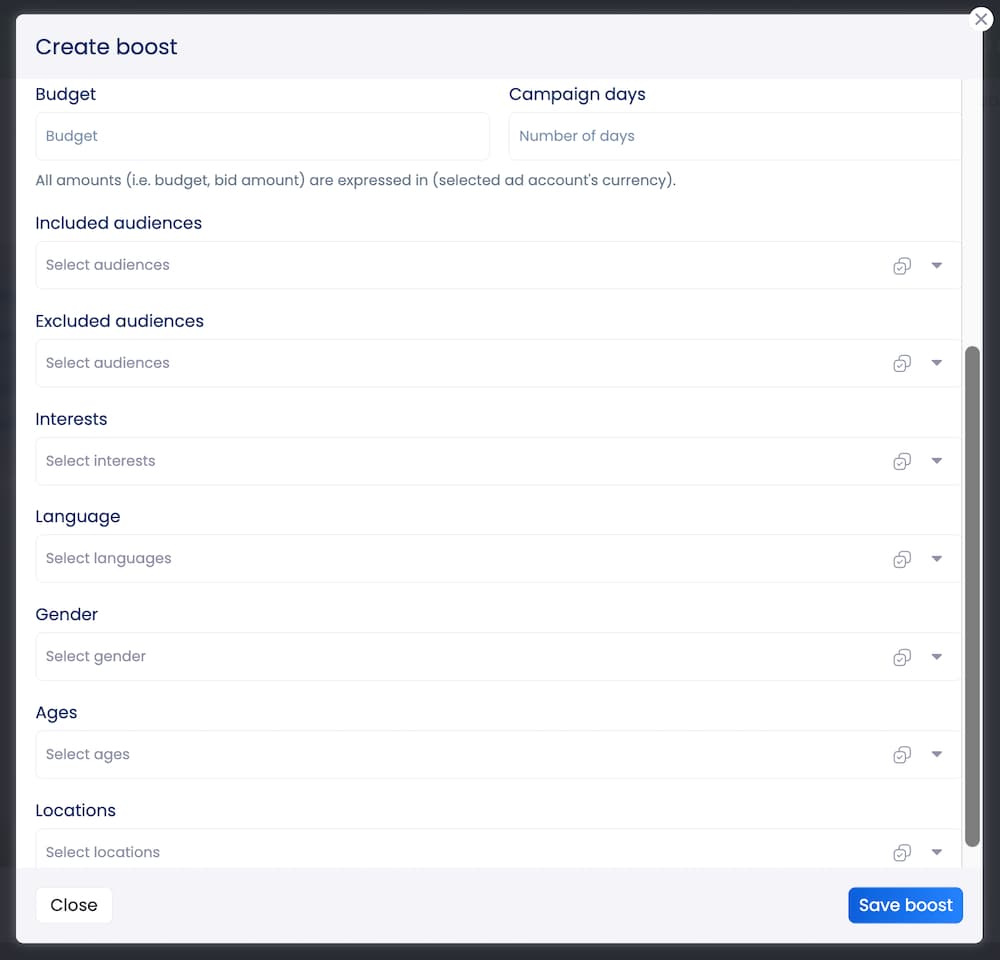
Click Save boost then click Boost.
Step 4: Launch and track
Once your boost is live, track performance alongside your organic content using Vista Social’s analytics tools. Head over to our paid performance report to see your overall results, or go to the calendar to click on specific boosts and get even more data:
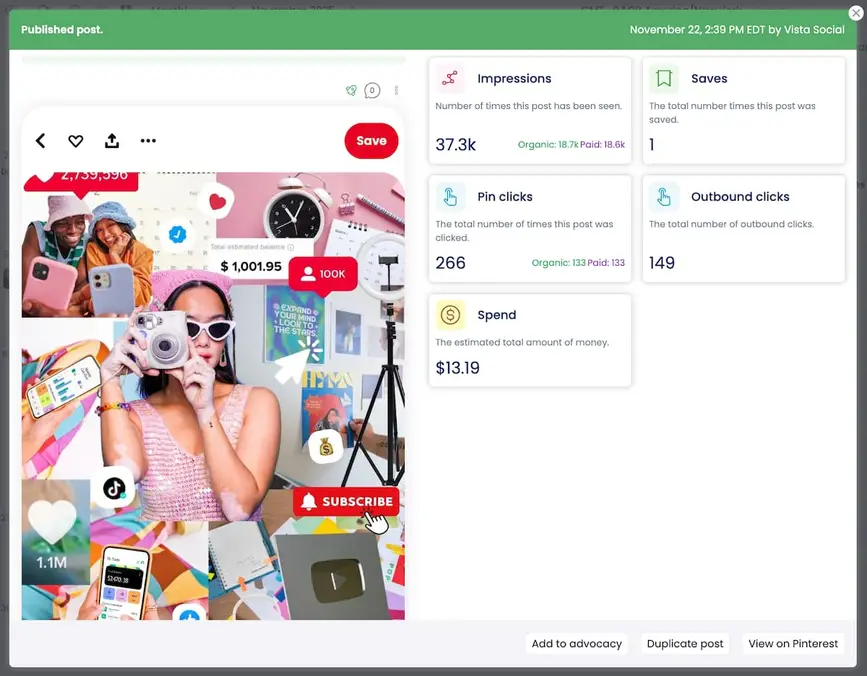
Seeing paid and organic results side by side makes it much easier to understand what is actually working and where to spend next.
Pinterest advertising best practices
Knowing how to set up a campaign is one thing. Getting strong results from it is another. These are the practices that separate ads that convert from ads that just burn budget.
Lead with lifestyle, not product shots
One of the most common mistakes on Pinterest is using the same product-on-white-background images from your website. Pinterest users want inspiration, not a catalog page. A candle brand will get more saves from a photo of their candle on a nightstand next to a book than from a plain product shot. Show your product in a setting that helps someone picture it in their life.
IKEA does this well on Pinterest. Instead of promoting individual furniture pieces, they Pin fully styled room setups that show how everything looks together.
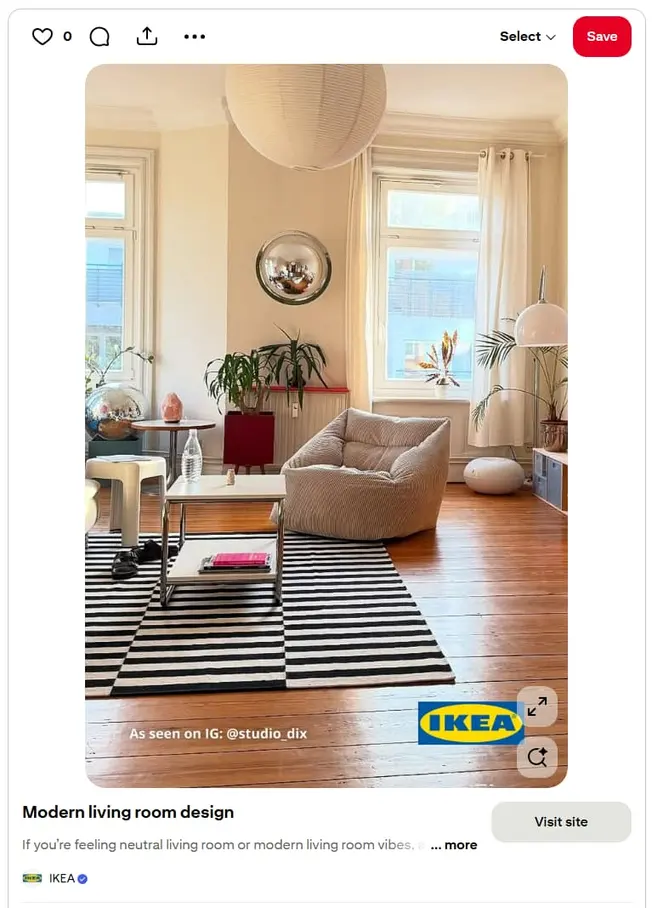
Users see a living room they want to recreate, not just a couch they might buy. That context is what drives saves and clicks.
Design for the scroll, not the click
Most Pinterest users are on mobile, scrolling quickly through a two-column feed. Your Pin needs to communicate its value in under two seconds. Use vertical images (2:3 ratio) to take up more space, and add a short, bold text overlay that tells the viewer what they will get. If someone has to squint or guess what your Pin is about, they are already gone.
Home Depot’s video Pins are a good example. Their logo stays visible throughout, they use text overlays to walk viewers through a quick DIY project, and the videos work with sound off.
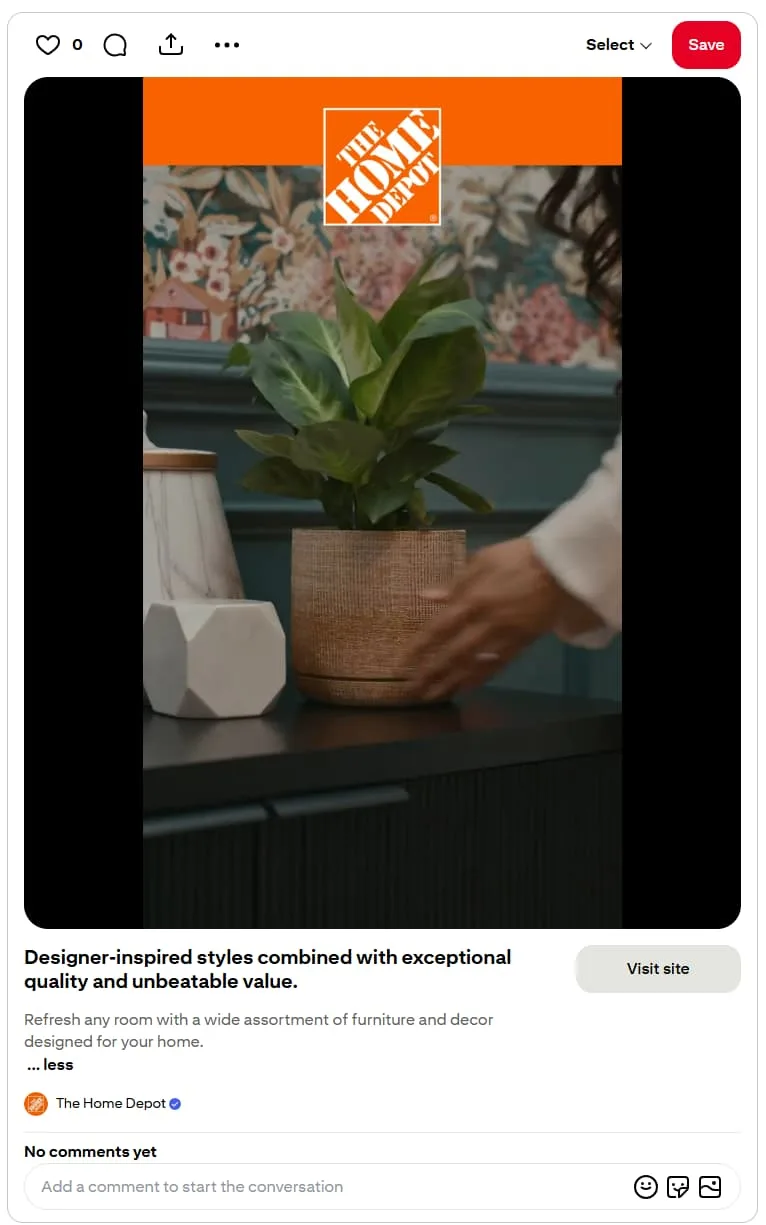
Everything a scroller needs is right there on screen.
Treat keywords like search terms, not hashtags
Pinterest is a search engine first. That means keyword targeting is one of your most powerful campaign tools. But many advertisers treat Pinterest keywords the way they treat Instagram hashtags: broad, vague, and generic.
Instead, think about what your ideal customer would actually type into the search bar. “Soy candles for bedroom” beats “candles” every time. Mix broad and specific terms, and aim for at least 25 per ad group.
Don’t put all your budget behind one format
It can be tempting to stick with standard pins because they’re simple. But different formats serve different purposes:
- Video grabs attention at the top of the funnel
- Carousels and collections work for mid-funnel product discovery
- Quiz ads guide undecided shoppers toward the right product
Run small tests across formats and let the data tell you where to double down.
Old Navy, for instance, uses carousel ads to show the same pair of jeans on different body types, which lines up with their “Jeans For Every Body” messaging.
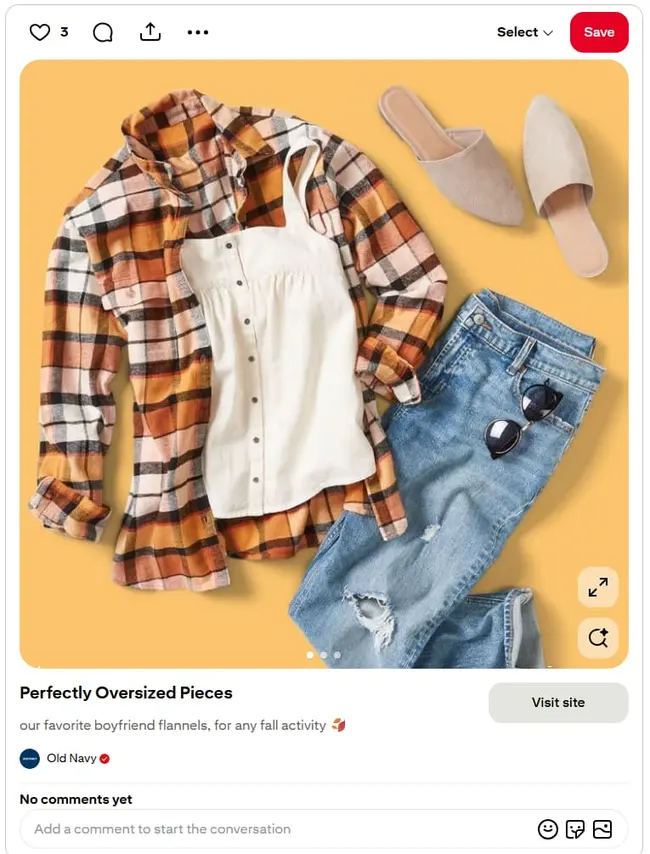
This is a use case where a standard Pin would fall flat, but the swipeable format tells a much stronger story.
Start your seasonal campaigns early
Pinterest users are planners. They start searching for holiday gift ideas in September, summer outfits in March, and back-to-school supplies in June. If you wait until the season arrives to launch your ads, you have already missed the early planners. Use Pinterest Trends to spot when searches start climbing, and get your campaigns live a few weeks ahead of the curve.
Maybelline is a good case study here. The brand timed Pinterest campaigns around Back to School and Halloween, targeting Gen Z users searching for beauty trends ahead of those events.
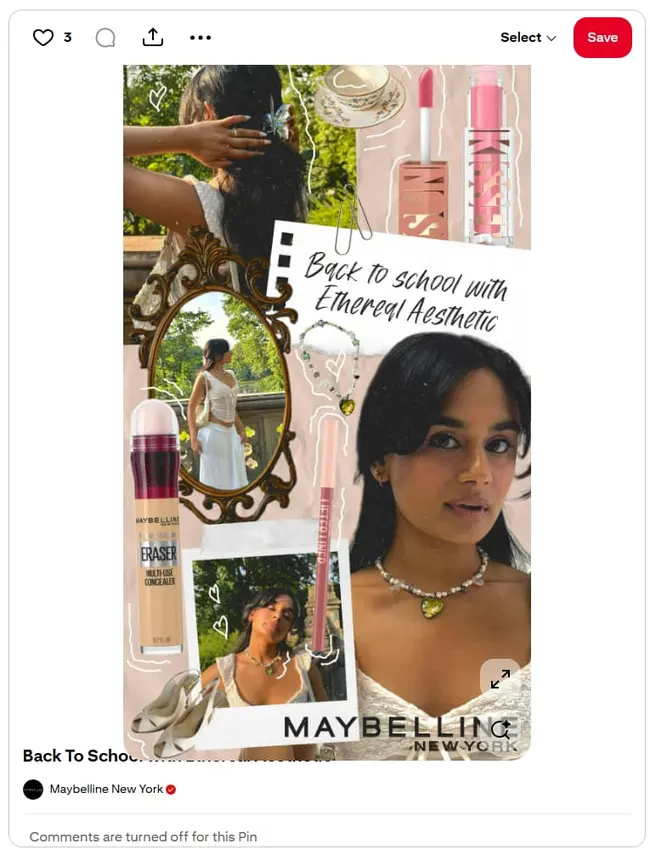
The result was 2x better ROAS than standard cosmetic campaign benchmarks.
Match your landing page to your Pin
A beautiful Pin that links to a slow or irrelevant landing page is wasted spending. If your Pin shows a styled bedroom, the landing page should feature that exact bedding set, not your full catalog. Keep it mobile-friendly, fast, and focused on one clear action.
Sephora handles this well by linking each Pinterest shopping ad directly to the relevant product page. Here’s their ad:
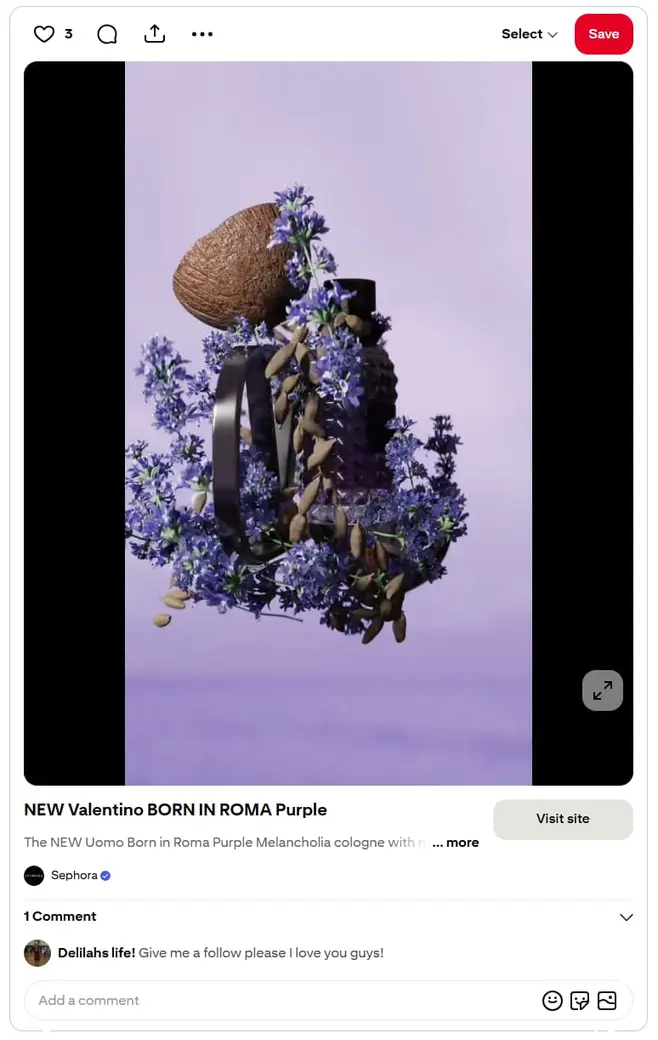
And the page that it leads to:
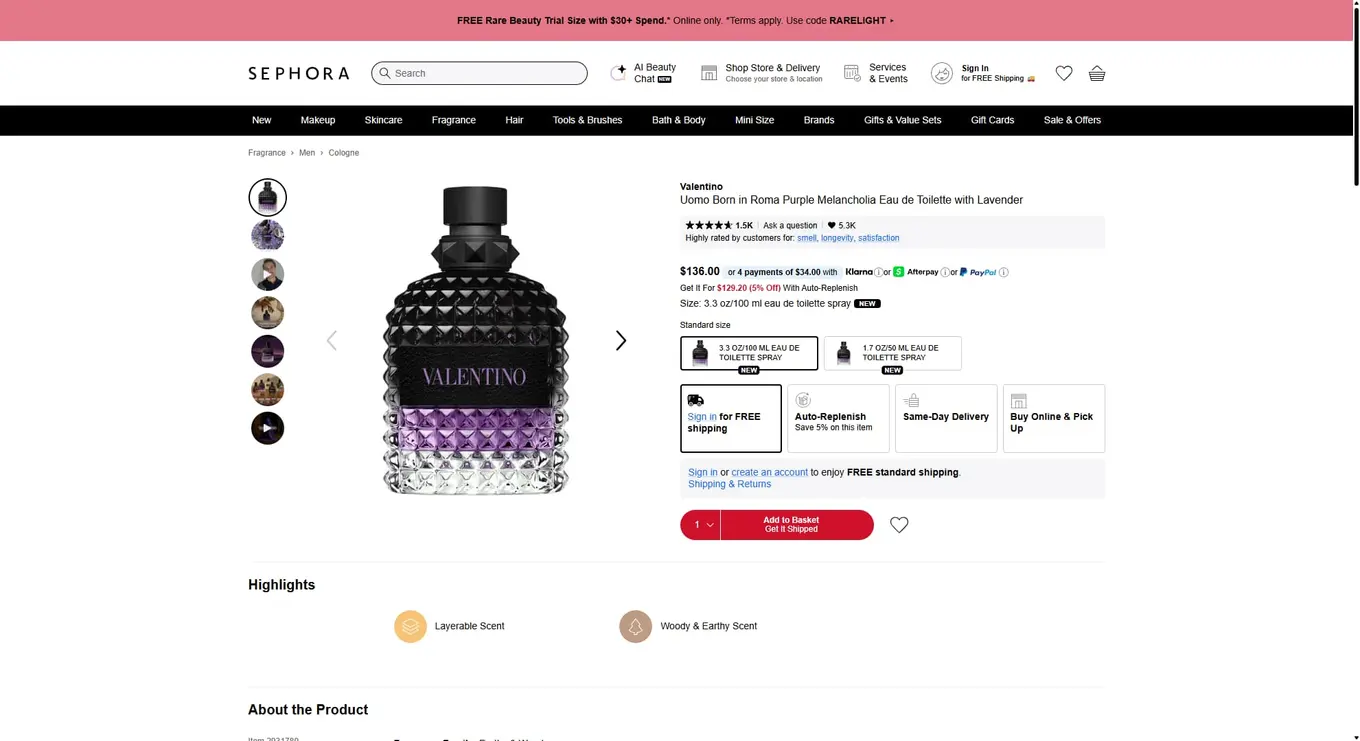
They also segment campaigns by funnel stage, so a discovery ad sends users to a different landing experience than a retargeting ad. That alignment between Pin and destination is what turns clicks into purchases.
Install the Pinterest tag before you spend a dollar
The Pinterest tag is a small snippet of code for your website. It tracks what people do after they click your ad, like viewing a product, adding to cart, or completing a purchase. Without it, you have no way to measure what is working or build retargeting audiences. Always install the tag before you spend a single dollar on ads.
Build your first Pinterest advertising campaign
Pinterest is one of the few ad platforms where you are not fighting for attention. The audience is already looking for ideas, products, and solutions. Your job is to show up with the right creative, the right targeting, and the right offer at the moment they are ready to act.
Start small by picking a format, setting a modest daily budget, and testing. Pay attention to which Pins perform best organically, then put paid spend behind the winners. And if you want to manage that whole process without adding another tool to your stack, Vista Social lets you publish, boost, and track your Pinterest content from the same place you handle everything else.
Pinterest advertising FAQs
How much does it cost to advertise on Pinterest?
Most advertisers pay between $0.10 and $1.50 per click, $2 to $5 per 1,000 impressions, and $2 to $8 per conversion. Your actual cost depends on your industry, targeting, and competition. There is no minimum spend requirement, so you can start with a small daily budget and increase it as you see results.
How does advertising work on Pinterest?
Pinterest uses an auction-based ad system. You create a campaign in Ads Manager, choose a goal (like traffic or conversions), set your targeting and budget, and pick the Pins you want to promote. Those Pins then show up in users’ feeds, search results, and related Pin sections. You pay per click, per impression, or per action depending on your campaign objective.
Is Pinterest worth advertising on?
For brands that sell visual products or target people who are actively planning purchases, yes. Pinterest reaches over 619 million monthly active users, and 85% of weekly users have bought something they discovered on the platform. The cost per click runs lower than most major ad platforms, and your Pins can keep driving traffic as organic content long after the paid campaign ends.

Try Vista Social for free
A social media management platform that actually helps you grow with easy-to-use content planning, scheduling, engagement and analytics tools.
Get Started NowAbout the Author

Content Writer
Russell Tan is a content marketing specialist with over 7 years of experience creating content across gaming, healthcare, outdoor hospitality, and travel—because sticking to just one industry would’ve been boring. Outside of her current role as marketing specialist for Vista Social, Russell is busy plotting epic action-fantasy worlds, chasing adrenaline rushes (skydiving is next, maybe?), or racking up way too many hours in her favorite games.
Loading related tools...




Tools
PublishingAnalyticsEngagementIntegrations
FacebookInstagramLinkedInRedditSnapchatThreadsTikTokX (Twitter)YouTubeBlueskyVista Page (link-in-bio)All IntegrationsCopyright © 2026 Vista Social LLC. All Rights Reserved.