


What Your LinkedIn Follower Demographics Actually Tell You
September 16, 2026
10 min read

Summarize with AI

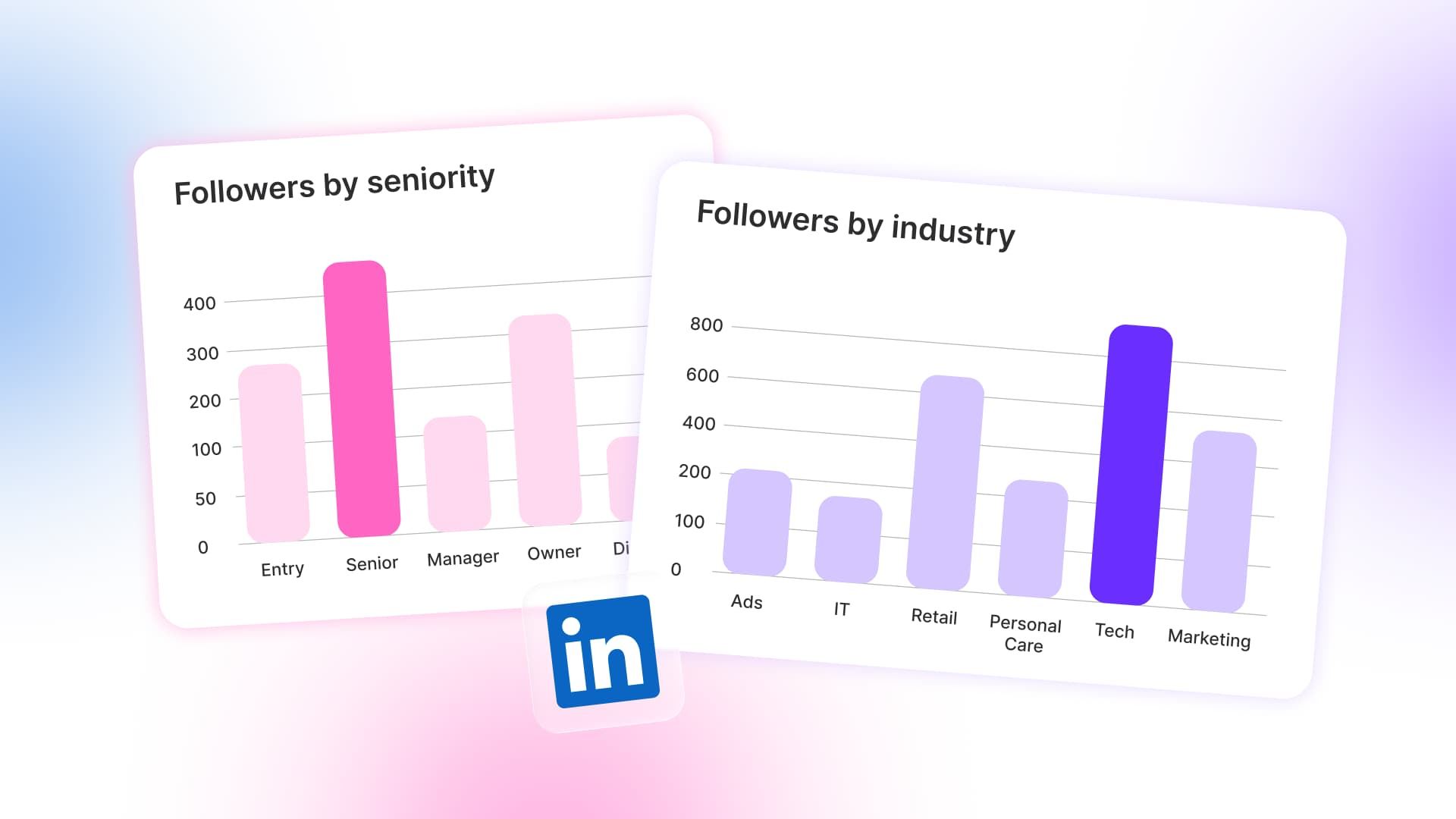
Table of contents
Share

Vista Social

X (Twitter)


Picture a slide that has been in the client deck for eleven months. On page nine, the bottom half holds a screenshot of the follower breakdown with a caption everyone has stopped reading.
The client’s new sales director joined the review, pointed at the slide, and asked which industries had bought that quarter. Everyone went quiet as the answer became clear.
The company had grown its follower count every month, but its largest follower industries had produced none of that quarter’s revenue.
LinkedIn follower demographics deserve more than a screenshot in the monthly deck. Content Marketing Institute and MarketingProfs collected 980 B2B responses between June and August 2024 for their 2025 benchmark report.
In that study, 85% of B2B marketers rated LinkedIn the best-value organic social platform. The figure matters because audience quality deserves scrutiny alongside growth.
Your follower list is less a picture of your market than a receipt for the content you have already published.
Table of contents
The short version
- LinkedIn gives you five breakdowns: location, job function, seniority, industry, and company size.
- Followers and visitors are different groups: compare both before deciding who your content reaches.
- Engagement can overrepresent peers: buyers often read without liking or commenting.
- The output is one choice: change next month’s content plan, not merely next month’s slide.
You need a page admin role with analytics access and enough activity for the panels to fill. LinkedIn’s current page admin roles include an Analyst role that can view and export analytics. You also need a customer list and about 20 minutes.
For the wider metric set, start with our guide to LinkedIn analytics. If you are choosing reporting software, use our separate LinkedIn analytics tools guide.
Where does LinkedIn keep follower demographics?
Open your LinkedIn company page as an admin, select Analytics, choose Followers, and find Follower demographics. A dropdown lets you switch among location, seniority, job function, industry, and company size.
LinkedIn reports visitor data separately under Visitors, using the same five groups. The follower breakdown describes everyone following the page today and ignores the date filter. Visitor data, however, can be filtered by a selected period.
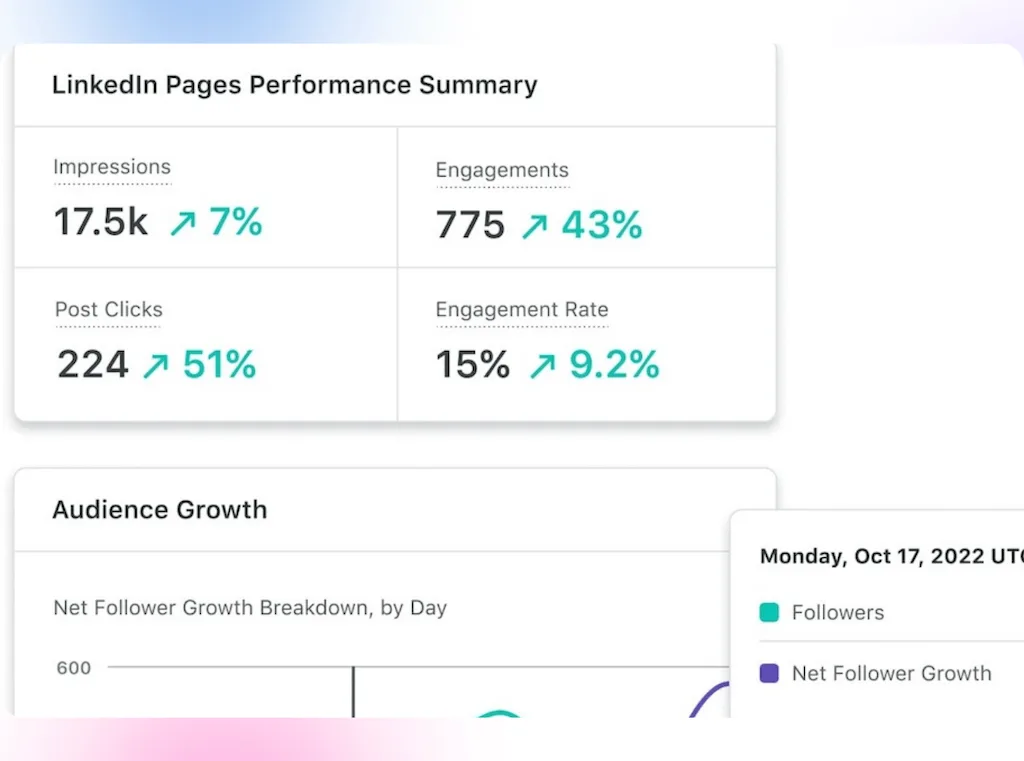
The timing matters because it separates the audience built over time from people showing interest now.
The follower breakdown describes everyone who follows the page. Firmographics show company traits, while job function and seniority describe the people.
LinkedIn’s native reports are useful and free, but they still need a customer list and a choice to make.
Why are your LinkedIn followers not necessarily your buyers?
Professor John Dawes of the Ehrenberg-Bass Institute developed the 95-5 rule. LinkedIn’s B2B Institute then helped bring it to a wider B2B audience.
The rule estimates that about 5% of potential buyers are in-market at one time. About 95% may buy later, though.
The rule helps explain why the right audience can look quiet. In July 2026, Jewel Content Marketing Agency founder Jason Patterson shared his own LinkedIn results.
His following grew from about 4,000 to 22,000, but the two groups within it behaved differently. “Customers tend to be lurkers”, he said, while fans react more often.
Those fans are often peers, competitors, recruiters, or people in related roles. Their comments can add value and extend reach, but their engagement does not prove that the page reaches the buying committee.
A feedback loop forms because the team repeats posts that current followers enjoy. More peers then follow, engagement looks healthy, and the audience moves farther from the customer list.
Peer engagement still has value, and every follower does not need to be a buyer. However, the loudest group cannot stand in for buyers.
How should you read each LinkedIn follower demographic?
Start with one question for every LinkedIn breakdown: “What did we publish that made this group want more?”
Put the follower breakdown beside a customer list. That list should also include industry, company size, region, and the roles in recent deals.
If nobody can produce that list, stop there because the missing customer definition matters more than the LinkedIn panel. For each breakdown, write down four things:
- Largest group: Which segment leads the panel?
- Customer match: Does that group appear in won business?
- Missing group: Which buyer, champion, or market is absent?
- Next test: What single content change could address the gap?
Industry: which audience has your content rewarded?
Check the industry first because closed revenue gives you a clear baseline. Use the industries of paying customers, not the broad market from an old strategy deck.
A concentration in marketing services, media, or staffing may point to peers and recruiters. That mix can suit a marketing product, but check it closely if recent customers came from manufacturing, healthcare, or logistics.
For an agency report, also place the top follower industries beside the industries in won business. Test content for one industry that already buys if the lists barely overlap.
Job function: who participates in the buying choice?
Use job function to see which departments are present. Compare that mix with the full buying committee, then look beyond one ideal buyer. A marketing-heavy base is normal, although finance, operations, IT, or procurement may share the choice.
List the roles that champion, assess, approve, and use the product. Look for each one in the audience. A missing signer matters because the deal needs approval, but a missing champion can also stop the idea from traveling inside the company.
Our guide to B2B social media marketing goes deeper into building for the full buying group instead of one persona.
Seniority: is the page reaching authority?
Seniority shows the gap between reach and authority. A page dominated by junior staff may help researchers while missing the directors and vice presidents who approve a purchase.
A missing seniority band calls for a focused series about the decisions that role owns. Cover tradeoffs, the cost of delay, setup risk, and benchmarks so the content helps that reader make a choice.
Expect fewer likes. The goal is to help the right readers, including those who never comment.
Company size: can these companies buy what you sell?
Compare LinkedIn’s headcount bands with the plans and service model you sell. Solo operators and tiny companies are a poor fit for an enterprise contract with a six-month setup.
The reverse can reveal an opening. A suitable self-serve plan may make smaller companies useful, although the campaign did not target them.
Let the data challenge the strategy. Company size may show that the content found a different market because the posts appealed beyond the intended segment.
Location: can timing or language explain the mismatch?
Location is often the cheapest mismatch to test. Timing, examples, events, or language may draw the right roles from the wrong region, which is why local changes can be enough.
Check whether that region can buy and whether the company serves it. Ask whether an employee or customer base explains the pattern, then adjust timing and local relevance if the region is wrong.
What if LinkedIn followers and page visitors look different?
They are different groups. Visitor data follows the period you select, while the follower breakdown covers the page’s full current audience.
Not every visitor is a prospect. The check also shows whether recent interest differs from the audience built over time.A useful check places the last quarter’s leading visitor groups beside the current follower breakdown:
| Signal | Followers | Visitors | What the gap may mean |
| Industry | Who accumulated over time | Who visited during the period | Your content and company reputation may be attracting different industries |
| Job function | Who wants recurring content | Who came looking | Buyers may research without following |
| Seniority | Who engages with the page | Who is checking the company | Senior decision-makers may visit without reacting |
| Company size | Who your content has retained | Which companies are showing interest | The offer may suit a different segment from the visible audience |
| Location | Where followers are based | Where current attention comes from | A campaign or market event may be creating temporary demand |
When visitors resemble customers but followers do not, the company attracts the right people. The content, however, retains the wrong ones, pointing to a content problem rather than a reach problem.
If both groups are wrong, examine distribution, partners, employee networks, and market positioning. The audience check has done its job if both groups are right, but leads still do not follow. At that point, the offer, proof, or conversion path needs attention.
What should you change once you know?
Choose the clearest mismatch and turn it into one 30-day test:
- Wrong industry: Replace broad advice with the problems, examples, and rules of one industry that already buys.
- Missing seniority: Cover the budget, risk, setup, and tradeoffs owned by the absent decision-maker.
- Right visitors, wrong followers: Change the subjects and value people are asked to follow, rather than adding more posts.
- Both audiences wrong: Recheck distribution, employee networks, partners, and positioning before changing the calendar.
The missing-seniority test needs substance. A March 2026 SurveyMonkey and Reddit study surveyed 1,202 US business decision-makers.
It found that 55% struggled to identify trustworthy sources. Those readers need depth, evidence, and honest tradeoffs because another quick tip gives them little reason to return.
Engagement should stay in the report, but label who produced it. In his 2026 guide to LinkedIn’s Social Selling Index, Neal Schaffer writes that “prospecting at random will lose.” Ten comments from peers can extend reach. One quiet visit from a decision-maker, however, may sit closer to the business outcome.
Use the chosen test to build the month’s LinkedIn content strategy. Give it time to work, then run the full audience check each quarter instead of reacting to one noisy month.
What can LinkedIn follower demographics not tell you?
LinkedIn’s panel has limits that make the analysis clearer once you understand them. The panels show composition, not intent.
- The count is approximate: LinkedIn rounds the total, so it may sit above or below the exact figure.
- Some accounts are excluded: Restricted, hibernated, and other inactive accounts do not count toward the total.
- Small samples may not populate: LinkedIn waits for enough unique visitors before showing audience data. Its public help page, however, does not provide one fixed threshold.
- Smaller groups are combined: Results outside the leading groups appear under “Others.”
- There is no follower age breakdown: The panel covers work and company traits, but it does not report age. Platform-wide age statistics belong in a broader social media audience guide.
- The panels do not prove intent: A finance director following or visiting the page is not automatically a lead.
These limits come from LinkedIn’s current follower analytics documentation. Keep publishing if a new page shows little data. A few groups cannot support a strategy, so wait for a stable pattern.
How can you track the audience gap without rebuilding the deck?
You can run this method on LinkedIn for free. Vista Social helps when an agency or team must repeat it across clients and reporting periods.
In a Vista Social Profile Performance Report, LinkedIn follower widgets cover industry, job function, seniority, company size, and country. Matching page-view widgets put visitor data in the same report. Teams can compare the two without rebuilding the view from screenshots.
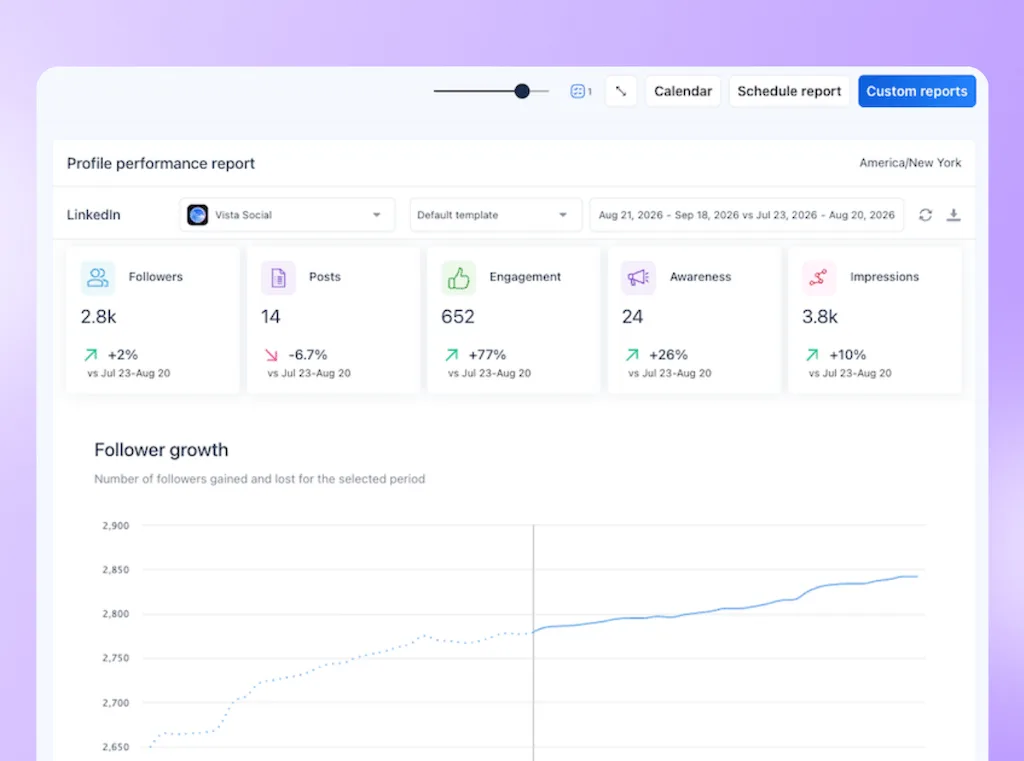
Vista Social’s current LinkedIn report definitions note one important limit. Page-view audience data counts every view since the page was created. It covers all time instead of the selected report period.
Pair that audience view with the LinkedIn Post Performance Report. It shows top-performing posts alongside impressions, likes, comments, shares, and engagement.
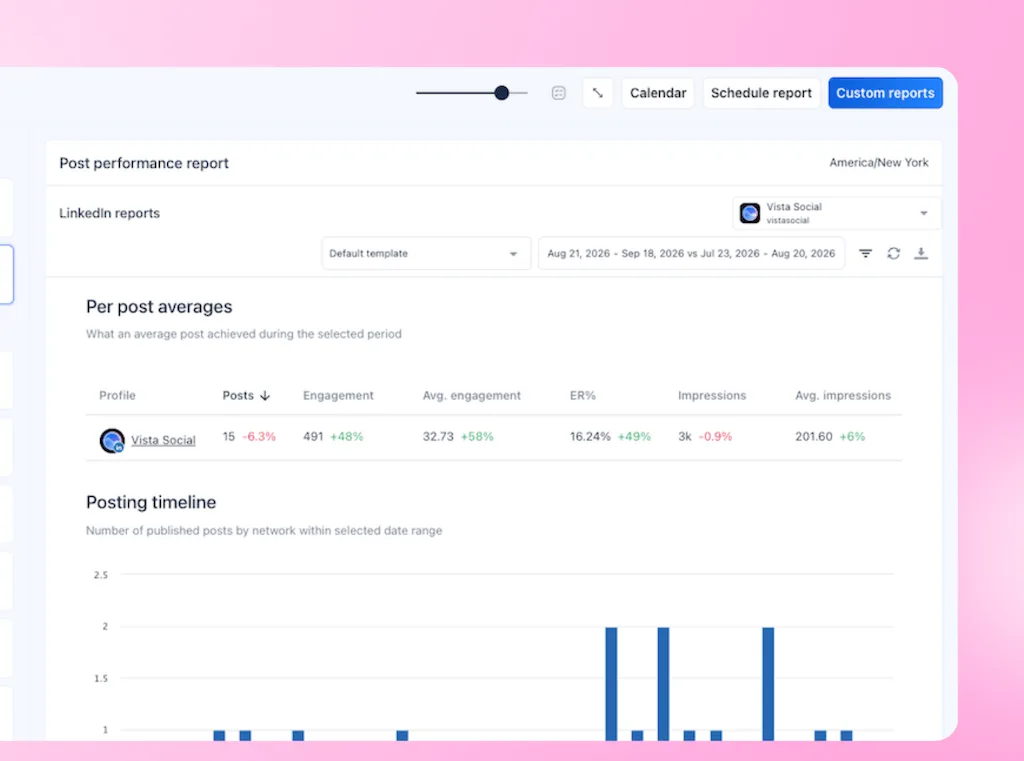
The report cannot prove that a post created a lead. It can, however, show which subjects earn attention as the page builds a more relevant audience.
For agencies, the reporting job matters too. Build the report once, reuse it across accounts, and make the audience slide carry a next step.
Our client reporting guide shows how the wider report can support a decision. Vista Social reports reflect the audience data LinkedIn makes available. They do not identify hidden buyers or create fields the network does not expose.
What is the 20-minute version?
Run this before the next reporting cycle:
- Open both panels: Pull the current follower breakdown and use the previous quarter for visitor data on the same page.
- Get the customer list: Use recent customers or won opportunities, including their industry, company size, region, and buying roles.
- Check industry first: Compare the leading follower industries with the industries producing revenue.
- Check authority: Look at job function and seniority against the full buying committee.
- Compare followers with visitors: Decide whether the mismatch comes from the content people follow or the audience reaching the company.
- Write down one change: Choose one industry, seniority band, topic series, or distribution adjustment for next month.
Make the audience chart end in a choice
The report is finished only when it changes the plan. Record the gap, the next four posts, and the date you will review the audience again.
One clear action could read, “Next month, we will publish four posts for operations directors in logistics. We will check the visitor and follower mix again at quarter-end.”
See your LinkedIn audience in one report
Try Vista Social free for 14 days. Connect one page and run the check before deciding whether it fits your workflow.
Frequently asked questions
Where do I find follower demographics on a LinkedIn page?
From the page admin view, go to Analytics, select Followers, and scroll to Follower demographics. The dropdown moves between the five groups, while visitor data lives under Visitors.
Do I need to be a page admin to see follower demographics?
Yes. LinkedIn’s Analyst role is the most limited option that can view and export page analytics. Personal profiles have a separate audience view that uses a different data set.
Why does the demographics panel look empty or incomplete?
Because LinkedIn needs enough traffic, a small page may not see the breakdowns yet. It also places minor groups under “Others.” Publish more before analyzing more.
Can I see the age of my LinkedIn followers?
No. The company page follower breakdown does not include age. Age figures in wider LinkedIn reports describe the platform’s full user base instead.
My LinkedIn followers do not match my customers. Is that always bad?
No. Peers, partners, job seekers, and other followers can extend reach or send referrals. It becomes a problem when the roles and companies that buy are absent from both the follower and visitor breakdowns.
Should I trust follower demographics or page visitor demographics more?
Use visitors to understand who showed interest during a selected period and followers to understand the page’s full current audience. Neither proves buying intent, so compare both with actual customers.
How often should I check LinkedIn follower demographics?
Review followers, visitors, and customers once per quarter because the audience mix changes slowly. Save each follower snapshot because LinkedIn does not apply reporting dates to the breakdown. A monthly view can help you watch it, but it rarely supports a plan change by itself.
About the Author

Content Writer
Orion loves to write content that refuses to be boring. As part of Vista Social, he helps brands, creators, and agencies stop doom scrolling and start winning with social media. When he's not in front of a keyboard, he's watching films in IMAX with his wife, dissecting football tactics (the European kind), and getting lost in a good book.