


Published on June 1, 2026
18 min to read
40 Instagram Story Ideas to Boost Engagement (+ Real Examples)

Summarize with AI

Table of contents
Summarize with AI

ChatGPT

Claude

Perplexity
Share

Vista Social

X (Twitter)


Instagram Stories sit at the very top of each user’s home feed, it drives more direct interactions than the feed, and it resets every 24 hours. Brands that show up in it consistently build the kind of familiarity that feed posts alone can’t replicate. Brands that don’t leave a gap their more active competitors are filling every single day.
The hard part is the volume. Filling that queue with content worth watching, not just content that technically exists, takes a format library wide enough to rotate through without running dry or repeating yourself. That’s what this list is for.
These are 40 formats pulled from real brand accounts posting in 2026, organized across seven categories by what you’re trying to accomplish. Each idea comes with the screenshot and a specific takeaway you can put to use this week.
Table of contents
Instagram Story ideas for engaging your audience
Stories weren’t built for broadcasting; they were built for interaction. The polls, quizzes, and question boxes aren’t decoration; they’re the single biggest advantage the format has over anything in the feed.
Brands that use them well don’t just log stronger engagement numbers; they learn things about their audience in real time and give followers a reason to feel involved rather than just observed.
1. Turn a new product into a two-tap poll
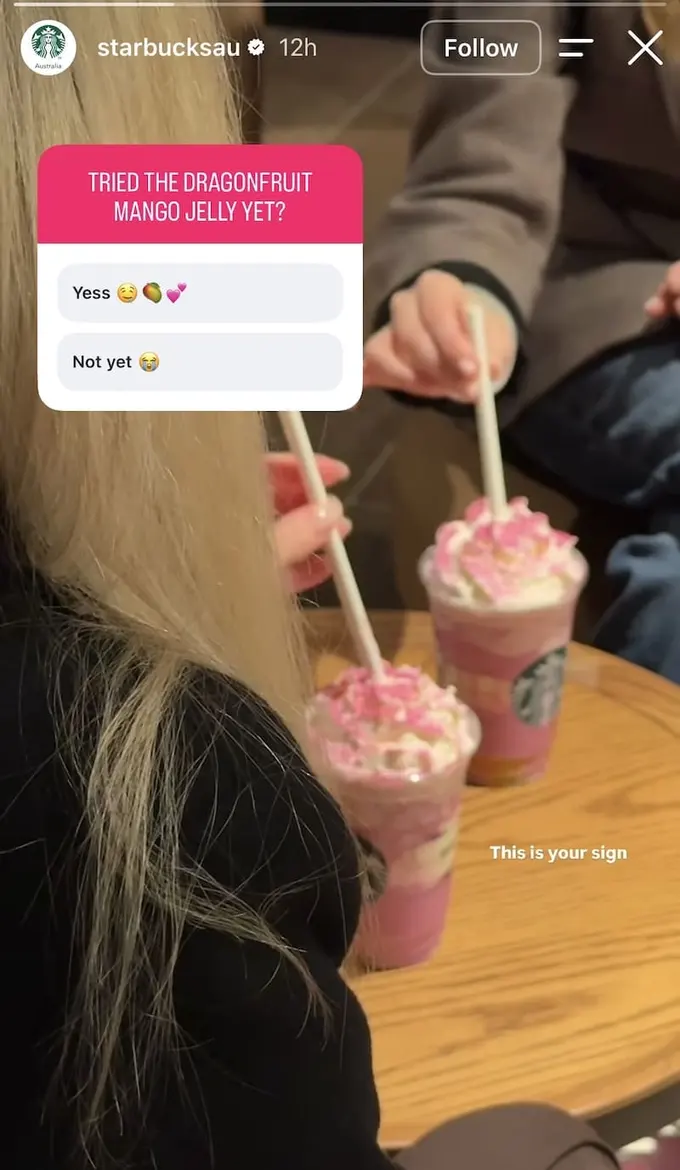
A “tried it yet?” poll splits your audience by purchase stage and gives both segments a reason to engage. People who’ve tried the product get to confirm their choice. People who haven’t are now mildly aware they might be behind on something your brand thinks is worth asking about.
Here’s what you can do: The gap between “yes” and “not yet” responses is your conversion target in real time. Run it early in a product’s lifecycle when that gap is largest, and you have polling data to justify whatever awareness spend comes next.
2. Build a diagnostic quiz around your expertise

Expert-led quizzes earn attention by trading on a knowledge gap the viewer knows they have. The visual stakes a claim the audience can’t immediately verify, which gives them a concrete reason to pause, form an opinion, and return for the reveal.
Here’s what you can do: Whatever your team knows that your audience doesn’t is quiz content. The format builds trust before you’ve mentioned a product because the viewer walks away having learned something. The reveal slide in the next frame is what earns the replay and the save.
3. Visualize the debate your audience is already having
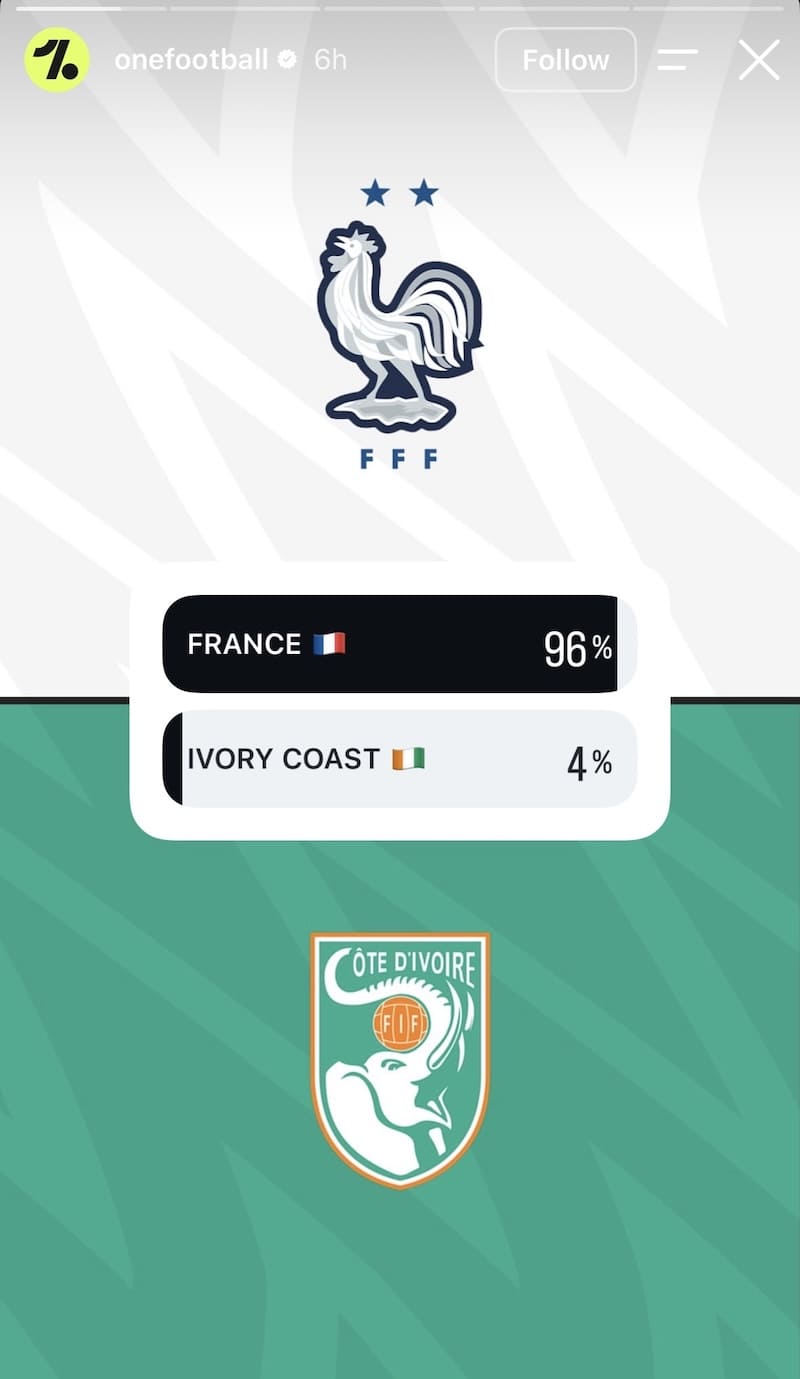
Win probability visualizations translate a debate your audience is already having internally into a shareable graphic. The visual does the argument; no caption is needed because the viewer already knows which side they’re on and wants to see the number confirmed.
Here’s what you can do: Before any major moment in your industry, your audience is already calculating the likely outcome. A clean probability or comparison graphic joins that conversation without requiring a word of explanation, and it gives both camps a reason to engage.
4. Gamify your own brand facts
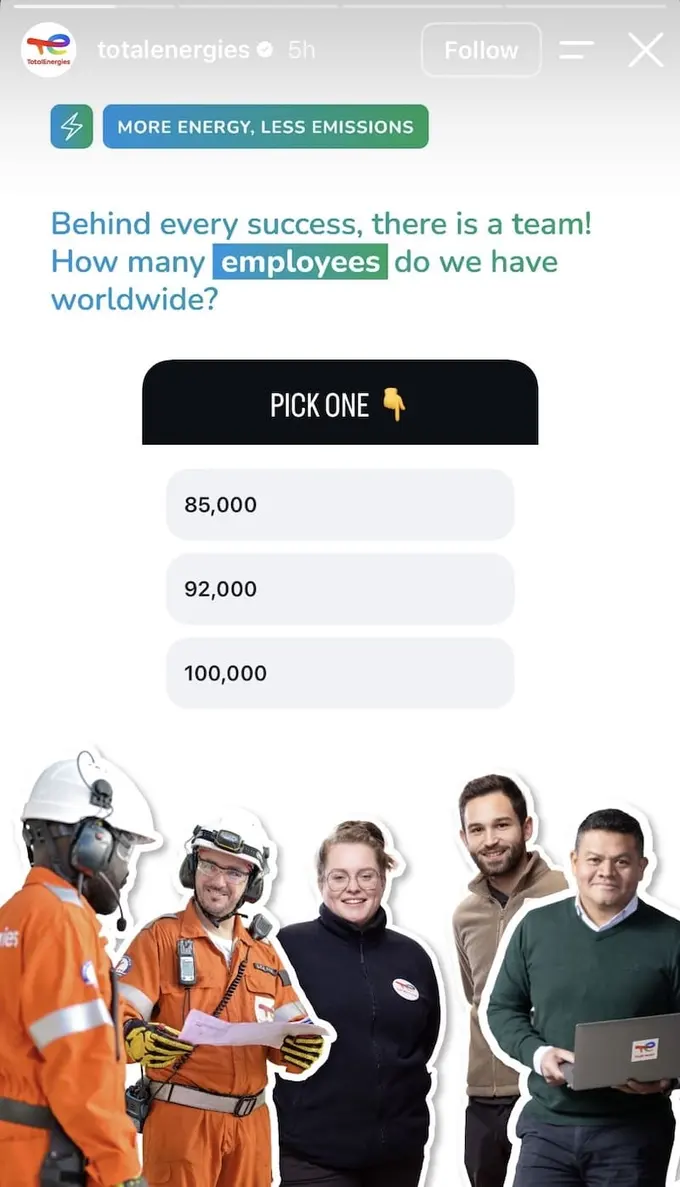
Brand trivia converts a corporate fact from something you’re announcing into something your audience is actively engaging with. Guessing a number makes it stick in a way that reading it in a caption never would, and the format lets enterprise brands communicate scale without sounding like a press release.
Here’s what you can do: Facts that read as self-promotional in a caption land differently when your audience is guessing rather than being told. The trivia format works at any scale: team size, years in business, products shipped, customers served.
5. Crowdsource content ideas from your audience
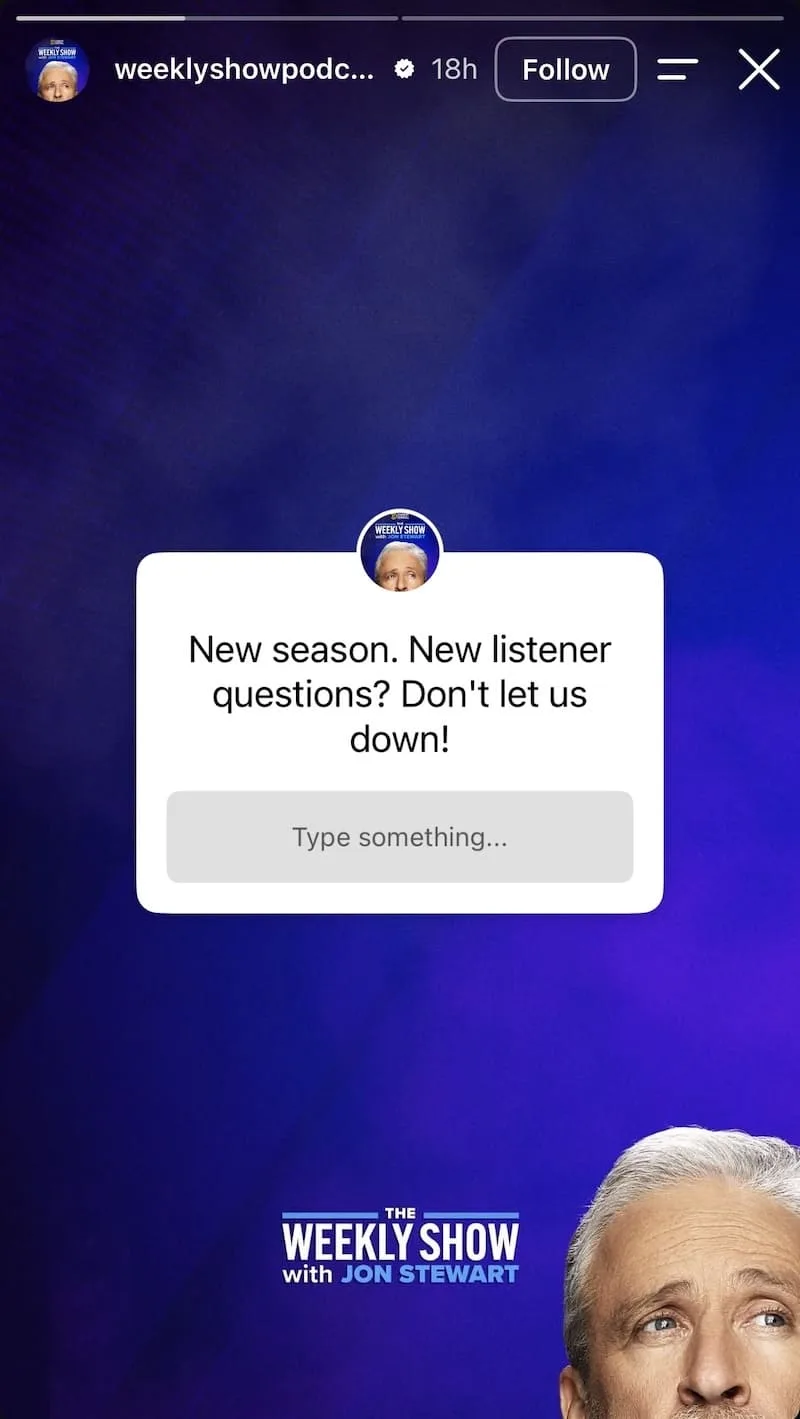
Question boxes framed as a challenge rather than a request consistently draw more considered responses. The difference in framing changes whether the viewer feels like they’re contributing to something or just filling out a form.
Here’s what you can do: Use this before any major launch or content series where real audience input would improve the output. The responses that come back are also a preview of the questions your audience has, which is content research you didn’t have to commission separately.
6. Extend a campaign mechanic into a conversation
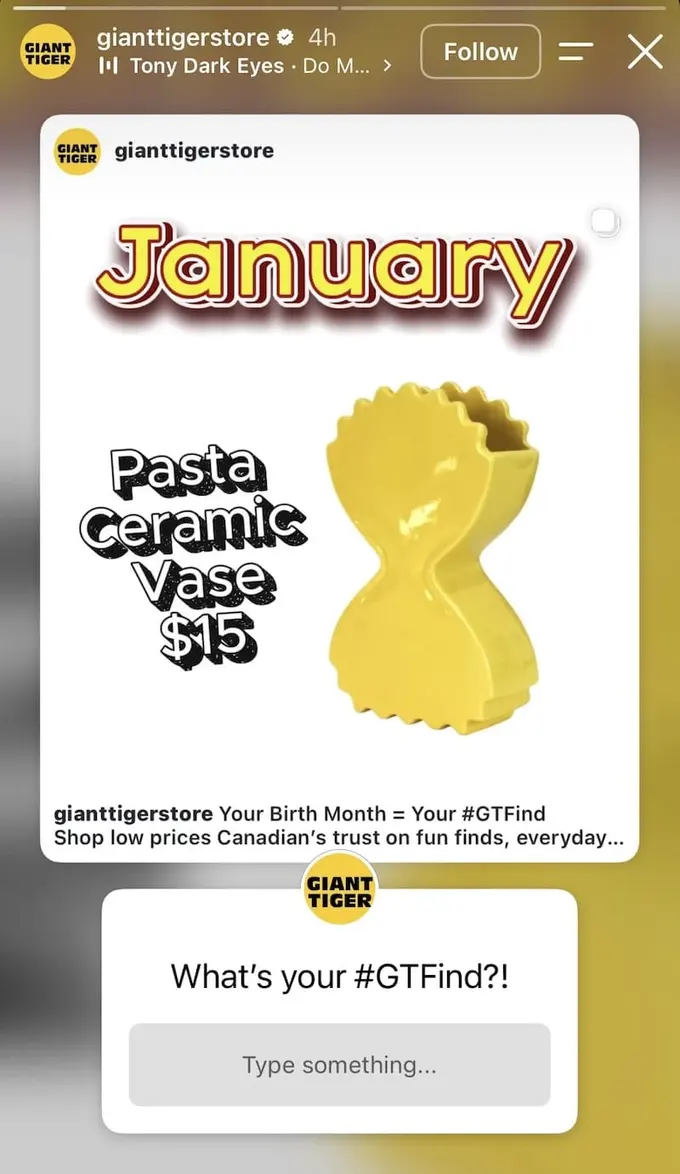
When a feed post has an interactive mechanic built in, like a product finder, a quiz, or a community challenge, resharing it into Stories with a question box gives that mechanic a new audience and an open response channel.
Here’s what you can do: The question box replies can become the following week’s Stories content. If “what’s your #GTFind?” generates hundreds of responses, those answers are your next product-discovery Story, without any extra production.
Instagram Story ideas for showcasing your product
The Stories people pause on have one thing in common: the context built around the product is doing as much work as the product itself. The formats below each take a different angle on the same challenge, and none of them look like a standard product post.
7. Strip the copy and let the photography carry it

The zero-copy product Story removes every element that could compete with the visual for the viewer’s attention. When strong photography is doing the full persuasive job, copy doesn’t assist it; it interrupts it.
Here’s what you can do: This only works when the product photography is strong enough to carry the brief alone. If you need text to explain why someone should want the product, the image isn’t doing its job yet.
8. Show what your product can do rather than what it is

Leading with the output before revealing the tool creates a reverse-reveal structure: you stop the viewer with the quality of what was made, then give them the detail of how it was made. That sequence is more persuasive than leading with the product and following with a sample.
Here’s what you can do: Proof of capability beats a feature list. Show the result your product produces, then credit it at the bottom. The audience who cares about the numbers will read them, and the audience who doesn’t will still have stopped for the photograph.
9. Build an activity, not a product list
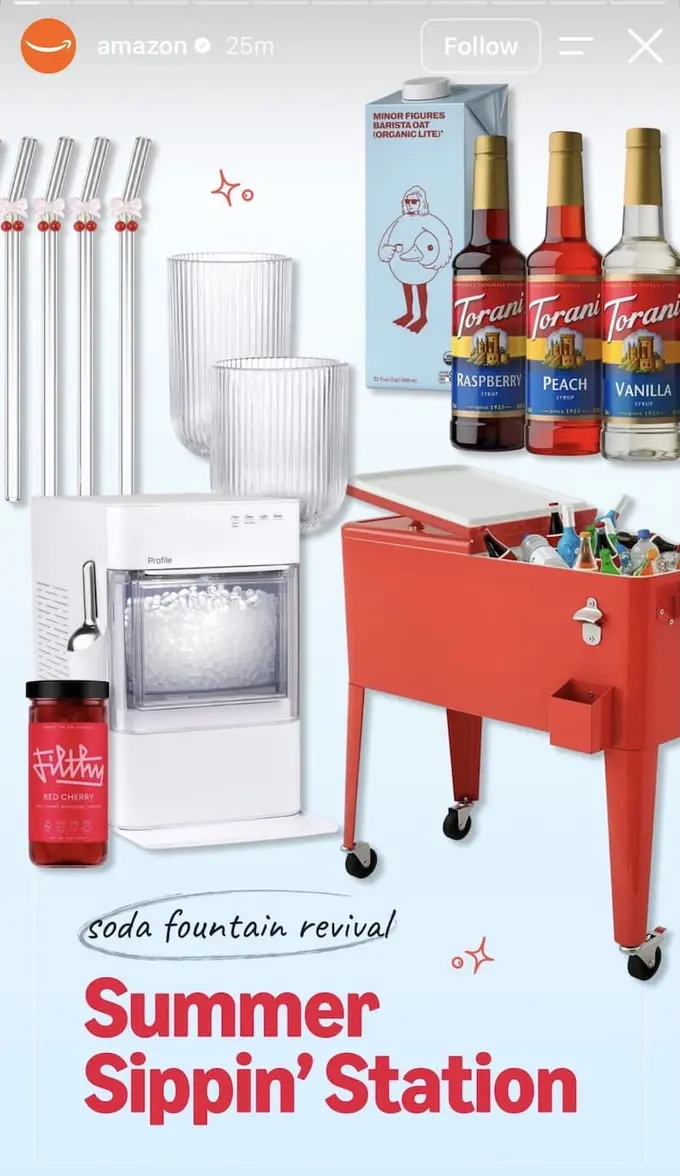
Scene-building product Stories shift the viewer’s question from “do I need this item?” to “do I want to be in this moment?” Arranging products around an activity or occasion changes the purchase decision from a category evaluation to a lifestyle one.
Here’s what you can do: Organize your product Story around an occasion your audience is already planning for, then let the products live inside that scene. The seasonal or activity framing also gives you a repeatable format: one scene per occasion, per month, per quarter.
10. Show off your collabs to put a spotlight on the products
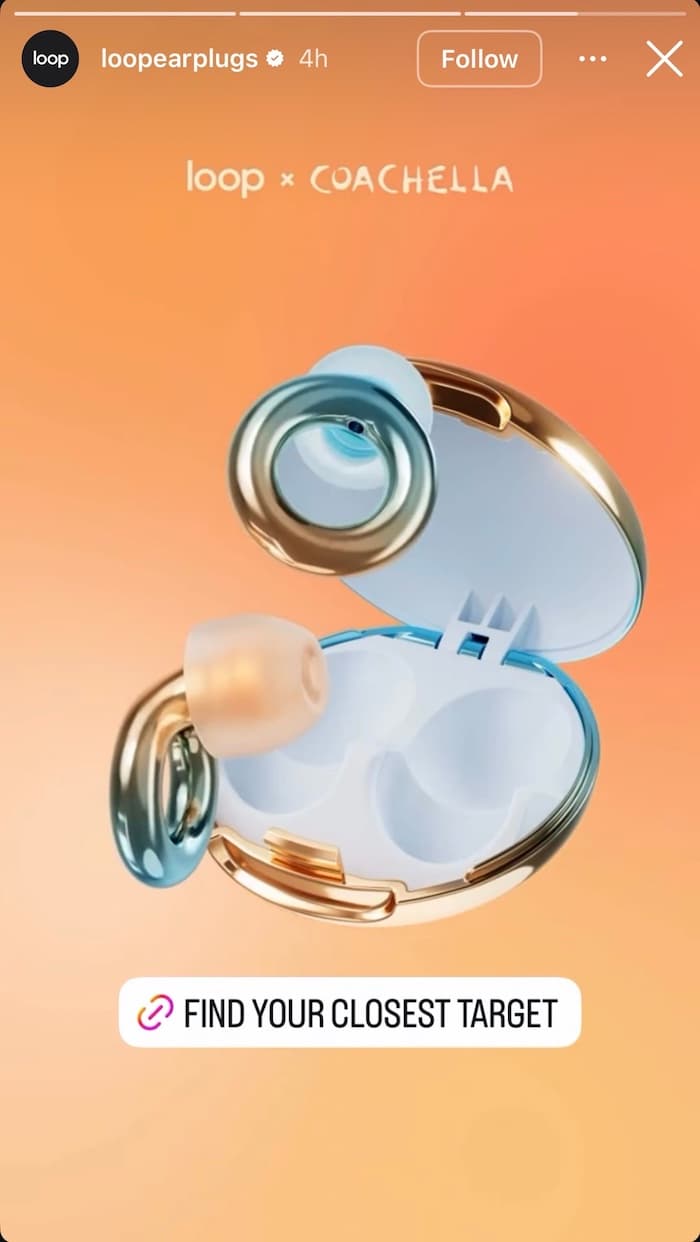
A collaboration gives you a built-in reason to post. Whether it’s a partnership with another brand, a creator, or a designer, the collab gives your audience something fresh to pay attention to, and the products come along for the ride. People who might scroll past a regular product post will stop for a collab they’re curious about.
Here’s what you can do: Lead the story with the collab itself, like the partner’s name, the team-up, what makes it special, and let the product be what the audience reaches for once they’re interested. If you lead with the product instead, the story just reads like a normal promo post with a logo tacked on.
11. Show variety and a deal in the same frame
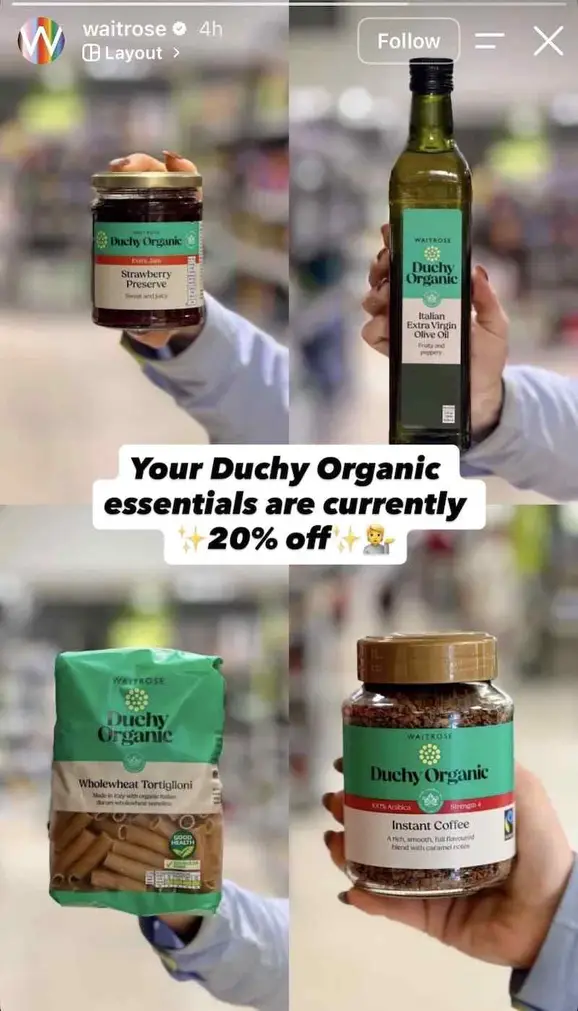
Grid layout Stories let you cover product range and a promotional message in the same single frame. One grid, one central callout, one decision for the viewer; there’s no multi-slide sequence for them to drop out of.
Here’s what you can do: Anchor the central panel of the grid to the deal or message you most want noticed. The surrounding products provide range context; the center is where the eye lands first and where the value proposition needs to live.
12. Put a fan in the frame instead of a model

Casting community members instead of professional models in product Stories shifts the viewer’s implicit question from “could I look like them?” to “would I wear that?” The connection to the product changes when the person in the frame could plausibly be them.
Here’s what you can do: For brands with an active community, the community is a more credible face for the product than hired talent, and it’s faster to organize. Casting from your fan base also earns goodwill that a professional shoot can’t generate.
Instagram Story ideas for building authority
Stories aren’t only for products and promotions. For brands that publish original research, run podcasts, or carry real domain expertise, this is an underused distribution channel that puts knowledge in front of an audience who’s already opted in. The formats below treat insight like a product and give it the same launch energy.
13. Treat your research like a product drop
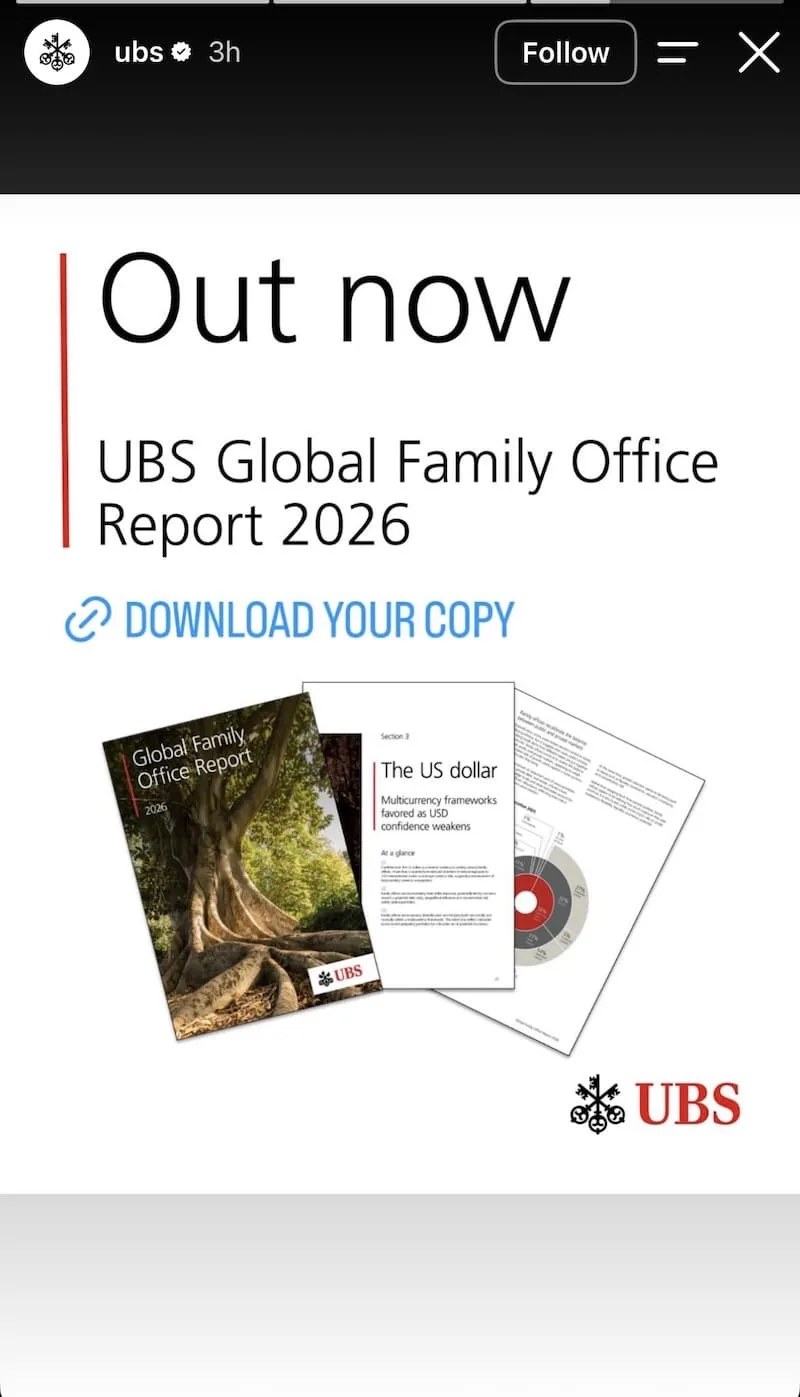
Announcing research or a report with the same clean confidence you’d give a product launch signals that the content is worth the same level of attention. The format does positioning work before anyone clicks the download link.
Here’s what you can do: If your organization publishes research, whitepapers, or annual reports, they deserve a proper Story launch. One headline, one visual, one download link. Treating proprietary data the same way a brand treats a new release is a positioning decision, not just a formatting one.
14. Give your podcast episode a proper card
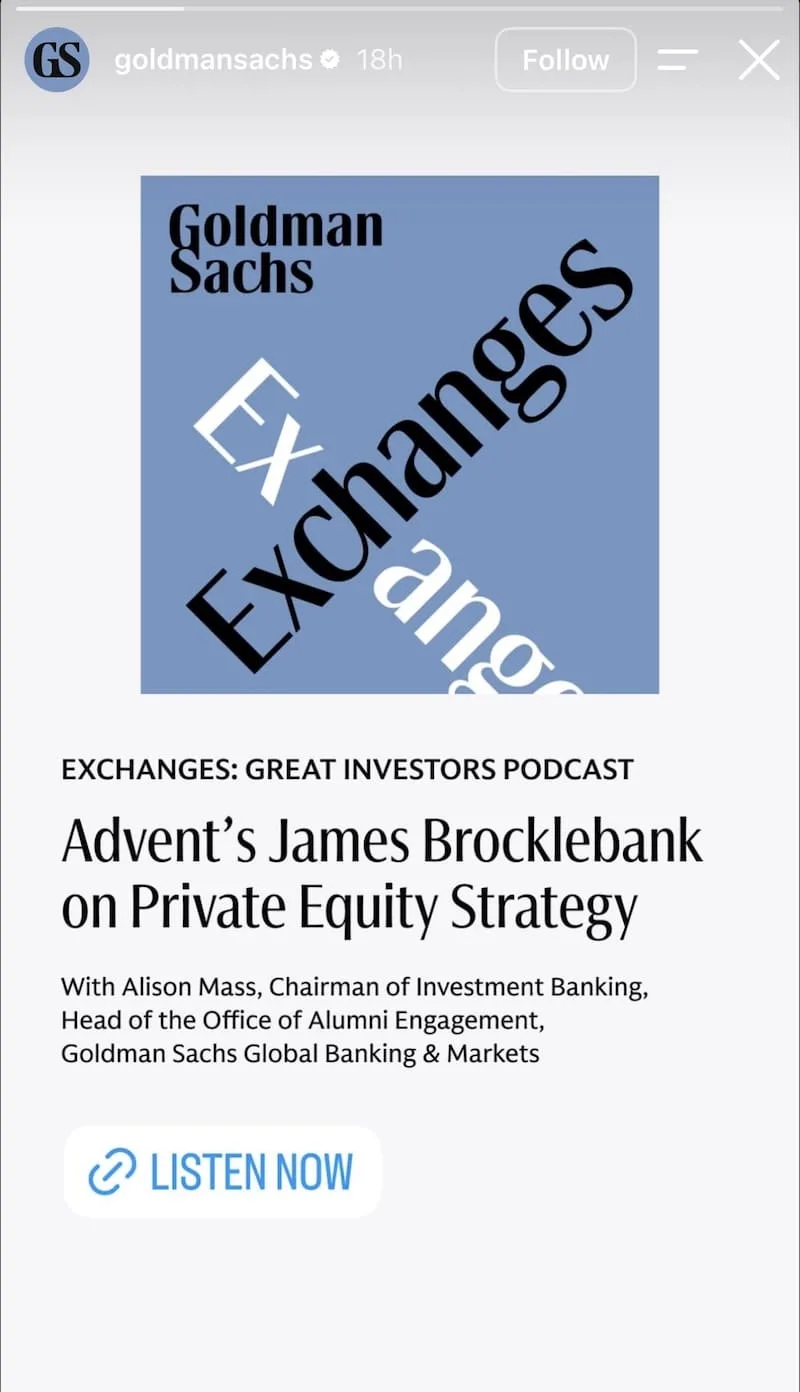
The podcast episode card works as a listener filter: episode title, guest, topic, link. Anyone in the right audience for that guest and subject will tap through. Everyone else can keep scrolling. That selectivity is a feature, not a limitation.
Here’s what you can do: Podcast Stories that convert lead with who’s on and what they’re discussing, not with a quote pull or a generic “new episode” announcement. Give the audience the subject line and let them decide whether it’s for them.
15. Frame your product as the answer to a provocation
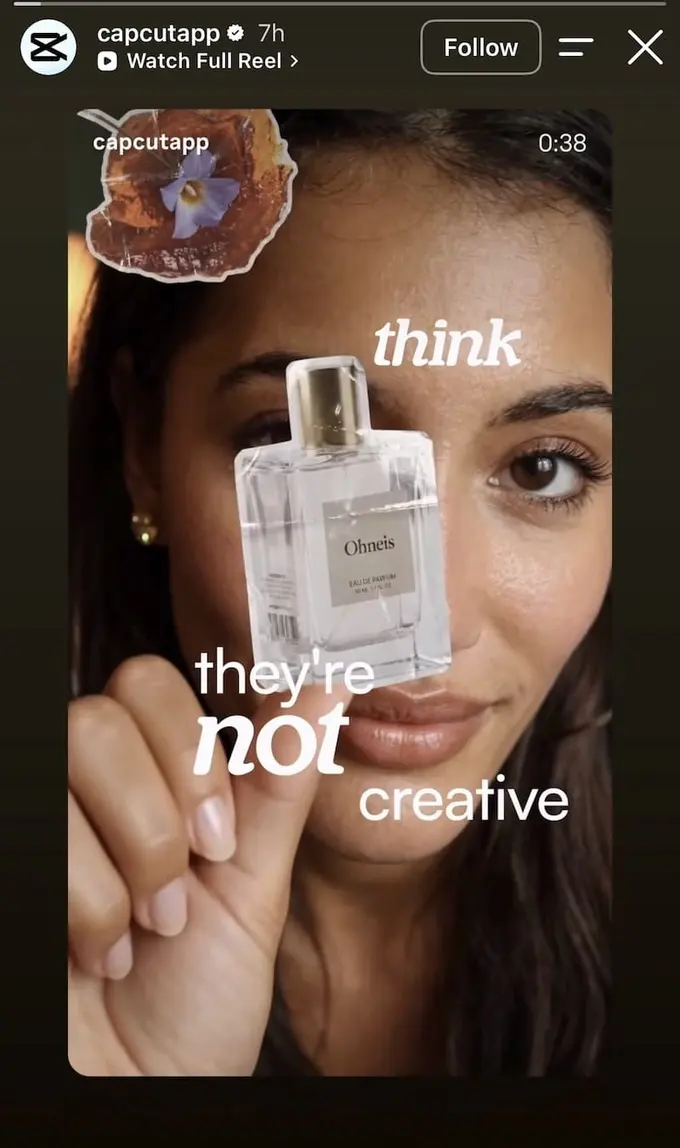
Reels that open on a provocative claim and resolve to a product create a tension-resolution arc in the viewer’s mind. The claim creates the gap; the product is positioned as the thing that closes it.
Here’s what you can do: The most effective version of this is a Reel you already have that contains a real opinion your team holds, not something scripted just for the format. Repurpose the existing content rather than manufacturing a provocation.
16. Use the article headline as your hook, not your description
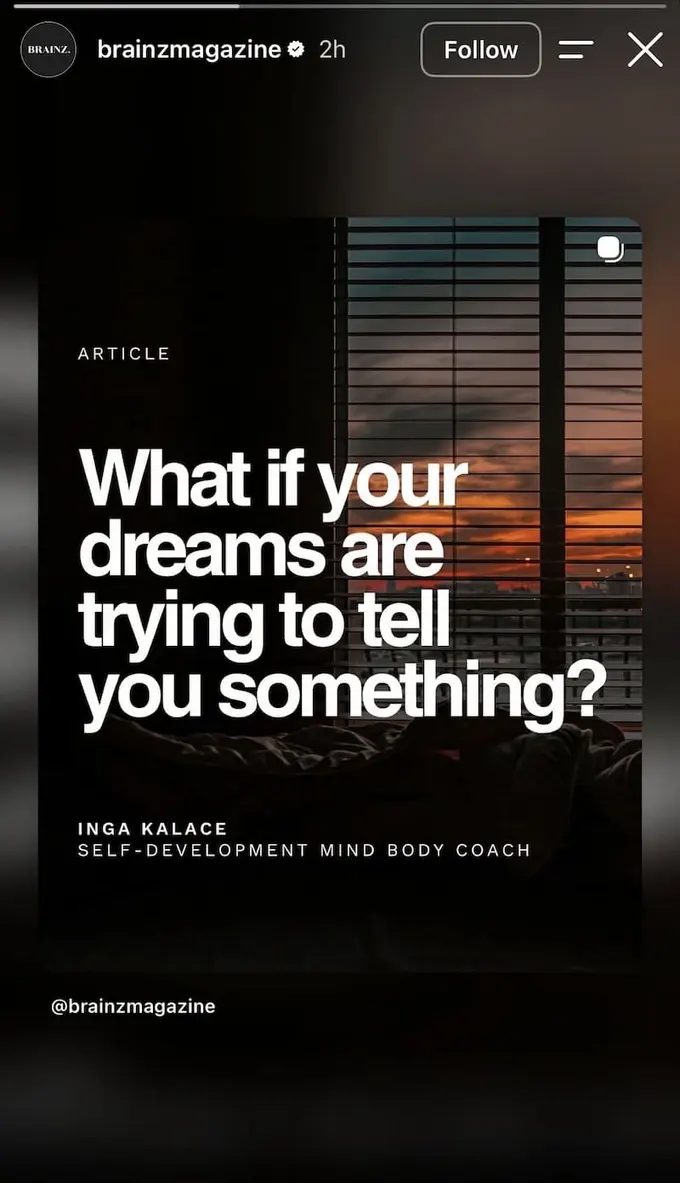
A well-constructed article headline contains enough unresolved tension to function as a complete Story on its own. The question is the hook; the link is where the answer lives. Summarizing the article wastes the best part of it.
Here’s what you can do: If your headline doesn’t make someone want to know the answer, the Story won’t convert regardless of what follows. Run the headline test before you build the Story: would you tap on this if you came across it in someone else’s feed?
17. Turn a leadership moment into a Story announcement
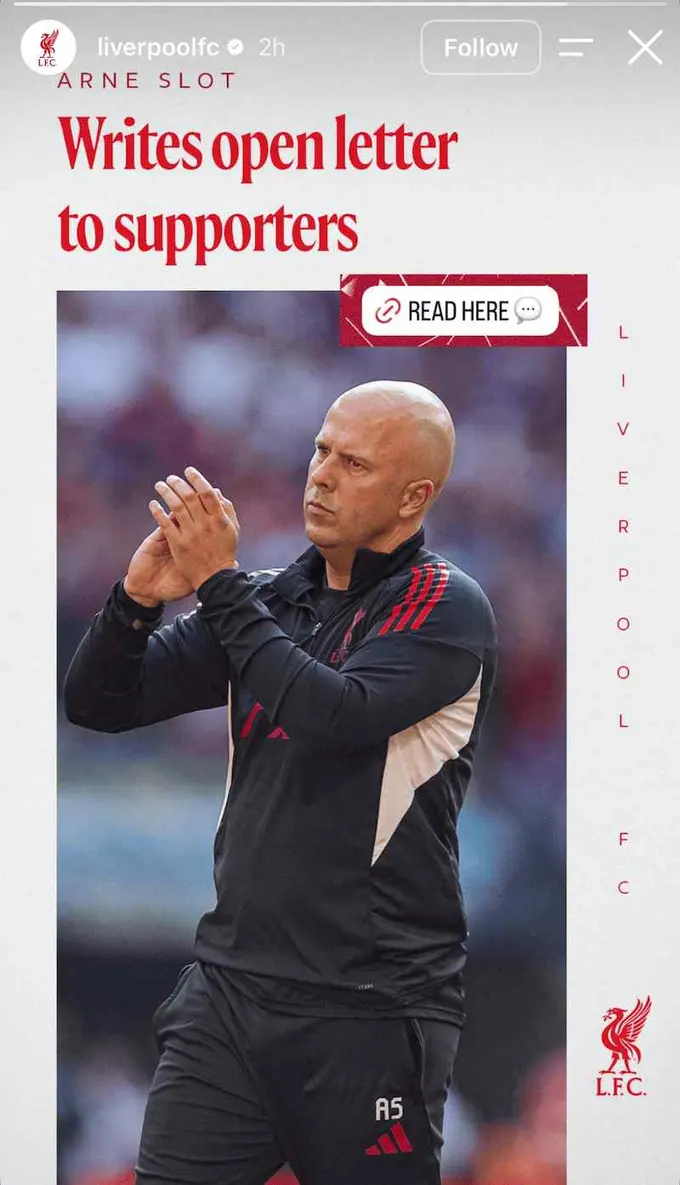
Institutional moments become Story-native when they’re formatted like editorial news rather than communications. The distinction between the two is whether the viewer feels informed by something that happened or managed by something that was prepared.
Here’s what you can do: The editorial format works for any major statement, not just sports teams. Treat the text like a newspaper headline: large, direct, and readable in a second.
Instagram Story ideas for building credibility through others
The most convincing content in your Stories feed almost never comes directly from you. It comes from a creator who mentioned your brand, a critic who praised you publicly, or a user who captured something you couldn’t have staged.
18. Reshare an organic creator mention before it expires

An organic creator mention is categorically more persuasive than a paid partnership post because neither the creator nor the audience had a financial reason for it to exist. Resharing it is one of the highest-value moves available on Stories, and it costs nothing except the speed to act on it.
Here’s what you can do: Set up notifications for brand tags in Stories and reshare organic mentions the same day. The further from the original moment you share it, the less the credibility holds.
19. Let a critic say what you can’t say yourself
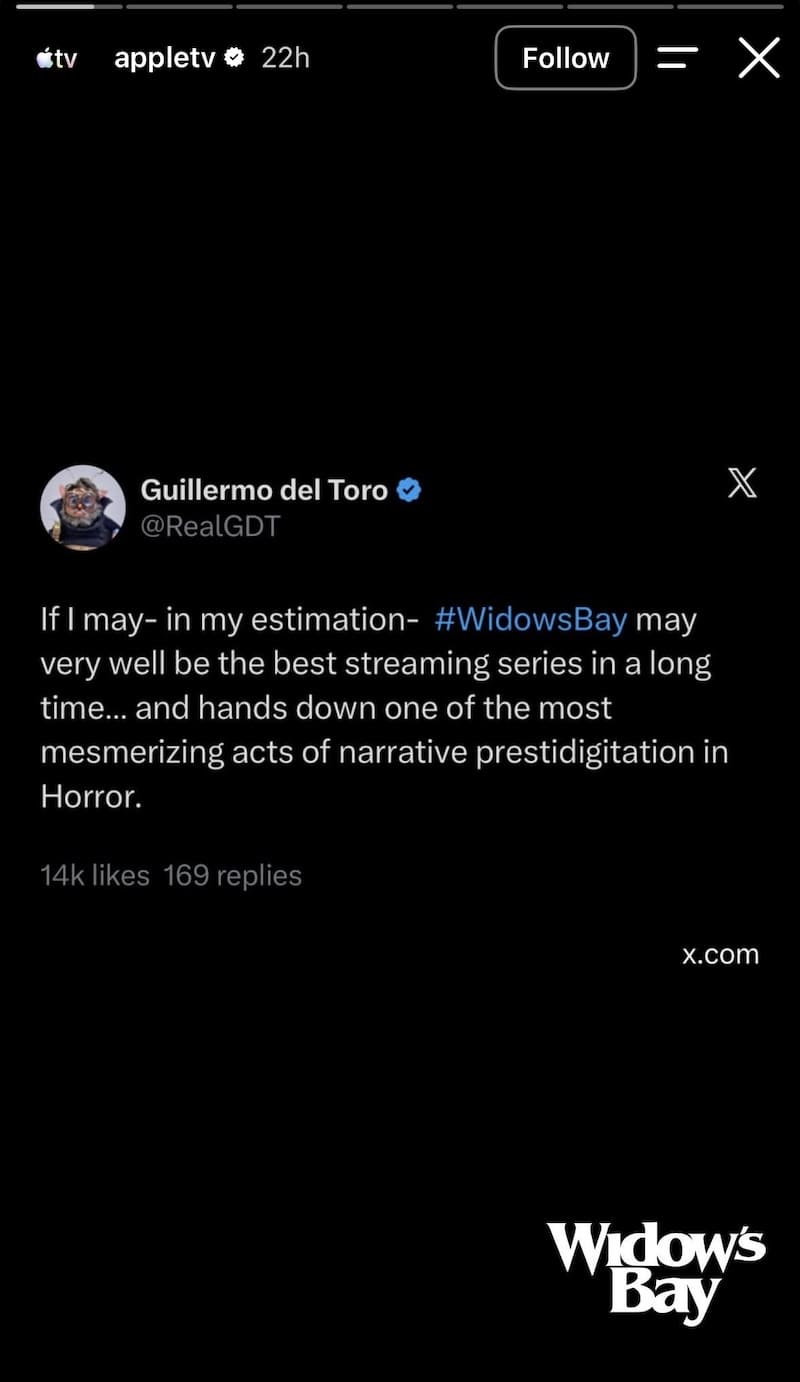
A public endorsement from a respected voice, shown with its original engagement metrics intact, functions as evidence rather than advertising. The numbers prove the endorsement wasn’t coordinated; the minimal presentation proves the brand isn’t trying to spin it.
Here’s what you can do: When a respected voice publicly praises your work, a clean screenshot with the engagement numbers visible is usually enough. Adding your own copy or branding on top dilutes the credibility you’re trying to borrow.
20. Show the result a creator got with your product
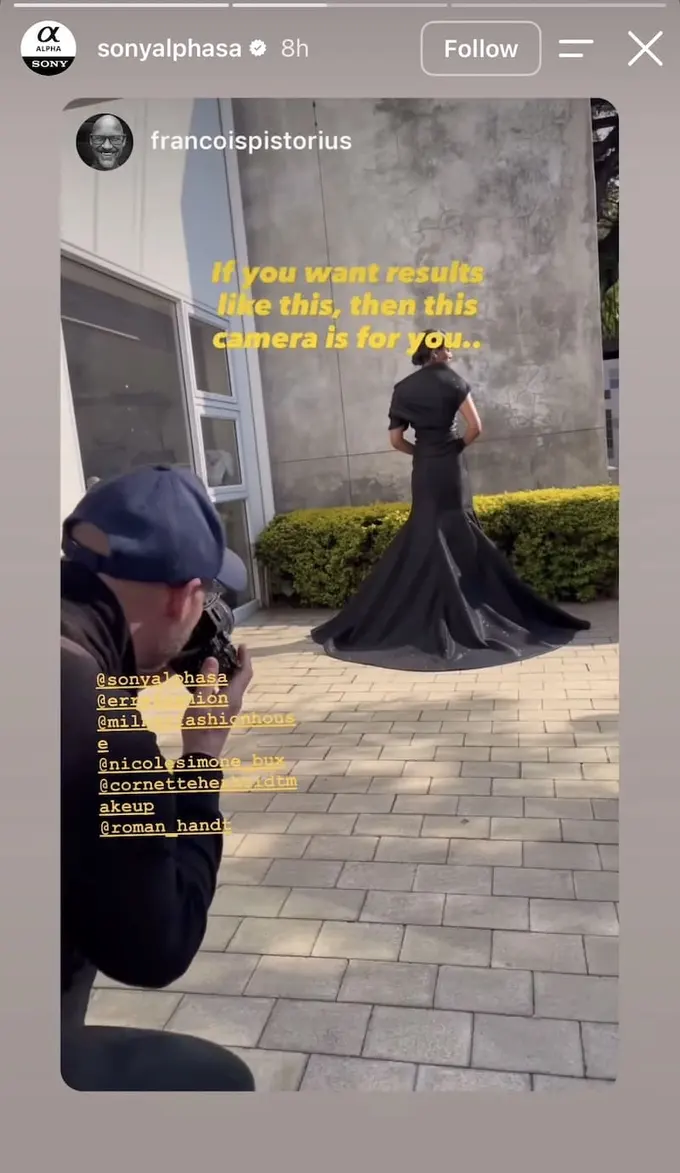
A creator making the product claim on the brand’s behalf removes the skepticism that first-party advertising triggers. The viewer knows the creator had no script; the brand knows the creator’s reputation is doing the persuasion that no spec sheet could.
Here’s what you can do: When a creator who uses your product posts something visually impressive, resharing it with the claim the image already makes is more persuasive than a direct product pitch. Let the result do the talking.
21. Reshare the emotion a creator captured in your product
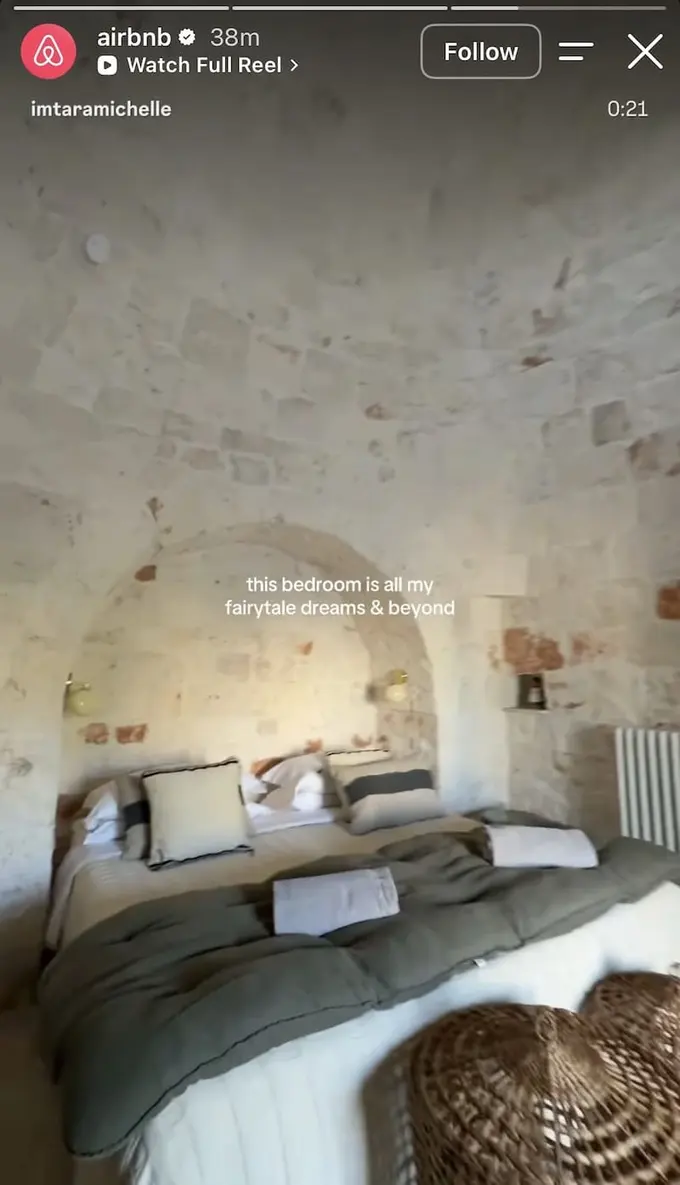
Creator content recorded inside the actual experience communicates emotional reality in a way a produced asset can’t credibly claim. The viewer is watching an unscripted reaction, and the specificity of that moment is what makes it believable.
Here’s what you can do: For experience or hospitality brands, creator content filmed inside the actual product converts better than campaign photography because viewers are watching someone respond to something real. Build a workflow to find and reshare this content within 48 hours, and credit the creator clearly.
22. Surface behavior your community is already doing
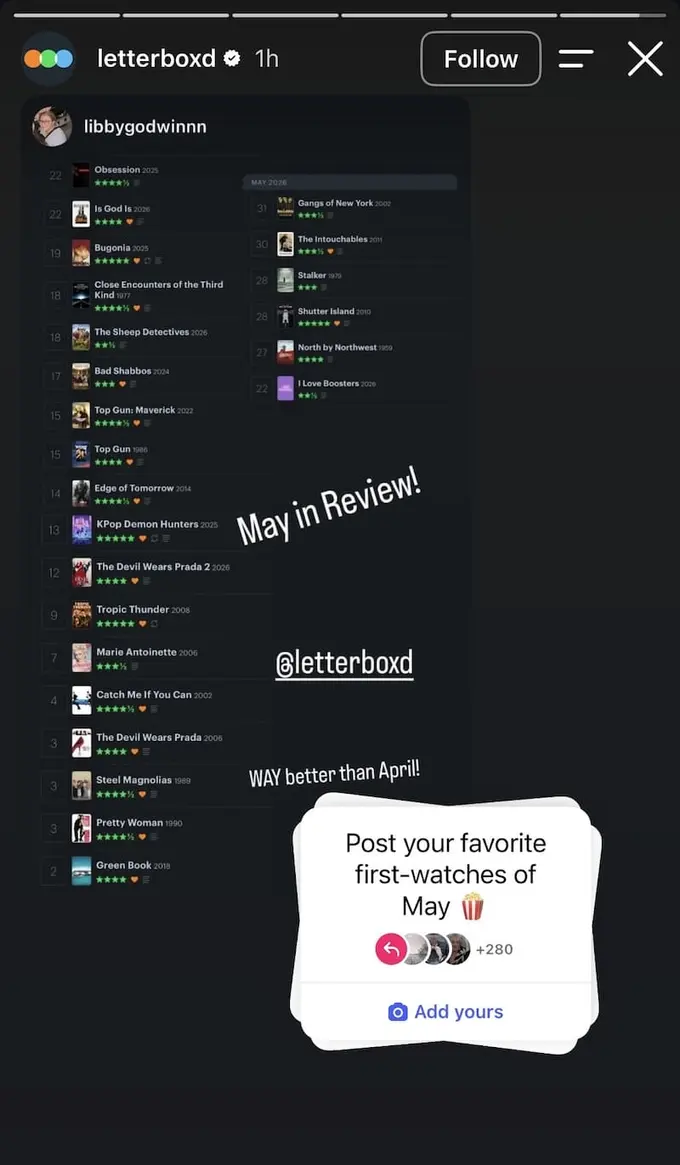
Platforms with behaviors users already repeat naturally, like logging, rating, or reviewing, can build monthly community moments by surfacing that activity rather than inventing new tasks for people.
Here’s what you can do: If your platform or product has a behavior users naturally repeat, a monthly Story built around that behavior earns engagement without asking your audience to do anything new. The “Add Yours” sticker turns private activity into public participation without requiring any content creation from your team.
23. Make fan submissions part of a bigger campaign
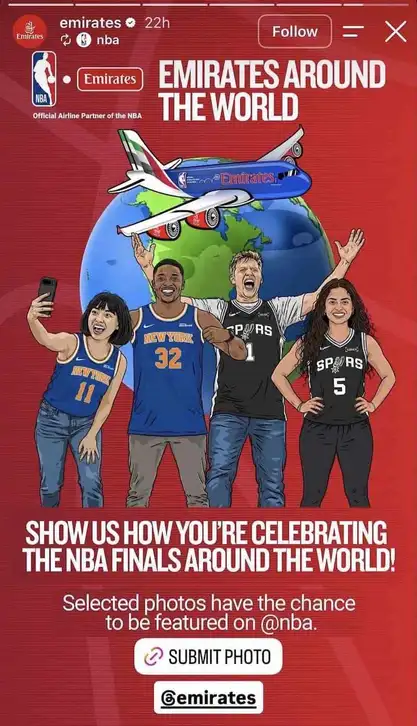
Co-branded UGC campaigns where submissions can be featured on a larger partner account create an incentive structure that a standard “tag us” campaign doesn’t have. The prize is reach, and it’s more motivating to a creator than a product discount.
Here’s what you can do: UGC campaigns convert better when the reward is visible and named. Being featured on a partner account with a significantly larger following is a stronger incentive than a vague “we might share your photo.” Name the prize clearly before you ask for the entry.
Instagram Story ideas for events and live programming
The 24-hour window that makes Stories feel ephemeral also makes them the right tool for time-sensitive content. Events, schedules, countdowns, and live programming all belong here. Your viewer doesn’t need to remember any of it indefinitely; they just need to act on it today.
24. Pack everything someone needs into one Story frame
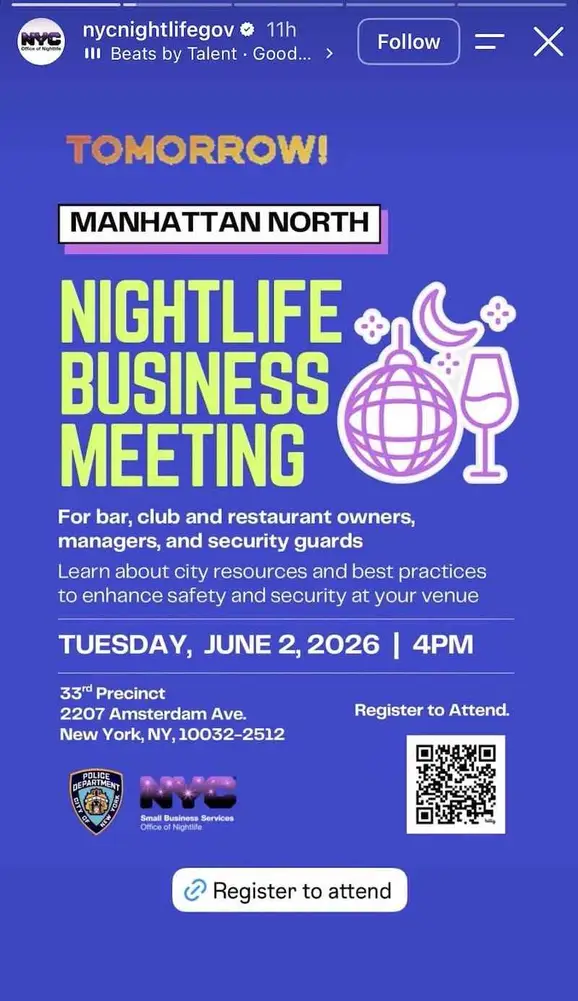
Single-frame event Stories eliminate the multi-slide drop-off that happens when registration details are spread across taps. The design principle is that every piece of information someone needs to show up should be readable without swiping once.
Here’s what you can do: The link sticker handles registration; the visual handles all the context. If there’s any detail that doesn’t fit in one frame, it’s either not essential or it belongs in the link destination, not the Story.
25. Give your audience the full month in one saveable post
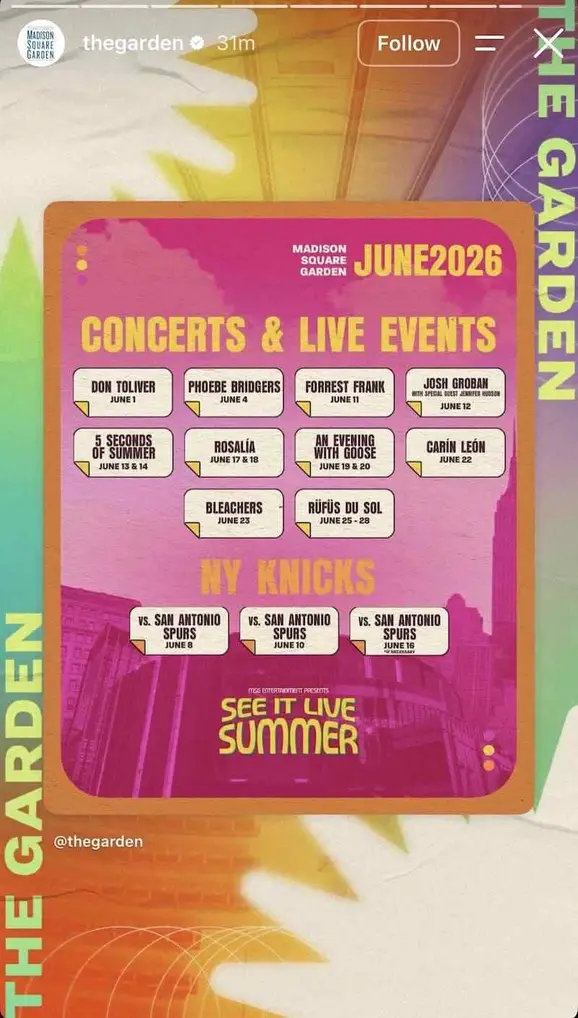
A full monthly events grid earns saves in a way individual event posts don’t. The more events it covers, the higher the probability that any given viewer finds something relevant to them, which means it works harder with more content, not less.
Here’s what you can do: Design it with enough visual identity that it functions as something worth saving, not just a screenshot of a website calendar. The aesthetic is what turns utility into a content piece.
26. Make the event lineup the content
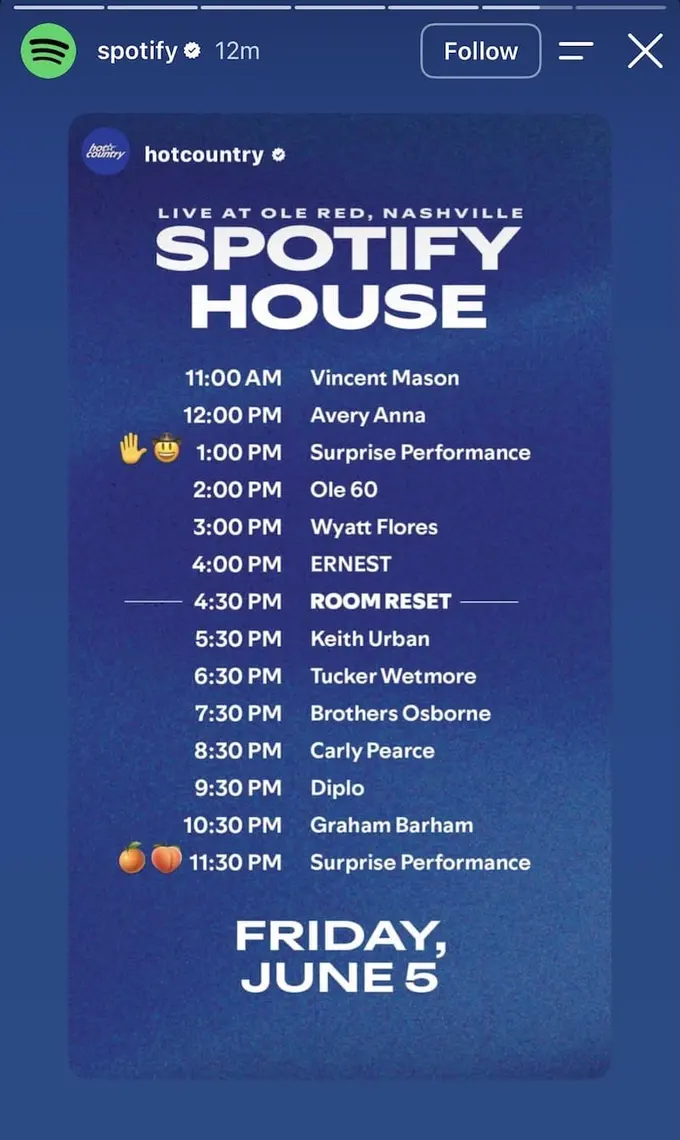
Publishing the full day’s program for a live event creates two audiences at once: people who are attending and need to plan, and people who aren’t attending but are now aware of what they’re missing.
Here’s what you can do: If you’re hosting a live event, the schedule is content, not logistics. The full lineup tells your audience what they’re building their day around, and a strategically blank slot gives them a specific reason to show up and stay past the headliners.
27. Combine a calendar with a live countdown
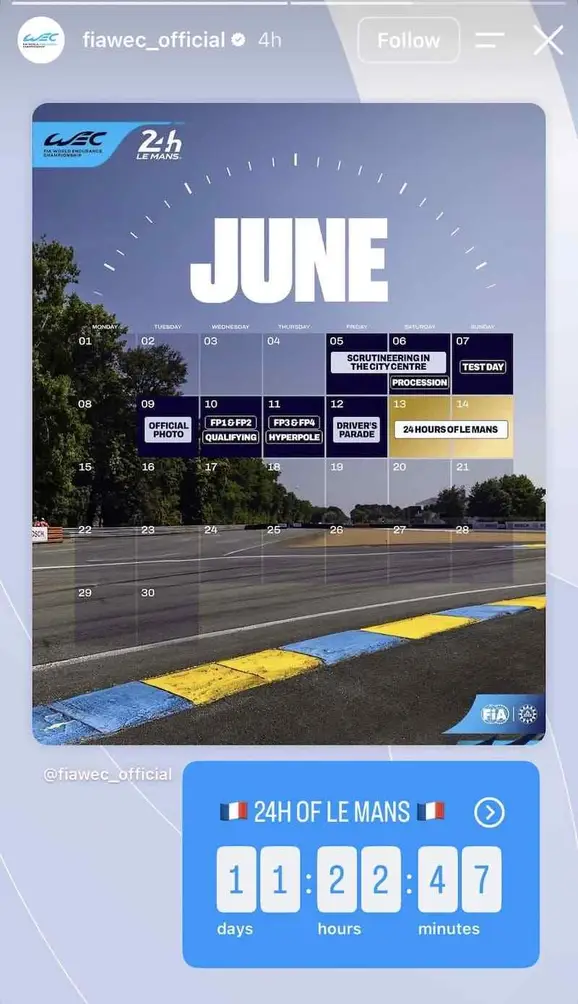
A calendar and a countdown do different jobs for the same event. The calendar is a planning reference; the countdown is an emotional urgency trigger. Running both in the same Story covers two different states of mind without needing a follow-up post.
Here’s what you can do: For marquee events, combine the structural context (what’s happening and when) with the emotional signal of how close it is.
28. Add physical scarcity to a launch event
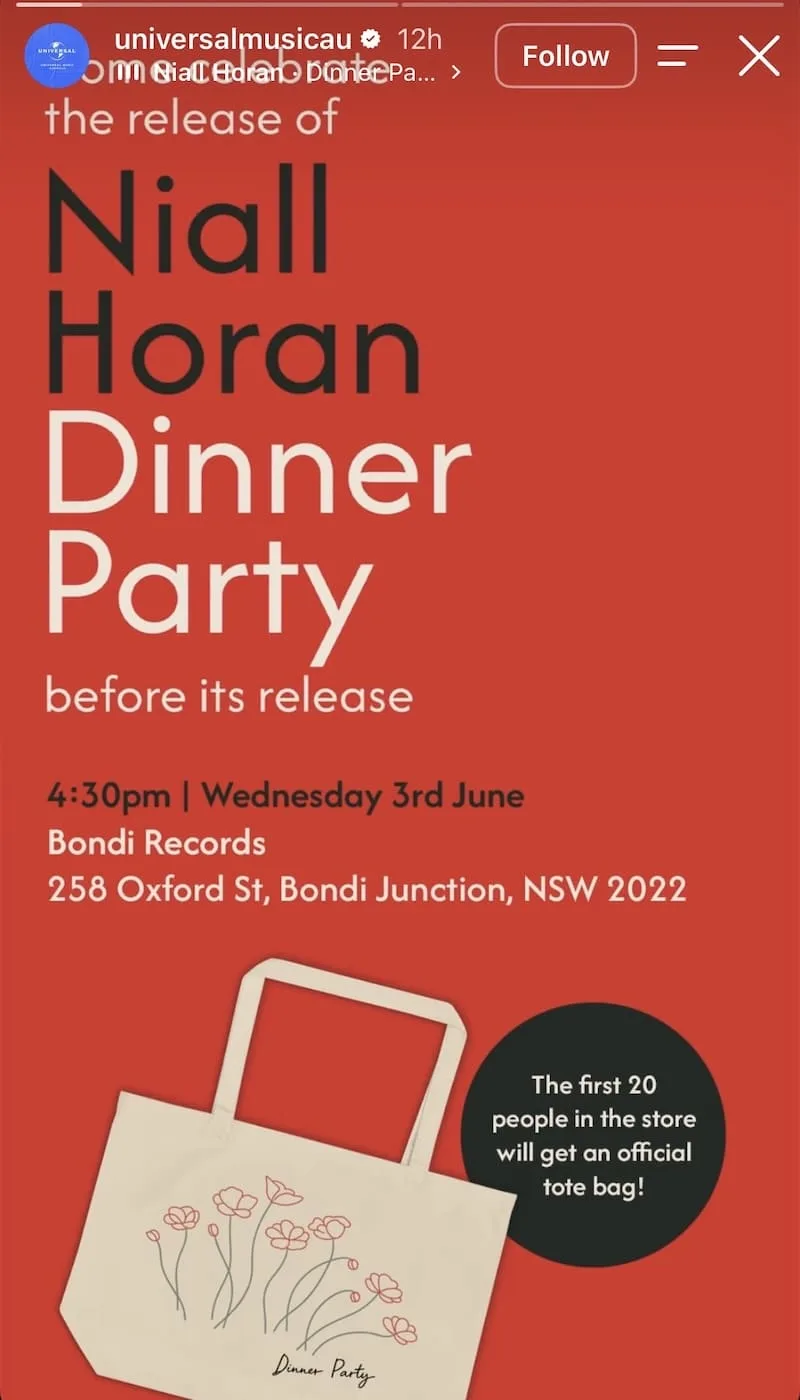
A first-come physical incentive converts an event Story from an awareness post to a destination decision. The “first 20 people” framing introduces a supply constraint that urgency alone doesn’t have, and it changes the viewer’s calculation from “should I go?” to “can I get there first?”
Here’s what you can do: Apply this to pop-ups, tastings, screenings, or any brand event where early arrival deserves a reward. The tangible item, whatever it is, doesn’t need to be expensive; it needs to be exclusive to the people who showed up.
29. Give a market-specific event its own Story

Market-specific event content, formatted with the right local venue and dates rather than adapted from a global asset, converts better because it reads as directed at a specific viewer rather than broadcast to everyone everywhere.
Here’s what you can do: Global brands with regional presence often post content that’s relevant everywhere and compelling nowhere. Build a templated Story format your regional teams can populate with local details rather than asking them to adapt central assets that were never made for their market.
Instagram Story ideas for brand storytelling
Not every Story needs a product or a direct outcome. Some of the strongest brand content in Stories exists to reinforce identity, extend the reach of content that’s already performing, or show the world behind the brand. Consistent presence over time is itself a business result.
30. Turn a Reel into a Story before the reach window closes
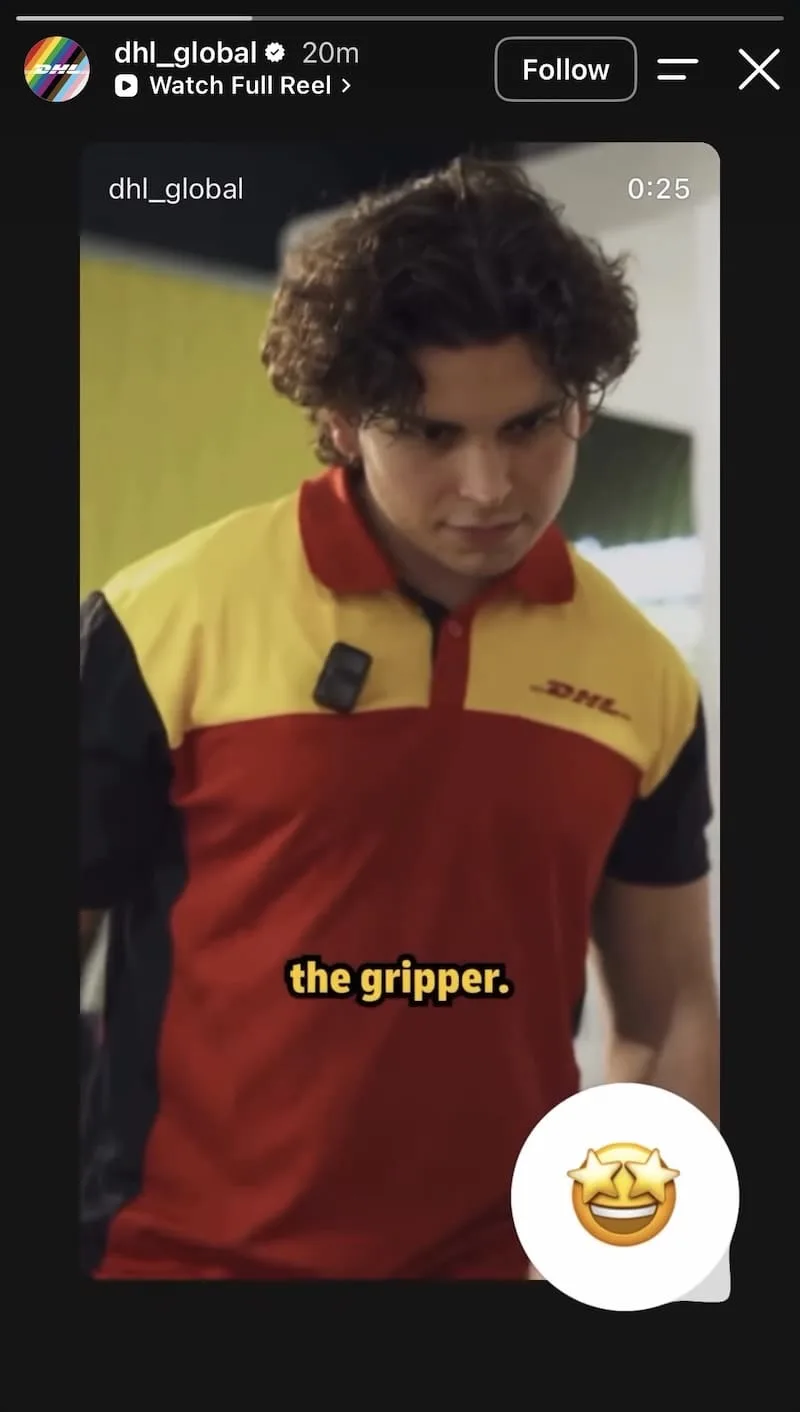
A Reel clip repurposed as a Story preview gives existing content a second reach window with a different segment of your audience. The preview functions as a trailer: enough to establish the hook, with the full Reel available for whoever wants more.
Here’s what you can do: This is one of the highest-ROI uses of content you’ve already produced. Pull the five to ten seconds with the strongest hook and let the “Watch Full Reel” label handle the rest.
31. Make room for creative content with no commercial intent
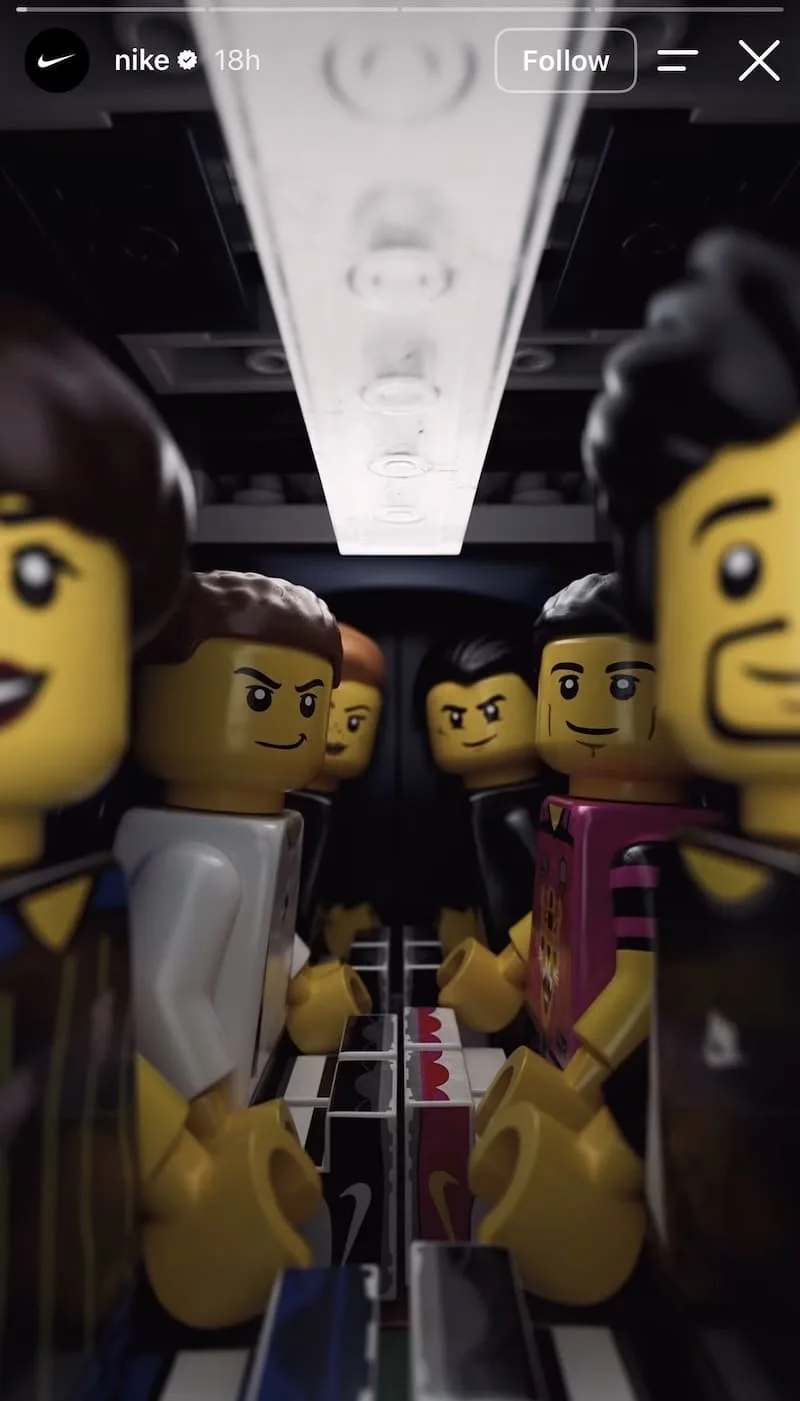
A Story with no product, no copy, and no CTA earns its place in a brand’s rotation by doing something promotional content can’t: reminding followers why they followed the account in the first place, not what they might buy from it.
Here’s what you can do: Most brand accounts never post a Story that isn’t trying to sell or inform something, which is exactly why a pure creative Story stands out when you do. If you wouldn’t pause your own scroll for it, it isn’t working.
32. Give a feed post a Story layer and a second wave
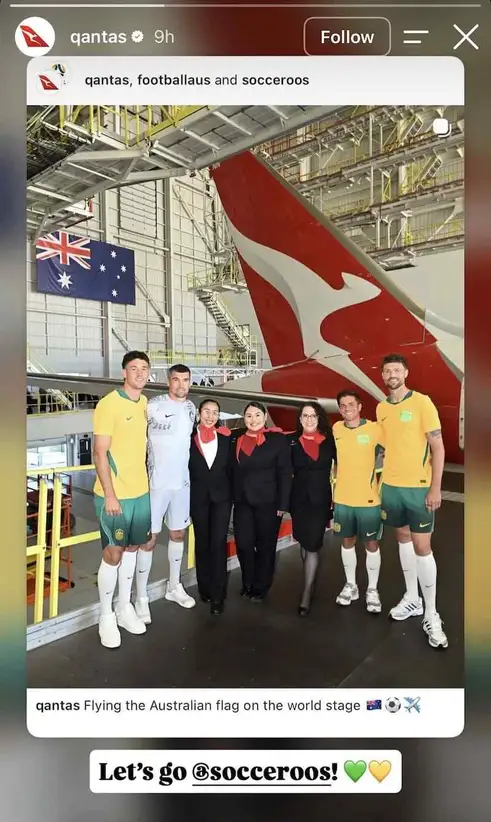
A reshared feed post with added commentary reaches followers who missed the original and, more usefully, signals that there’s a live perspective behind the account rather than just a publishing schedule.
Here’s what you can do: The most effective added layer is specific and short: a rally cry, a personal reaction, a piece of context that wasn’t in the original post. One line of real commentary is enough to change the tone from republish to endorsement.
33. Build a monthly creative series your community makes
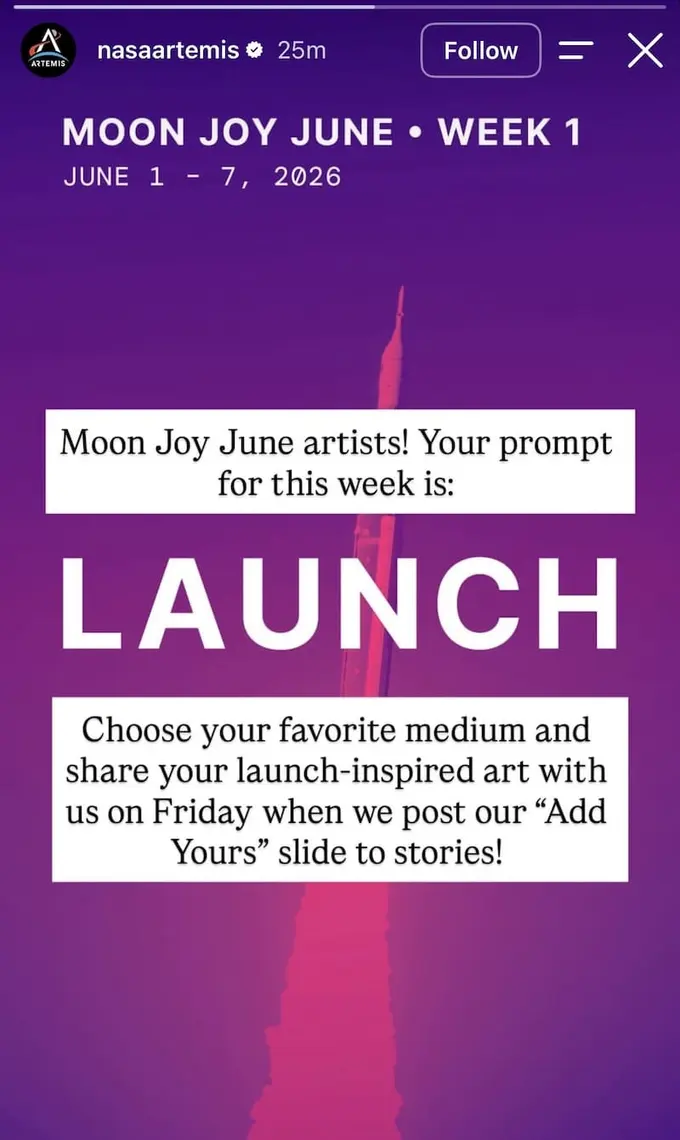
A monthly creative series with a single-word prompt builds participation across the entire calendar month rather than at a single moment of posting. The broad brief (“any medium”) keeps the barrier to entry low enough that anyone can contribute something.
Here’s what you can do: A monthly creative series asks your community to make something, which is a different mechanic from a poll or a product quiz. It gives followers a recurring reason to return, and the Friday “Add Yours” delivery structure builds anticipation across the week.
34. Use Stories to grow your Broadcast Channel
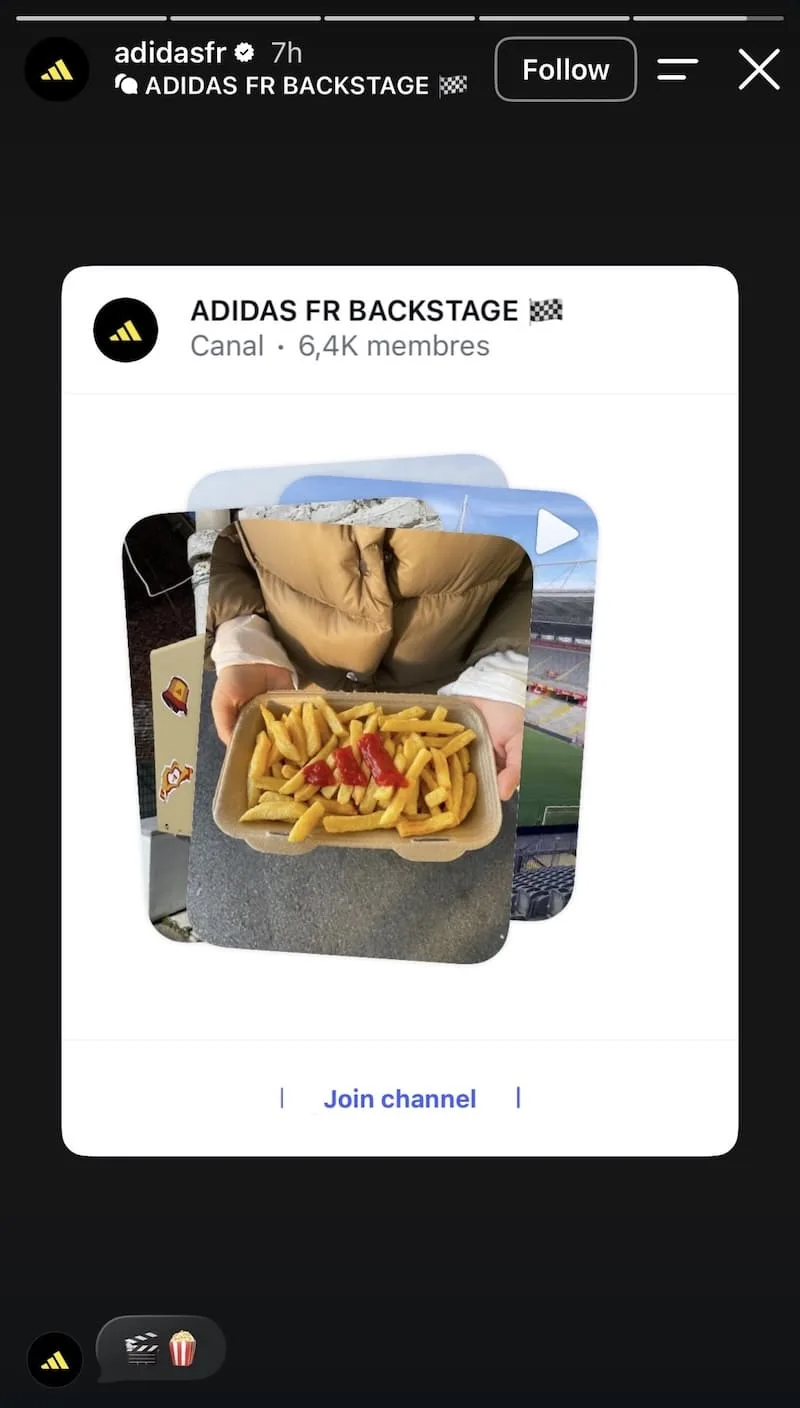
Broadcast channel growth is driven by exclusivity signals, not descriptions of what the channel contains. People opt in when they can see specifically what they’re getting, not when they’re told it’s worth joining.
Here’s what you can do: Show a genuine moment from inside the channel that followers can’t get anywhere else on your main account. The more candid and unpolished the preview looks, the more convincingly exclusive it feels.
35. Tie a limited product to what’s already in the culture
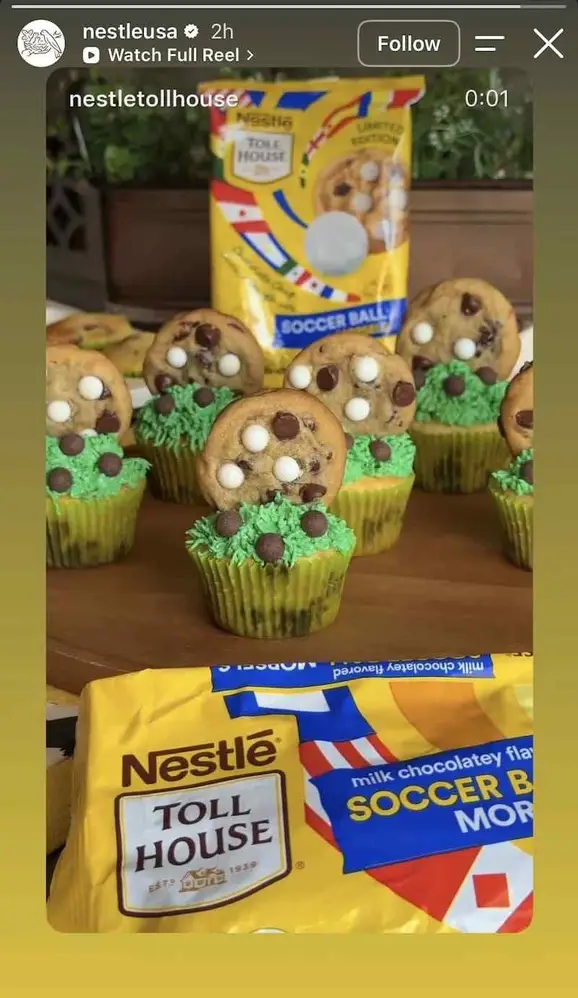
A limited product’s connection to a cultural moment is demonstrated more persuasively than it’s announced. Showing the product in active use during the moment it belongs to removes the need for any copy to explain the tie-in.
Here’s what you can do: When you have a seasonal or limited product, the Story needs to show the product inside the cultural moment, not describe the connection from a distance.
Instagram Story ideas for partnerships and announcements
Brand partnerships, sponsorships, rebrands, and community celebrations are newsworthy to the audience already following you. Stories is where that news reaches the people who care most about it, at the moment they’re most likely to do something with it.
36. Embed a sponsor into data your audience already wants
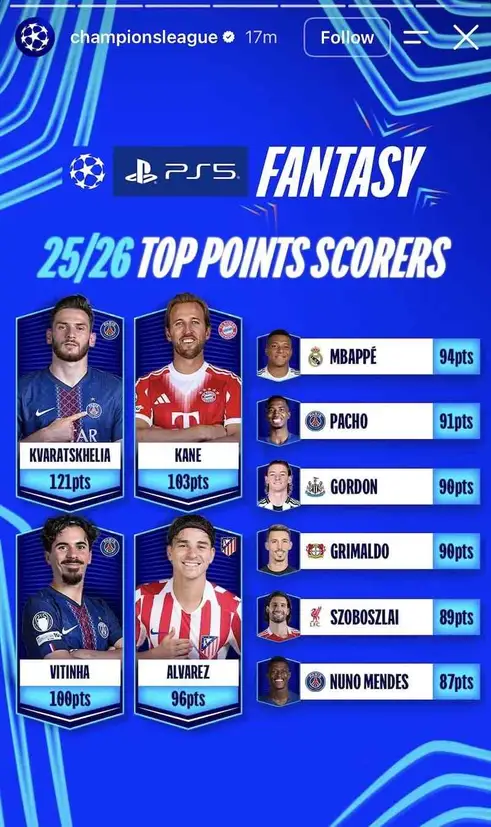
Sponsored content that leads with data the audience would want to see regardless of the sponsor earns its place in the feed rather than interrupting for it. The brand association follows from relevance, not from placement.
Here’s what you can do: When negotiating sponsored content formats with partners, push for data-led integrations rather than logo placements. The audience engages with the content because the data is useful, and the sponsor gets associated with something worth engaging with.
37. Give show programming a one-sentence storyline hook
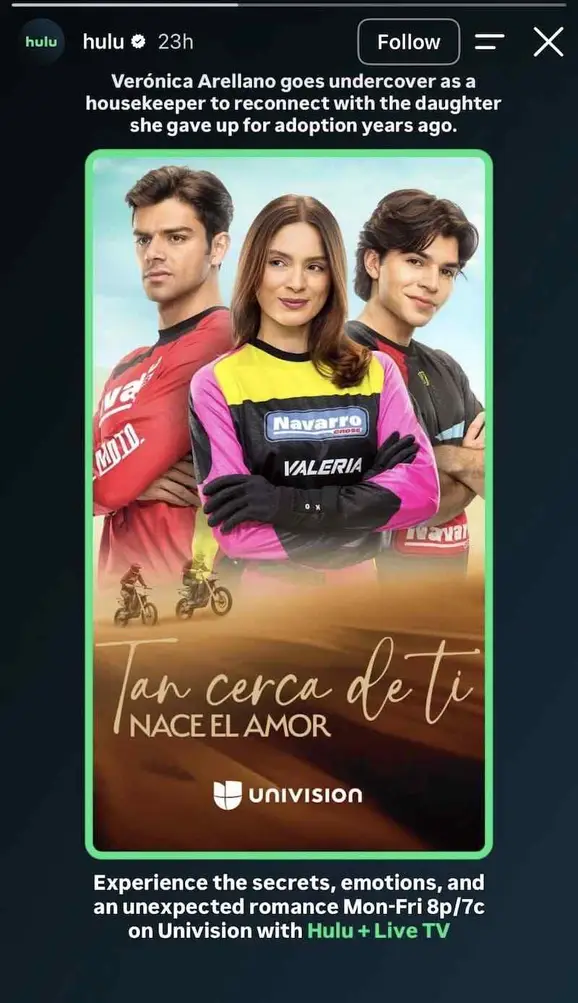
A single-sentence narrative premise answers “is this for me?” faster than any other programming promo element. It tells the audience whether the story belongs to them before they’ve had to commit to a trailer, a cast image, or a channel switch.
Here’s what you can do: Put the narrative hook above the show poster, not below it. The premise is your filter; it selects the right viewer and releases everyone else. The title and viewing details follow naturally once the viewer has already decided they’re interested.
38. Make a rebrand a moment worth sharing
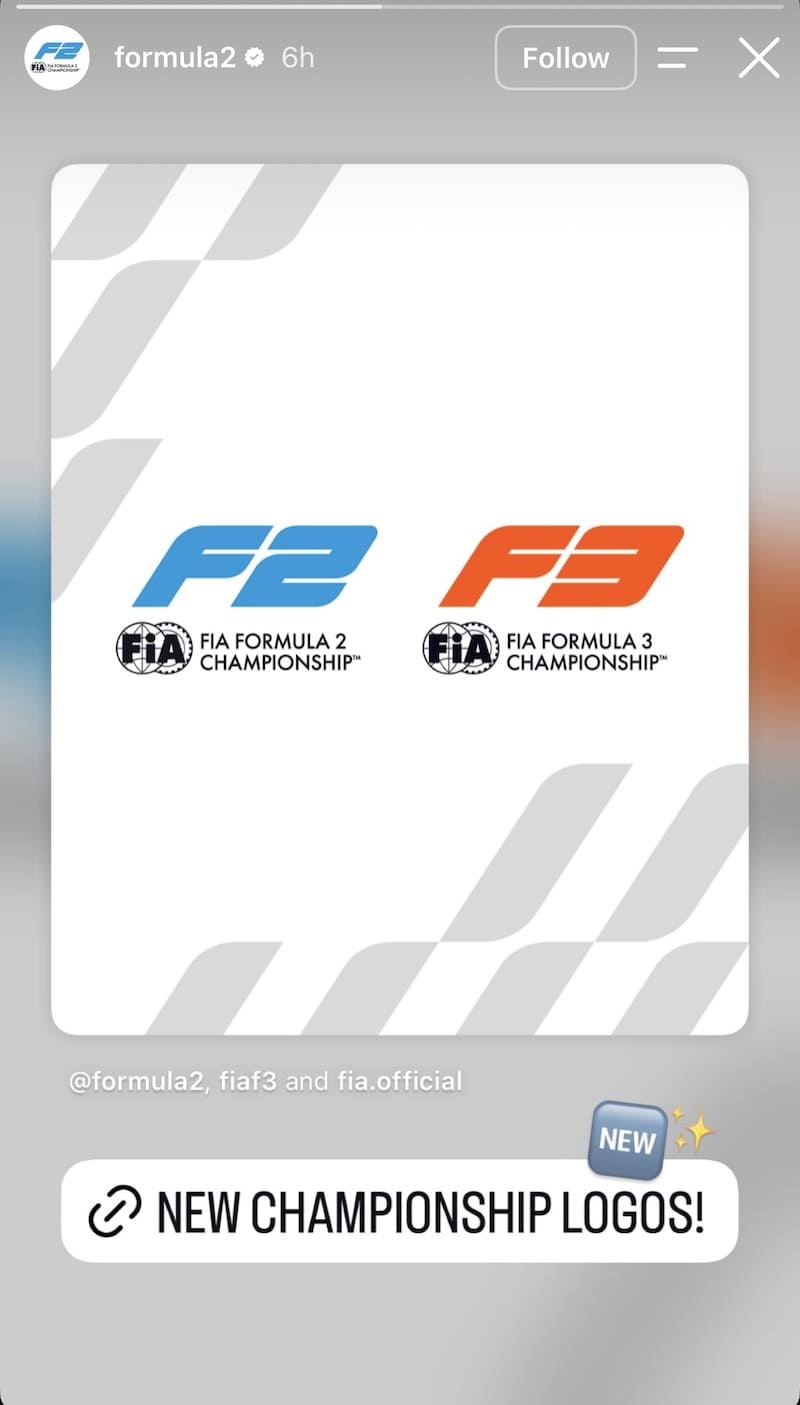
A visual rebrand is one of the few organizational announcements that’s natively suited to Stories because the content is visual and the clean reveal format treats the moment with the same urgency a product drop would.
Here’s what you can do: Organizational changes get buried in press releases. A Story that treats the reveal like a product drop, with a clear visual and a direct link, gives your audience a moment to feel part of a change rather than just notified of one.
39. Celebrate your community with the same energy as a win
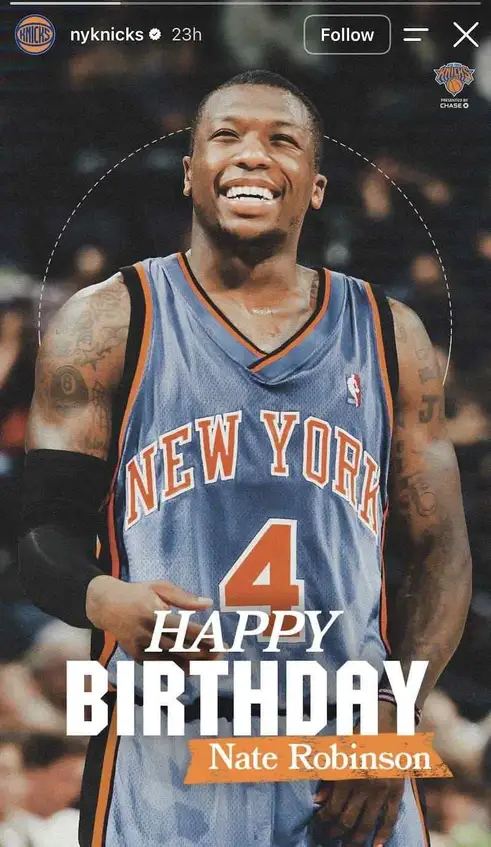
Community milestone posts, whether for players, alumni, collaborators, or longtime customers, earn goodwill that promotional content can’t accumulate. They earn it because they’re not asking the viewer for anything, and that distinction is felt.
Here’s what you can do: A celebration post built with real care lands differently from one that looks like a calendar reminder got triggered. The production quality should match the energy you’d bring to any high-stakes content; the subject just happens to be a person, not a product.
40. Reshare fan art with a conversion layer

External creative work about your brand, from a fan or community creator, carries trust that internal marketing assets can’t claim. The creator’s quality is part of the credibility signal; the CTA is how you direct that trust toward a business outcome.
Here’s what you can do: When a creator produces something compelling about your brand, reshare it and attach a relevant CTA. The creator’s craft earns the click in a way a produced campaign asset often can’t.
Use these Instagram Story ideas to inspire your calendar
The blank Stories queue gets easier to fill once you stop treating every post as a creative decision and start treating it as a format decision. Today it’s a poll because there’s something worth asking. Tomorrow it’s a Reel preview because something in your feed deserves a second audience. Next week it’s the monthly community quiz your team can prep in 30 minutes.
The formats that keep a Stories calendar alive aren’t the expensive ones. Liverpool FC’s open letter was a photo and a headline. The Drexel University reshare was a screenshot and a link. TotalEnergies’ quiz was a question and three answer boxes. What each of those brands had was a wide enough playbook that they didn’t need a campaign to keep the queue full.
Vista Social lets you schedule and auto-publish that playbook in advance, so you’re planning from a calendar rather than scrambling from a blank queue. Start a free trial and see what the week looks like when Stories are already handled.
Instagram Story ideas FAQs
How often should brands post Instagram Stories?
Most brands build the strongest presence by posting between one and three Stories per day. Consistency matters more than volume: a brand that shows up every day, even once, maintains visibility in the Stories row in a way that sporadic heavy posting never earns. If daily feels unsustainable, five Stories per week is a solid starting point.
What’s the ideal length for a brand Story?
Individual photo slides work best at three to five seconds of viewing time. For video, 15 to 30 seconds tends to hold attention better than anything approaching the 60-second maximum. If a concept needs more than 30 seconds to land, it usually works better as a Reel that Stories can preview and link through to.
Do Instagram Stories help with reach and engagement?
Stories don’t compete with feed content in the main algorithm, but strong Story engagement, replies, poll taps, link clicks, sticker interactions, signals to Instagram that your account is actively connecting with its audience, which can positively influence how your feed posts are distributed. Consistent Stories and a strong feed tend to reinforce each other.
Can you schedule Instagram Stories in advance?
Yes. Vista Social supports direct scheduling and auto-publishing for Instagram Stories, including link stickers and captions, from a desktop dashboard. You set the publish time, Vista Social handles the posting, and nothing requires a mobile push or a manual step. This makes it realistic to plan a full week of Stories in one planning session.
What’s the difference between Stories and Instagram Highlights?
Stories disappear after 24 hours unless you save them to a Highlight, which lives on your profile permanently. Highlights work as an evergreen reference for profile visitors, covering FAQs, product categories, or recurring content series. Stories are the daily conversation; Highlights are the organized archive that stays on record for anyone who finds your profile later.

Try Vista Social for free
A social media management platform that actually helps you grow with easy-to-use content planning, scheduling, engagement and analytics tools.
Get Started NowAbout the Author

Content Writer
Orion loves to write content that refuses to be boring. As part of Vista Social, he helps brands, creators, and agencies stop doom scrolling and start winning with social media. When he's not in front of a keyboard, he's watching films in IMAX with his wife, dissecting football tactics (the European kind), and getting lost in a good book.