If you’re already using AI in your social media strategy, you’ve probably noticed that you still have to do a lot of work before any comments, DMs, or content ideas are fully relevant to your brand.
But that’s not super conducive to using AI to get work done faster, is it?
Your AI assistant should be able to actually assist you by creating fully accurate and helpful auto-responses to comments and DMs, suggest content ideas that would actually perform well for your brand, and handle high-volume engagement periods without needing manual input from your team.
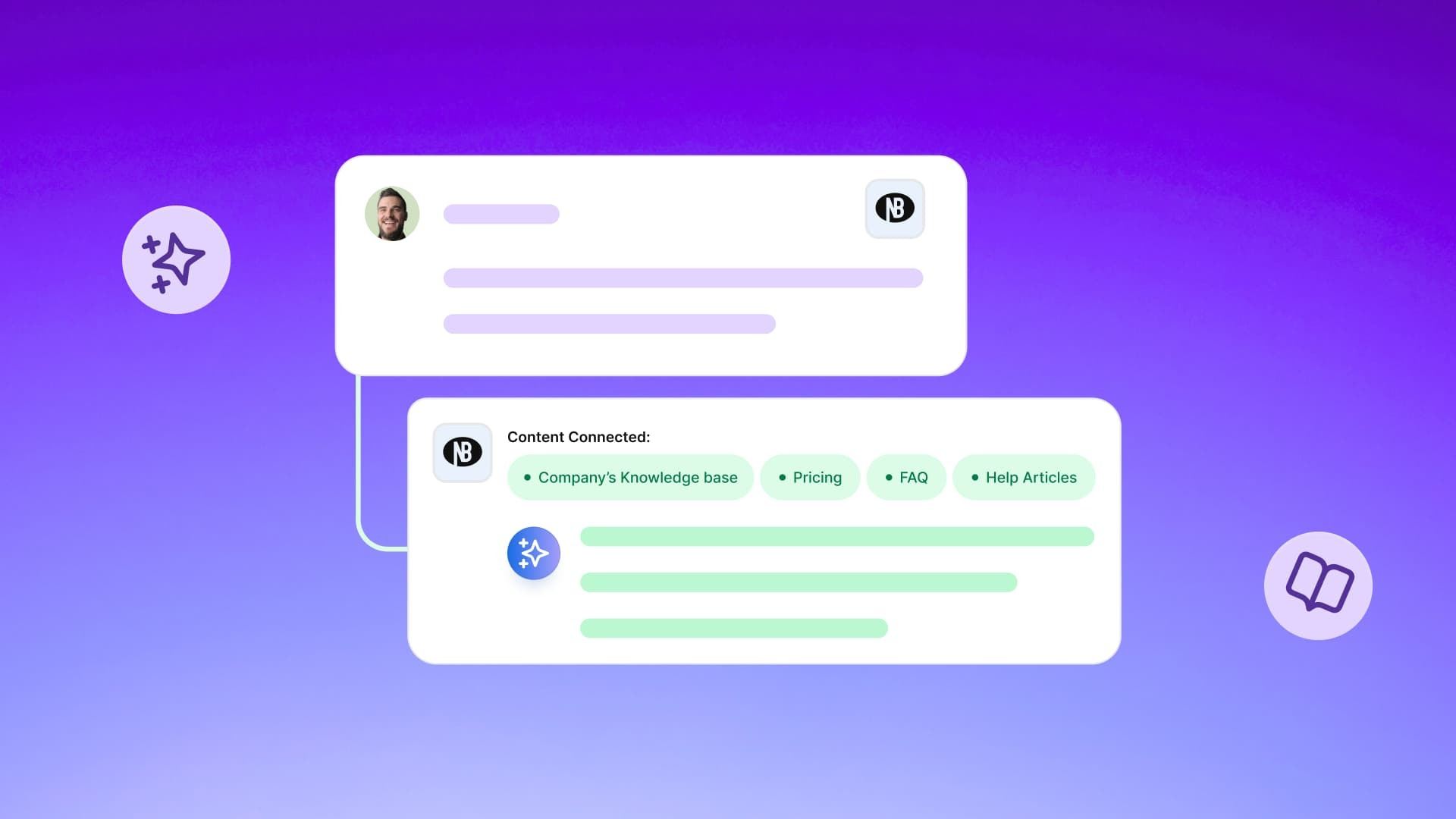
And with Vista Social’s new AI Knowledge capabilities, you can fully train your AI social media assistant to do all of that—and more.
Throughout this guide, we’re going to dive deeper into why you should be relying on an AI assistant to help you manage your social media presence plus discover 10 use cases that properly training your AI makes possible.
Table of contents
But first, let’s talk AI prompts
If we’ve said it once, we’ve said it a million times, but it still rings true: your AI output is fully dependent on your AI prompt/input.
You can’t expect to get something useful if all you type in is “Give me 10 content ideas” with no further context or specifications.
And the same would go for a human assistant. Sure, they’d do their darnedest, but they probably wouldn’t be able to come up with anything groundbreaking with little to no additional guidance.
If you want your AI assistant to actually be helpful, you need to provide it with the necessary context and information it needs to, well, help.
Enter: AI Knowledge. Our latest feature lets you train Vista Social’s AI on all things *your brand* so that it actually has the tools needed to create fully personalized content.
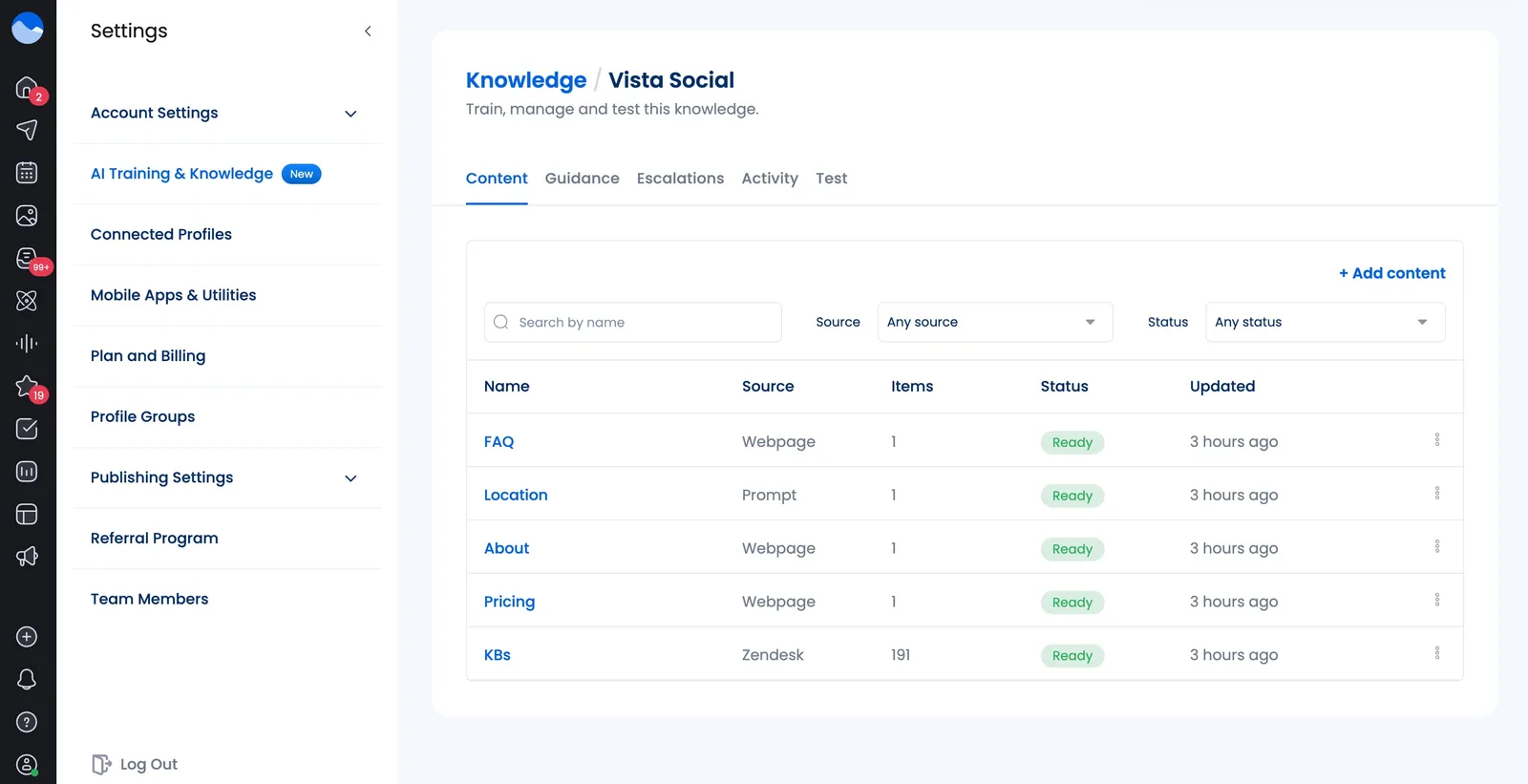
With this feature, you can connect every detail about your brand and its products or services through:
Policy documents
Product details
FAQs
Knowledge base articles
Pricing information
Well-performing past campaigns
Really anything you want
Import documents, type or paste specifications in, connect Zendesk to upload your entire knowledge base, and watch as Vista Social’s AI assistant becomes completely trained on every aspect of your business.
This is the difference between an AI chatbot sending a generic, “Check out our website for more information!” and responding with actual value to your customers.
How to train your AI social media assistant: 4 ways to add your data
You don’t need to hire an engineer to train an AI on your brand or spend months coding the correct responses a chatbot should be sending.
With Vista Social’s AI Knowledge, you can get set up in literal minutes.
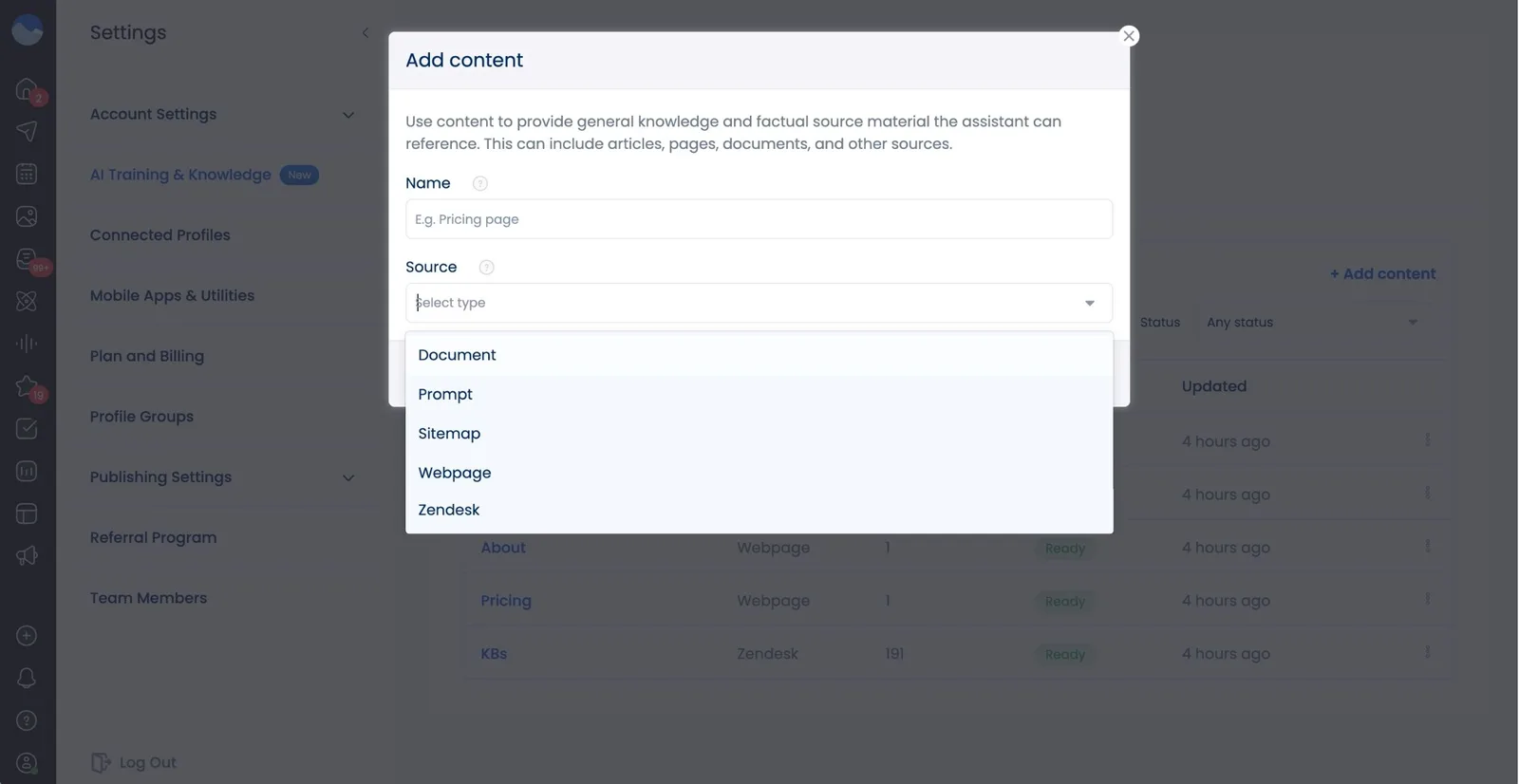
There are four ways to bring your brand data into Vista Social:
Upload documents. Product guides, FAQs, policy PDFs, training manuals—Vista Social accepts PDF, DOCX, XLS, CSV, TXT, and more.
Write it directly. Type or paste any text-based information you want the AI to know as your own prompt input.
Point to your website. Paste your sitemap or any other webpage URL and Vista will crawl and index it automatically.
Connect your knowledge base. Link Zendesk (with more integrations coming) and we’ll pull in your articles automatically.
The best part about linking a website URL or connecting your knowledge base is that any changes you make to the live pages will be automatically and immediately reflected in Vista Social’s output, without you having to make more manual updates.
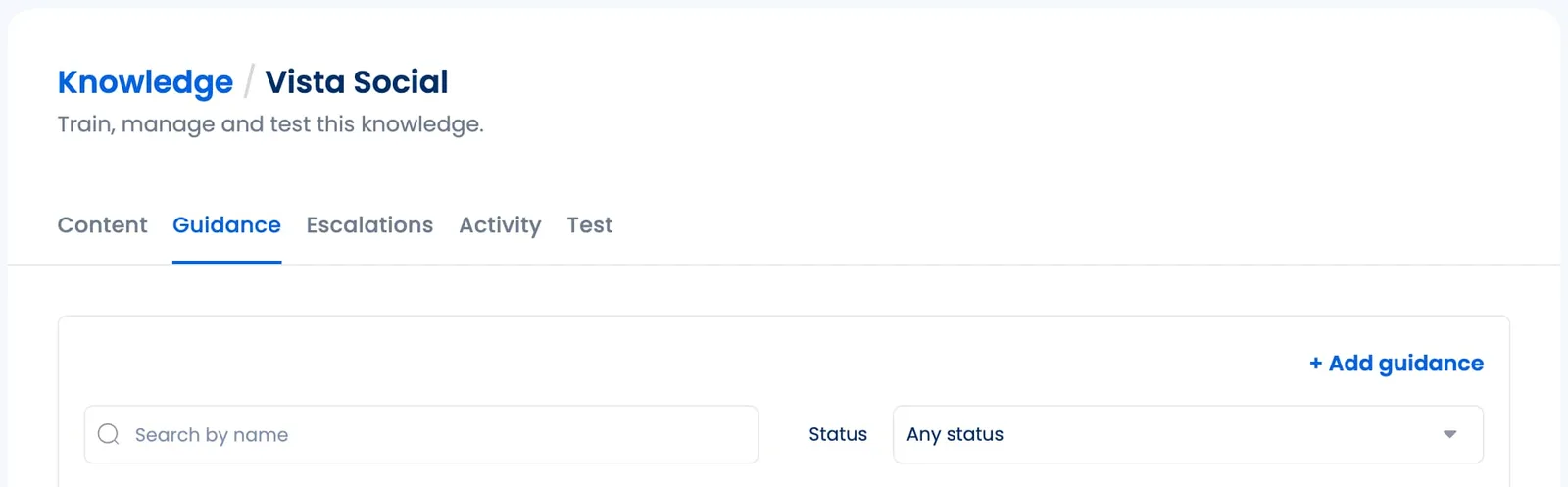
Plus, you can add even more nuance to how your assistant runs. Provide Guidance or Escalation rules that give your AI more information when specific campaigns are referenced or when a conversation needs to be immediately routed to a human, rather than handled by a bot.
Where your AI social media assistant runs
Now that you’ve given Vista Social the tools it needs to speak accurately about your brand, let’s talk about where that knowledge works. The AI assistant runs seamlessly through nearly every feature that we offer.
This makes every AI interaction across Vista Social better than ever:
Generate content that references your actual products and campaigns instead of producing generic filler
See DM and comment replies that pull real answers from your data—store hours, sizing guides, shipping policies, return instructions—instead of directing people to check your website
Add a brand-aware chatbot to your Vista Page that supports multi-turn conversation, cites its sources, and respects your escalation rules
Automation workflows that now draw from real brand knowledge, turning every automated interaction from a basic response into a genuinely helpful one
Roll out campaigns at scale by uploading a campaign brief once and watching as every profile’s AI interactions become instantly campaign-aware
10 use cases for your AI social media assistant
Let’s put your newly trained AI social media assistant to work. Because you are already creating the strategy, building the brand voice, designing the content…you’ve got enough on your plate, and it’s time for you to get some much deserved help.
So here are 10 ways you can take advantage of Vista Social’s AI capabilities.
1. Answering product questions in DMs (instantly and accurately)
This is the most immediate win. Your team probably fields dozens (or even hundreds, depending on the size of your business) of DMs every week. Messages asking about product specs, availability, sizing, materials, compatibility, what have you.
Without AI Knowledge, your AI responds with something like “Please check our website for details.” But with it, the AI pulls the answer directly from your uploaded product data.
A customer asks about the Aria jacket and gets back the exact size range, the fabric composition, and a note about fit—all without a human touching the conversation. That’s the difference between losing a customer and closing a sale.
2. Handling high-volume comment surges during promotions
You run a flash sale. You post about it. Five hundred people comment across platforms asking about dates, discount codes, eligibility, and exclusions.
Without AI Knowledge, your team either replies manually to each one (burning hours) or ignores most of them (burning trust).
With AI Knowledge, you upload the promotion details once and Vista auto-replies to every comment with the correct dates, promo codes, terms, and links. The AI doesn’t guess—it references the exact details you provided.
What to upload:
Promotion briefs
Sale terms and conditions
Discount code details
Campaign calendars
3. Fielding customer service questions 24/7
Think about some of the repeat questions you see in your comments or DMs. Store hours. Return policies. Shipping timelines. Warranty terms. The same questions your team has to answer over and over, every single day.
These are the questions many teams try to use automations to answer—but all you can do is provide canned responses until someone with more insights can join the conversation with an actual answer.
But now, you can give AI all the information it needs to answer for you with completely accurate details.
A customer asks, “How do I return something?” at 11pm on a Saturday and gets a clear, correct answer pulled from your return policy document—not a placeholder asking them to call during business hours.
What to upload:
FAQ documents
Return and exchange policies
Shipping policy pages
Store hours
Location details
4. Powering a brand-aware chatbot on your link-in-bio
AI Knowledge powers a new chatbot block for Vista Pages that answers any questions your landing page visitors might have. This fully trained, multi-turn conversational AI can answer real customer questions, making your job even easier.
Embed it on your link-in-bio page and let it handle prospect questions about pricing, features, availability, or anything else you’ve added to your knowledge base. It works around the clock and doesn’t need to “get back to you.”
What to upload:
Pricing information
Feature lists
Comparison guides
Onboarding documentation
5. Rolling out campaigns across multiple profiles
If you manage multiple brand profiles (whether across regions, product lines, or sister brands), campaign rollouts can be painful. Each profile’s AI has zero context about the campaign unless someone manually configures every single one.
With AI Knowledge, you upload the campaign brief once. Every profile’s AI interactions become campaign-aware instantly. Whether someone asks about the holiday sale on your US profile or your UK profile, the AI gives the right answer.
What to upload:
Campaign briefs
Launch timelines
Regional pricing
Availability details
Key messaging documents
6. Onboarding new team members without the knowledge gap
When a new social media manager joins your team, there’s always a ramp-up period where they don’t know the brand well enough to respond confidently.
AI Knowledge shortens that gap dramatically. The AI already has the institutional knowledge. Now, the new team member just needs to review and approve responses rather than craft them from scratch.
This is especially valuable for agencies managing multiple clients. Upload each client’s brand data separately and AI Knowledge ensures responses are accurate and on-brand regardless of who’s on shift.
What to upload:
Brand guidelines
Tone of voice documents
Historical FAQs
Training manuals
Client onboarding decks
7. Protecting your brand with escalation rules
Not every message should get an automated response. If someone mentions a legal complaint, a safety issue, or a sensitive topic, the last thing you want is your AI firing off a cheerful reply that makes things worse.
AI Knowledge includes escalation rules that tell the AI when not to answer. You define the triggers—legal language, safety concerns, competitor comparisons, polarizing topics, anything you choose—and the AI steps back and notifies the right person via email, Slack, or webhook. The customer doesn’t get a bad response. Your team gets alerted immediately.
What to configure:
Escalation triggers for legal, safety, PR-sensitive, or VIP scenarios
Notification routing to the appropriate team lead
8. Keeping AI responses on-brand with guidance rules
Knowing what to say is only half the equation. How the AI says it matters just as much. Guidance rules let you control tone, style, and behavior at a granular level.
You can tell the AI to always mention your free trial when someone asks about pricing. You can instruct it to never discuss competitor products. You can set it to respond in a casual, friendly tone for your consumer brand and a more formal tone for your B2B brand.
The AI follows these rules across every interaction—posts, DMs, comments, and chatbot conversations.
What to configure:
Tone and voice guidelines
Topic-specific response instructions
Do’s and don’ts
CTA preferences
9. Making event promotion effortless
Running a pop-up? A webinar? A product launch event? A conference booth? Events generate a flood of repetitive questions: dates, times, locations, ticket pricing, parking, dress code, what’s included, who’s speaking.
Upload the event details once and AI Knowledge handles every question across every channel—without your team manually typing the same answers over and over. When details change (a venue update, a schedule shift), update the source and the AI picks up the new information automatically.
What to upload:
Event briefs
Speaker lineups
Venue details
Ticket/pricing information
Schedule PDFs
FAQ pages
10. Turning your existing knowledge base into a social media asset
If you already maintain a knowledge base in Zendesk (with more integrations coming), AI Knowledge connects directly to it. Your support articles, help docs, and FAQ entries become the foundation for every AI interaction on social media.
This means the investment you’ve already made in documentation starts working in a channel it never reached before. And because the connection auto-refreshes, when your support team updates an article, the AI’s social responses reflect the change automatically—no manual re-uploading.
What to connect:
Zendesk knowledge base
Help center articles
Support documentation
Start training your AI social media assistant today
AI Knowledge is available now in your Vista Social dashboard. Take advantage of the new way AI can help guide your community management across all of your social media profiles.
If you haven’t checked out Vista Social yet, start your 14-day free trial and see how AI Knowledge can change your life (or at the very least, your job).
Try Vista Social for free
A social media management platform that actually helps you grow with easy-to-use content planning, scheduling, engagement and analytics tools.
Chloe West is a content marketing manager for Vista Social. She has over seven years of experience in digital marketing for B2B SaaS companies. When she's not working, you'll find her spending time with her family, reading a book, or watering her plants.
Loading related tools...
By continuing to use this site you consent to the use of cookies in accordance with our cookie policy.