

Published on January 27, 2026
13 min to read
AI-Generated Content for Social Media: Tips & Tools

Summarize with AI

Table of contents
Summarize with AI

ChatGPT

Claude

Perplexity
Share

Vista Social

X (Twitter)


Your feed is drowning in content. Every brand, creator, and competitor is pumping out posts faster than ever. The uncomfortable truth, though, is that a lot of that content is made with AI. But so much of it looks… the same. It’s completely generic and forgettable, and it’s what the kids would call “AI slop.”
However, AI-generated content itself isn’t the entire problem. The problem is how most people choose to use it. They treat AI like a vending machine instead of a creative partner. They hit “generate” and post whatever comes out without a second thought.
That approach is hurting brands. According to a recent survey, 78% of consumers say explicit labeling of AI-generated content is “very important” or “the most important factor” in maintaining trust. People can tell when content feels hollow.
Our guide takes a different approach. We’re going to show you how to use AI as the starting point, not the finish line. You’ll learn to take that rough AI output and shape it into something that actually sounds like your brand. Something worth engaging with.
Table of contents
What is AI-generated content?
AI-generated content is text, images, video, or audio that’s been created using artificial intelligence tools. These tools analyze patterns from massive datasets and produce new content based on your instructions.
On social media, this shows up as:
- Captions and post copy written by ChatGPT or similar tools
- Images created from text prompts using tools like Midjourney or DALL-E
- Short videos generated or enhanced by AI video platforms
- Voice-overs and audio produced by text-to-speech technology
The technology behind these tools has evolved fast. Natural language processing (NLP) lets AI understand and generate human-sounding text. Generative adversarial networks (GANs) and diffusion models create realistic images. Large language models (LLMs) like GPT-4 power the conversational AI most marketers use daily.
Why AI content creation exploded
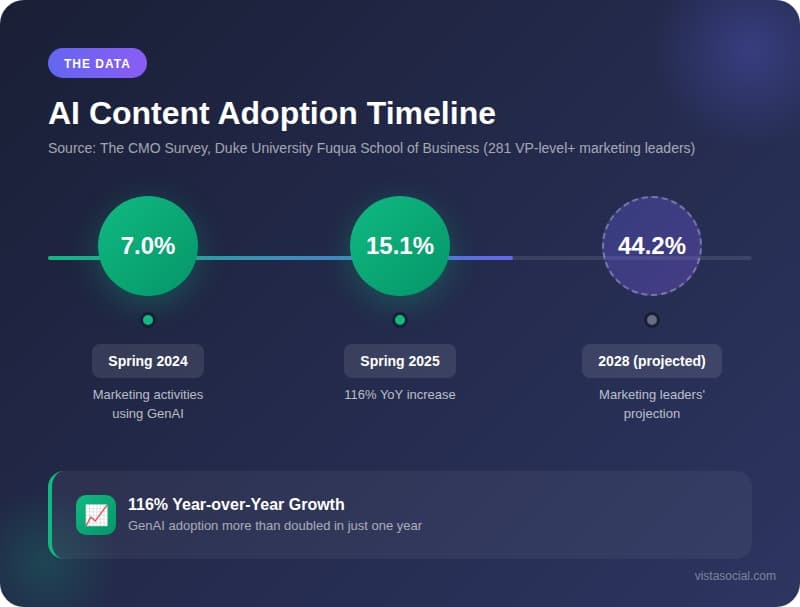
The growth isn’t subtle. According to The CMO Survey from Duke University’s Fuqua School of Business (surveying 281 VP-level+ marketing leaders), generative AI adoption surged 116% year-over-year, now deployed across 15.1% of marketing activities compared to just 7% in spring 2024.
Three factors drove this explosion:
- Speed became survival: Social algorithms favor consistency. Brands that post more frequently with quality content get more reach. AI lets small teams produce volume that used to require entire content departments.
- The tools got good: Early AI content was obviously robotic. Modern tools produce output that’s often indistinguishable from human work—when used correctly. HubSpot’s 2024 State of Marketing Report found that 56% of marketers using AI for content creation say AI-assisted work performs better than content created without it.
- Everyone’s competitors started using it: According to WordPress VIP’s 2024 Content Matters survey of over 1,000 marketing and media leaders, 62% believe AI can effectively bridge resource gaps on their teams. Meanwhile, 78% expect increased content demand but less than half expect budget increases to match. If your competitors are creating more content with fewer resources and you don’t adapt, you fall behind.
Pros and cons of AI-generated content
Every tool has tradeoffs. AI content creation is no different. Understanding both sides helps you use it strategically instead of blindly.
Pros
Faster content production
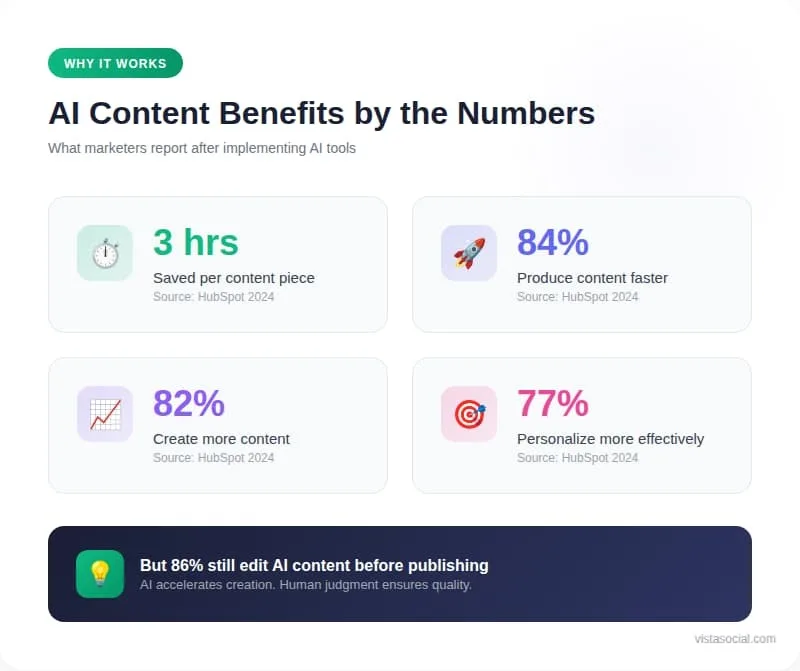
HubSpot’s research shows marketers save an average of 3 hours per piece of content and 2.5 hours daily overall with the use of AI tools. That’s not a small efficiency gain. For a team producing 20 posts per week, that’s 60+ hours saved monthly. To ensure the output retains authenticity and nuance, some teams rely on an online AI text humanizer that transforms machine-generated text into natural, human-like writing.
Vista Social’s AI Assistant builds this speed directly into your workflow. Generate caption drafts, hashtag suggestions, and content variations without leaving your scheduling dashboard.
Scaled personalization
AI can adapt messaging for different audience segments, platforms, and contexts faster than any human team. What once required writing 10 versions of the same post now takes one prompt and minor adjustments.
Consistent brand voice
Once you train AI on your brand guidelines, it maintains consistency across hundreds of posts. Vista Social lets you establish and save your AI brand voice settings, so every generated caption starts from your established tone.
Lower barrier to experimentation
Testing new content formats, tones, or topics becomes low-risk when AI handles the first draft. You can try five different approaches to the same announcement and see what resonates.
Cons
The generic output problem
AI trained on internet content produces internet-average content by default. Without strong direction, you get the same phrases, structures, and ideas everyone else gets.
The Nuremberg Institute for Market Decisions found in 2024 that when consumers know content is AI-generated, they rate it as less natural and less useful, even when the actual content is identical to human-made versions.
Accuracy is your responsibility
AI confidently states things that aren’t true. It invents statistics, misquotes sources, and presents outdated information as current. Only 46% of marketers are somewhat confident they would know if GenAI produces inaccurate information, according to HubSpot’s research. Every claim needs verification.
Emotional depth is limited
AI can mimic emotional language but doesn’t understand feelings. Content that requires genuine empathy, real-time cultural awareness, or nuanced humor often falls flat when AI-generated.
Trust concerns are real
A Gartner survey of 305 consumers in May 2023 found 72% of consumers believe AI-based content generators could spread false or misleading information.
Getty Images’ 2024 “Building Trust in the Age of AI” report, surveying over 30,000 adults across 25 countries, found that 98% agree that authentic images and videos are pivotal in establishing trust. Using AI carelessly can damage the credibility you’ve built.
Types of AI-generated content
Different AI tools excel at different content types. Understanding what’s possible helps you match the right tool to each task.
Text content
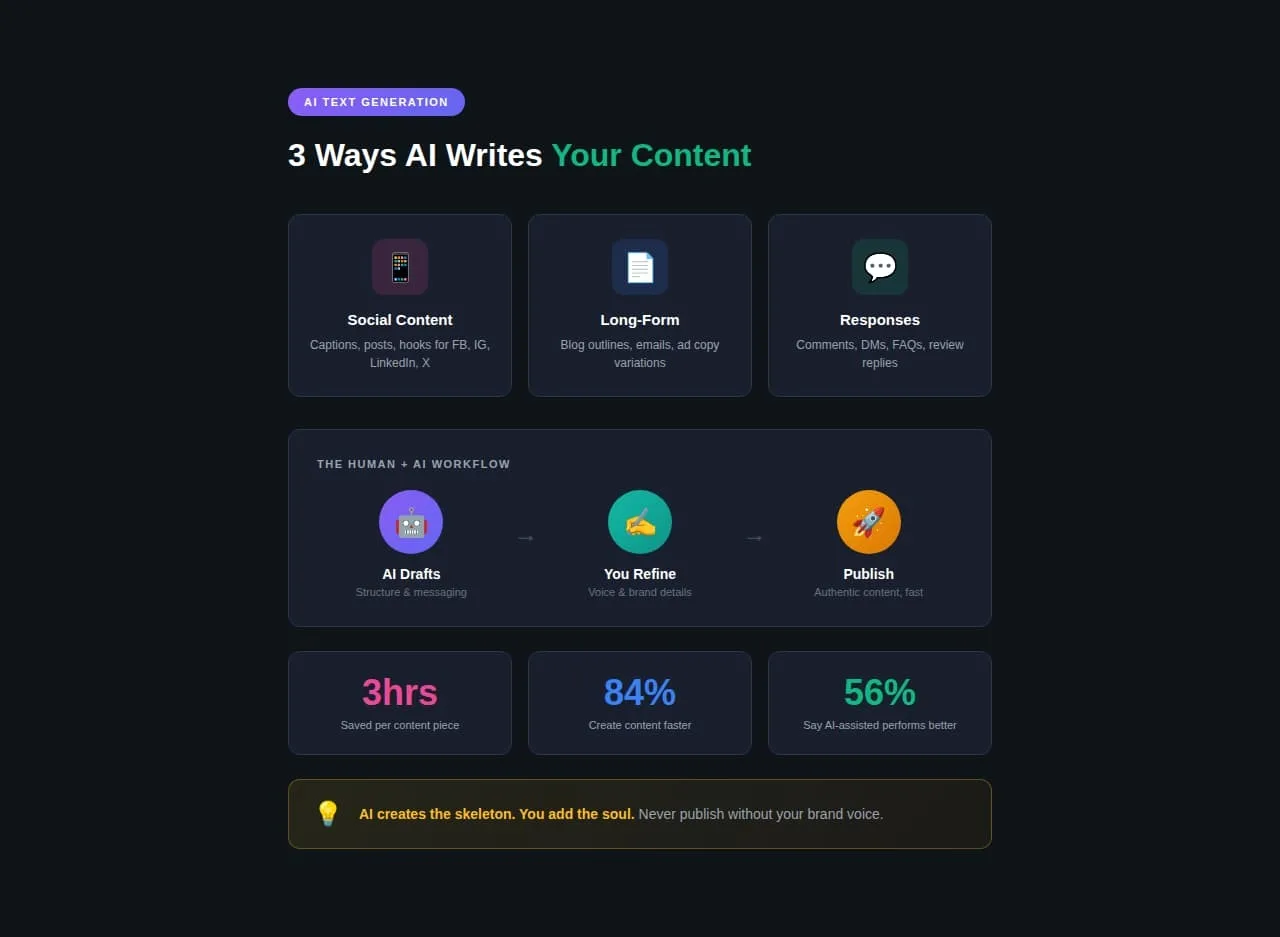
Text generation is the most mature AI content category. Tools like ChatGPT, Claude, and Jasper produce:
- Social posts and captions: Quick drafts for Facebook, LinkedIn, Instagram, and X. The AI handles structure and basic messaging while you add personality and brand-specific details.
- Long-form content: Blog outlines, email sequences, and ad copy variations. AI creates the skeleton; you add the substance.
- Responses and replies: Comment responses, DM templates, and FAQ answers. Useful for maintaining engagement without manual effort on every interaction.
Real-world example: Heinz “A.I. Ketchup” Campaign (2022)
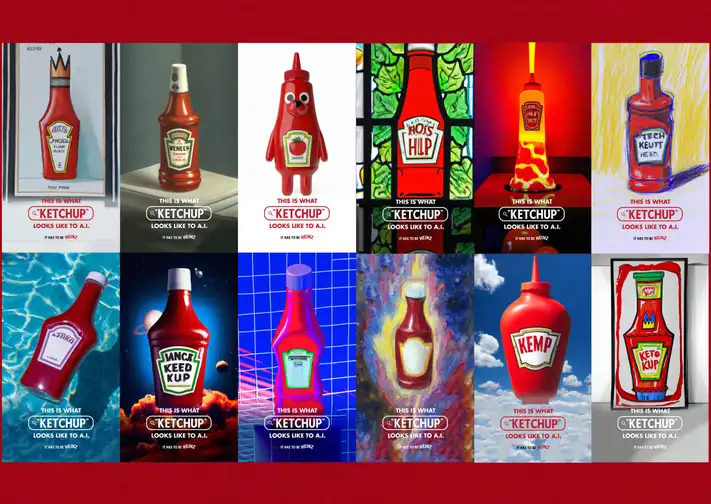
Heinz partnered with agency Rethink Canada to create what became the first major ad campaign with visuals generated entirely by AI. They asked DALL-E 2 a simple question: what does “ketchup” look like?
The result? Every AI-generated image looked like Heinz. The red bottle, familiar shape, iconic label style, and no brand name in the prompt. The AI just associated “ketchup” with Heinz automatically.
The campaign generated over 1.15 billion earned media impressions worldwide. Social engagement rates were 38% higher than previous campaigns. The media value exceeded the ad spend by 2,500%.
Image content
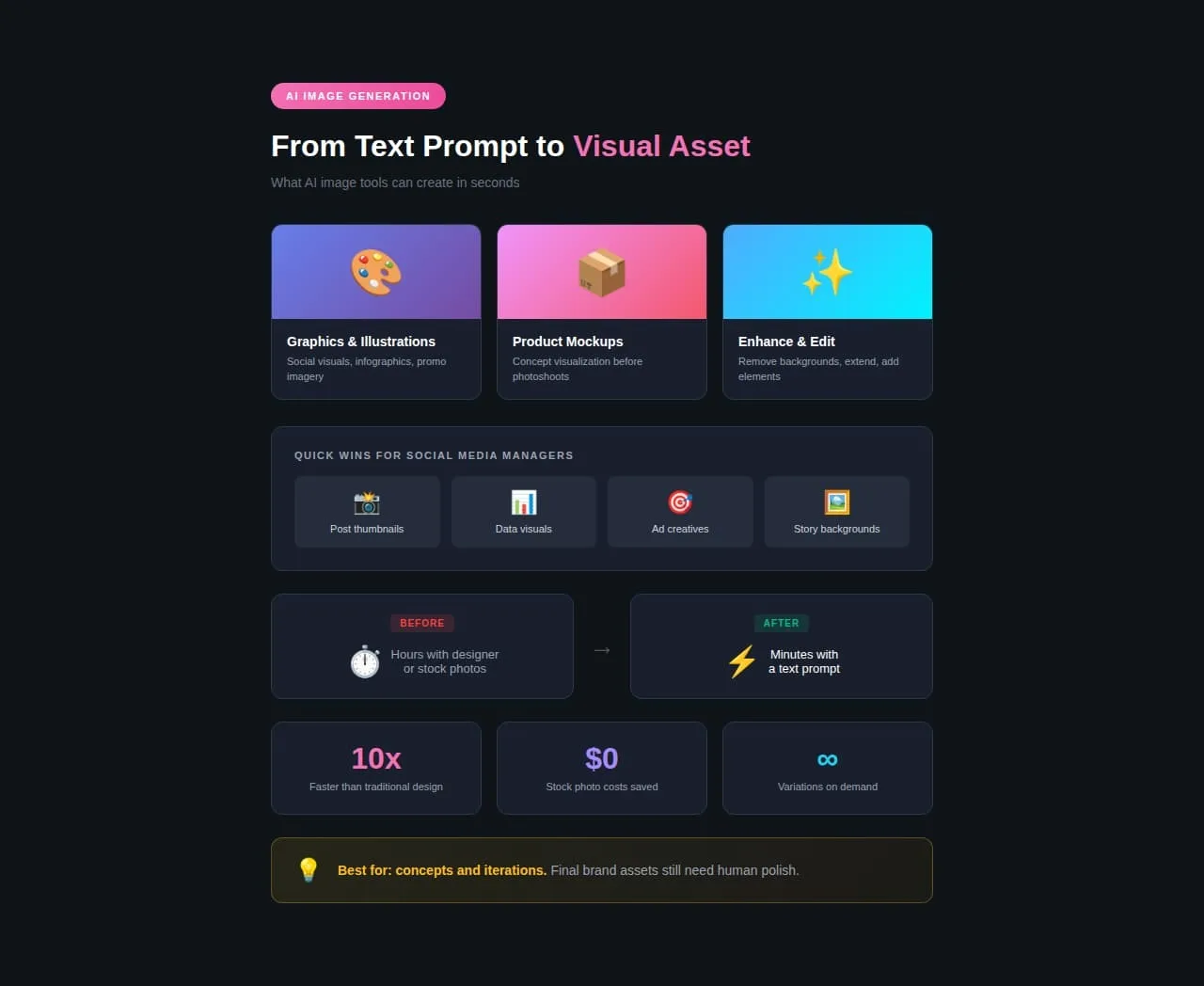
AI image generation has advanced dramatically. Current tools create:
- Graphics and illustrations: Custom visuals from text descriptions. Useful for social graphics, infographics, and promotional imagery.
- Product mockups: Quick visualization of concepts before professional photography.
- Background and enhancement: Removing backgrounds, extending images, adding elements to existing photos.
Real-world example: Barbie Movie Selfie Generator (2023)
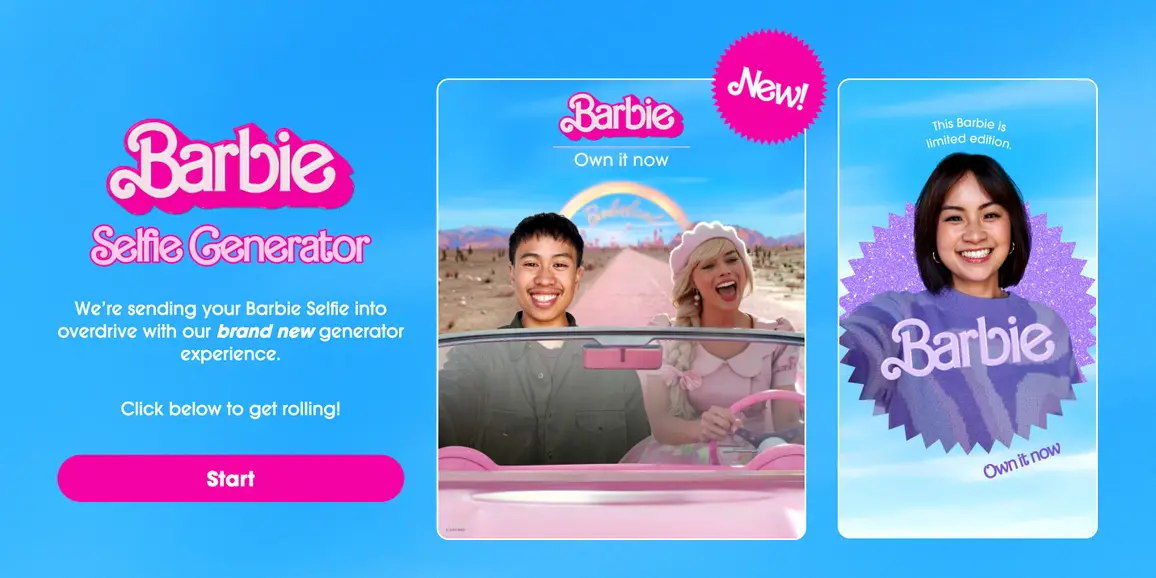
Warner Bros. partnered with PhotoRoom to create an AI-powered selfie generator for the Barbie movie launch. Users uploaded photos, and the AI transformed them into Barbie movie poster-style images.
The tool was used over 13 million times before the movie’s release. Implementation took less than one hour. Celebrities including Rihanna and Pedro Pascal participated. The campaign produced 67% positive online conversations and a 23,350% increase in mentions during one week in April 2023.
The movie opened to $155 million, breaking multiple box office records.
Video content
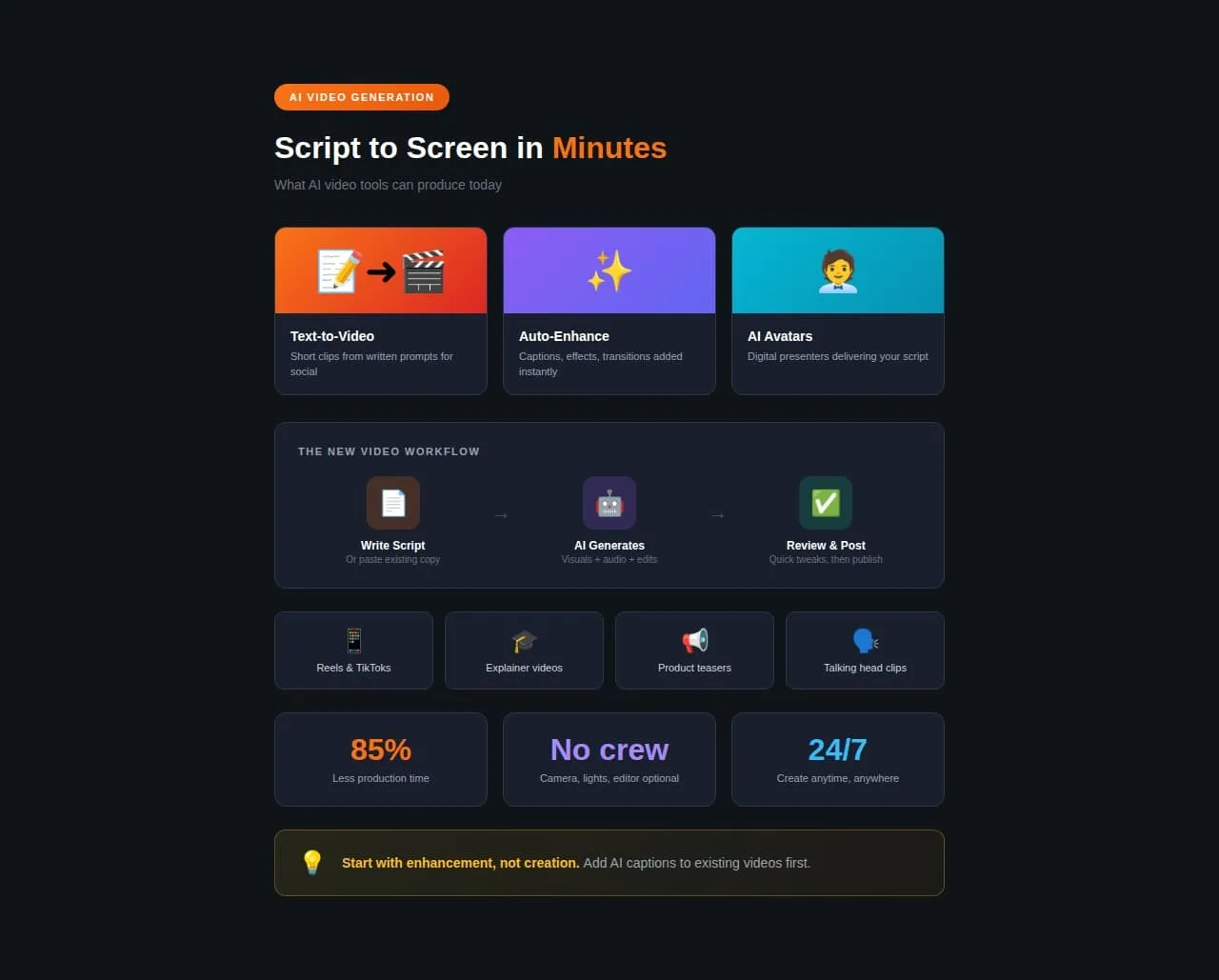
AI video is evolving rapidly. Current capabilities include:
- Text-to-video: Creating short clips from written descriptions. Useful for social snippets, explainers, and promotional teasers.
- Video enhancement: Adding captions, effects, transitions, and improvements to existing footage.
- Avatar and presenter videos: AI-generated spokespersons delivering scripted content.
Real-world example: The Original Tamale Company’s viral AI-assisted marketing video (2025)
In 2025, a small family-owned restaurant in Los Angeles called The Original Tamale Company captured global attention with a 46-second AI-assisted marketing video created almost entirely using ChatGPT (for scripting) and AI tools for voiceover and editing.
The humorous mini-ad went viral, amassing over 22 million views and 1.2 million likes in just three weeks, significantly boosting the shop’s brand visibility and foot traffic without a traditional marketing budget.
Audio content
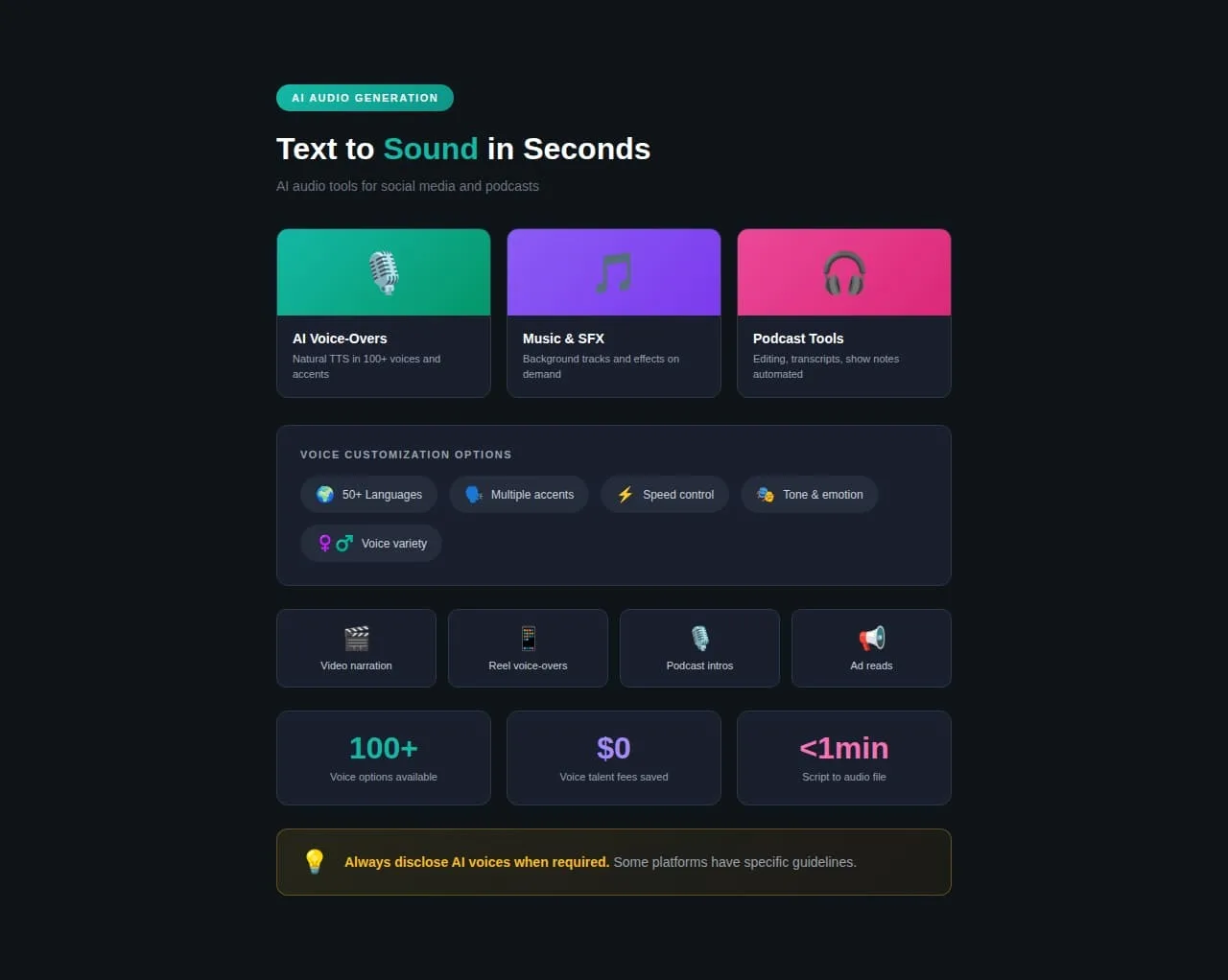
AI audio serves several social media functions:
- Voice-overs: Text-to-speech with natural-sounding voices. Multiple accents, tones, and speeds are available.
- Music and sound: Background tracks, sound effects, and audio enhancement for video content.
- Podcast production: Transcript-to-audio conversion, editing assistance, and show notes generation.
Real-world example: How social media teams are using AI audio (2024)
Here’s what AI audio actually looks like when humans stay in control: A social media manager writes the script, decides the tone, picks the pacing, and chooses which product benefits to highlight. AI handles the voiceover, so they don’t need to book studio time, hire talent, or re-record when the client changes one line of copy at the last minute.
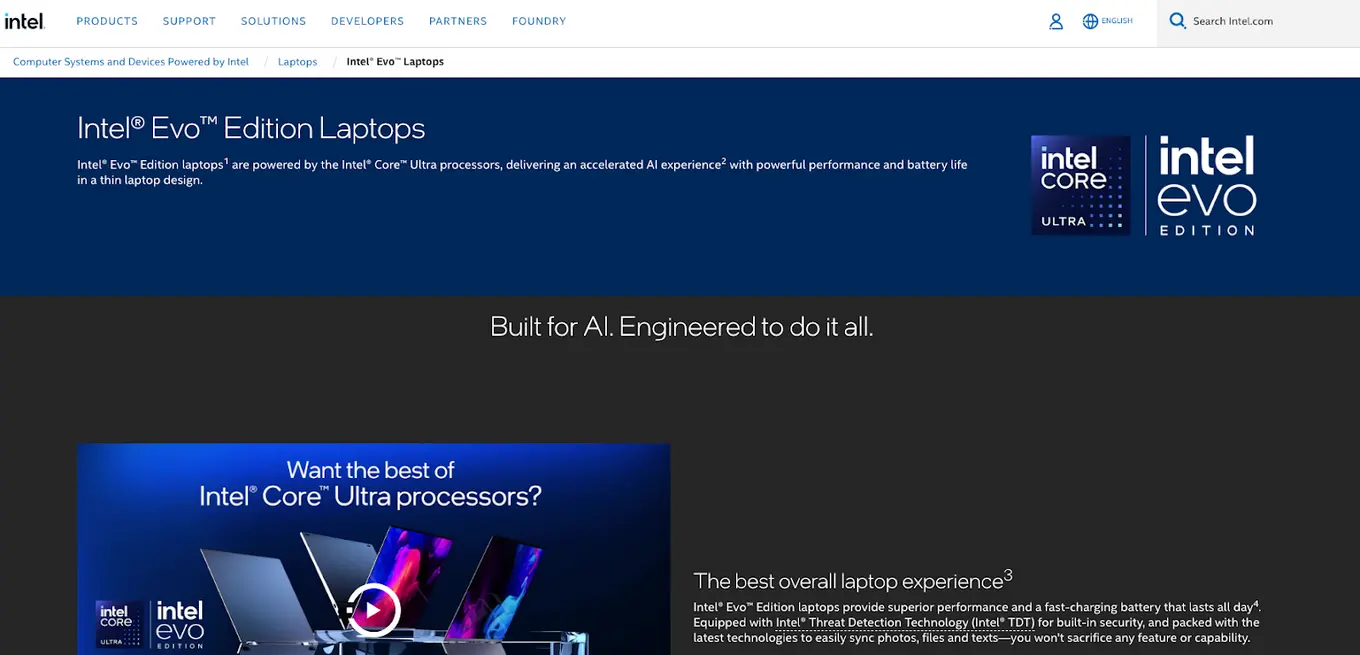
That’s the pattern working for teams right now. According to a Veritonic study conducted for an Intel campaign in 2024, AI-generated audio ads that included personalized, human-directed elements (like location-specific details and contextual messaging) increased brand favorability by 22 percentage points over a control group. Generic AI audio without that human strategy? Only 9 points.
The difference wasn’t the AI itself. It was what humans told the AI to do. The team decided to include the listener’s city, mention a nearby store, and time the message around Black Friday. AI just made executing those ideas possible without months of voice recording.
Tips for producing and using AI-generated content
The difference between AI content that works and AI content that flops comes down to process. These tips separate effective AI use from the “AI slop” filling everyone’s feeds.
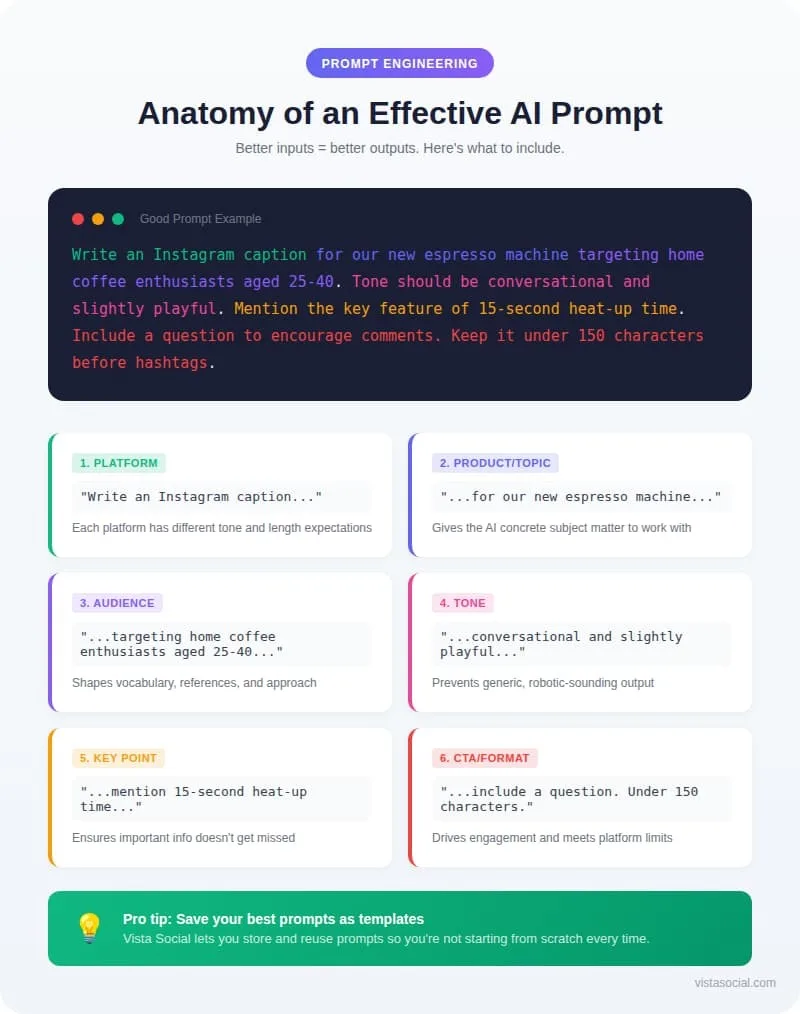
Start with a good prompt
Your output quality depends entirely on your input quality. Vague prompts produce generic content. Specific prompts produce usable drafts.
Bad prompt: “Write an Instagram caption about our new product.”
Good prompt: “Write an Instagram caption for our new espresso machine targeting home coffee enthusiasts aged 25-40. Tone should be conversational and slightly playful. Mention the key feature of 15-second heat-up time. Include a question to encourage comments. Keep it under 150 characters before hashtags.”
Vista Social’s AI marketing tools let you save prompt templates, so you’re not starting from scratch every time.
Never use AI output as-is
This is the most important rule. HubSpot’s research found only 4% of marketers use AI to write entire pieces of content without edits. Among marketers who use AI to make written content, 86% make edits before publishing.
Raw AI output is a starting point. Your job is to:
- Add personality and brand-specific language
- Verify every fact and statistic
- Remove repetitive or generic phrases
- Inject current context and references
- Ensure the tone matches your audience
Think of AI as a first-draft assistant, not a replacement for your judgment.
Use AI to improve existing content
Don’t just create new content. Use AI to refresh what you already have.
- Repurposing: Turn a blog post into a thread of social posts. Convert a webinar into short video scripts. Transform customer testimonials into carousel graphics.
- Updating: Refresh old content with current statistics, examples, and references. AI can identify what’s outdated and suggest improvements.
- Optimization: Test different headlines, hooks, and CTAs. AI generates variations quickly so you can A/B test without manual effort.
Real-world example: L’Oréal’s Tidal AI System
L’Oréal implemented an AI tool called Tidal to automate and optimize paid media across platforms. A 2023 rollout in the Nordic region showed a 22% increase in media efficiency and a 14% improvement in campaign effectiveness compared to internal benchmarks.
The company’s Chief Digital and Marketing Officer, Asmita Dubey, emphasized at Nvidia GTC 2024 that their approach focuses on three key areas: science, technology, and creativity. Their Generative AI Task Force established clear guidelines for AI use, proving that enterprise-scale AI adoption requires structure.
Establish clear guidelines for AI usage
Your team needs rules. Without them, AI use becomes inconsistent and risky.
Create documentation covering:
- What AI can be used for: Drafting, research, brainstorming, and editing assistance.
- What AI cannot do alone: Final approval, fact verification, sensitive communications, and crisis response.
- Quality standards: What “AI-assisted” content must include before publishing. Editing requirements, review processes, and fact-checking protocols.
- Disclosure policies: When and how you’ll tell audiences about AI involvement in content creation.
- Tool access: Which team members use which tools. How prompts and outputs are stored and shared.
Vista Social’s approval workflows let you build these checkpoints directly into your publishing process. Content moves through review stages before going live, ensuring AI-generated drafts get human oversight.
Fact-check everything AI generates
AI doesn’t know what’s true. It knows what sounds true based on its training data. That training data is incomplete, sometimes outdated, and occasionally just wrong.
Every statistic, quote, claim, and reference in AI-generated content needs verification:
- Check original sources, not the blog posts that cited them
- Verify dates and context
- Confirm quotes are accurate and attributed correctly
- Test links to make sure they work and lead where expected
Publishing false information damages credibility. The cost of fact-checking is far lower than the cost of corrections or lost trust.
Match your brand voice
Generic AI sounds like generic AI. Your content should sound like your brand.
Train your AI tools on:
- Past high-performing posts
- Brand voice guidelines
- Specific phrases and terminology you use
- Topics and angles you typically cover
Vista Social’s AI Assistant lets you customize brand voice settings. Feed it examples of your best content, and it produces drafts that match your established style.
Real-world example: Coca-Cola “Create Real Magic” (2023)
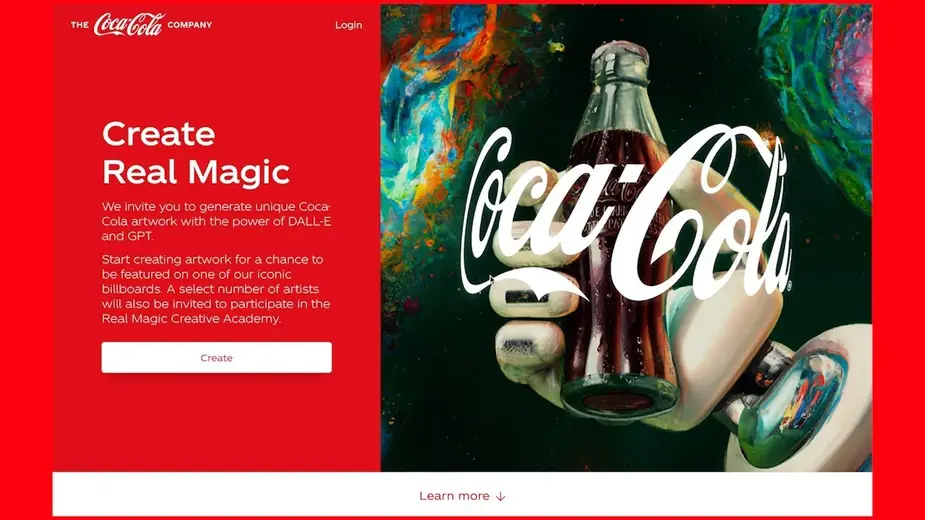
Coca-Cola launched an AI platform combining GPT-4 and DALL-E that lets digital creators worldwide make artwork using Coca-Cola’s iconic brand assets.
The campaign generated over 120,000 pieces of original artwork. Featured creators’ work appeared on digital billboards in Times Square and Piccadilly Circus. Selected artists attended the Real Magic Creative Academy at Coca-Cola’s Atlanta headquarters.
Top tools for AI-generated content
The right tools make the difference between fighting AI and flowing with it. Here are the standouts for social media content creation.
1. Vista Social
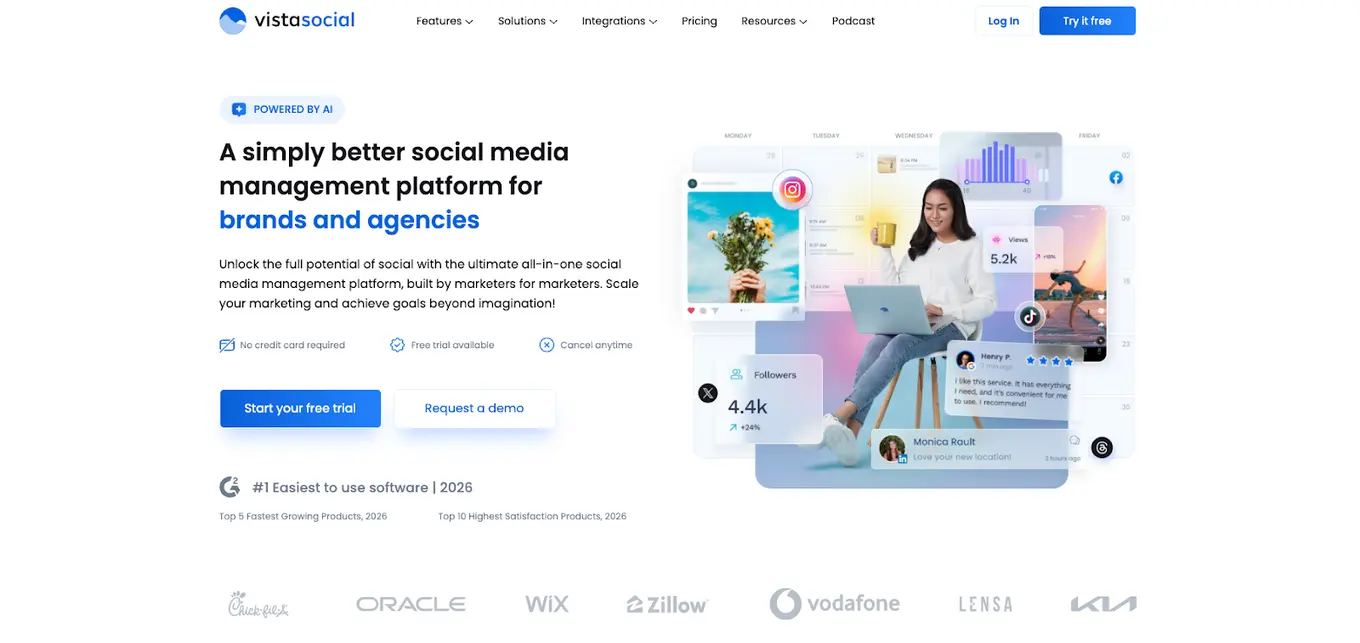
Vista Social combines AI content generation with complete social media management. Instead of jumping between AI tools and scheduling platforms, everything lives in one dashboard.
AI Assistant features:
- ChatGPT-powered caption generation
- Brand voice customization
- Hashtag suggestions based on performance data
- Comment and DM response drafts
Why it matters for workflows:
The AI Assistant integrates with Vista Social’s publishing tools, content calendar, and approval workflows. Generate a draft, edit it, schedule it, and track its performance without switching tabs.
The platform supports all major social networks and includes features like bulk publishing, media library management, and AI content creation tools specifically designed for social media teams.
2. Claude

Claude (made by Anthropic) excels at nuanced, thoughtful text generation. Its strength is producing content that doesn’t sound like every other AI-generated post.
Best for:
- Long-form content drafts
- Complex topic explanations
- Multiple perspective exploration
- Brand voice refinement
Claude handles instructions well and can maintain a consistent tone across extended content. Useful for content that needs depth beyond quick social captions.
3. Jasper AI
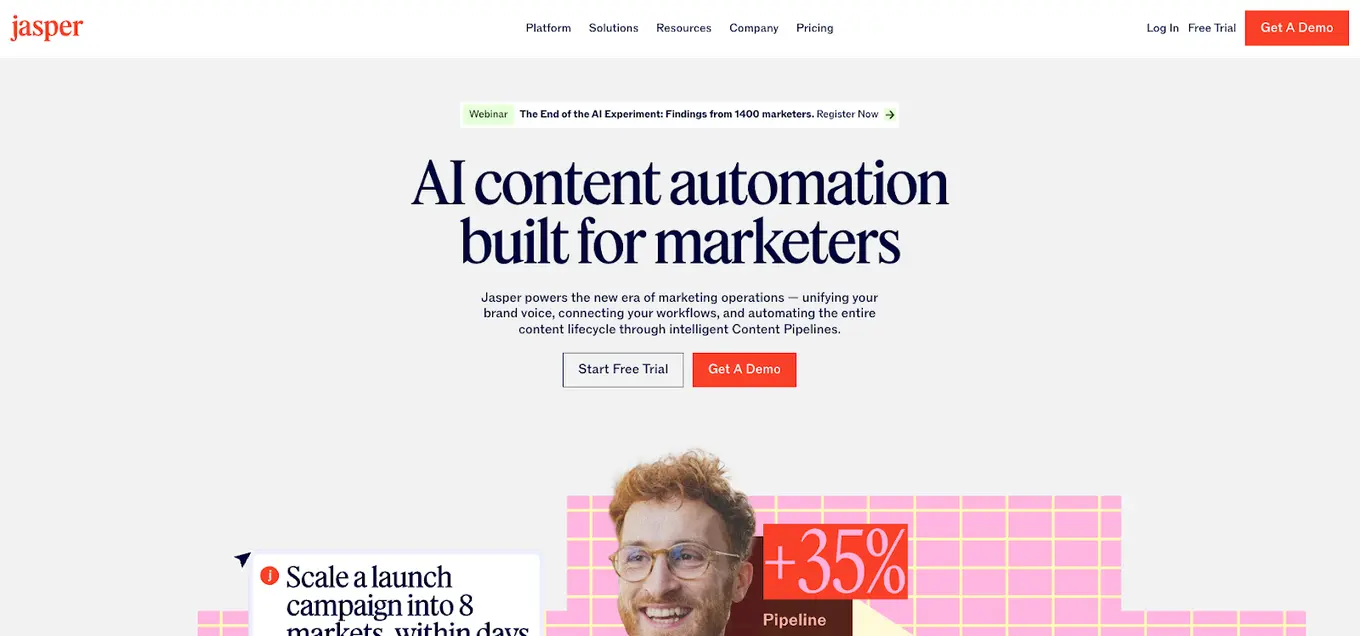
Jasper focuses specifically on marketing content. Its template library covers common marketing formats:
- Social media posts by platform
- Ad copy variations
- Email sequences
- Landing page copy
The interface is designed for marketers rather than general users. Campaign-focused features help maintain consistency across multi-channel content efforts.
4. Midjourney
Midjourney produces distinctive AI imagery. Its aesthetic tends toward artistic and stylized rather than photorealistic.
Useful for:
- Social media graphics
- Brand imagery concepts
- Creative visual content
- Mood boards and style exploration
The learning curve is steeper than text tools since effective prompting requires understanding visual composition and style descriptors.
5. Veo
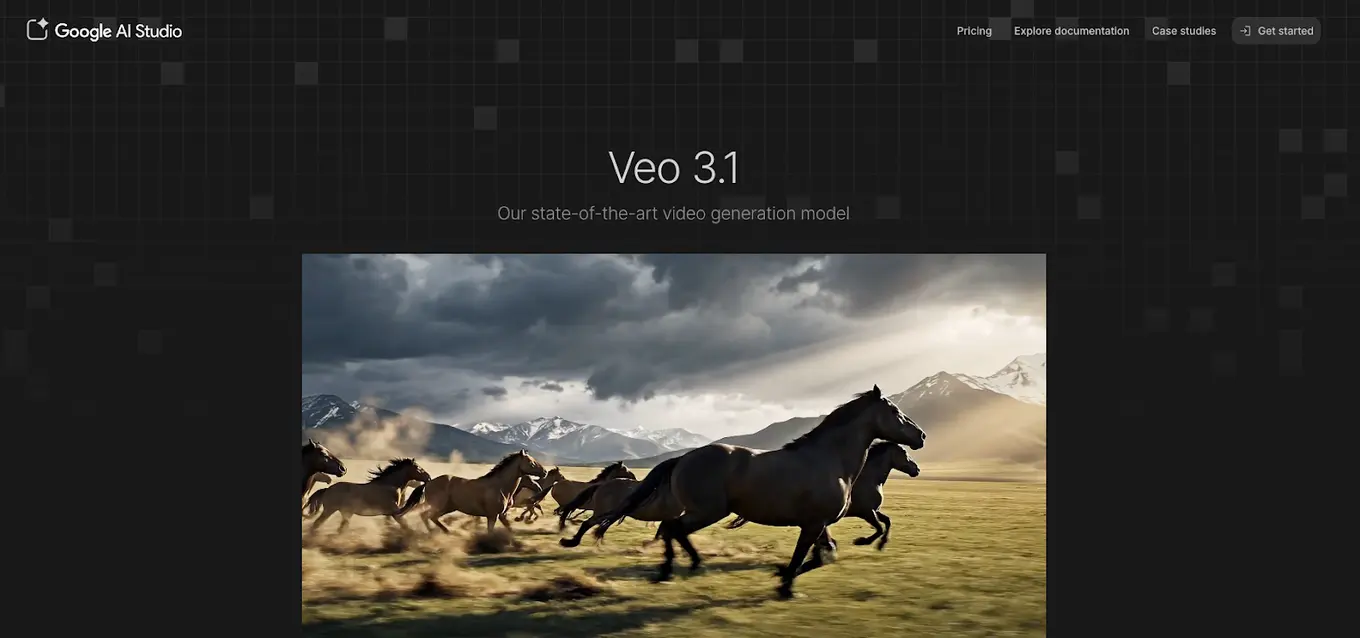
Google’s Veo focuses on video generation and enhancement. Current capabilities include:
- Image-to-video conversion
- Vertical video generation (9:16 for mobile)
- Quality upscaling to 1080p and 4K
- Character and scene consistency across clips
Video AI is less mature than text and image tools, but Veo represents the current state of the art for quick video creation.
Be strategic with your AI-generated content
AI won’t save a bad content strategy. It accelerates whatever you’re already doing, good or bad.
Before adding AI to your workflow, ask:
- What specific content challenges are you solving?
- Where do bottlenecks slow your team down?
- What quality standards must every piece meet?
- Who reviews AI-assisted content before publishing?
The solution is treating AI as a tool that requires human direction, not a replacement for human judgment. Set clear guidelines, and build review processes, verify everything, and always ask, “Does this sound like us, or does it sound like everyone else?”
Vista Social puts these principles into practice with AI tools built into a complete social media management platform. Generate content, refine it, approve it, and publish it from one dashboard. Start your free trial to see how AI-assisted content creation works when it’s designed for real social media workflows.
AI-generated content FAQs
How do you make AI-generated content?
Start by choosing an AI tool suited to your content type. For text, tools like ChatGPT, Claude, or Vista Social’s AI Assistant work well. For images, try Midjourney or DALL-E. Write a detailed prompt explaining what you need, who the audience is, and what tone to use. Review the output, edit for accuracy and brand voice, and fact-check any claims before publishing.
What are examples of AI-generated content?
Real examples include Coca-Cola’s “Create Real Magic” campaign, where users generated brand artwork using GPT-4 and DALL-E. The Barbie movie’s selfie generator created over 13 million personalized movie posters using PhotoRoom’s AI. Heinz’s “A.I. Ketchup” campaign used DALL-E to show that AI associates “ketchup” with the Heinz brand image, generating 1.15 billion earned impressions.
What is the 30% rule for AI?
The 30% rule suggests AI should handle no more than 70% of content creation work. You spend the remaining 30% on editing, fact-checking, adding brand personality, and ensuring quality. This balance uses AI for efficiency while maintaining human oversight for authenticity. Some teams adjust this ratio based on content type and risk level.
Can audiences tell if content is AI-generated?
Research shows mixed results. A Nuremberg Institute for Market Decisions study found consumers couldn’t reliably identify AI content when unlabeled but rated identical content more negatively when told it was AI-generated. The safest approach is transparency about AI use and ensuring all content meets quality standards regardless of how it’s created.
Should you disclose AI use in content?
Transparency is increasingly expected and sometimes required. The EU’s AI Act mandates labeling certain AI-generated content. Meta, Google, and TikTok have all implemented AI content labeling systems. Gartner predicts that by 2027, brands will allocate 50% of influencer marketing budgets to content and creator authenticity initiatives. Clear disclosure policies protect brand trust and prepare for evolving regulations.
How do you maintain brand voice with AI content?
Train AI tools on your existing high-performing content. Use detailed prompts that specify tone, terminology, and style. Create templates for common content types. Vista Social’s AI Assistant lets you save brand voice settings that apply to all generated content. Always edit AI output to match your established voice before publishing.

Try Vista Social for free
A social media management platform that actually helps you grow with easy-to-use content planning, scheduling, engagement and analytics tools.
Get Started NowAbout the Author

Content Writer
Orion loves to write content that refuses to be boring. As part of Vista Social, he helps brands, creators, and agencies stop doom scrolling and start winning with social media. When he's not in front of a keyboard, he's watching films in IMAX with his wife, dissecting football tactics (the European kind), and getting lost in a good book.
Loading related tools...




Tools
PublishingAnalyticsEngagementIntegrations
FacebookInstagramLinkedInRedditSnapchatThreadsTikTokX (Twitter)YouTubeBlueskyVista Page (link-in-bio)All IntegrationsCopyright © 2026 Vista Social LLC. All Rights Reserved.