


Published on July 14, 2026
7 min to read
AI Content Calendar: Draft a Month, Then Just Edit

Summarize with AI

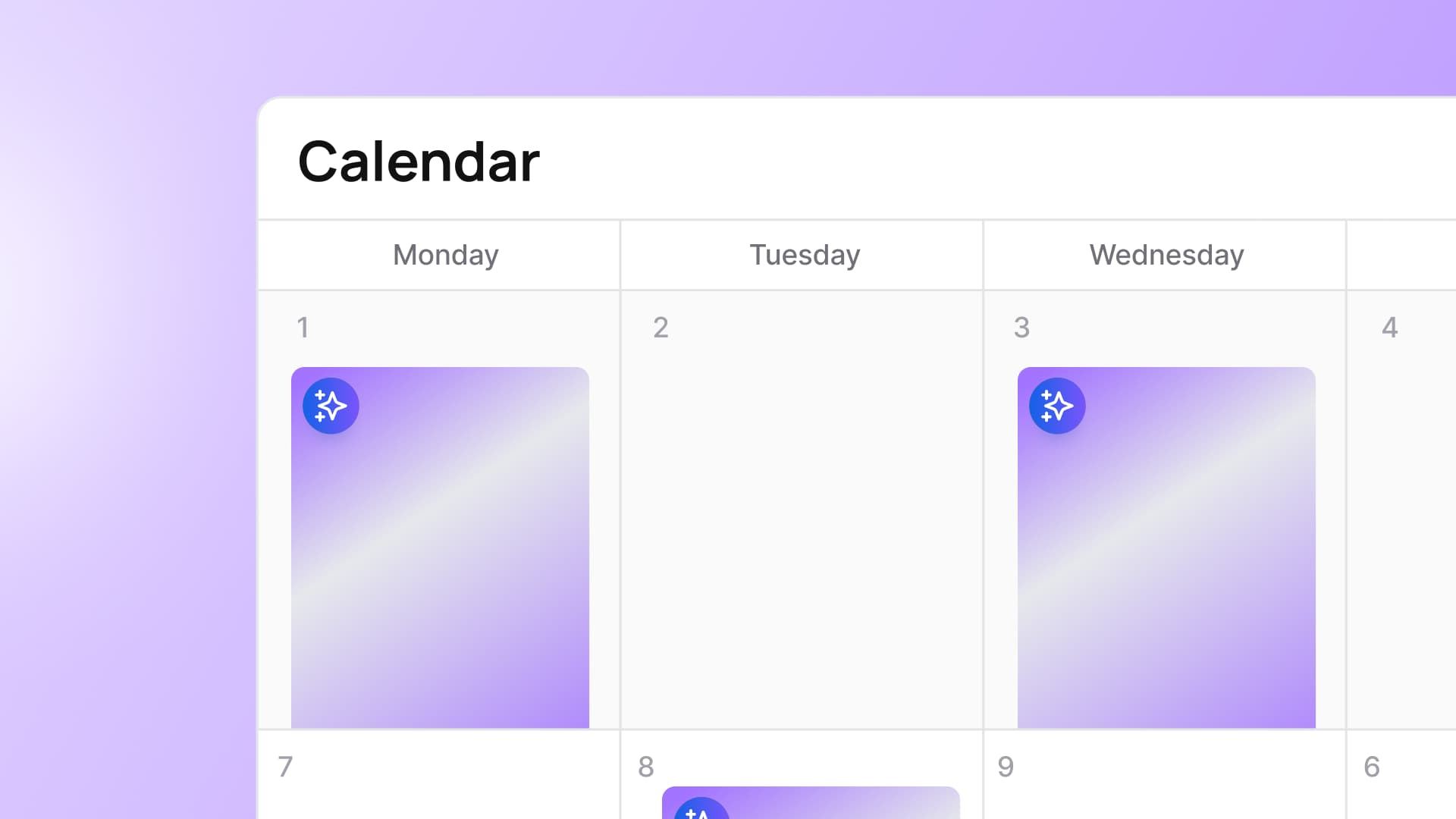
Table of contents
Summarize with AI

ChatGPT

Claude

Perplexity
Share

Vista Social

X (Twitter)


It’s 4:40 on a Thursday, and the calendar is still empty. You opened it Monday, typed “Motivation Monday?” into the first box, hated it, and closed the tab. Since then: two client fires, a report, and a boss who just asked, in passing, when this month’s posts go out. You don’t have a plan. You have a grid with thirty-one empty rows and a sinking feeling that this is going to eat your weekend.
Nobody tells you this part: the blank grid is the whole problem. Filling it isn’t hard because the work is hard. It’s hard because you’re starting from nothing. So stop starting from nothing.
You don’t need a free afternoon to build a calendar. You need forty minutes to edit one an AI already drafted from your accounts.
In this guide:
- An account-aware AI assistant can draft a full month of posts from your connected accounts, not a blank prompt.
- Your job shrinks from creating 30 posts to editing 30. Keep the strong 60%, rewrite the weak 40%.
- Nothing publishes until you approve it, post by post.
- This is a draft, not a final. Always check voice, claims, and timely references yourself.
Table of contents
What does it mean to have AI draft your content calendar?
An AI content calendar is a month’s worth of social posts that an assistant drafts for you automatically. You then edit and approve each one before it goes out. That’s the whole idea.
There’s a key difference most tools skip. A generic AI generator drafts from a blank prompt. Type in your industry, get 30 post ideas that could belong to any brand in it.
On the other hand, an account-aware assistant works differently. It drafts from your real profiles, your past posts, and the times your audience is active. What you end up editing is already shaped to you, not to a stranger’s guess at your niche.
Why draft-then-edit beats building from scratch (or publishing what the AI wrote)
Two ways to lose here. Build the calendar from scratch, and you’re staring at the same blank grid that’s been costing you weekends. Publish whatever the AI writes without a second look, and you’re shipping posts that could belong to any brand in your category.
The middle path is where the quality lives. Salesforce surveyed nearly 4,500 marketers for its 2026 State of Marketing report and found that 84% confess to running generic campaigns, even though most of them have already adopted AI. That’s what a raw AI draft feels like from the inside: familiar, competent, and forgettable.
The same report found that 78% of marketers need more personalized content than they can currently produce. That’s the actual gap draft-then-edit closes. The AI produces the volume. You supply the specificity: the detail only someone who runs this account would know, the joke that only lands because of what happened last week, the phrasing that sounds like your brand instead of a generic one.
Editing is where your judgment enters the process. You keep what’s strong, rewrite what’s flat, and cut what’s filler. That pass is the actual skill. The AI just removes the blank page standing between you and it. Skip that pass and publish the raw draft, and you’re back to the generic-campaign problem the Salesforce data describes, just faster.
Account-aware vs. a blank-slate generator: why it matters
A general chatbot has never seen your accounts. Ask it for a month of posts, and it drafts against your industry, not your brand. You’d still have to rewrite most of it to sound like you, which is close to the work you were trying to skip in the first place.
An assistant wired into your connected accounts skips that step. It drafts against your actual profiles, your past posts, and the times your specific audience shows up.
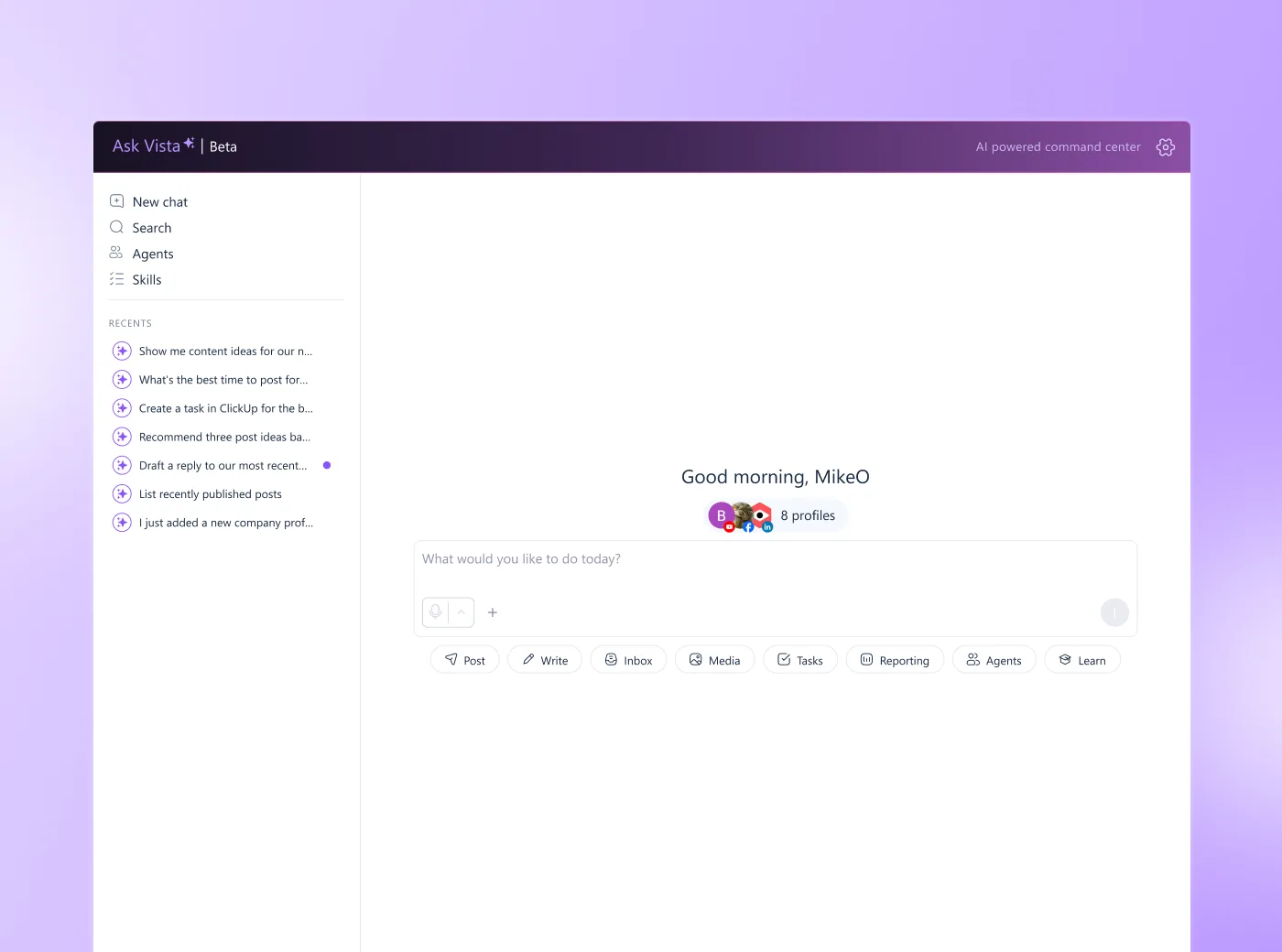
In Vista Social, that’s Ask Vista: you ask it in plain language to draft a month, and it works from what your accounts show, not a text box description of your niche. For the full comparison, see why an account-aware assistant beats a general chatbot.
How to have AI draft your first content calendar in 6 steps
The method breaks into three moves: connect your accounts, set your brand voice, then ask the assistant to draft a month and review, edit, and approve what comes back. Each step below builds on the last.
1. Connect your accounts so the assistant drafts from real profiles, not a blank prompt. Once your profiles are linked, the assistant can see your history and audience data instead of guessing. If you want the manual fundamentals of calendar building first, our step-by-step guide to building a calendar by hand covers that ground.
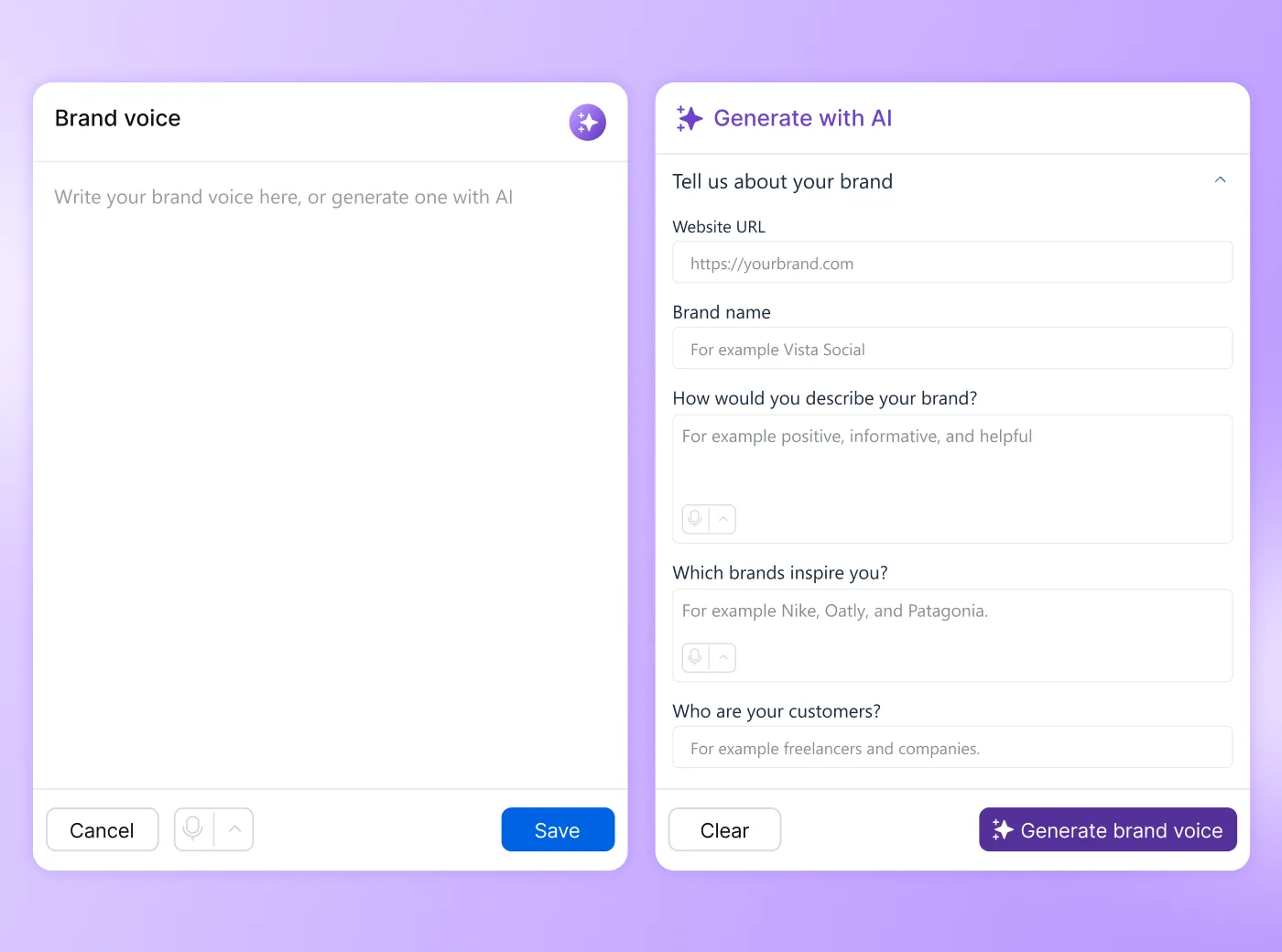
2. Teach it your brand voice first so drafts sound like you, not like everyone. A saved brand voice keeps the assistant’s drafts from reading like generic AI copy. In Vista Social, this lives under AI Training & Knowledge, available starting on the Advanced plan. Teach it your brand voice first walks through the setup.
3. Ask the assistant to draft the month. Give it a plain-language prompt: “Draft a one-month content calendar for my connected accounts. Balance educational, engagement, and promotional posts, match my brand voice, and schedule each at my audience’s best time. Leave everything as a draft for me to review.” The assistant returns a full month of drafted posts across your profiles, ready for you to look over.
4. Review the whole month at a glance before editing anything. Scroll through the month view first. Remember that you’re checking for balance: too many promotional posts in a row, not enough value content, gaps around key dates on your calendar.
5. Rewrite the weak posts so they sound like you instead of like a draft. Cut the filler entirely rather than polishing something that shouldn’t run. Content strategist Erika Heald puts it plainly: Without content governance in place, you really shouldn’t use AI to create any of your marketing materials. Your edit pass is that governance step, done post by post instead of as a separate policy document.
6. Approve to schedule at the best times. The assistant places each post at your audience’s active times. You approve, and nothing goes live until you do, post by post.
Make it recurring: draft next month automatically
Once the first month works, you don’t have to repeat the whole process from scratch every time. A scheduled Agent in Vista Social can draft next month’s calendar on a recurring basis, so it’s waiting for you in your calendar instead of on your to-do list. You still edit and approve everything before anything is published.
The agent handles the blank-page part. The edit pass stays yours every time. Every Vista Social plan includes Agents for free, no upgrade required. Set up a recurring agent to draft next month shows how.
What an AI-drafted calendar gets wrong (and what only you can fix)
An AI draft is a strong starting point and a weak finish line. Always check brand voice, factual claims, numbers, and anything timely or sensitive yourself before you approve a post. The assistant doesn’t know what changed in the news this morning or whether a stat it pulled is still accurate. It also doesn’t know when a joke that worked last quarter will land differently this week.
If your brand voice is highly idiosyncratic, expect to rewrite more of each draft. A quirky, specific voice is harder for any assistant to match on the first pass than a straightforward one. The method still beats a blank page, but set that expectation honestly going in rather than being surprised by it.
But it’s important to note that this method also isn’t for everyone. If you post reactively off live trends and rarely plan ahead, a pre-drafted month matters less to you. Use the assistant for single fast drafts instead, and skip the full-month workflow. The point isn’t to draft a month because you can. It’s to draft one because a blank calendar was the thing stopping you.
Your first-week plan
- Today: Draft the month using the prompt above.
- This week: Edit it down, post by post.
- After that: Let the approved calendar run.
- End of the month: Review what performed and re-draft next month from what worked.
For a longer runway past your first month, a 30-day plan to build on your first month walks through pillar balance and cadence in more depth.
Build your AI content calendar today
It’s still Thursday, but the grid isn’t empty anymore. Instead of thirty-one blank rows and a boss asking when the posts go out, you have a drafted month sitting in your calendar. You edited it into shape in under an hour instead of losing a weekend to it.
That’s the shift this whole method rests on. You didn’t need a free afternoon or a burst of inspiration. You needed a draft to react to, plus the judgment to know what to keep, rewrite, or cut. The AI removed the blank page. You did the part that required you.
Start your AI content calendar inside Vista Social and see the difference an account-aware assistant makes next to a blank prompt. Start free, no credit card required, and nothing posts until you approve it.
Frequently asked questions
Can AI create a content calendar for me?
Yes. An account-aware assistant drafts a full month of posts from your connected accounts, and you edit and approve them before anything publishes. It removes the blank-page problem. Your judgment does the final pass.
What’s the difference between an AI content calendar generator and using ChatGPT?
A general chatbot has never seen your accounts, so its calendar is generic. An account-aware assistant drafts from your real profiles, past posts, and your audience’s active times, so the draft already fits you.
Will the AI post to my accounts automatically?
No. Drafts stay unpublished until you approve them, post by post. You stay in control of everything that goes live.
Is an AI-drafted content calendar actually any good?
As a draft, yes. As a final, no. Keep the strong structure and copy, rewrite the weak posts, and always check brand voice, claims, numbers, and timely references before you approve anything.
How long does it take?
Drafting the month itself takes minutes. Budget about 30 to 45 minutes to review and edit the first month into shape, far less than building 30 posts from scratch.
Do I need a paid plan?
The assistant that drafts against your accounts is available starting on the Professional plan. A saved brand voice to ground those drafts requires the Advanced plan. Every plan includes recurring drafting agents for free.
Try Vista Social for free
A social media management platform that actually helps you grow with easy-to-use content planning, scheduling, engagement and analytics tools.
Get Started NowAbout the Author

Content Writer
Russell Tan is a content marketing specialist with over 7 years of experience creating content across gaming, healthcare, outdoor hospitality, and travel—because sticking to just one industry would’ve been boring. Outside of her current role as marketing specialist for Vista Social, Russell is busy plotting epic action-fantasy worlds, chasing adrenaline rushes (skydiving is next, maybe?), or racking up way too many hours in her favorite games.